Connect Scalenut Plugin to WordPress & Auto-Publish Schema Markup
Connect Scalenut Plugin with WordPress to auto-publish schema markup and improve your site's SEO with minimal effort.
How to connect Scalenut’s Plugin with WordPress and automatically publish Schema Markup
If you're using Scalenut to create GEO/SEO-optimized content, connecting it with your WordPress site ensures that your articles not only publish seamlessly but also include structured data through schema markup. Schema markup helps search engines better understand your content, potentially leading to rich results (like featured snippets) in search listings.
By installing and activating the Scalenut plugin on WordPress, your published content will automatically include the relevant schema markup-no manual steps required!
Here’s a step-by-step guide to connect the Scalenut plugin with your WordPress site:
Step 1: Install the Scalenut Plugin
Log in to your WordPress Admin Dashboard.
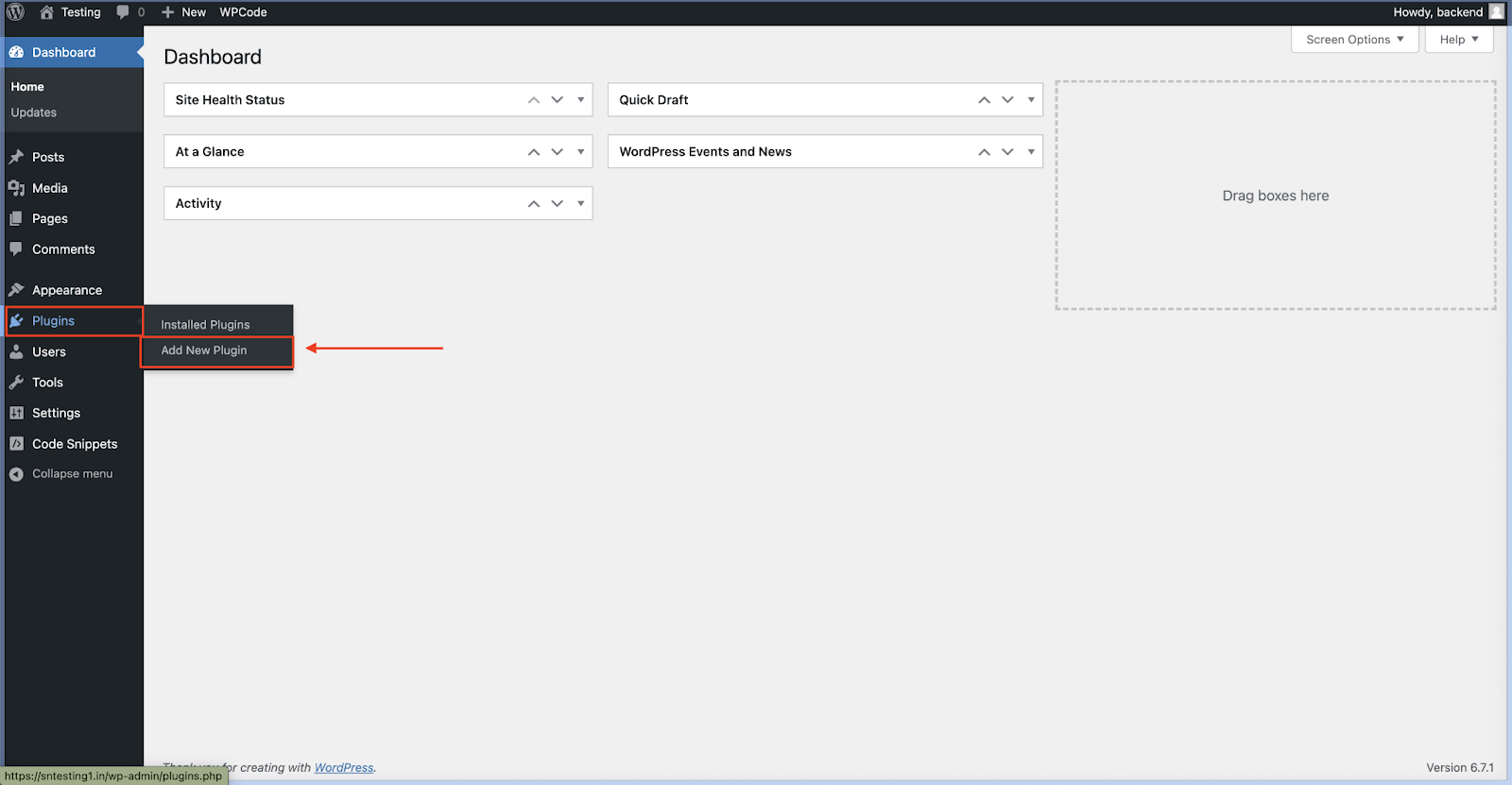
Go to the Plugins section in the left-hand menu and click on “Add New”.
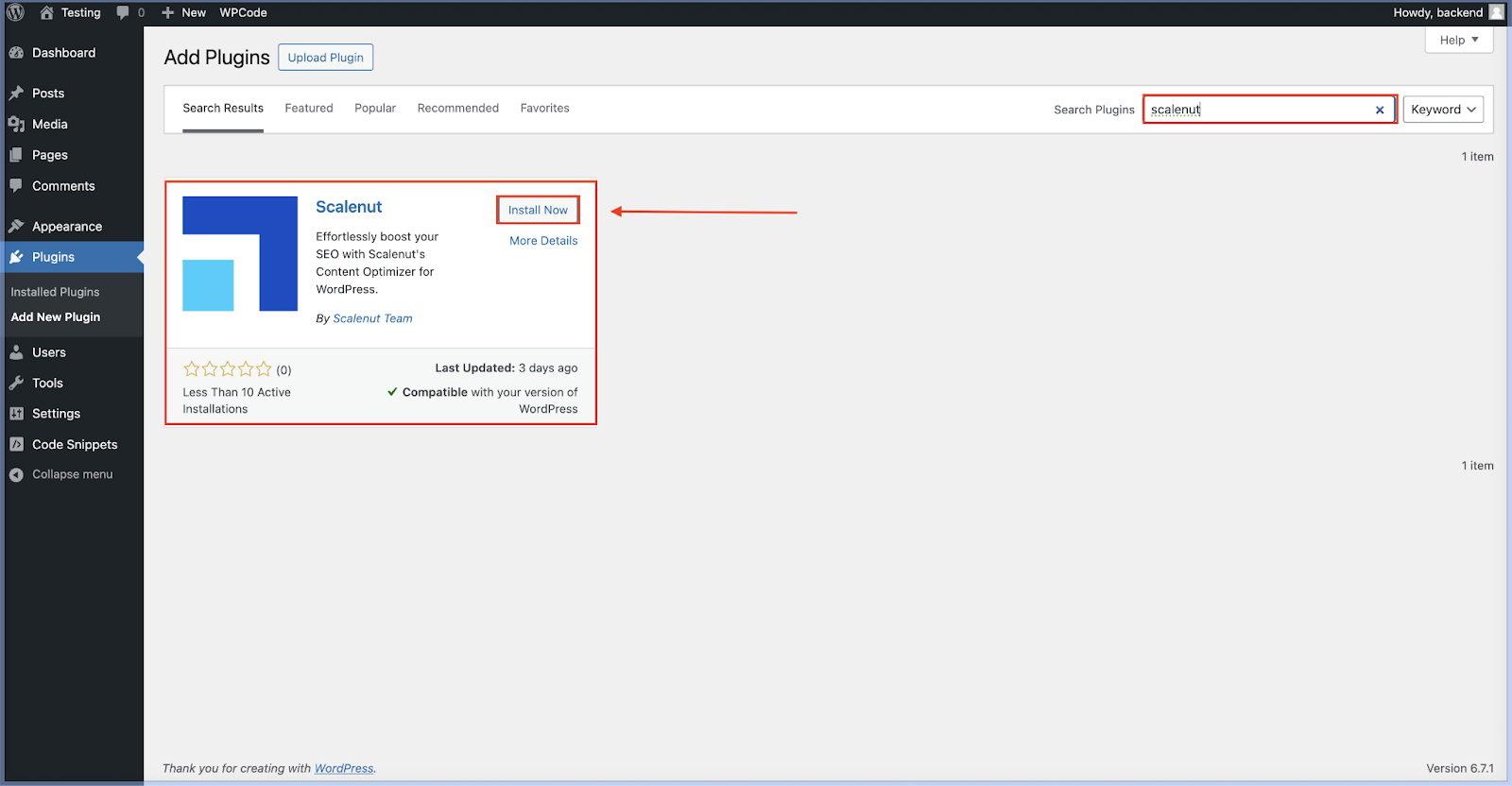
In the search bar, type “Scalenut”.
Once you locate the plugin, click on “Install Now”.
Step 2: Activate the Plugin
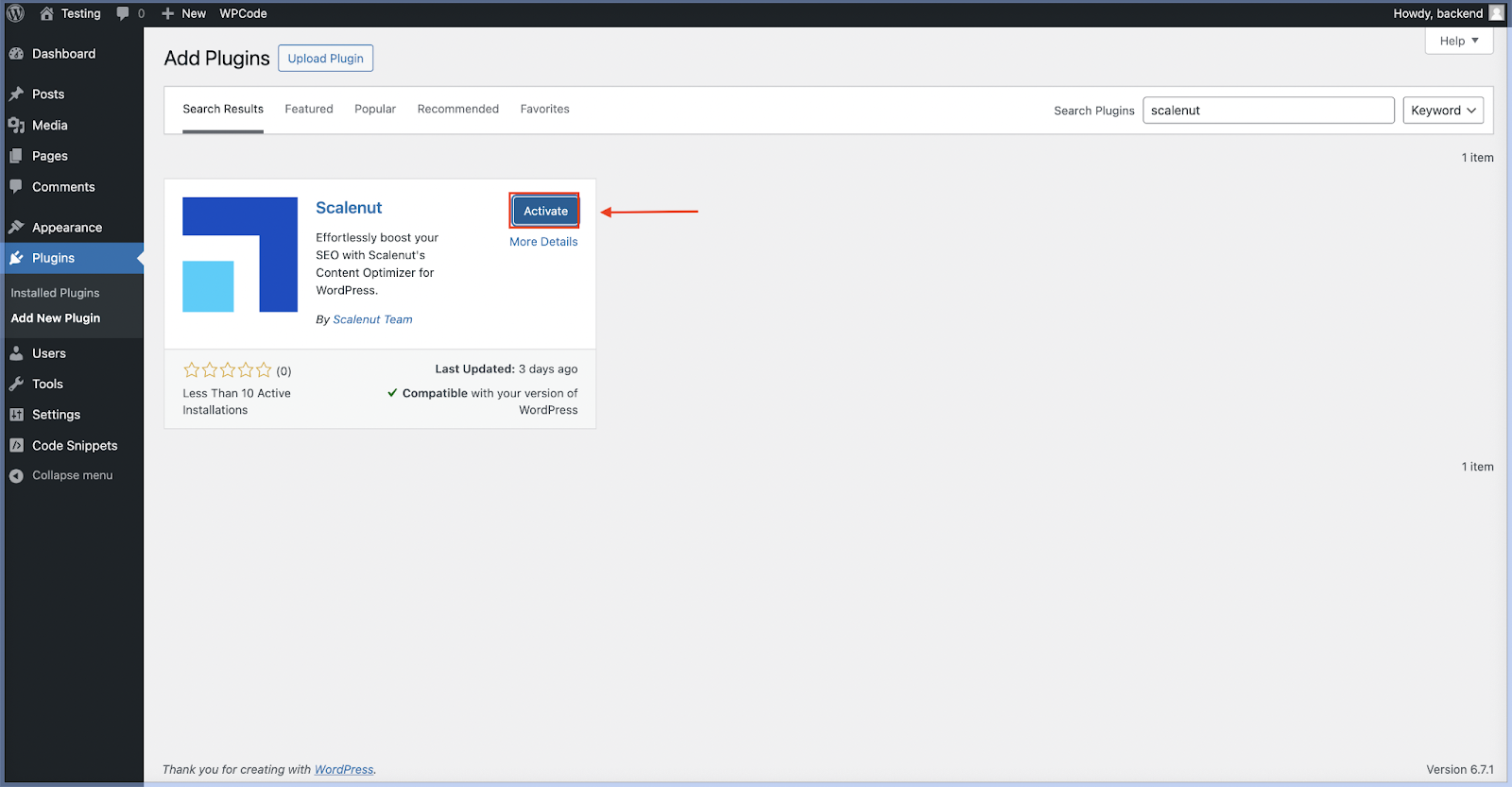
After installation, the Install Now button will change to “Activate”.
Click on “Activate” to enable the plugin on your site.
Step 3: Access the Plugin Settings
Once activated:
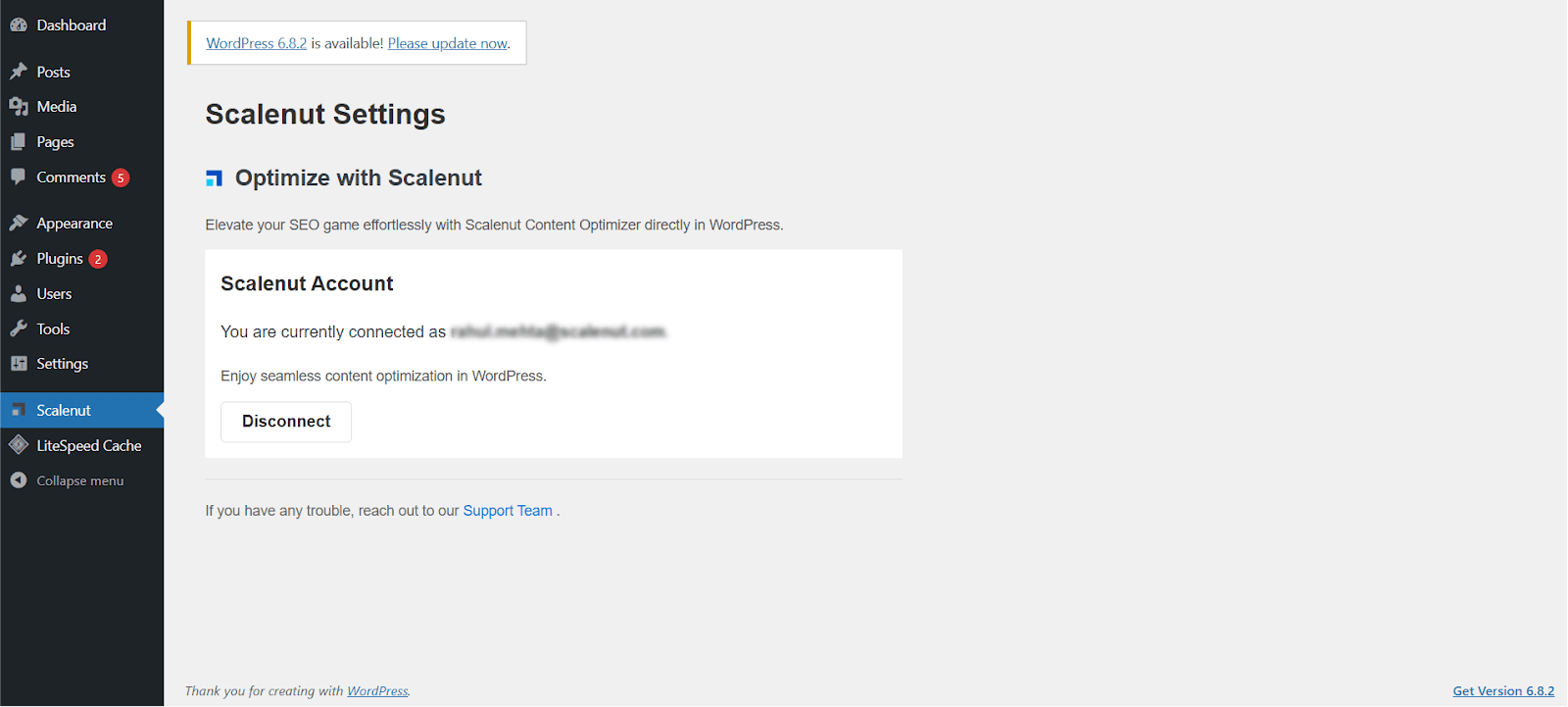
A new menu item labeled Scalenut will appear in the left-hand sidebar of your WordPress dashboard.
Automatic Schema Markup Integration
Once the Scalenut plugin is installed and activated:
Every time you publish an article from Scalenut to WordPress, the associated schema markup is automatically added to the post’s HTML.
This markup helps search engines interpret your content more effectively, increasing the chances of enhanced visibility through rich snippets.
There’s no need to manually insert or edit schema-Scalenut handles it for you.
Note:
It’s not mandatory to connect your Scalenut account to WordPress. As long as the Scalenut plugin is installed and active on your WordPress site, schema markup will be automatically added when articles are published.