Introducing the Scalenut AI Cruise Mode, a revolutionary tool that marks a milestone achievement in the AI writing field.
Struggling to write blog titles that drive clicks and engagement? You’re not alone.
In today’s crowded content landscape, your title isn’t just the first impression—it’s a critical signal for both readers and AI-powered discovery engines.
Enter Scalenut’s Cruise Mode—a smart, guided content creation experience designed to help you build high-performing, intent-driven content right from the start. It’s not just fast—it’s strategic.
In this article, we’ll explore why getting the title right is essential for GEO and how Scalenut helps you create titles that improve visibility, rankings, and relevance.
What is a Blog Title—and Why Does It Matter?
A title is more than a headline—it’s your blog’s entry point into the content ecosystem. It influences whether a user clicks, whether an AI model includes your page in a response, and how well your content ranks.
In a GEO-first strategy, your title acts as a bridge between user intent, keyword relevance, and algorithmic understanding. A clear, accurate, and well-optimized title sets the stage for stronger content performance.
How to Choose the Right Title for Your Blog?
Here are key principles for crafting a title that performs across both search engines and AI platforms:
Ensure Relevance: Your title should accurately reflect the content’s purpose. Misalignment can hurt engagement and trust.
Use Intent-Focused Keywords: Including relevant keywords improves your chances of being discovered—by both users and AI systems.
Keep It Concise: Short titles are easier to read, remember, and share—especially across mobile and social platforms.
Stay Honest: Trustworthy titles lead to higher engagement and stronger long-term performance.
Generate the Right Title with Cruise Mode
Now that you understand the fundamentals, Cruise Mode makes it easy to apply them.
Once you’ve set the right context in the setup stage, simply click “Create Title” and let Scalenut’s AI suggest optimized titles based on your topic, audience, and goals.
This GEO-friendly approach ensures your content starts with a strong, strategic title—giving it the best possible chance to be discovered, clicked, and read.
Title Suggestions: Create with Precision
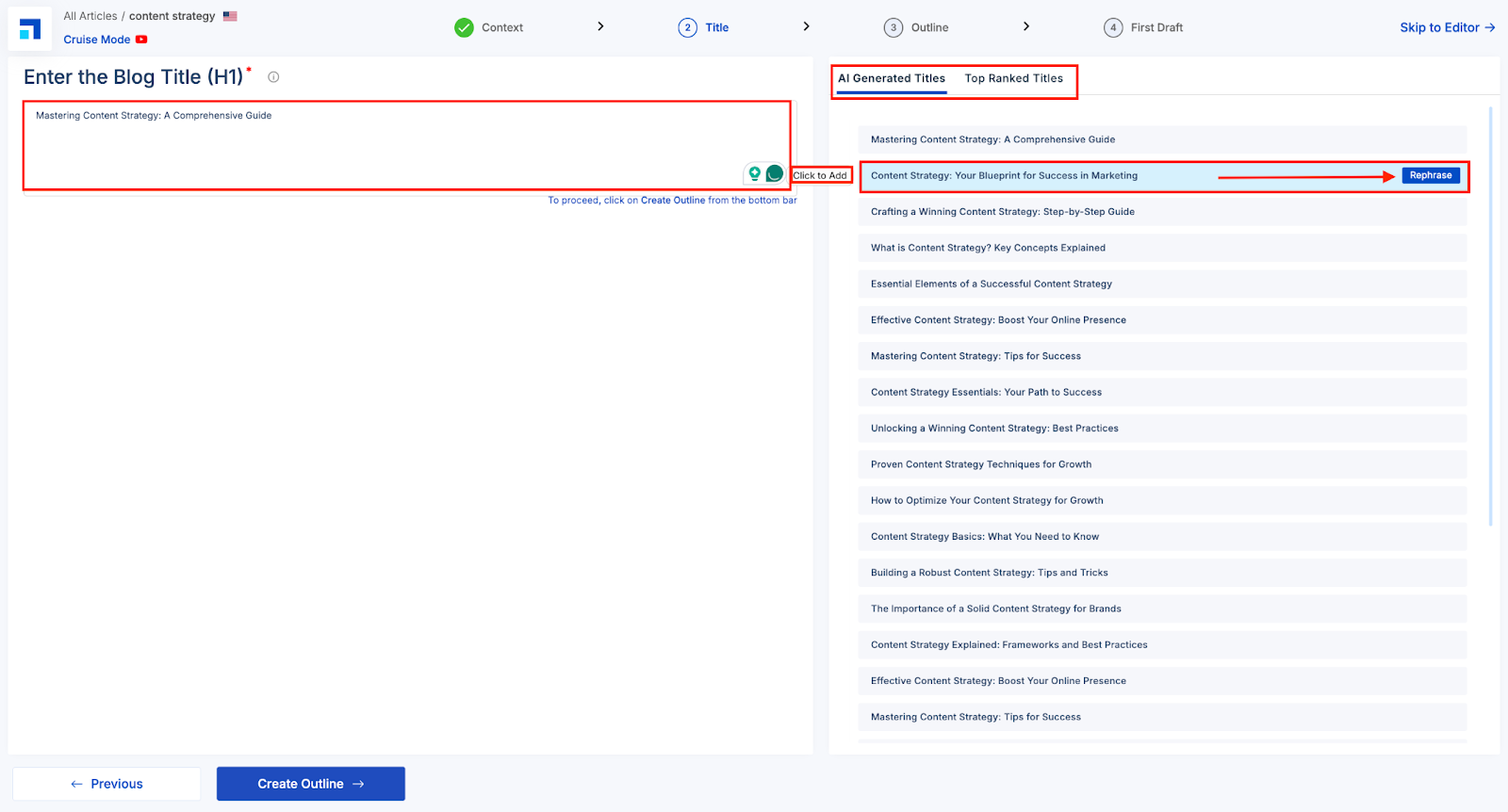
Once you enter the Title stage in Cruise Mode, you’ll see two helpful sections on the right panel — AI Generated Titles and Top Ranked Titles.
AI-Generated Titles: These are smart suggestions based on your input and configured context. They’re tailored for performance across search engines and generative systems.
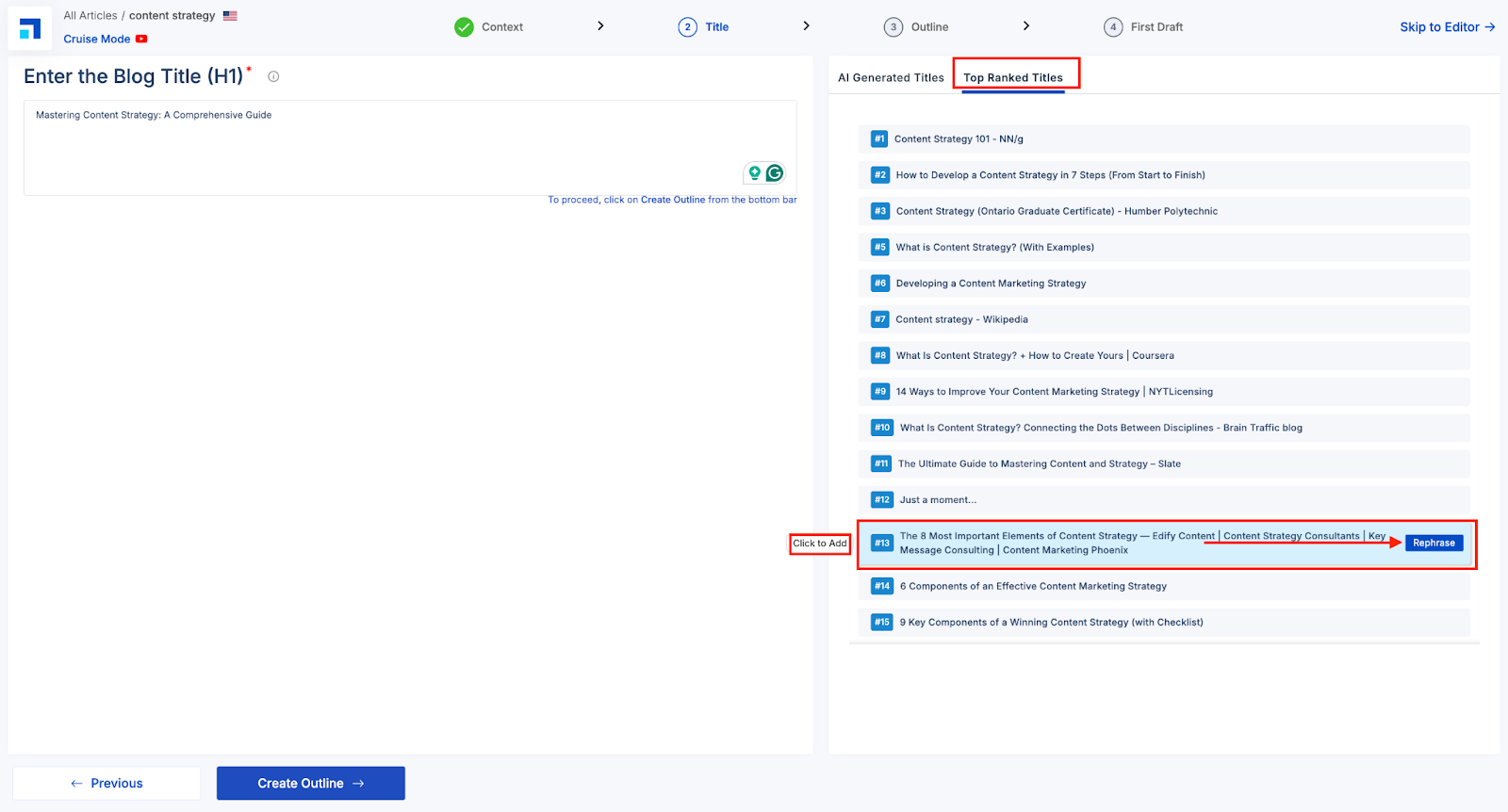
Top Ranked Titles: These are real-world examples of high-ranking titles from SERPs, giving you a benchmark for discoverability.
You can hover over any title and click “Click to Add” to set it as your blog’s H1 heading.
Want a better variation? Simply hit “Rephrase” to get alternative versions while staying aligned with your original intent.
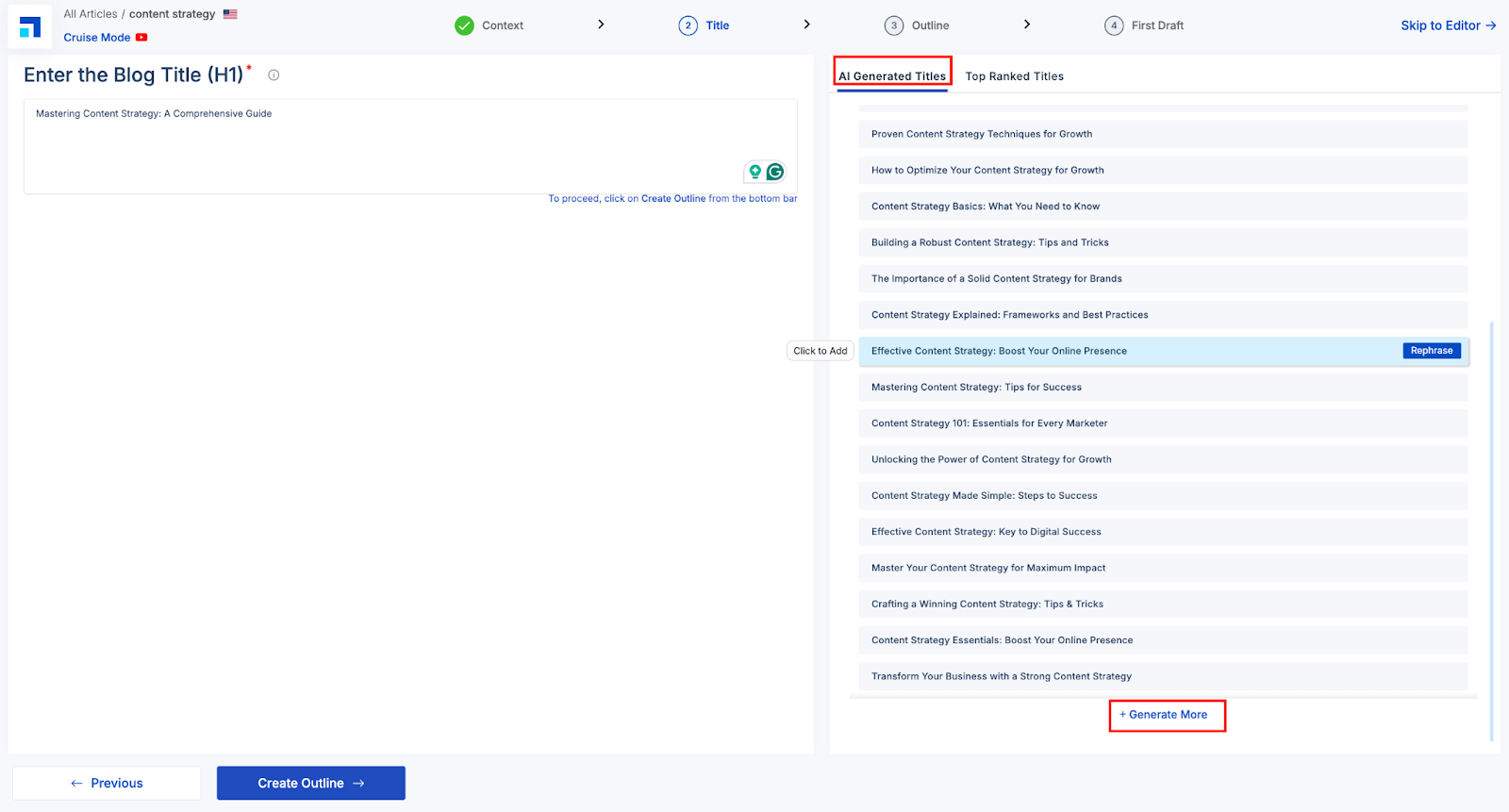
Need more ideas? Click Generate More to instantly get fresh, AI-powered title options aligned with your topic.
Real Example -
STEP 1
On the right-hand side of the 'Title' section, there is a text box displaying relevant titles generated by AI and ranked as top options for your blog's topic. You can use these titles by clicking or hovering over them. Or click the blue 'Rephrase' button to see a different variation.
STEP 2
Feel free to customize the titles or choose from the pre-existing options. Or, click on ‘Generate More’ to instantly get fresh, AI-powered title options aligned with your topic.
STEP 3
Next, move on to the Top Ranked Titles tab.
The Top Ranked Titles tab brings in real-world performance data to help you understand what’s working in your niche. These titles are pulled from top-ranking content across the web, so you get a competitive snapshot of headline strategies that already perform well on search engines. You can:
'Click to add' any title to your editor instantly.
Use the Rephrase option to make these winning titles your own while retaining their search value.
Analyze how other top content is structured and use it as inspiration for your own headline strategy.
This step ensures your blog title isn’t just creative but also rooted in proven SERP success—aligning perfectly with the principles of Generative Engine Optimization (GEO).
Once done, simply click on ‘Create Outline’.
And voila! You have now aced one of the most important components of your blog post.