Scalenut’s all powerful AI Cruise Mode helps you create a blog from scratch through just 4 simple and engaging steps.
Content creation today requires more than just keyword placement or surface-level optimization. With AI-driven search, voice assistants, and generative engines becoming the new gateways to information, your content must be structured, strategic, and outcome-focused.
That’s where Scalenut’s Cruise Mode makes all the difference.
More than a blog generator, Cruise Mode is your end-to-end content creation engine—built on the principles of Generative Engine Optimization (GEO). It doesn’t just help you rank; it helps your content educate, engage, and drive results across modern discovery systems.
Why Choose Cruise Mode?
Publishing content isn’t the goal—performance is.
Cruise Mode is designed to help you create content that’s searchable, shareable, and strategically aligned with how users (and AI systems) consume information today. It walks you through every step of the process—from identifying intent-rich keywords to delivering a polished, humanized final draft.
Here’s what makes it GEO-ready:
Outcome-Oriented Structure – Built-in workflows that guide you toward content that informs, solves, and converts.
Smarter Scoring – A revamped Content Score that evaluates not just SEO, but how well your content will be understood by intelligent engines.
Education-Focused Frameworks – Prompts, key terms, and outlines designed to create content that answers real user questions.
Growth-Ready Formats – Export-ready, multi-format output that integrates seamlessly into any content, SEO, or growth strategy.
With Cruise Mode, you're not just writing blogs—you’re building assets that perform in a world powered by AI, algorithms, and intent.
Key Benefits of Cruise Mode
1. Guided, Step-by-Step Workflow - Cruise Mode walks you through every phase—from keyword input to final export—making content creation smooth, structured, and foolproof.
2. Built-In SEO & Competitive Research - Analyze top-ranking content, integrate high-performing keywords, and get smart prompt suggestions to align with what works on search engines.
3. Personalized Content Strategy - Customize tone, article type, target region, keyword and prompts to match your unique brand voice and goals.
4. Smart Outline & Question Builder - Easily create detailed outlines and FAQs using AI suggestions, SERP insights, and user-generated questions to boost content depth.
5. AI-Powered Drafting with Full Control - Generate a full first draft with editable meta tags, schema, headings, and structure—then refine it using built-in tools like rephrase, simplify, or expand.
6. Real-Time Optimization - Monitor content score, readability, schema, and key term usage live, so you stay on track as you edit.
7. Humanize with a Click - Use the “Detect and Humanize” feature to rewrite AI-sounding phrases for a more natural, reader-friendly tone.
8. Team-Friendly Collaboration Tools - Leverage features like comments, version history, and mark-as-complete to streamline review, feedback, and publishing workflows.
9. Export-Ready Output - Download your final blog post in multiple formats—PDF, DOC, HTML, or Markdown—making it easy to publish across platforms.
Create GEO-Optimized, AI-Ready Articles in Just Four Steps
STEP 1: Context Section Overview
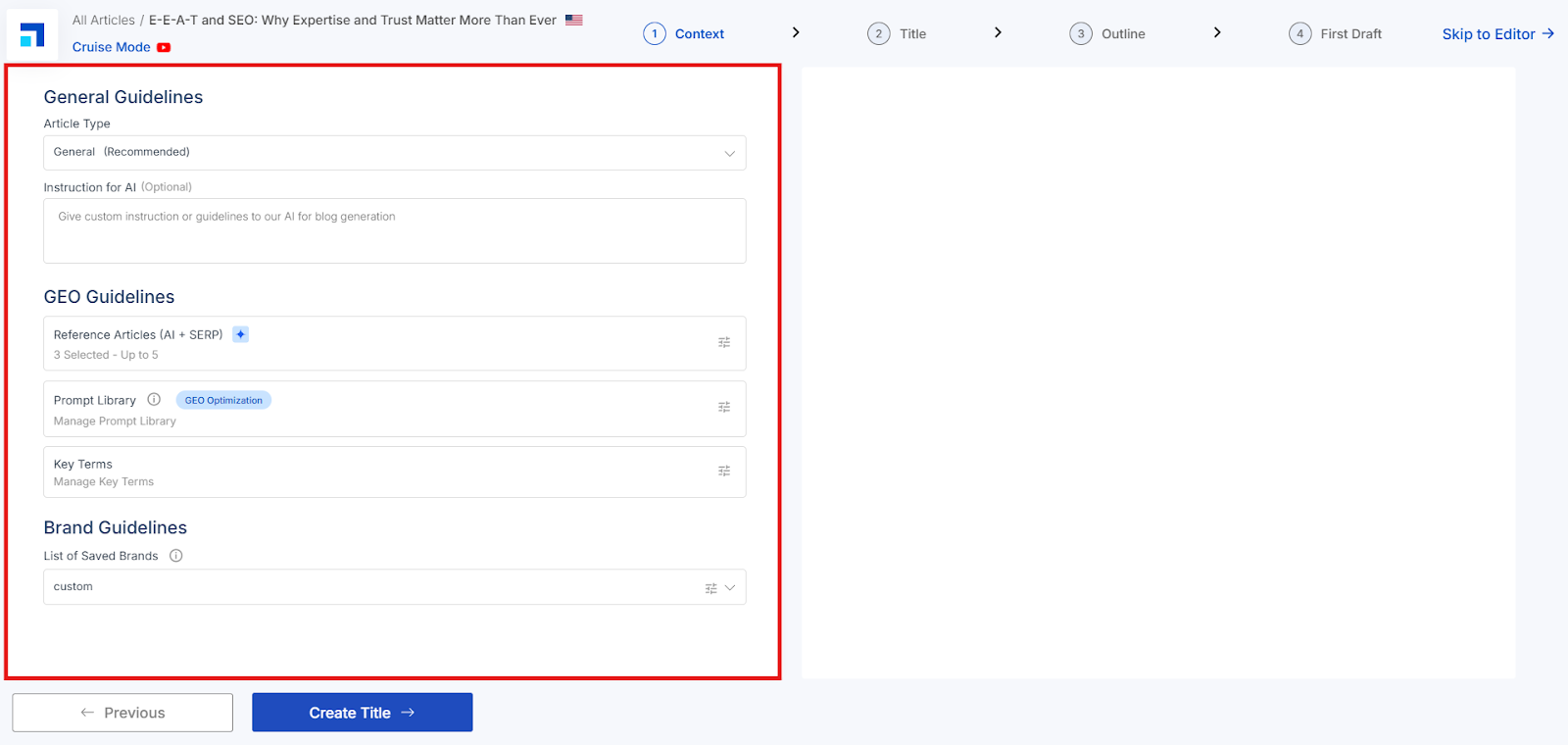
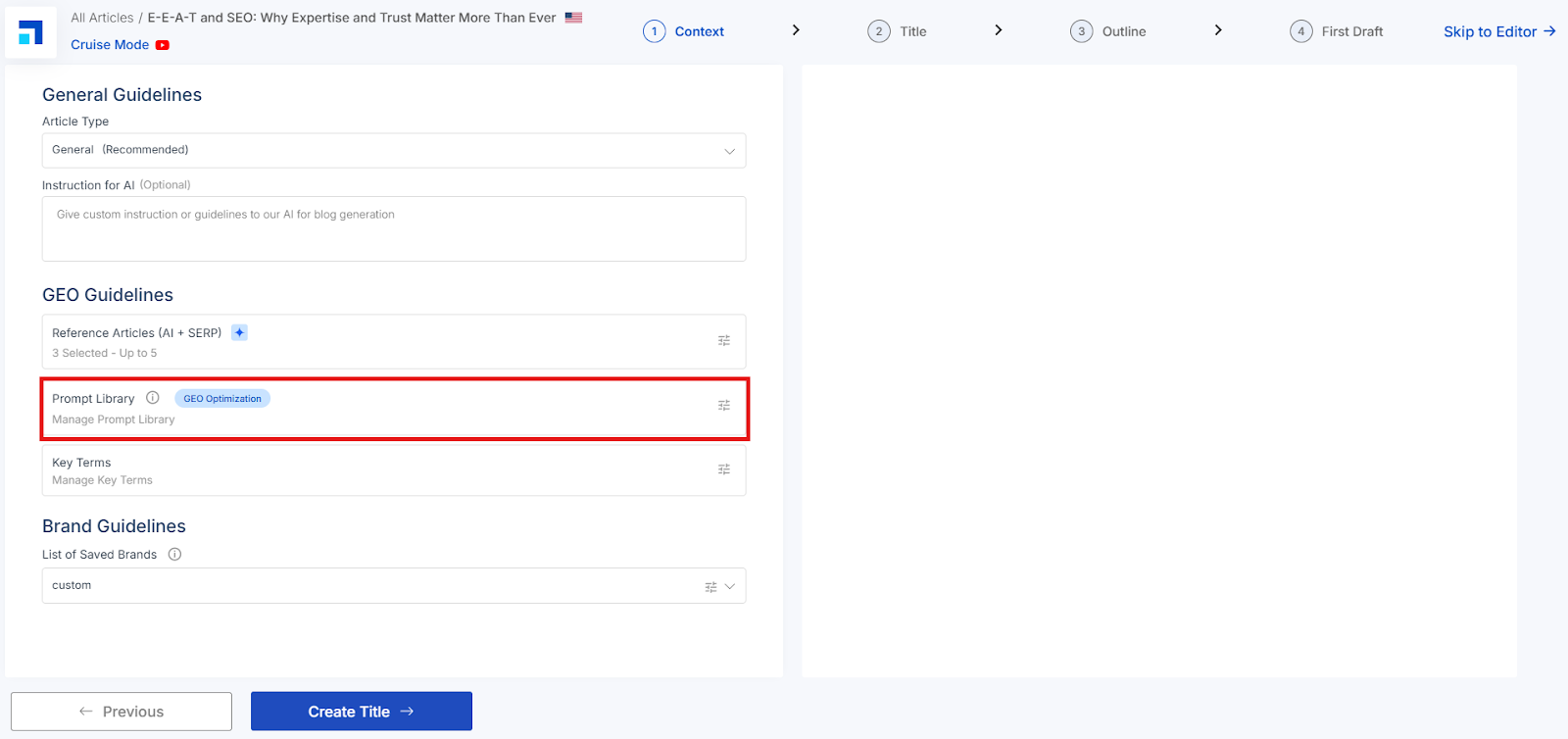
The Context stage is where you set the inputs that guide the AI to produce high-quality, GEO-aligned drafts.
General Guidelines
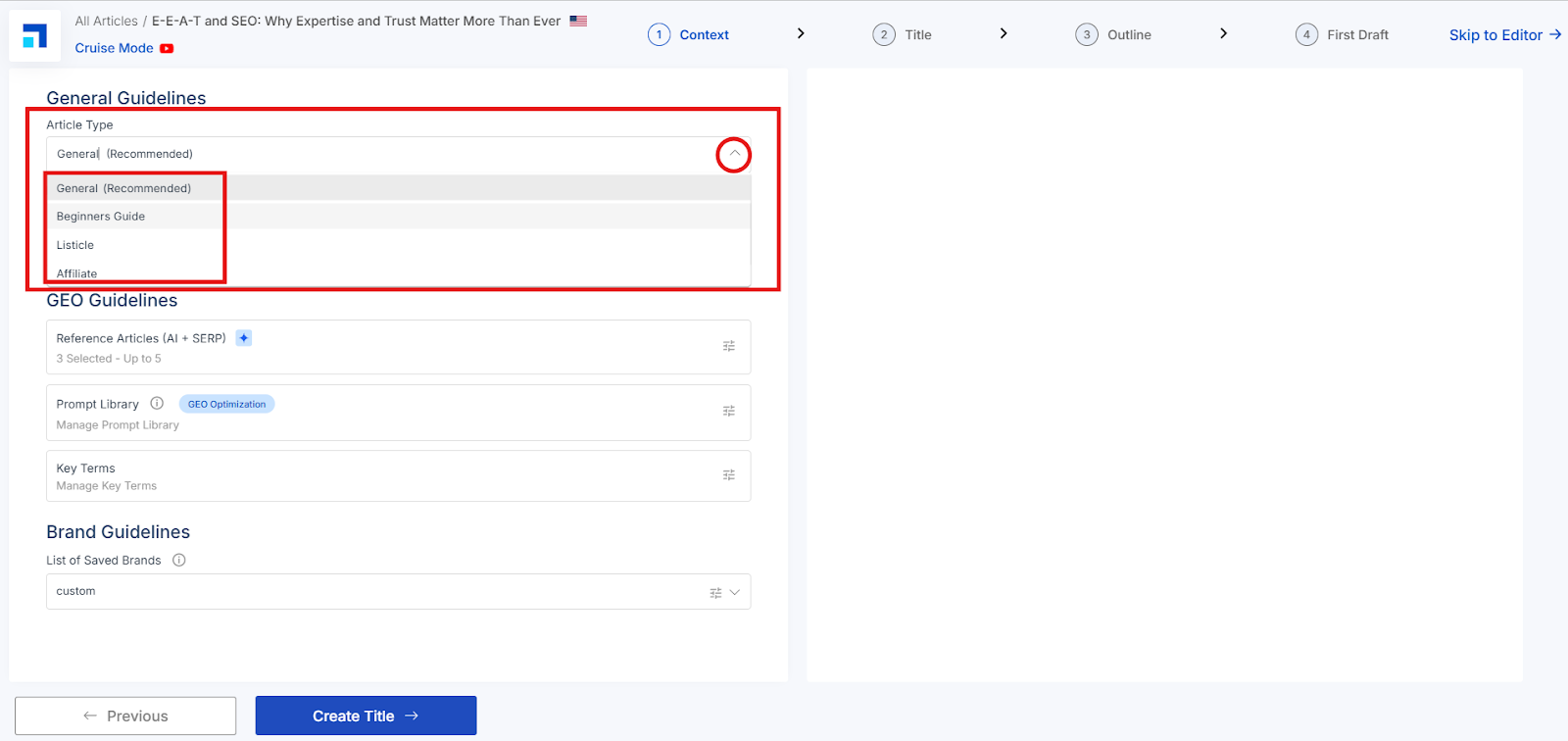
Article Type Choose the format that best fits your intent from the dropdown (e.g., General). This helps the AI shape the structure and depth of your draft.
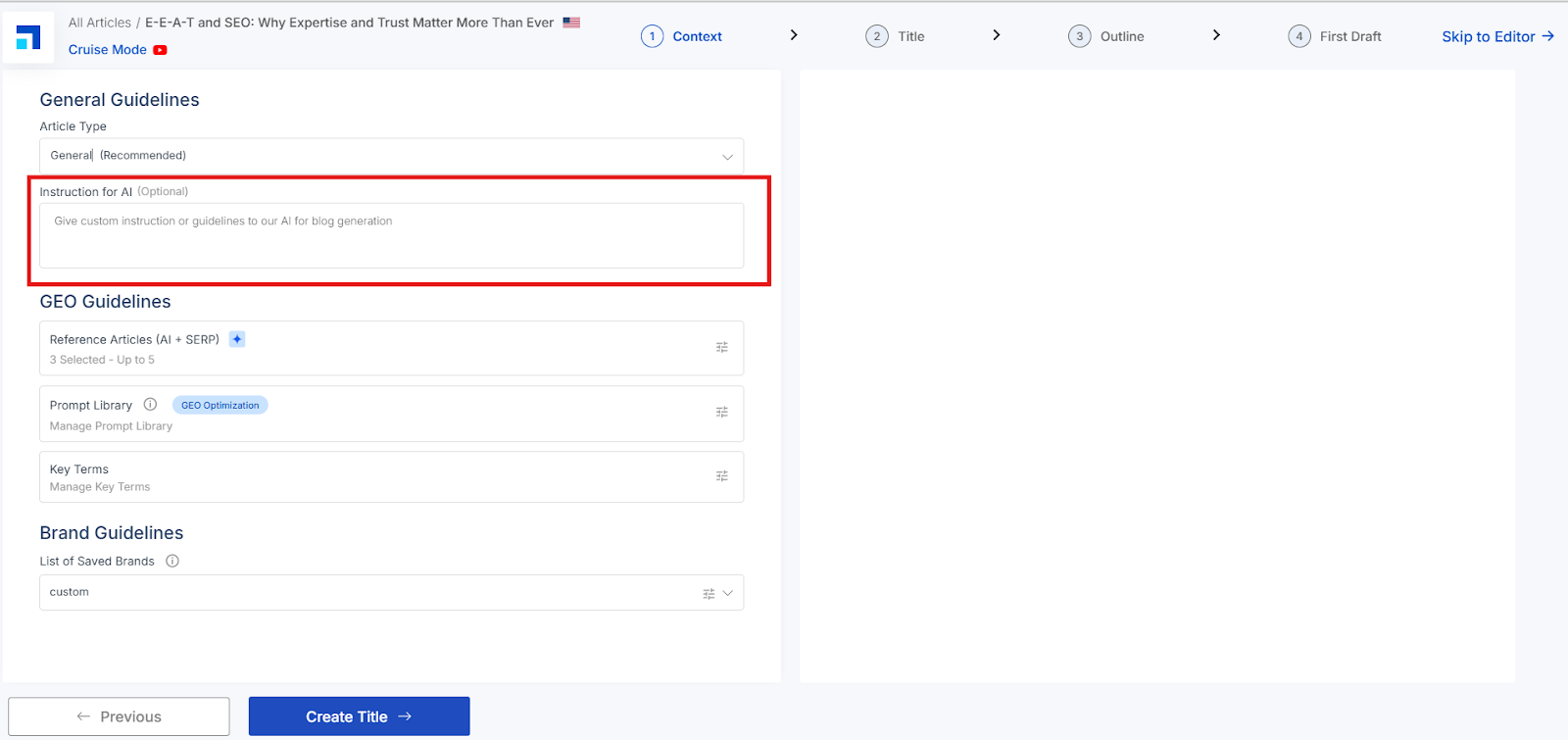
Instruction for AI (Optional) Add any specific guidance for the writer—style notes, must-include points, brand language tips, etc.
GEO Guidelines
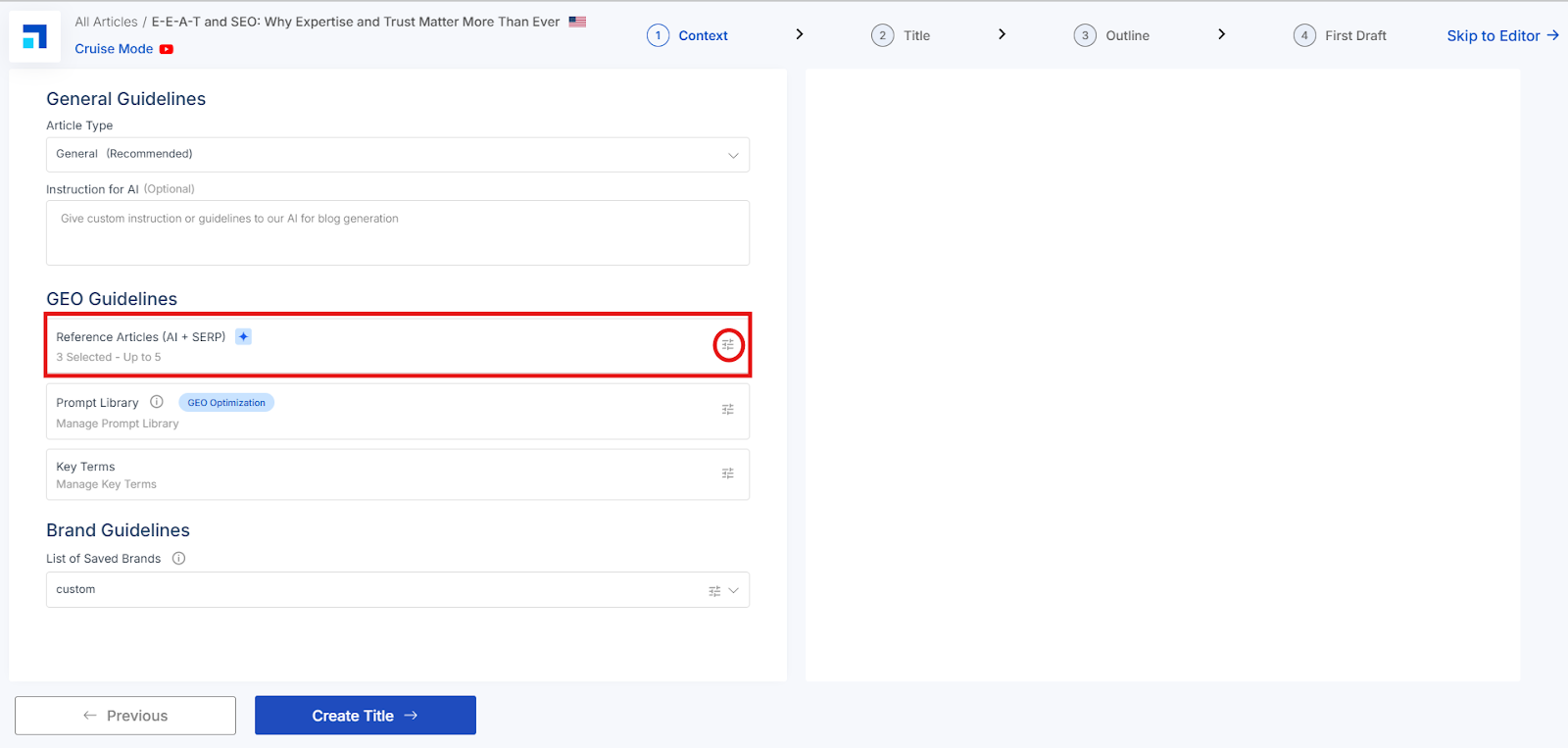
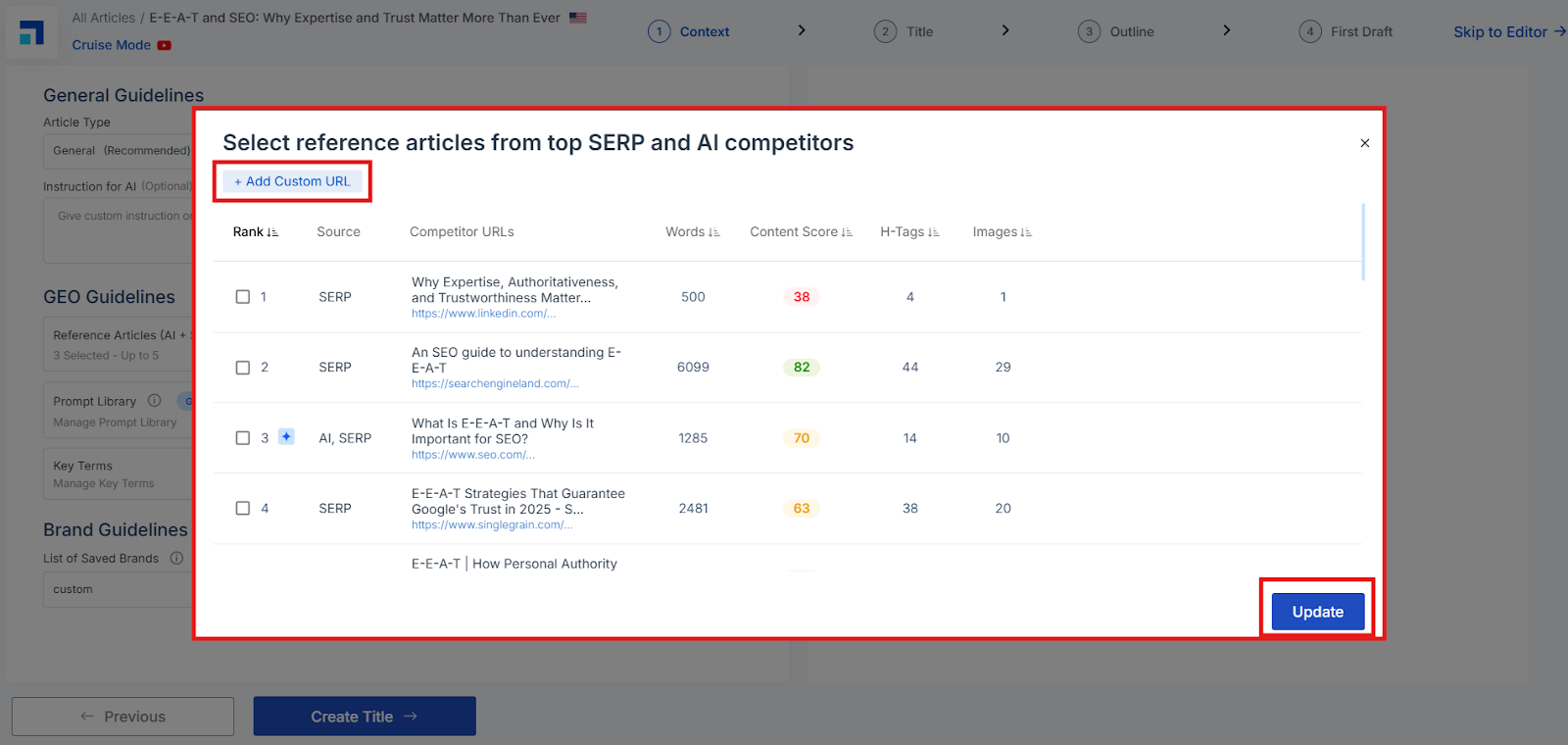
Reference Articles (AI + SERP)
Pick up to five relevant reference articles to show the AI what’s working on search engines. Use suggested links or click Add Custom URL, then select your choices and click Update.
Prompt Library
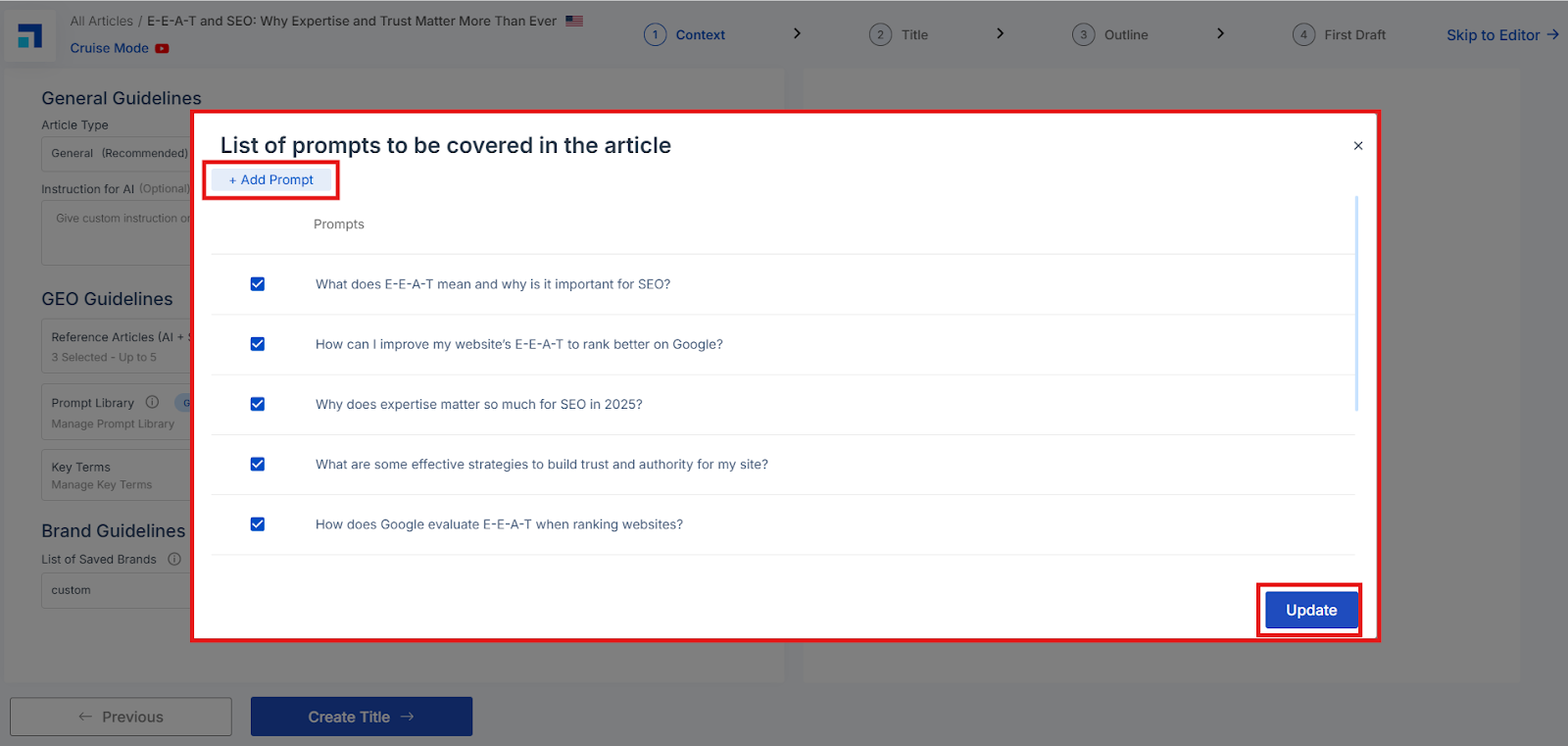
The Prompt Library provides AI prompts that reflect what users are asking on AI Engines. By addressing these prompts in your content, you improve visibility in AI search results.
Click Manage Prompt Library to:
Select or deselect prompts that best fit your content goals.
Add new custom prompts based on your strategy.
Once finalized, click Update to apply them to your content brief.
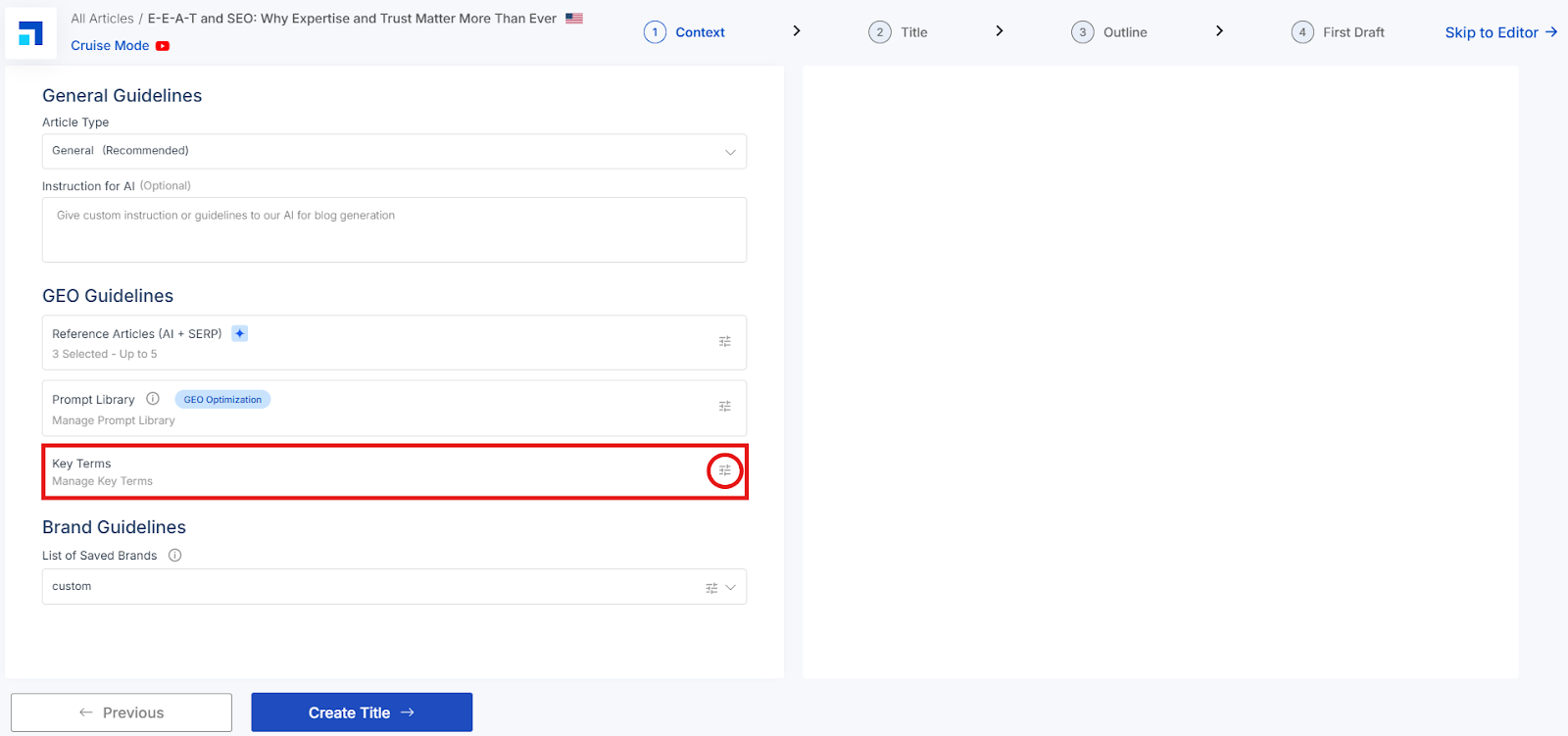
Key Terms
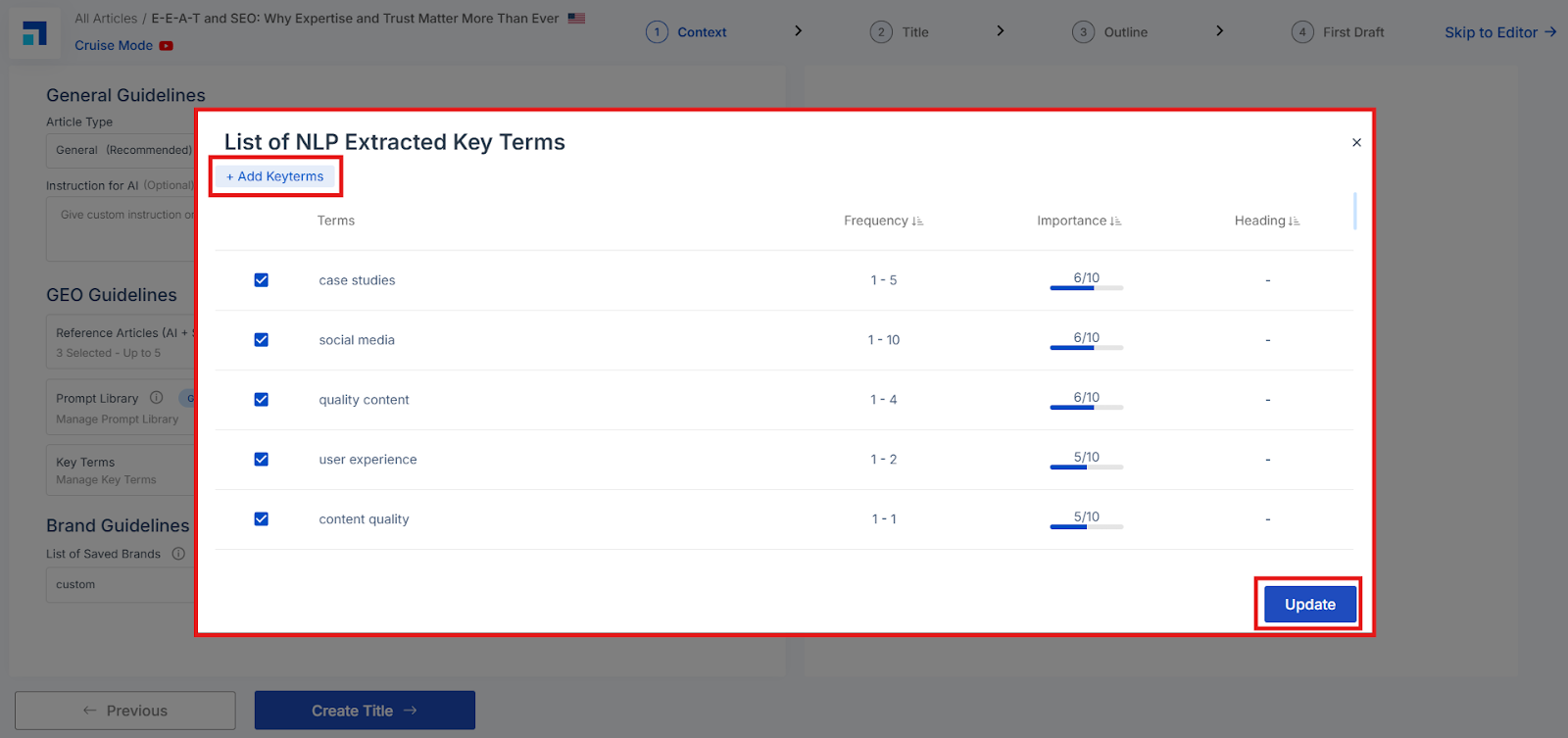
NLP-extracted terms help you cover the topic deeply and match real user intent. Click Manage Key Terms to review:
Frequency Range – how often the term appears in strong pages.
Importance Score – how critical the term is to your topic. Select/deselect terms as needed. To include your own, click Add Keyterms and then Update.
Brand Guidelines
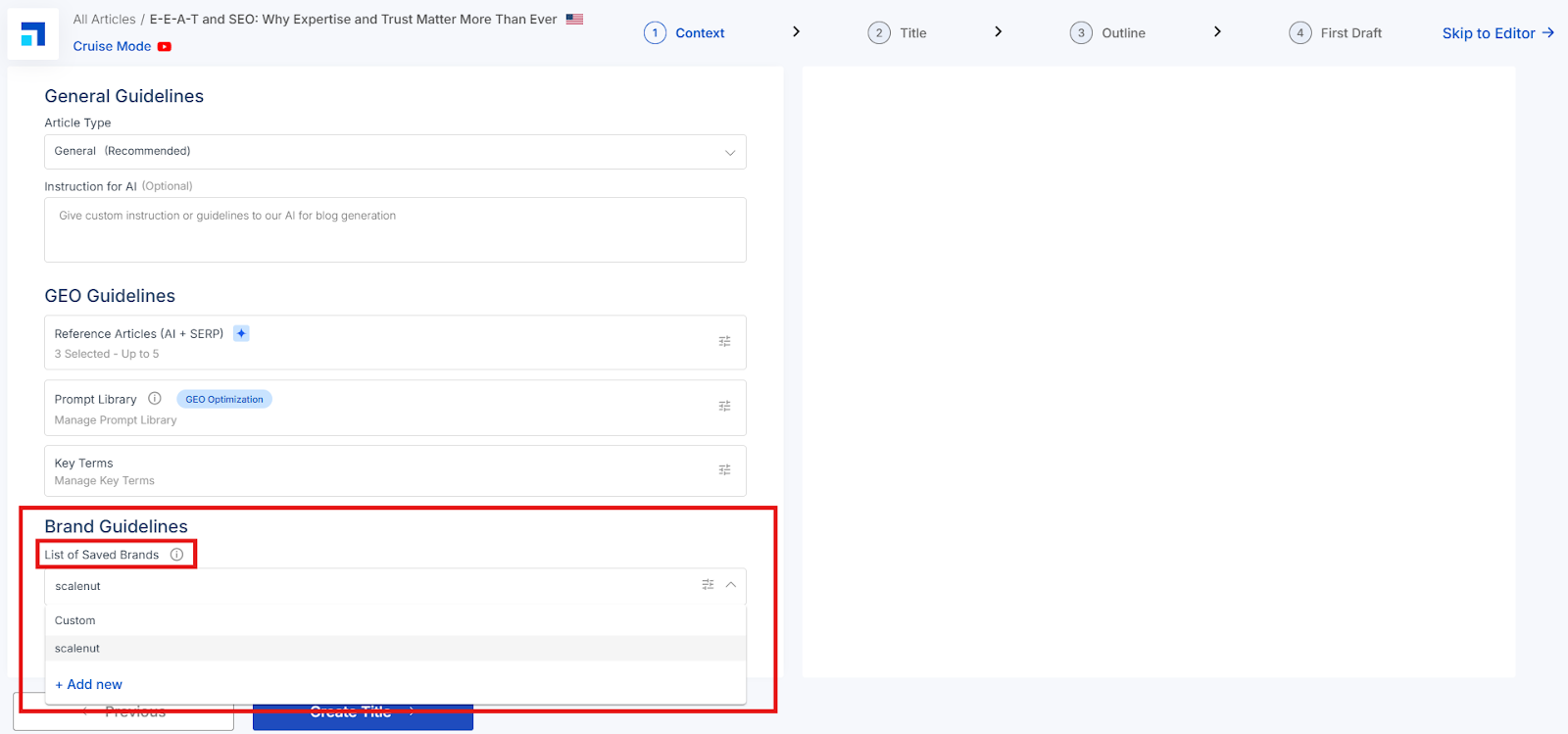
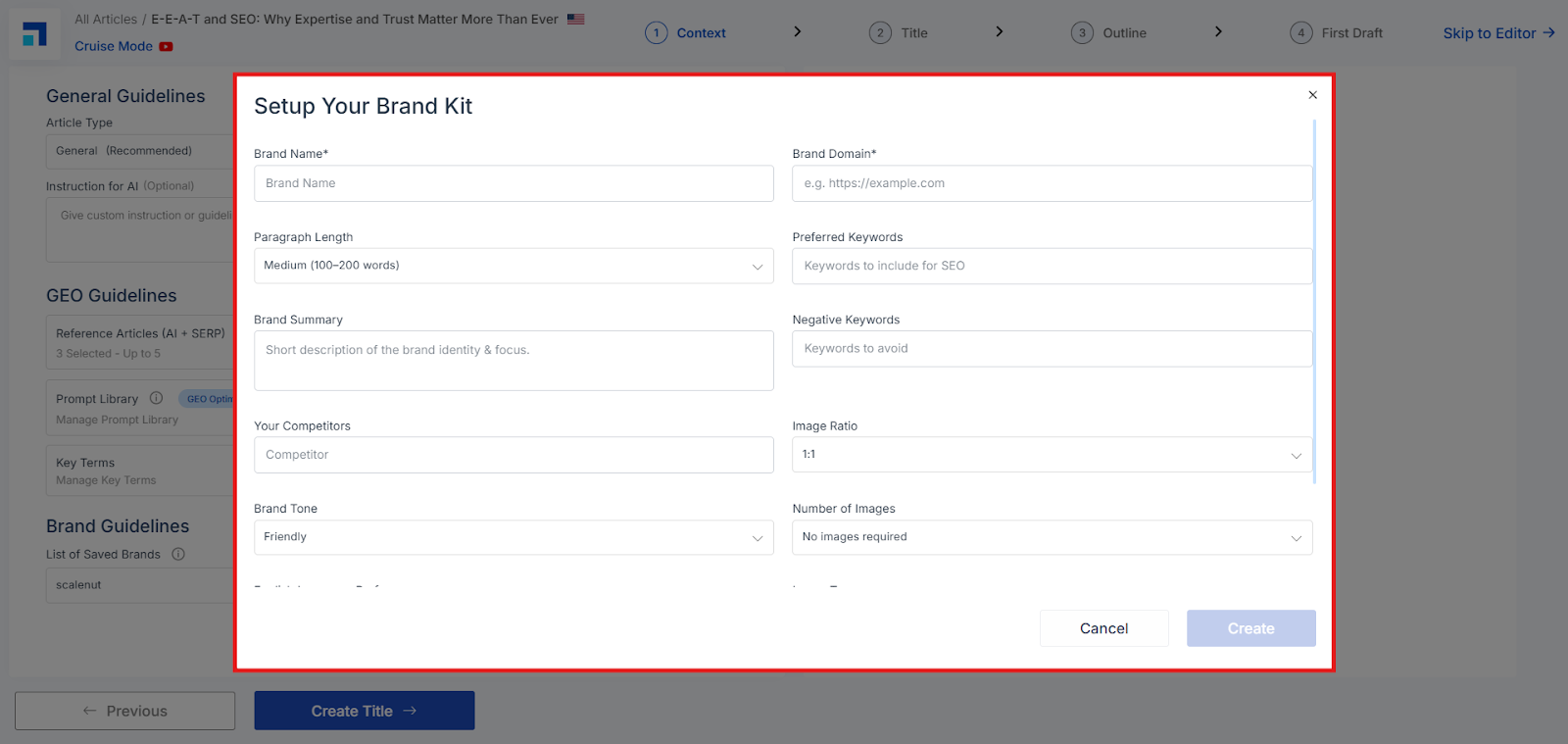
You can now apply a saved Brand Kit directly in the Context step to keep tone, keywords, readability, and visual preferences consistent across drafts.
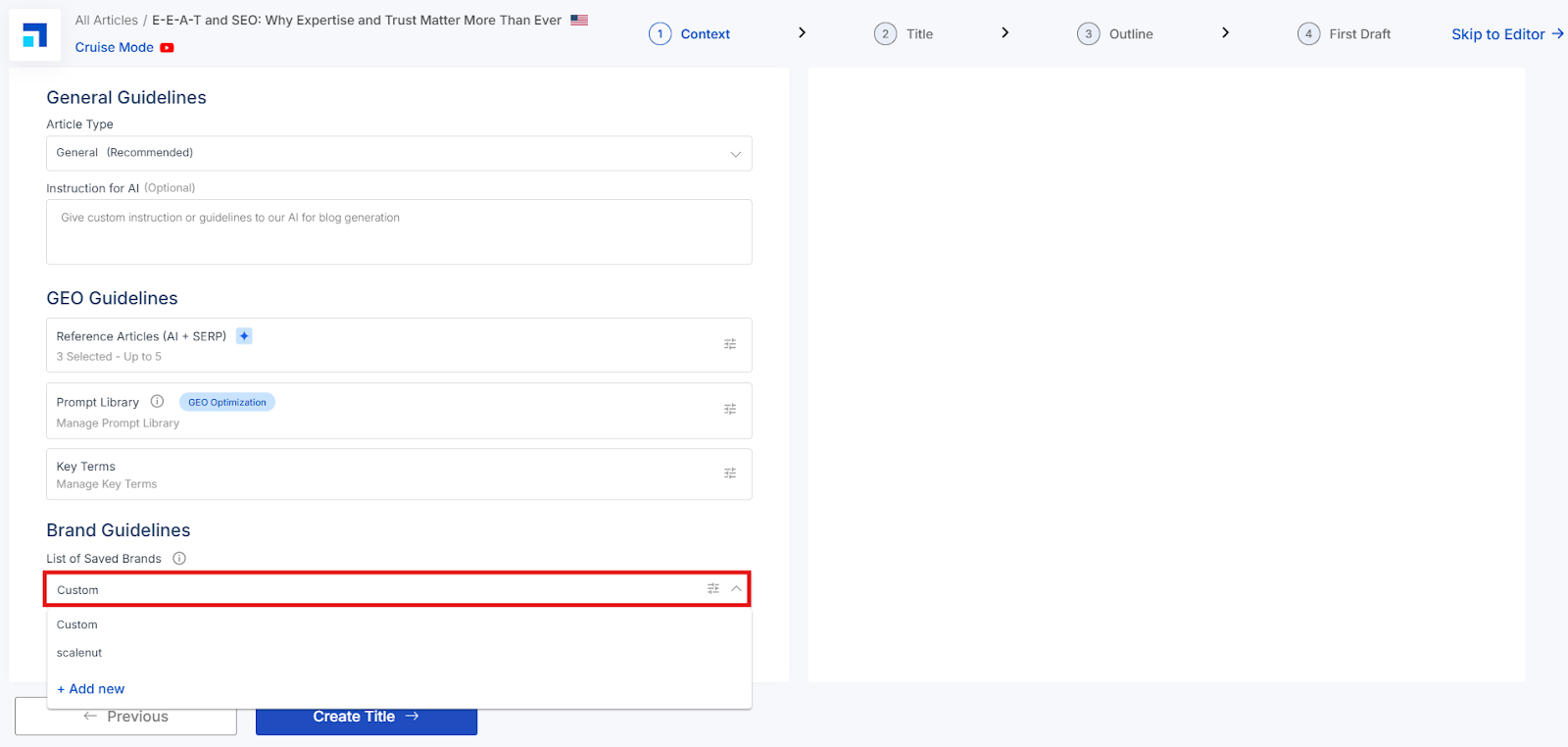
List of Saved Brands If you’ve already saved Brand Kits (from My Account Section), they will appear in this dropdown. Select the brand you want to apply to the current article.
Custom Use this when you want to provide one-off brand instructions without saving a full kit.
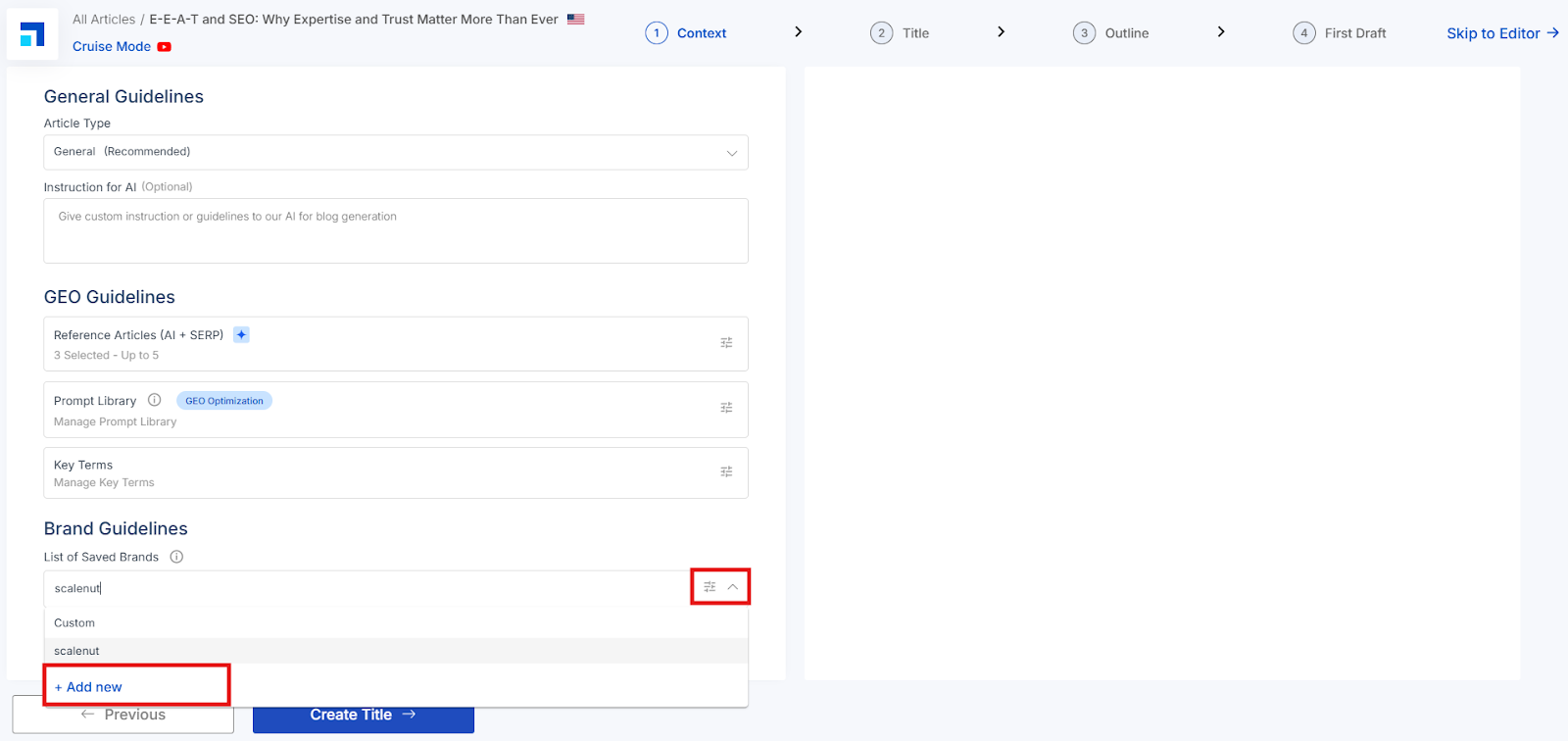
+ Add new Create a new Brand Kit on the fly, save it, and then select it for this article.
Once a Brand Kit is selected, Cruise Mode automatically applies its guidelines (e.g., voice/tone, preferred/negative keywords, readability and image preferences) to the content it generates.
Note: Some controls that previously appeared separately in this step are now governed by your selected Brand Kit. You won’t see them as standalone fields in the Context section.
STEP 2: Title Section - Pick a Headline That Grabs Attention and Ranks.
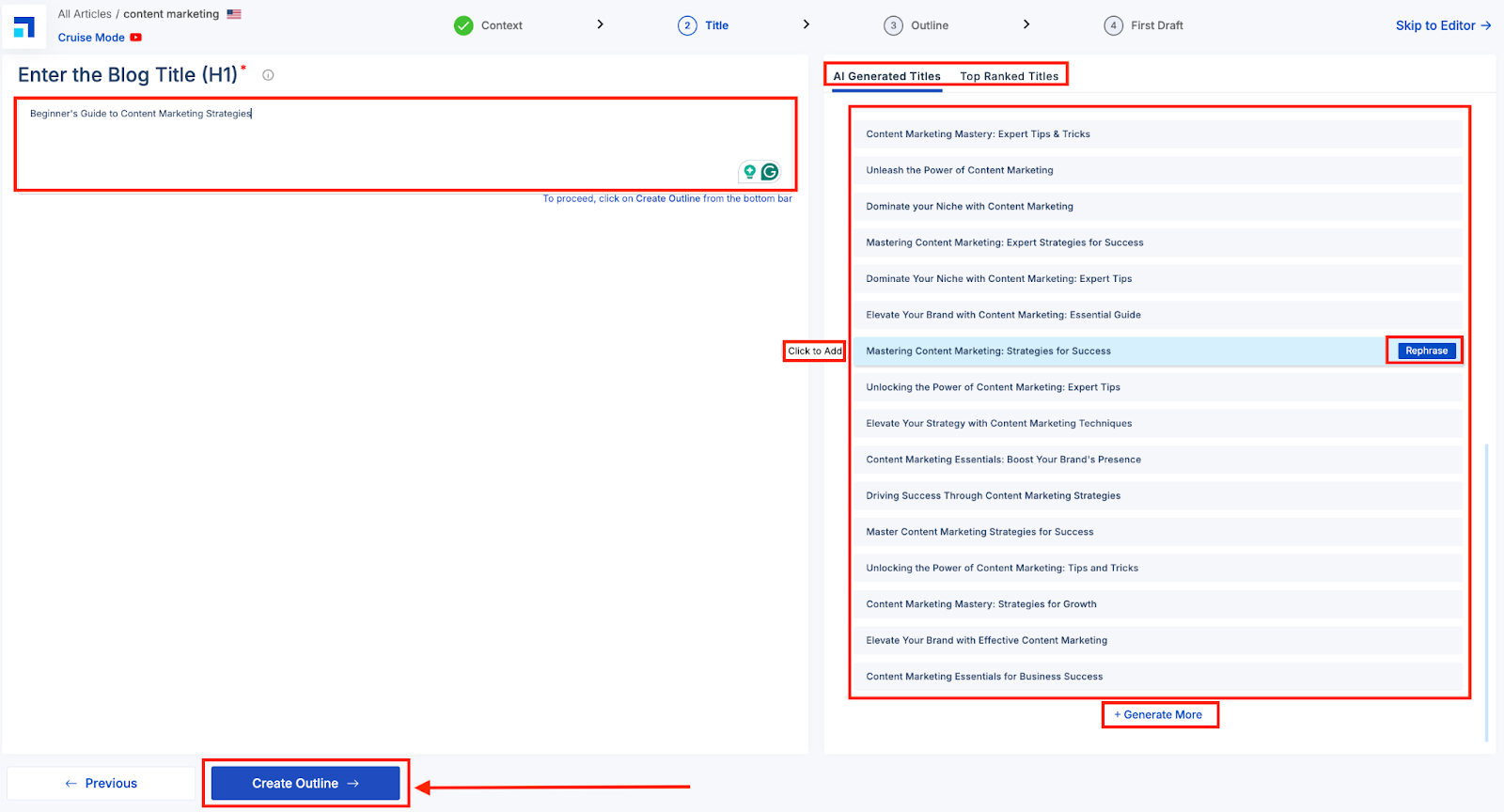
In the Title section, you’ll see a text box on the left and a list of suggested titles on the right.
Click or hover over any title to select or view variations.
Use the ‘Top Ranked Titles’ tab for proven, GEO-friendly options.
Click ‘Rephrase’ for a new version or ‘Generate More’ for fresh ideas.
You can also edit a title or write your own from scratch.
Once you're happy with your title, click “Create Outline” to move to the next step.
STEP 3: Outline Section – Build and Refine Your Blog Structure
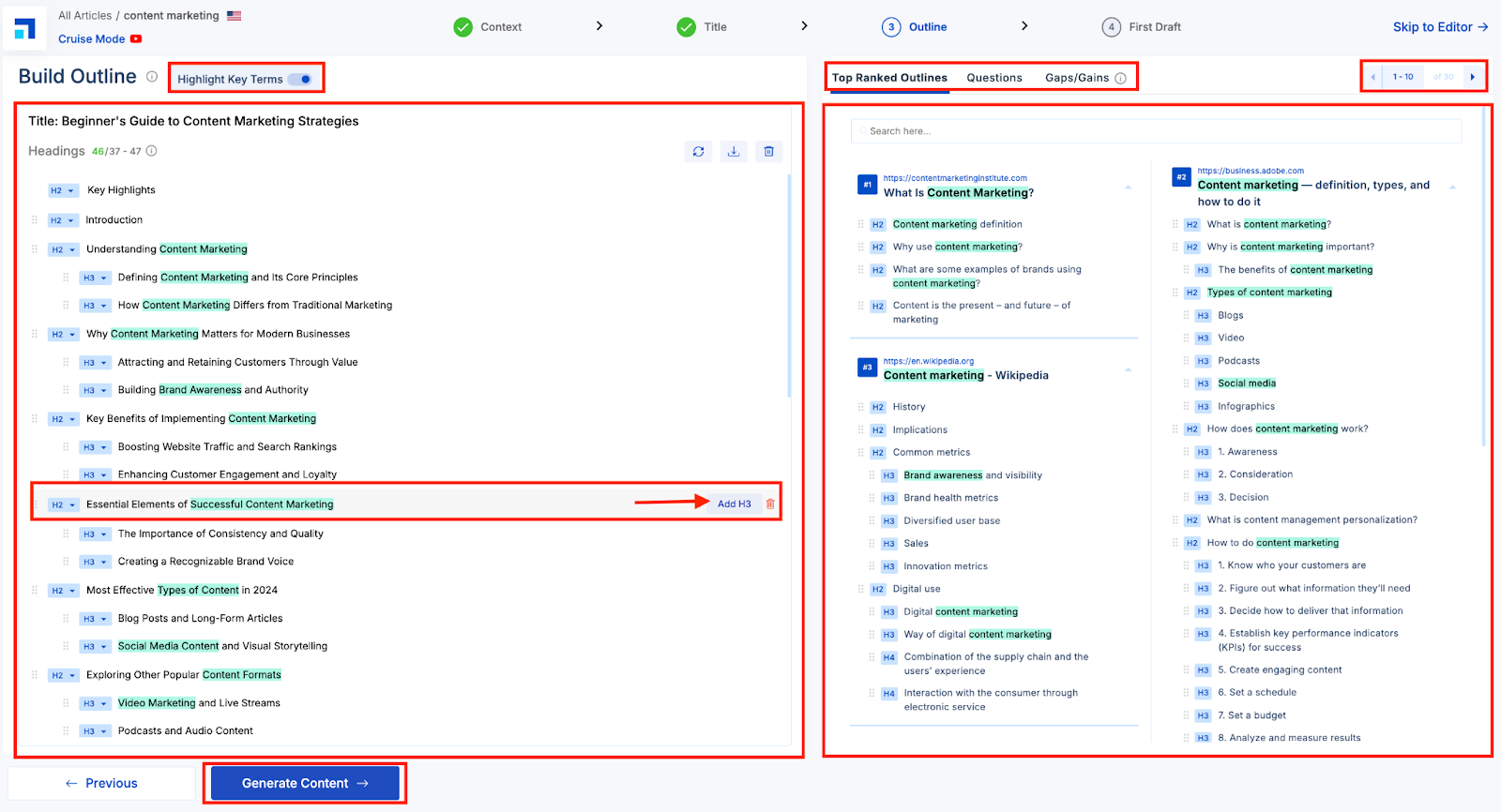
In the Outline section, Cruise Mode generates a draft structure based on your selected prompts and keywords. You’ll find editable H2s, H3s, and CTAs on the left.
Edit or customize headings directly — adjust text, add subheadings, delete sections, or rearrange using drag-and-drop.
Use the ‘AI Suggestions’ button to generate new heading ideas if needed.
Highlight Key Terms to see important phrases (shown in cyan) from top-performing content.
Under Top Ranked Outlines, pull headings from high-ranking blogs. Selected headers get striked to avoid duplicates.
Hover over the eye icon to preview what those headings cover on SERP.
Add FAQs from the ‘Questions’ tab, sourced from Google, Quora, and Reddit—or let Scalenut suggest its own.
Use the ‘Gaps & Gains’ tab to find missing but valuable topics and insert them with a click.
Finally, pick your Call to Action (CTA) from the dropdown to guide your reader's next step. Once your outline feels complete, click “Generate Content” to move ahead.
STEP 4: First Draft Section – Turn Your Outline Into a Complete Blog
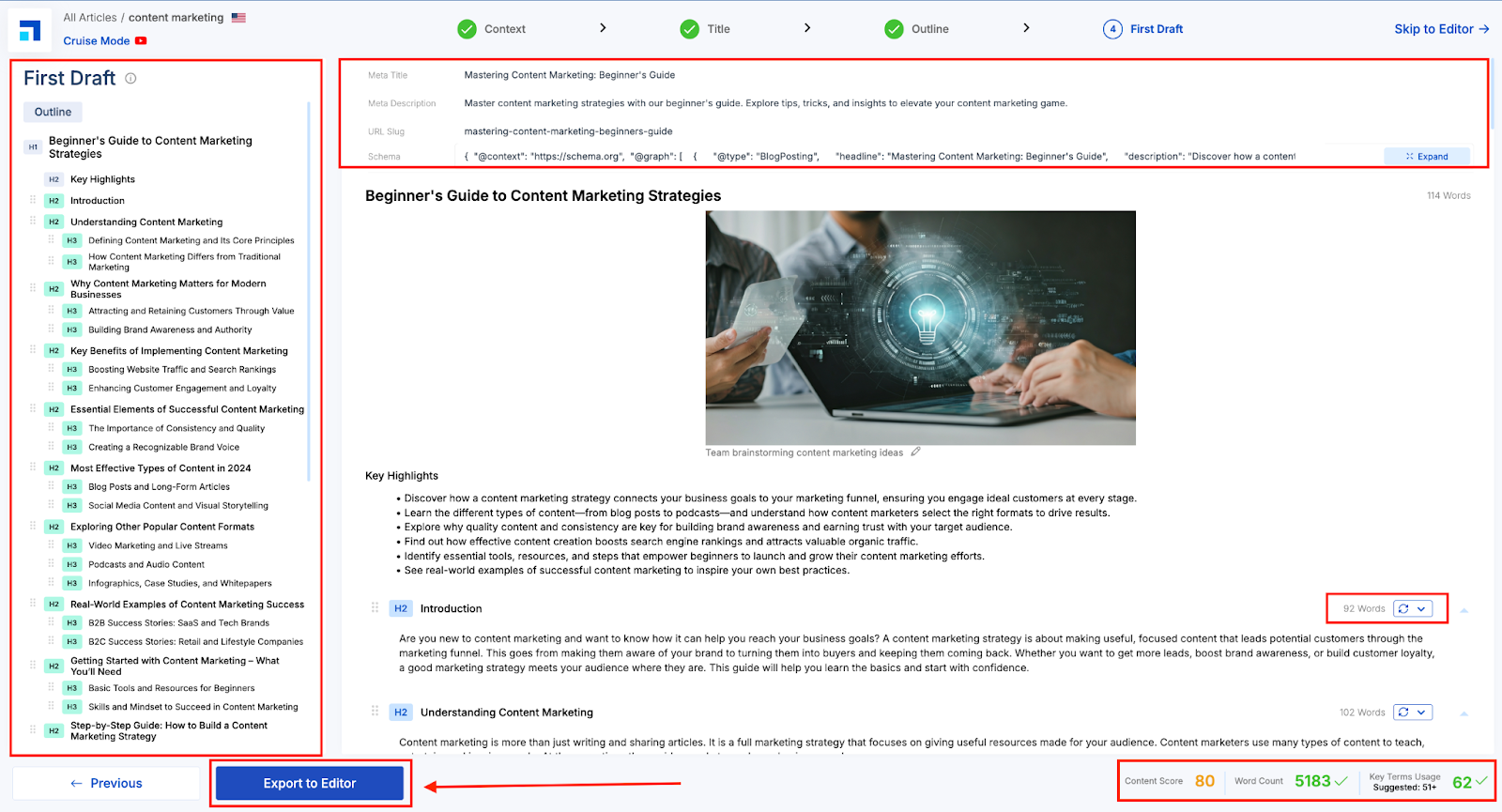
After your outline is finalized, Scalenut generates a full draft based on it. On the right, you’ll see the article; on the left, the outline stays visible for easy reference.
Start by reviewing the draft and editing the meta title, description, URL slug, and schema at the top. You can use the “ AI Suggestions” button if you want to make any changes to the already generated ones.
Next, review the content, check if it naturally addresses the prompts from your context without feeling robotic. To fine-tune your draft, Scalenut offers powerful editing tools — you can regenerate, rephrase, expand, shorten, simplify, turn sections into bullet points, or use Cruise AI for contextual enhancements.
Pro tip: Monitor the Content Score, Word Count, and Key Terms Usage at the bottom. Once everything looks good, click “Export to Editor” to move to the next step.
STEP 5 - Inside the Editor: Finalize, Optimize, and Collaborate
In the final editor view, you have everything you need to polish and publish your blog with confidence:
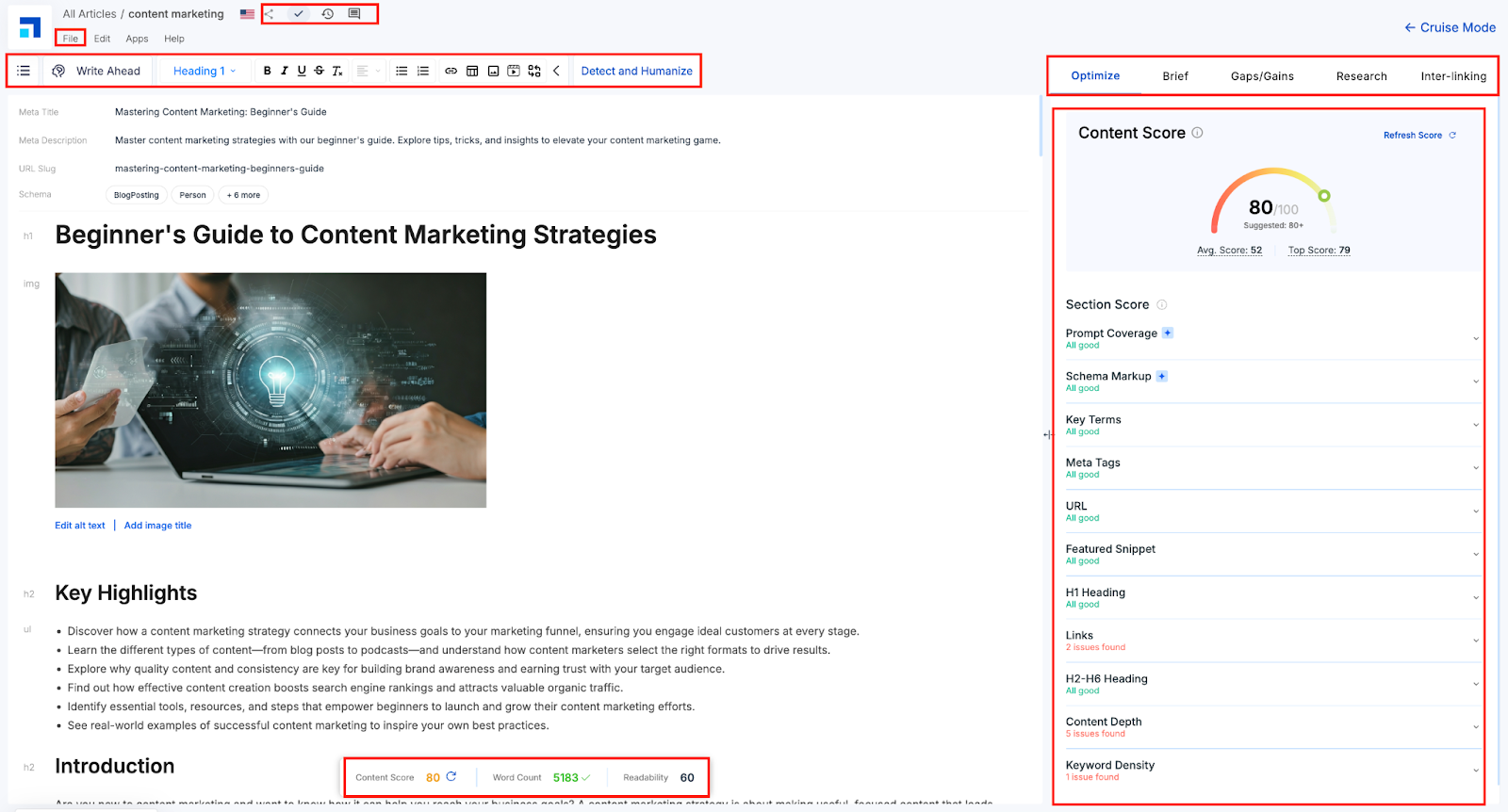
Content Optimization Panel: See your Content Score along with Schema Markup, Prompt Coverage, Key Terms, Meta Tags, and more. Click each parameter for improvement suggestions. Note: Prompt Coverage, like Schema Markup, is a new addition to the editor. It shows how well your draft answers the selected prompts from the context stage.
Real-Time Metrics: Track Word Count, Content Score, and Readability at the bottom of the screen.
Formatting Toolbar: Edit your layout, style text, insert media, and clean up content before publishing.
Detect & Humanize: Instantly refine robotic phrasing into natural, conversational language to boost clarity and engagement.
Collaboration Tools (Top-right corner): Mark as Complete to track progress, Comments for feedback and discussions, Version History to compare or restore drafts
Export Options: From the File menu, export your blog in PDF, DOC, HTML, or Markdown format.
Curious about how Cruise Mode works in action? Check out our next blog for a complete step-by-step walkthrough.