The Scalenut Cruise AI feature is a powerful way to streamline your content creation process and generate engaging plagiarism-free blog posts.
The AI Toolbar and Cruise AI in GEO Core are powerful tools to accelerate your content workflows while keeping your writing consistent, localized, and high-quality. Whether you’re scaling content across GEOs or fine-tuning articles for different markets, these tools bring AI-assisted efficiency right where you need it — in your editor.
This help guide walks you through exactly how to use the AI Toolbar and Cruise AI, with examples and screenshots for better clarity.
Benefits of the AI Toolbar & Cruise AI
Time-Saving: Quickly revise, refine, or restructure content without switching tools.
GEO-Tuned Messaging: Adjust tone, structure, or clarity based on your audience's region.
Plagiarism-Free: Cruise AI ensures every edit is unique and compliant.
Productivity Booster: Inline AI assistance lets you edit faster, smarter.
Content Uniformity: Maintain a consistent tone across global/local articles.
All-in-One: From simplifying content to generating region-specific examples, AI handles it all.
Step-by-Step: How to Use the AI Toolbar and Cruise AI STEP 1
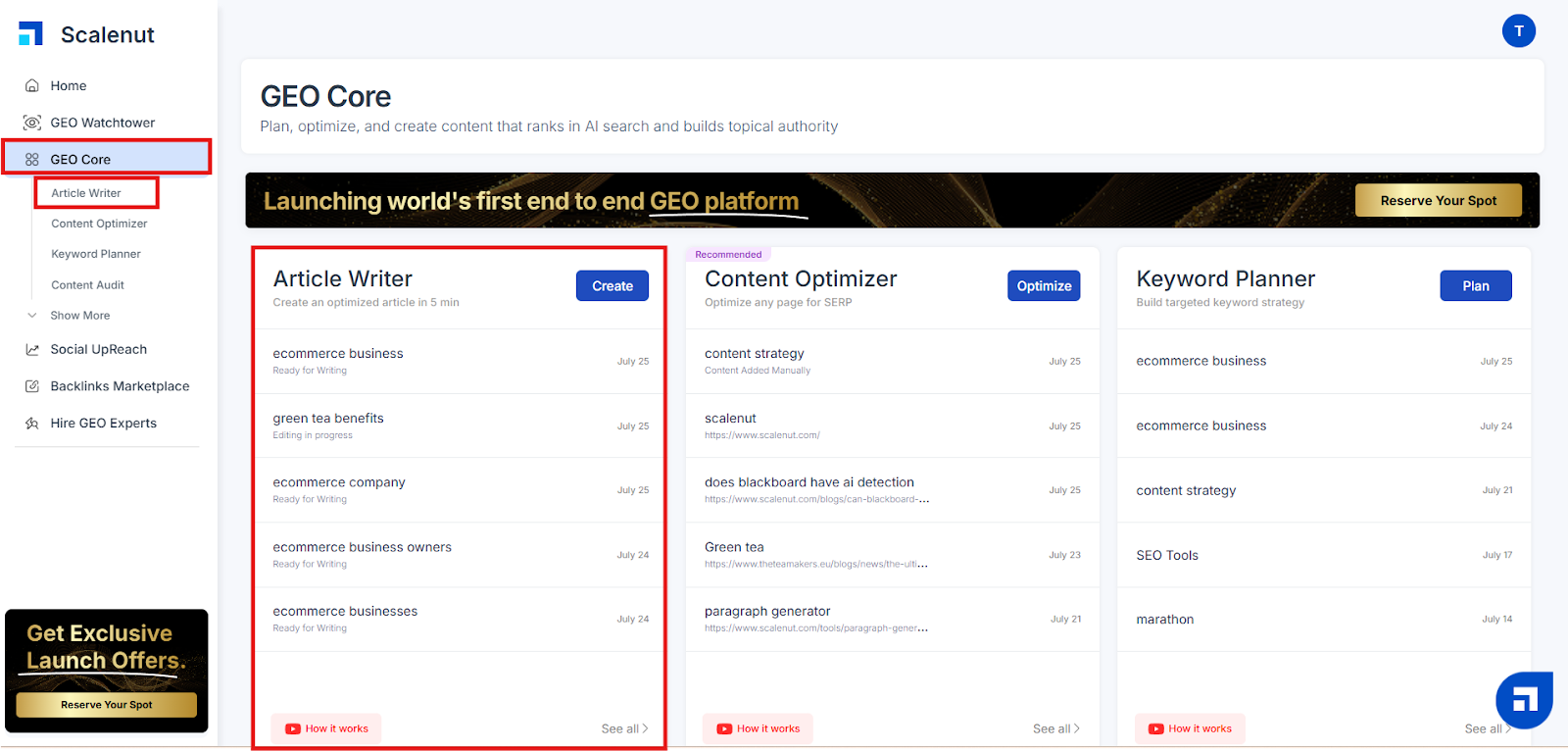
Log into your Scalenut account and access the GEO Core dashboard. Click on the “Article Writer” option.
STEP 2
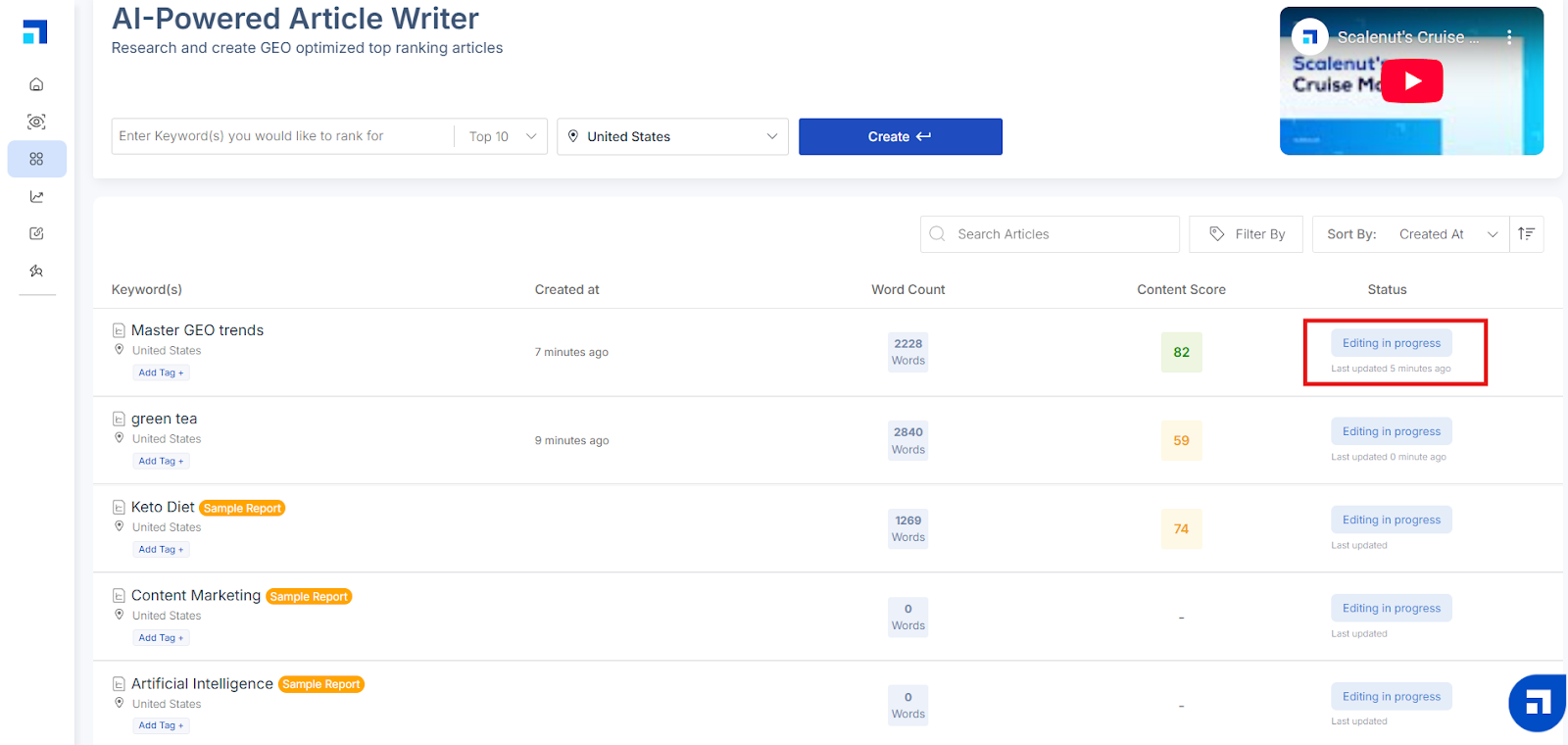
Choose an existing article and click on its Status (e.g., Editing in Progress) to enter the editor.
STEP 3
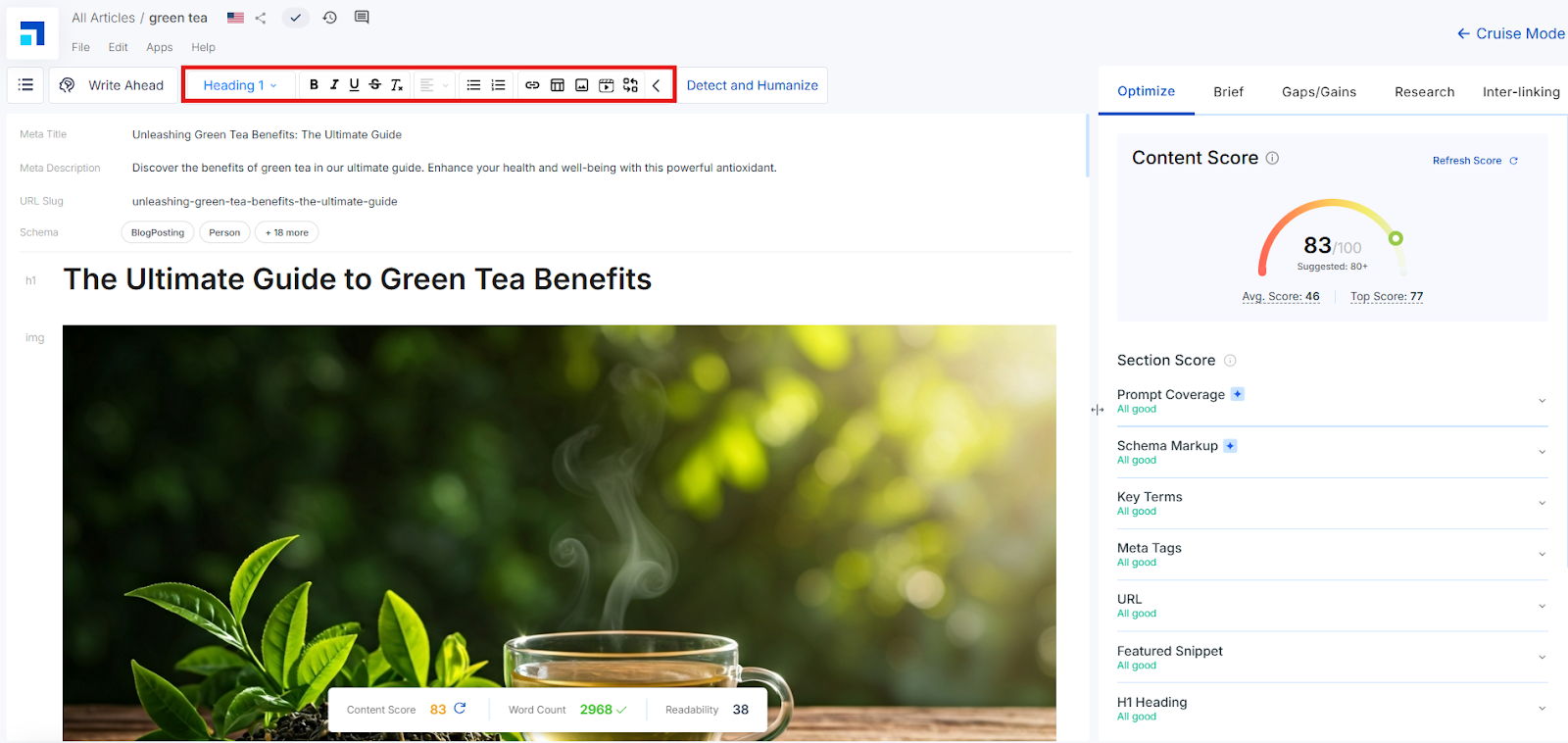
Once inside the editor, you’ll see two types of toolbars:
AI Toolbar: Always visible at the top.
Inline AI Toolbar: Appears when you select any line or paragraph.
These toolbars are your gateway to faster, AI-powered editing tailored to GEO content strategies.
STEP 4
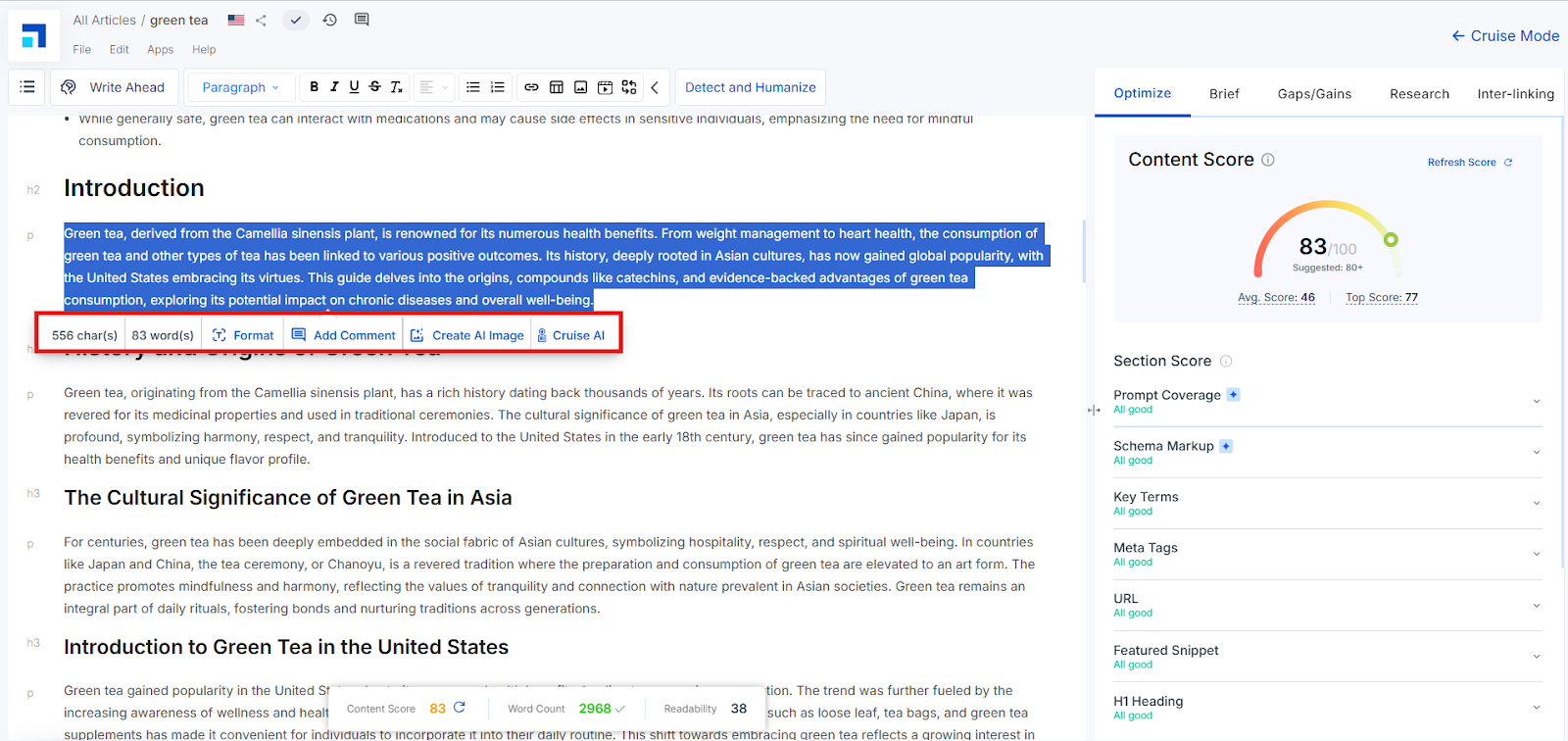
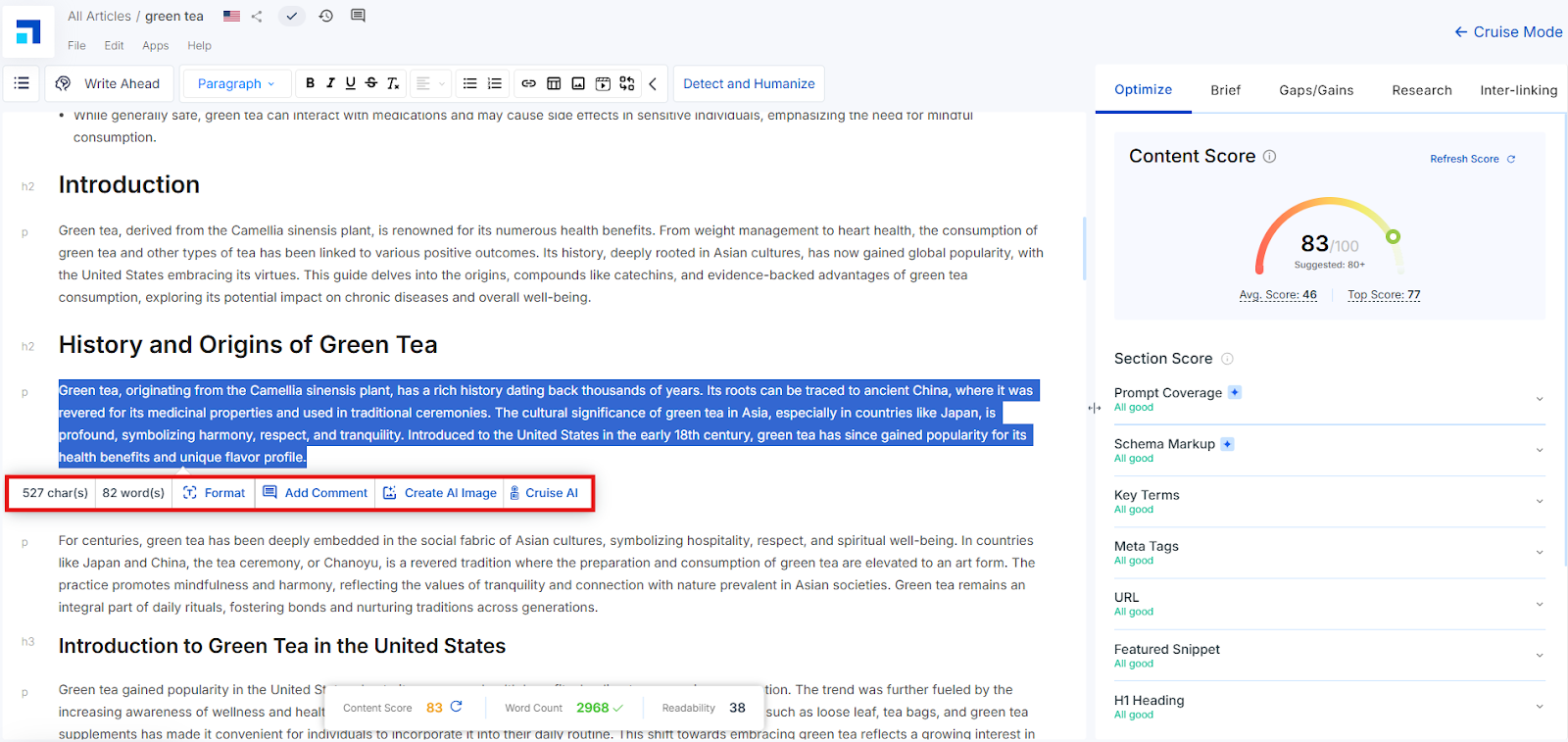
Highlight the sentence or paragraph you want to improve. You’ll see the Inline AI Toolbar appear with these options:
Format: Customize text formatting
Add Comment: Add contextual comments for team collaboration
Create AI Image: Generate visuals based on text
Cruise AI: Launch AI-powered text enhancements
You’ll also see the character and word count for the selected text (e.g., “527 char(s), 82 word(s)”).
STEP 5 – Format Options Explained
Clicking Format shows multiple rich-text options you can apply directly:
Bold: Highlight key statements
Italic: Emphasize words subtly
Underline: Draw attention to critical terms
Link: Insert hyperlinks for references or GEO-specific pages
Text Color: Adjust color for visual structure
Background: Highlight background for emphasis
Convert to H2 / H3: Transform the selected line into headings (useful for structuring localized sections)
These allow you to polish and stylize your content before applying Cruise AI enhancements.
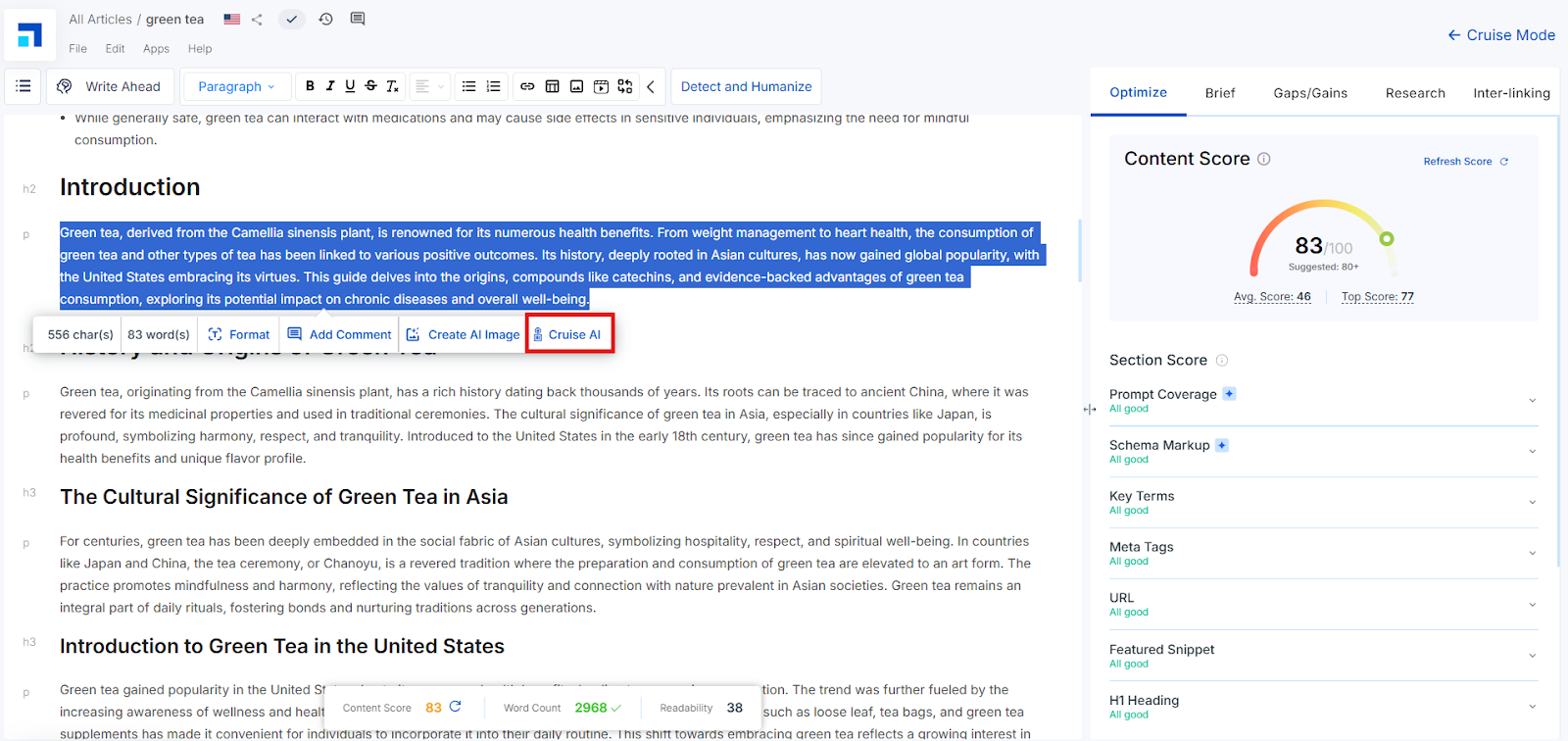
STEP 6 – Using Cruise AI
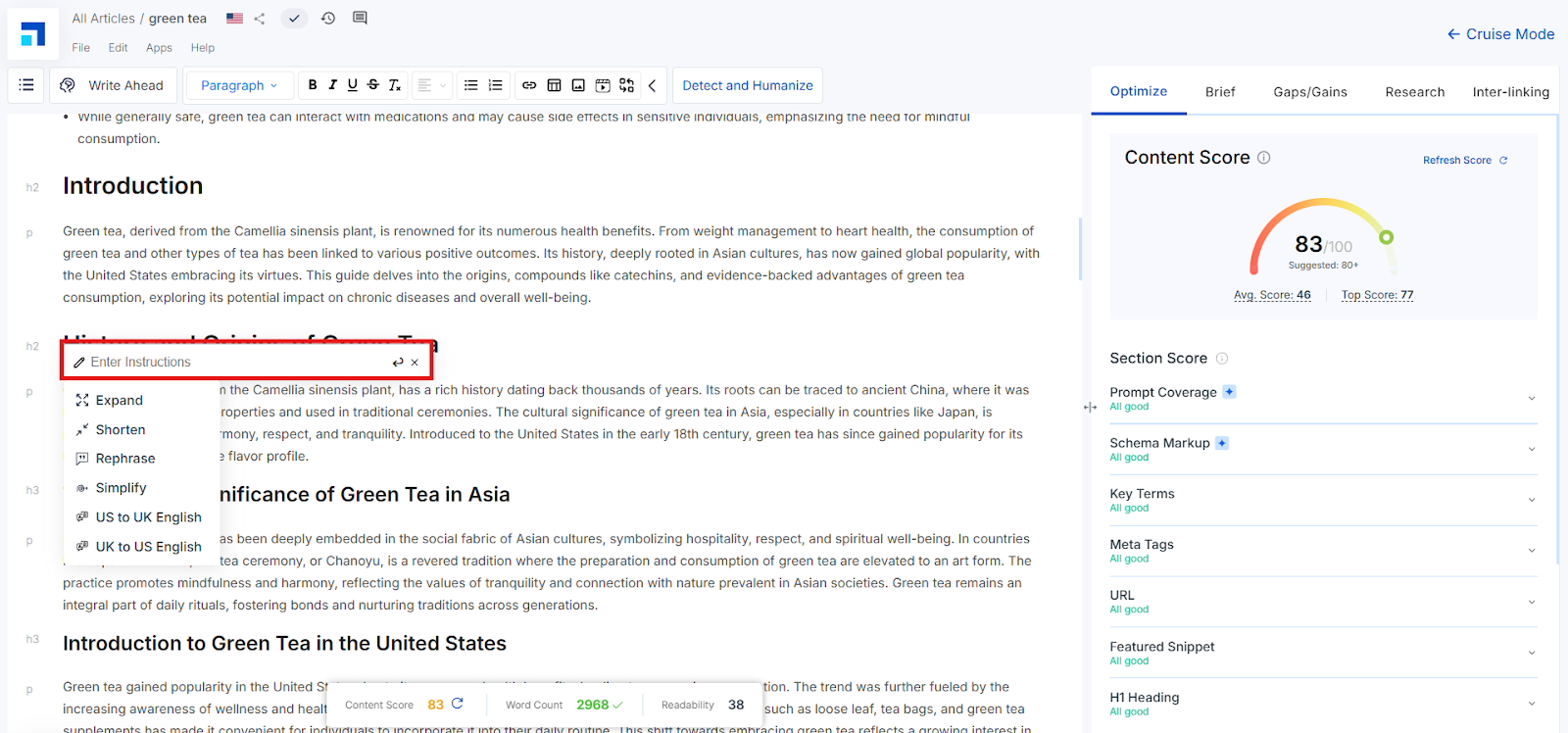
Click the Cruise AI button.
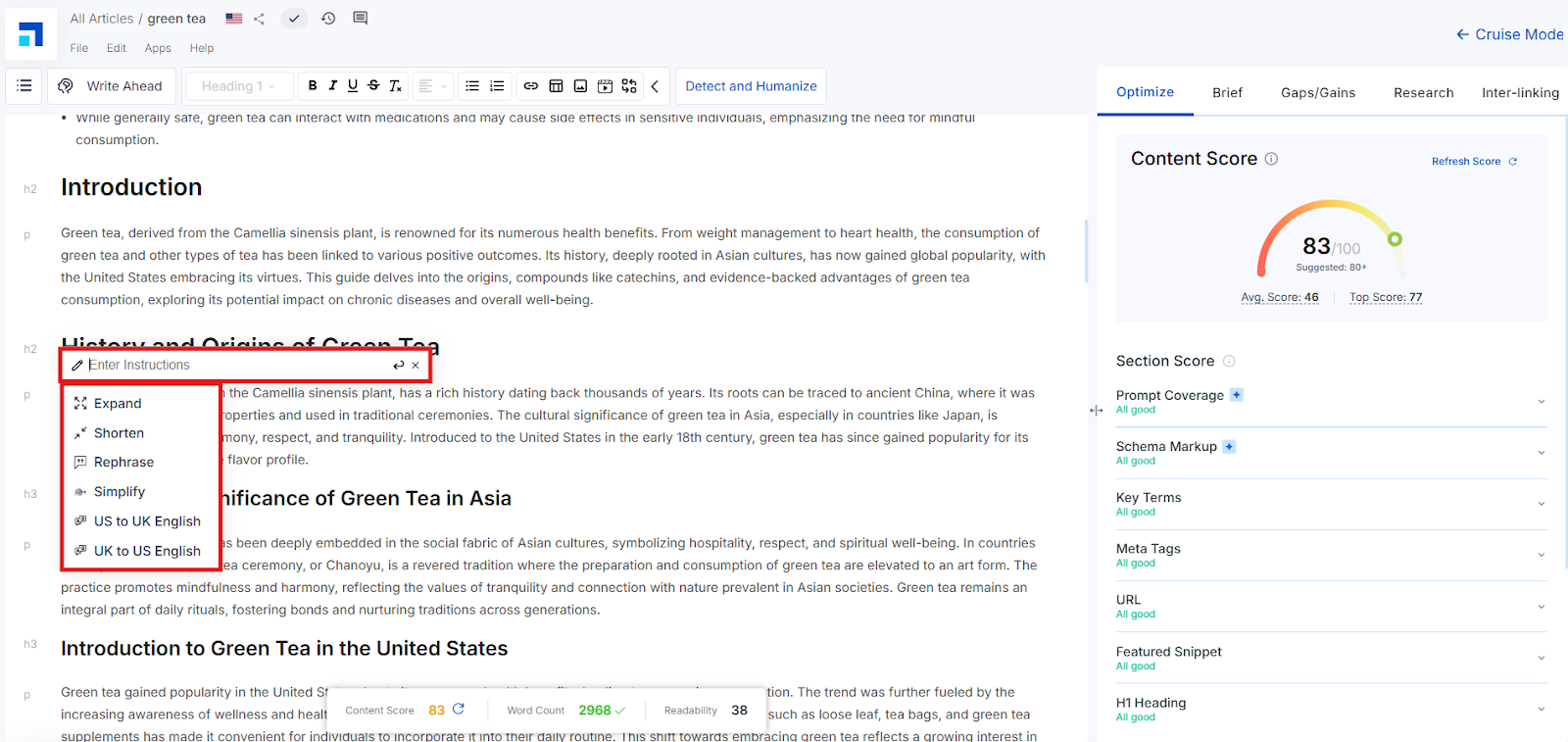
From here, you’ll see predefined suggestions such as:
Expand
Shorten
Rephrase
Simplify
Or manually input a prompt in the Enter Instruction field — such as: “Add a local statistic for the Indian market” or “Simplify this for non-native speakers.”
STEP 7 – AI Output Preview
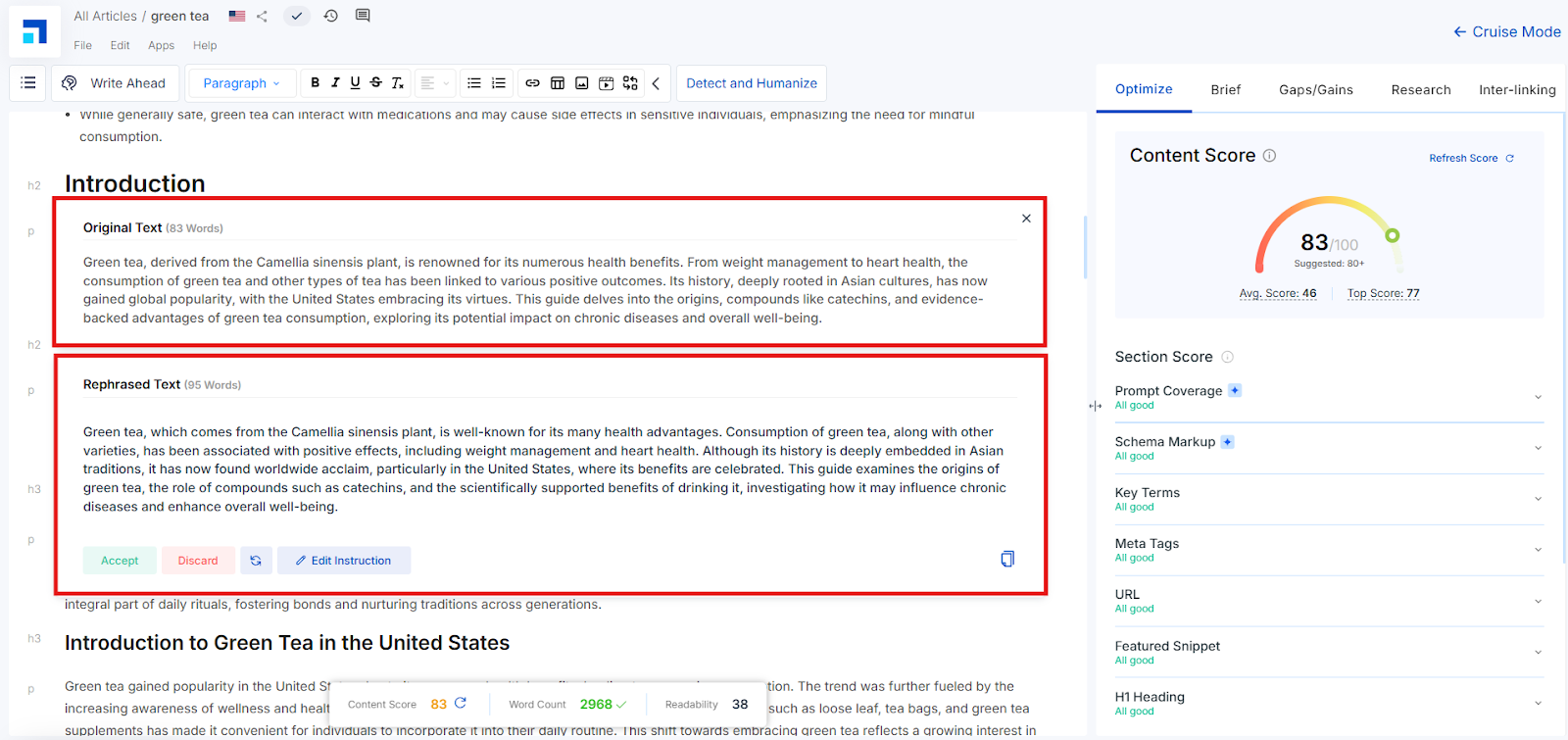
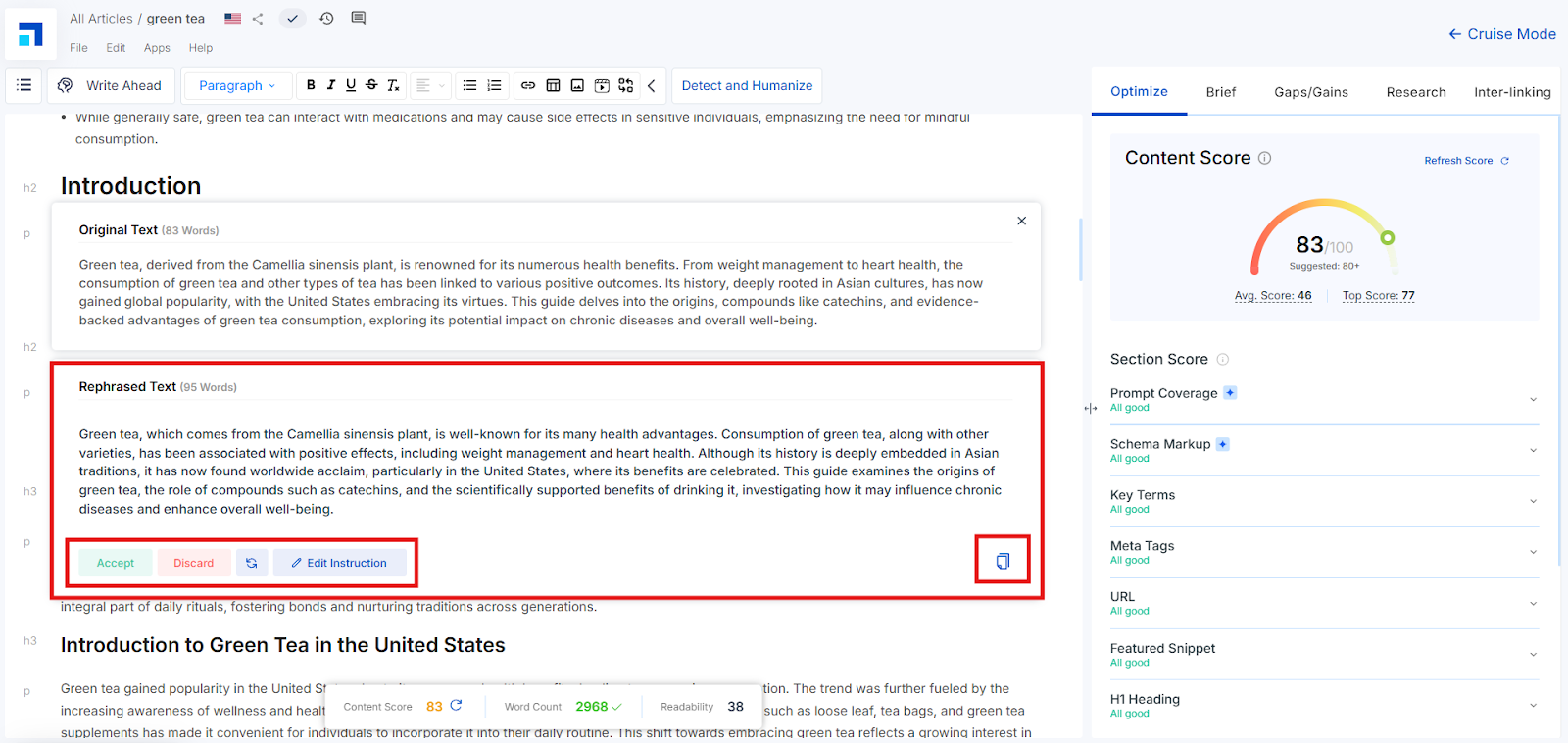
Once an instruction is given, Cruise AI will display two panels:
Original Text
AI-Generated Text
You can:
Accept the AI version
Discard it
Regenerate a new version
Edit the instruction for another output
Copy the content
Repeat this for each paragraph or section where you want improvements.
How to Use the ‘Enter Instruction’ Prompt STEP 1
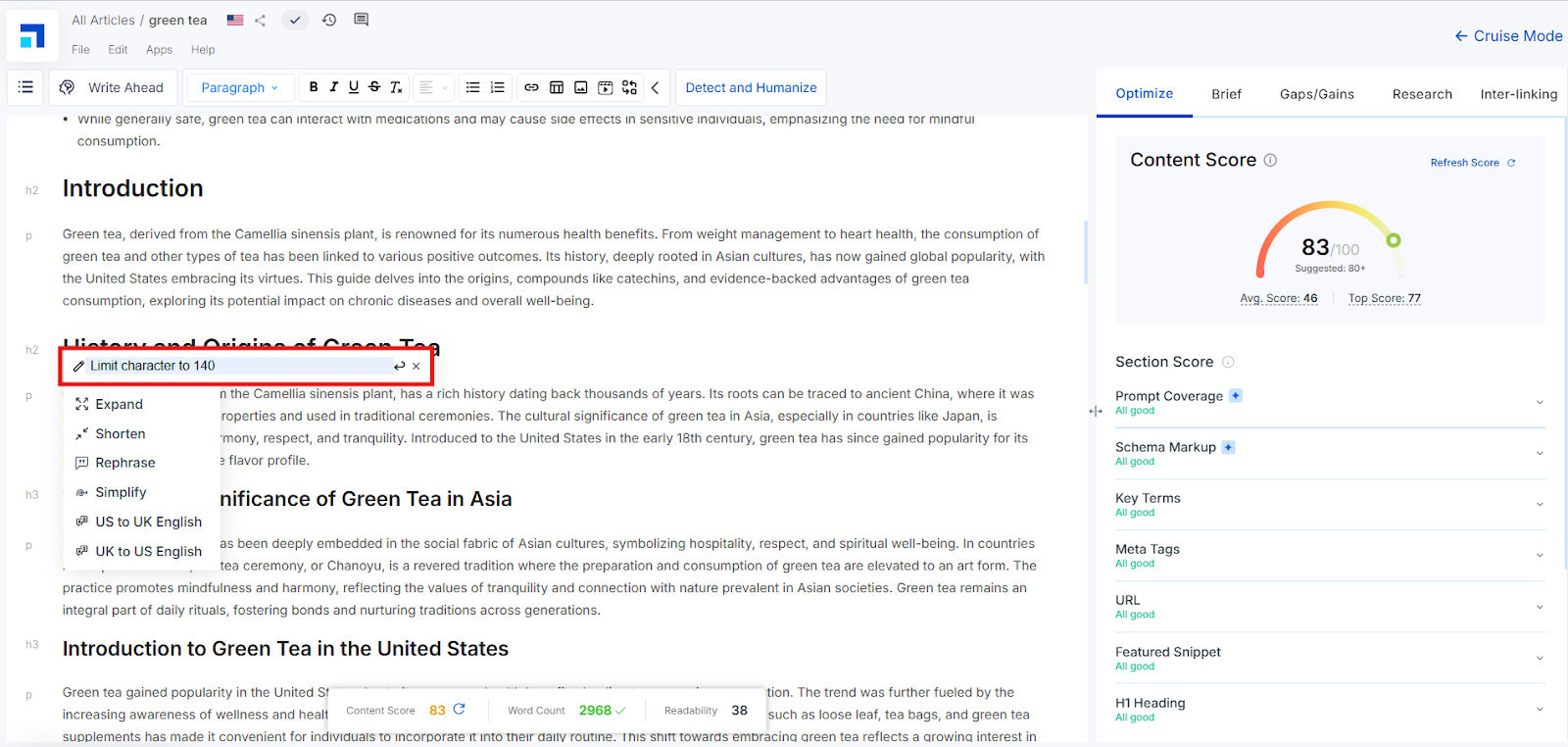
Click into the Enter Instruction field in the Cruise AI box.
STEP 2
Manually type an instruction tailored to your content needs — e.g. “Limit Character to 140.”
STEP 3
Press Enter and the AI will generate new content accordingly.
STEP 4
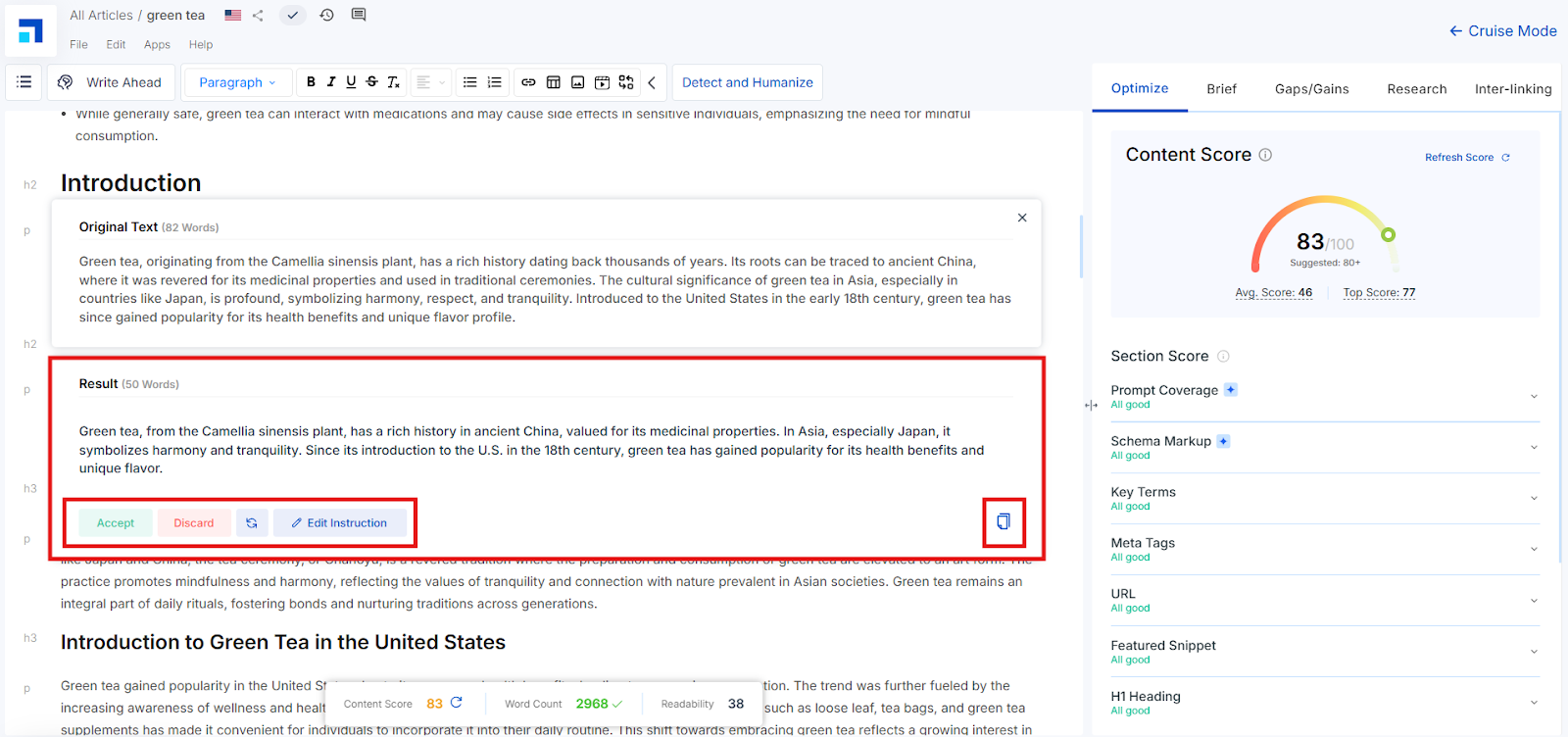
Review the output. Then:
Accept if it works
Discard if it doesn’t
Regenerate to try again
Edit Instruction to rephrase your request
STEP 5
Editing the instruction will return you to the original Cruise AI prompt screen. Here, you can remove or rewrite the instruction for a new response.
Streamline Your GEO Content with AI Precision
With Cruise AI and the AI Toolbar, GEO content teams can enhance quality, speed, and consistency across all writing tasks — whether it’s localizing messaging or improving readability. Use these features to scale smarter, not harder, and ensure every article meets both global standards and regional relevance.