By gaining visibility into your account usage, you can make informed decisions, track your progress, and maximize your Scalenut experience.
Understanding your Scalenut GEO account usage is essential for tracking your product activities, optimizing your workflow, and maximizing the value of your subscription. Whether you are using GEO Core, GEO Watchtower, or Social UpReach, regularly checking your usage helps you plan and manage your resources effectively.
Let’s explore the steps to access your account usage information.
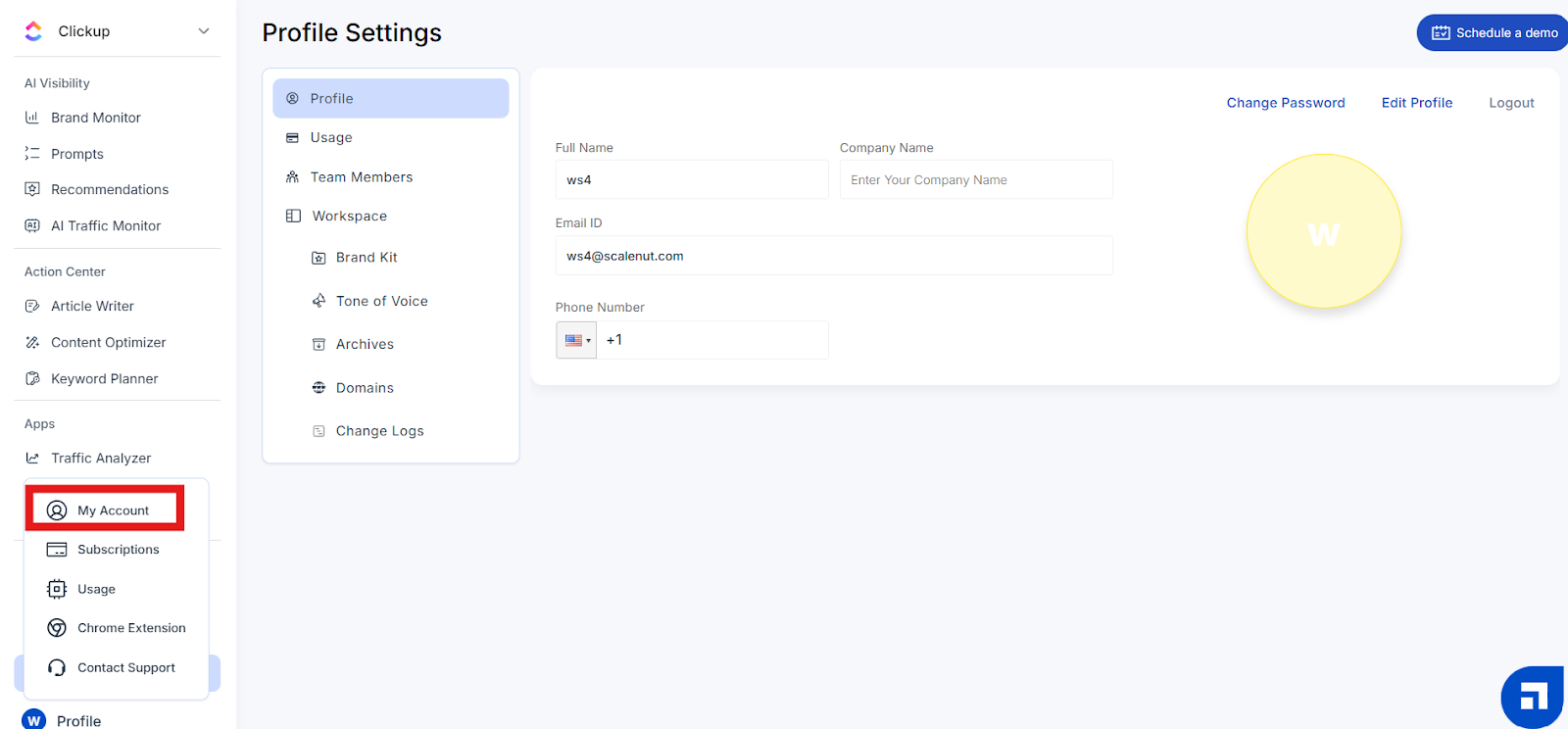
Step 1 – Access the My Account Section
From your Scalenut dashboard, click on the circular icon in the bottom left corner and select "My Account".
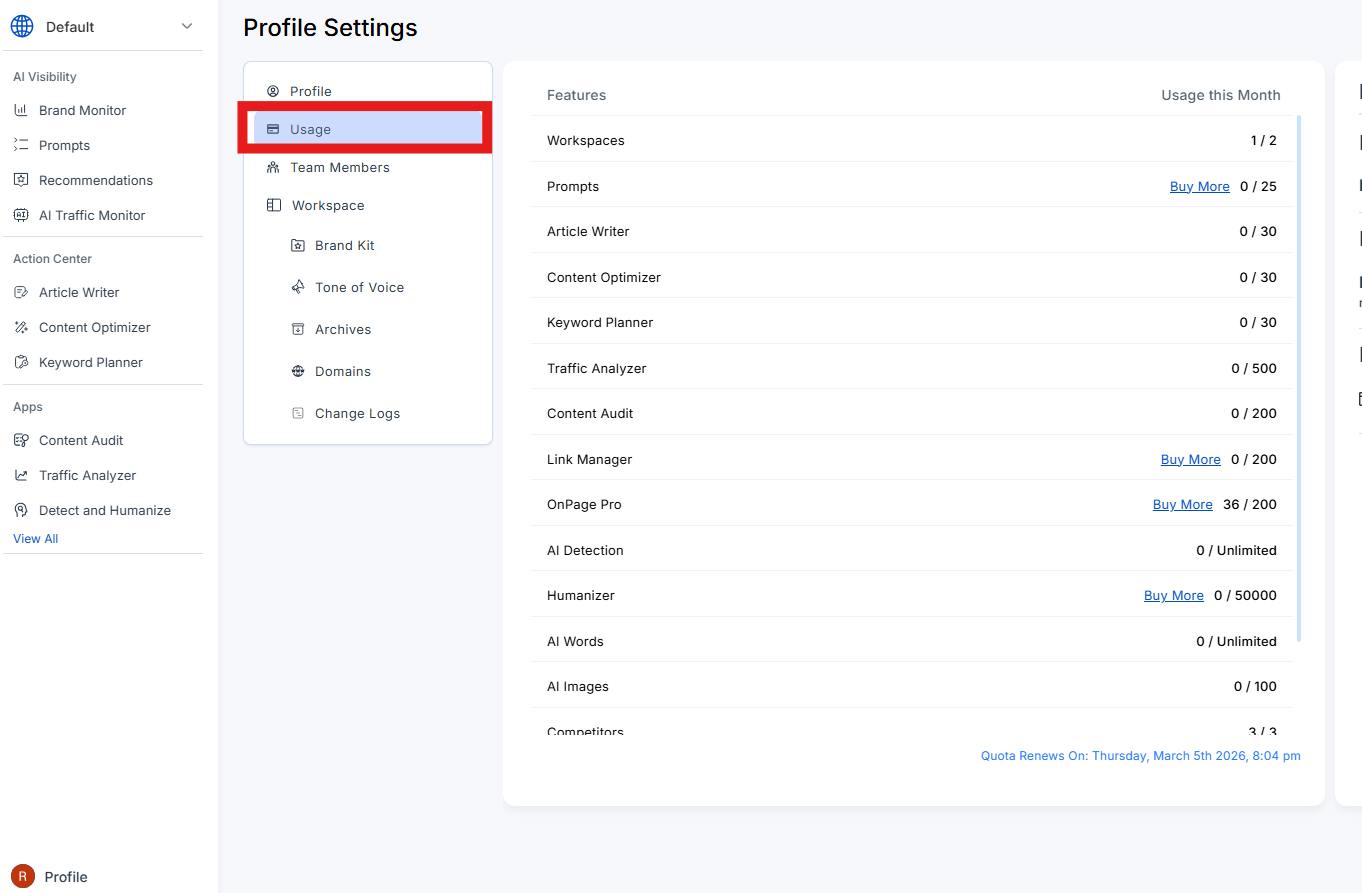
Step 2 – Click on Usage
By clicking on the Usage tab you’ll be redirected to this screen, where you can quickly check the usage details for all available tools.
Tip: Monitoring usage for all the tools ensures you never run out of limits unexpectedly and can make the most of your plan benefits.