Scalenut’s GEO Keyword Planner is a powerful tool that helps you discover location-relevant keyword clusters tied to a central theme. It allows you to build contextual, regionally focused content strategies and establish geo-authority in your niche or market area.
In this article, we’ll guide you through geographic keyword planning and show you how to use our tool effectively to find and fill location-based content gaps.
Here’s the best part — our GEO Keyword Planner now includes Keyword Gap Settings, so you can identify regional keyword opportunities your competitors might be missing.
Let’s dive in.
What is the Keyword Gap ?
The keyword gap is the difference between the keywords your target audience uses to search for products, services, or information related to your business and the keywords you have optimized your website or content for.
Therefore, it's important to thoroughly understand the keywords used by your target audience to improve your website's ranking and visibility on search engines.
Availability
This feature is available for Pro Plan and LTD users only.
How to Use Scalenut’s Keyword Gap Settings for GEO
STEP 1
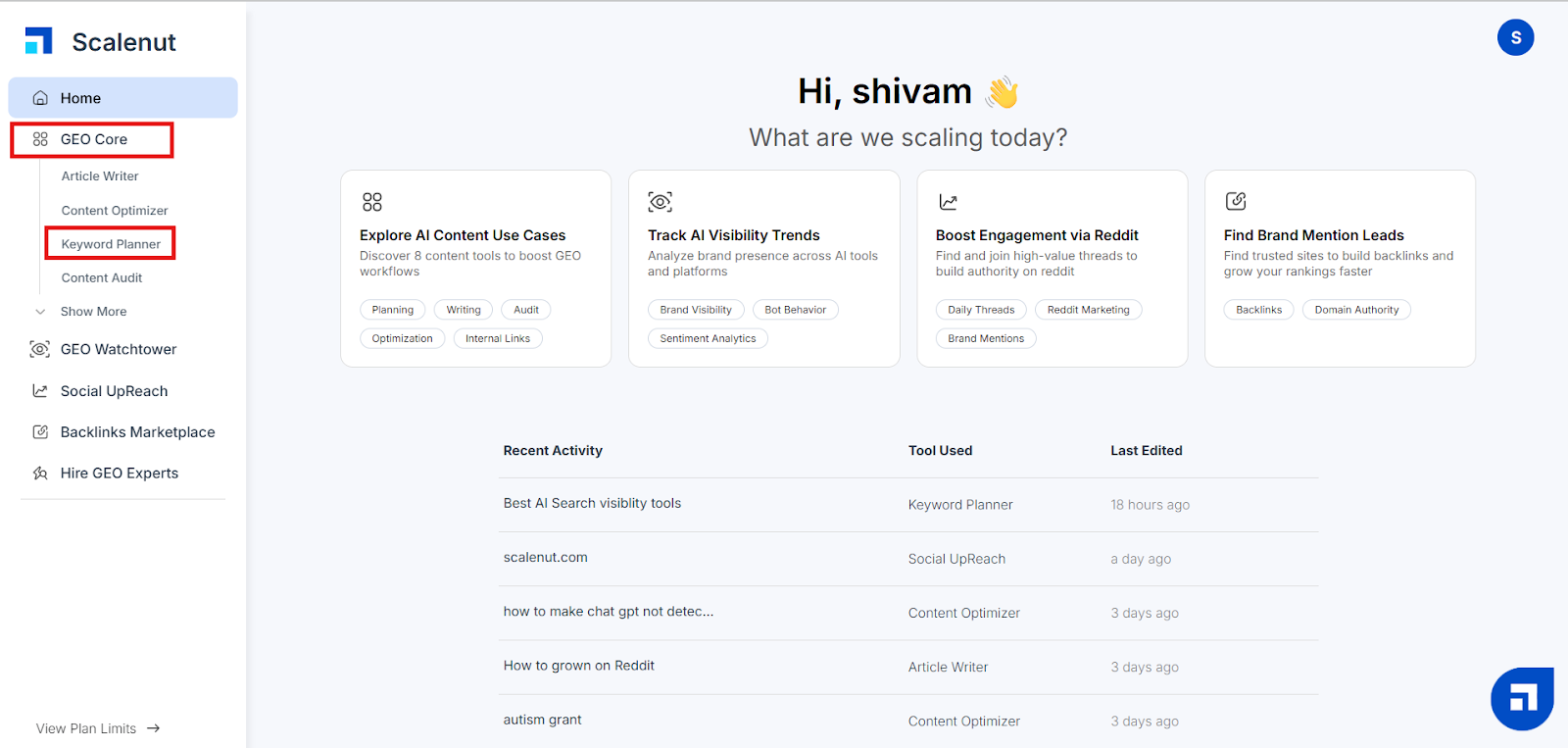
To access the GEO Keyword Planner, log in to your Scalenut account and head to the left navigation panel on your dashboard. You will find the Keyword Planner under GEO Core.
STEP 2
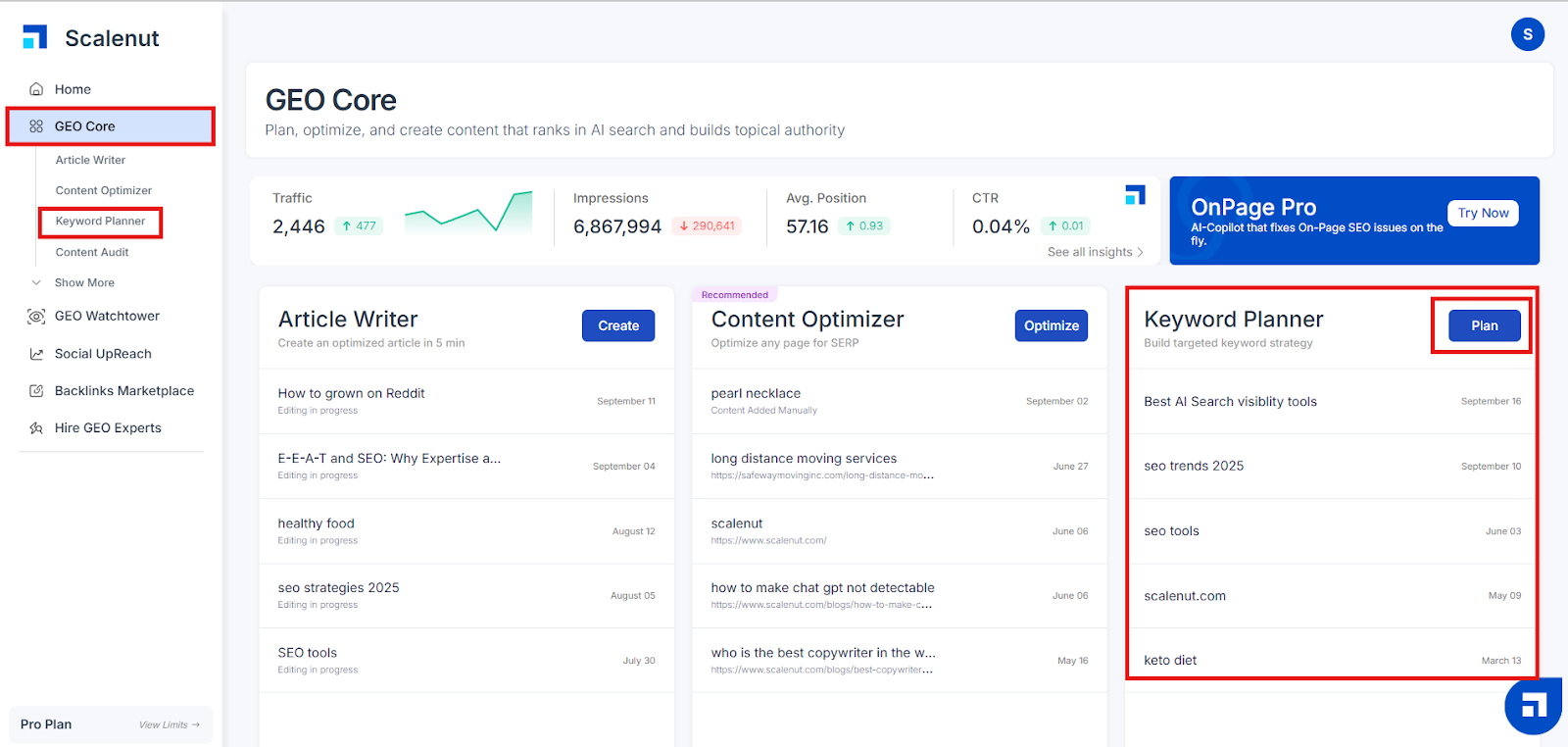
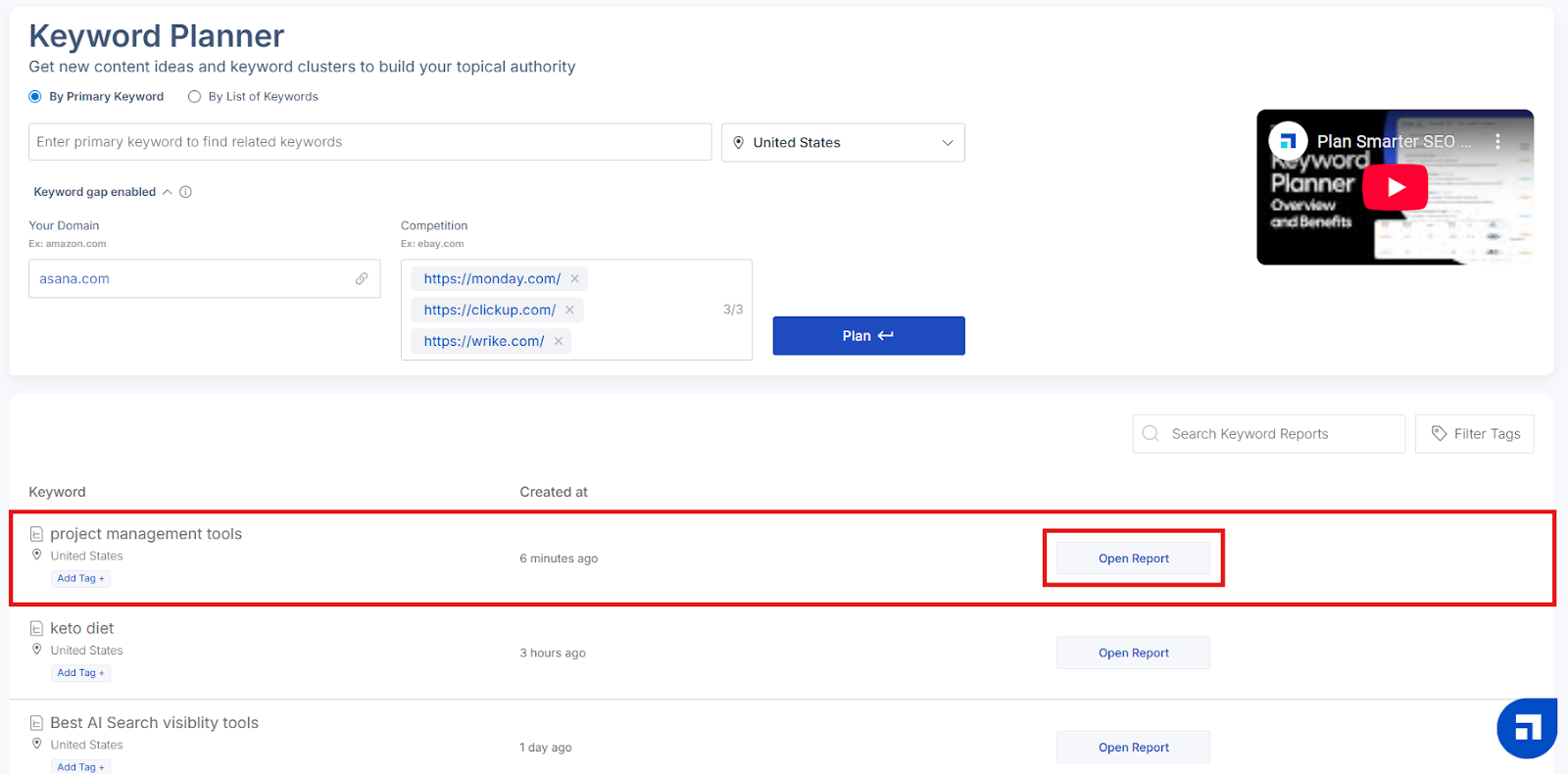
Click the ‘Plan’ button or select ‘Keyword Planner’ from the navigation panel.
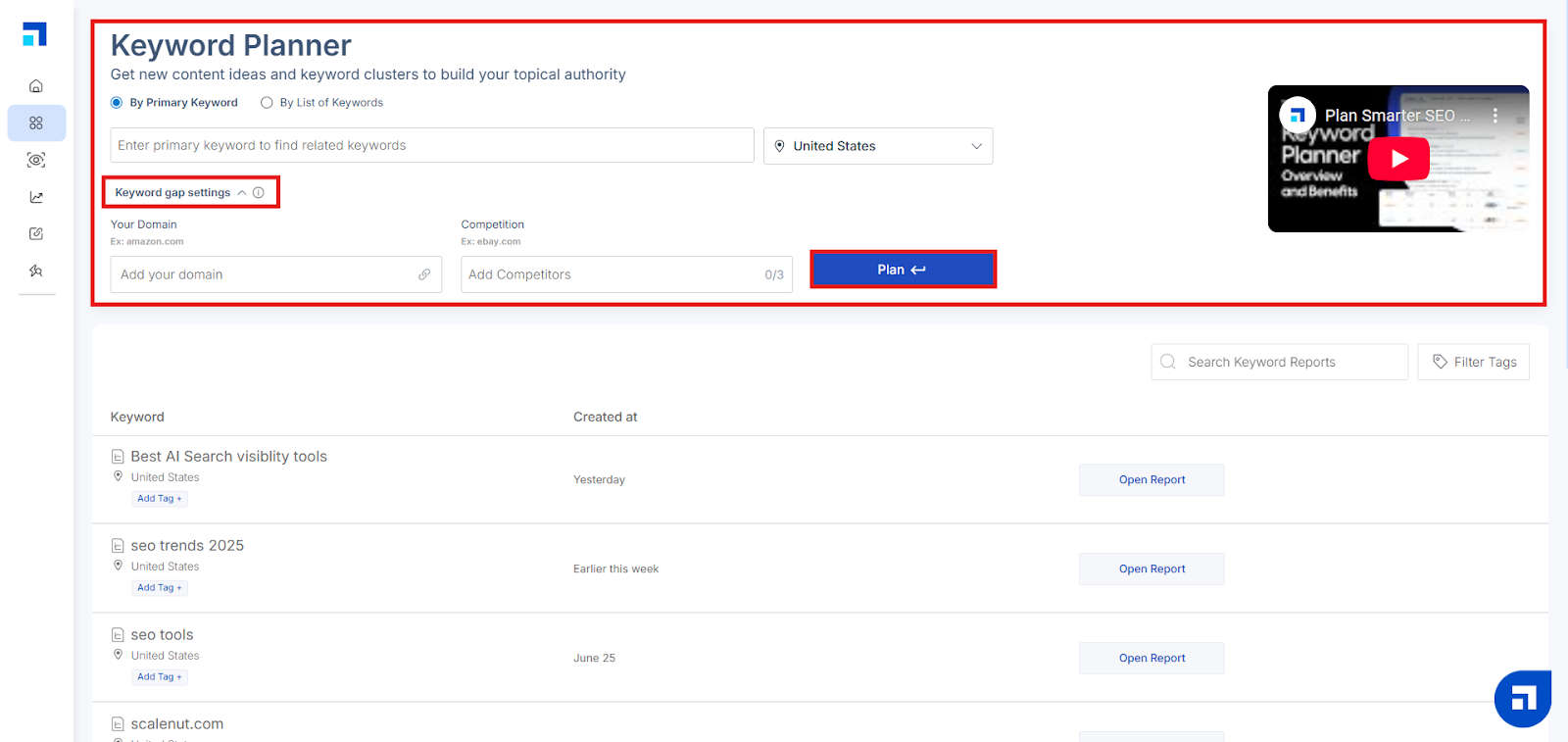
On the Keyword Planner screen:
Enter a keyword relevant to your business or service.
Choose your target location (this is key for geographic optimization).
Click ‘Plan’ to proceed.
To activate Keyword Gap Settings, follow the prompts:
Add your main keyword.
Choose your target geography.
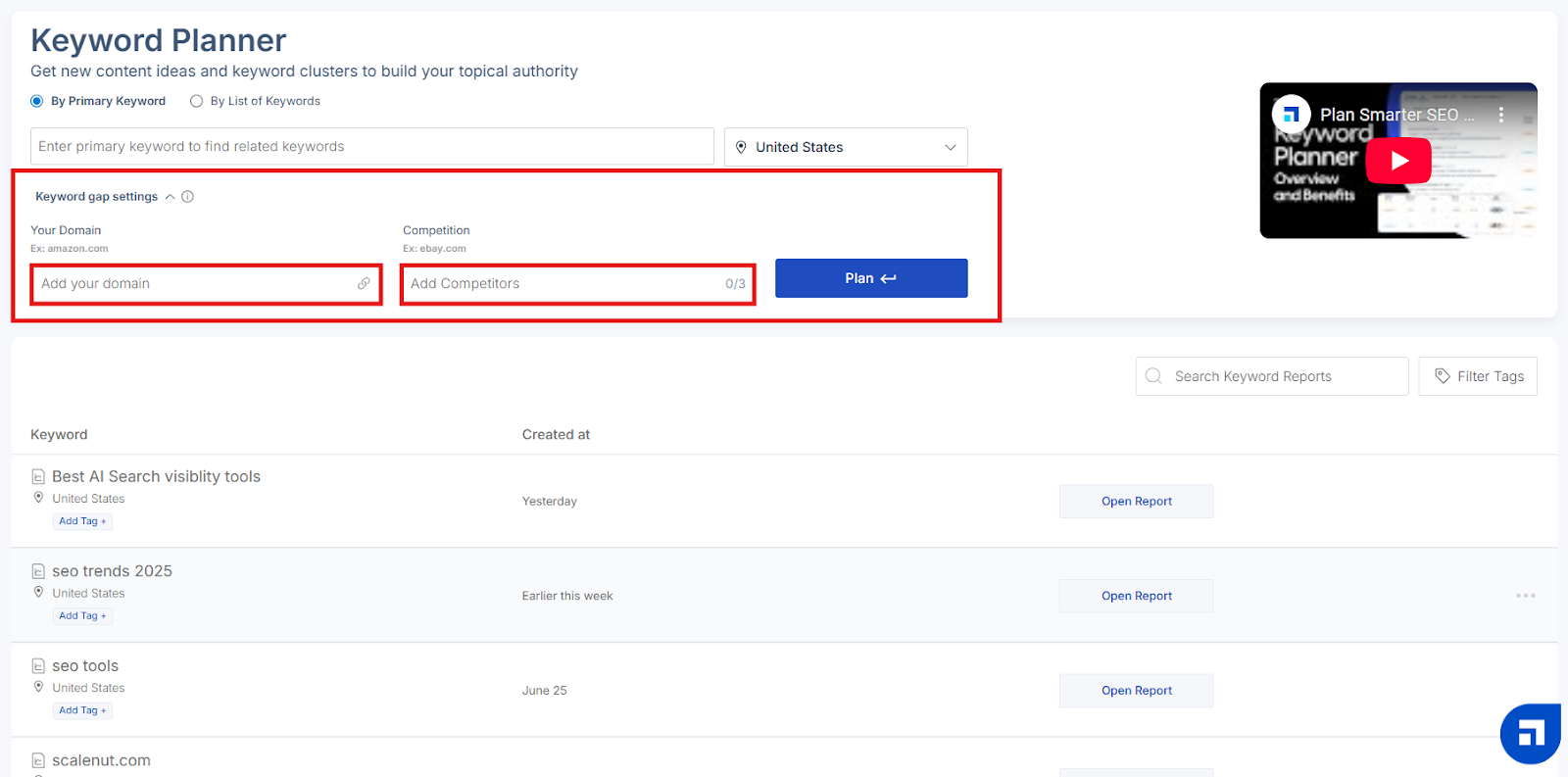
Click on ‘Keyword Gap Settings’.
You'll be prompted to:
Add your domain.
Add up to three competitor domains that operate in similar locations.
Click ‘Open Report’ to view a detailed analysis of keyword clusters.
STEP 4
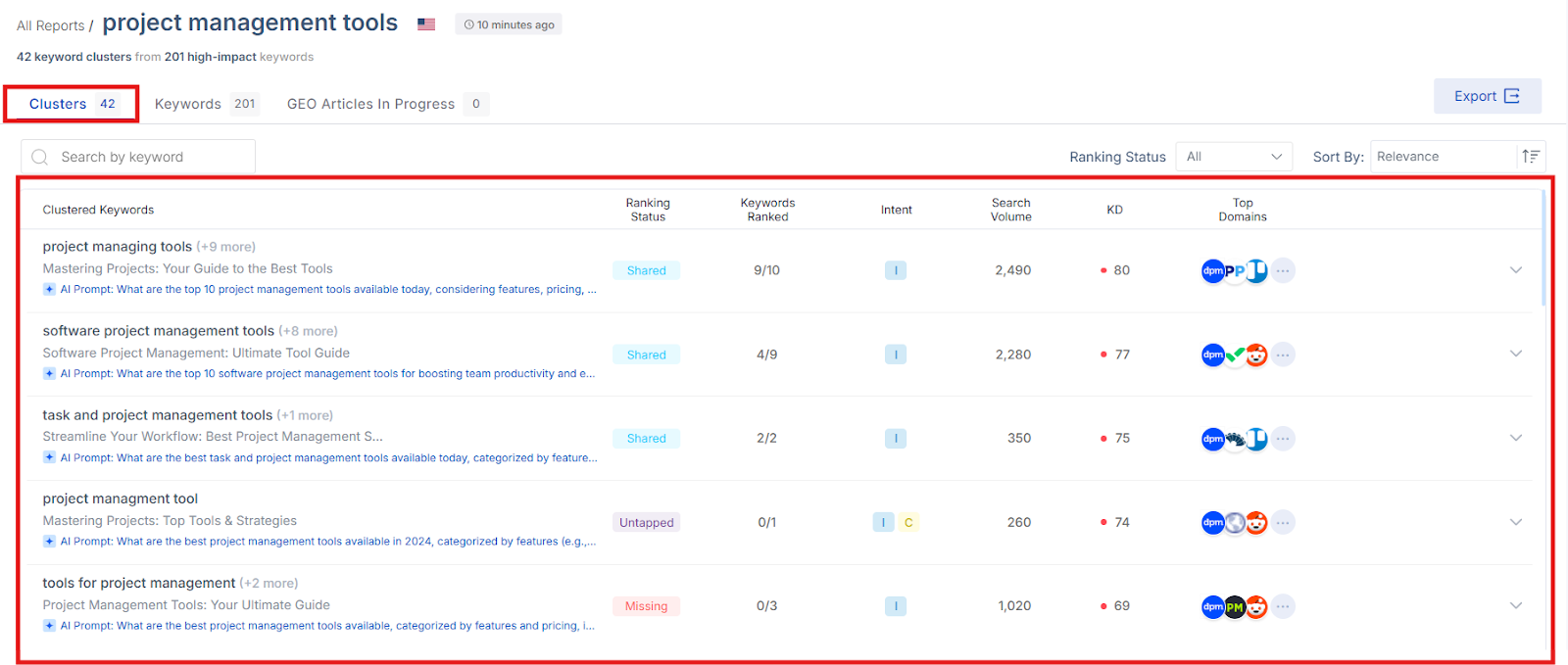
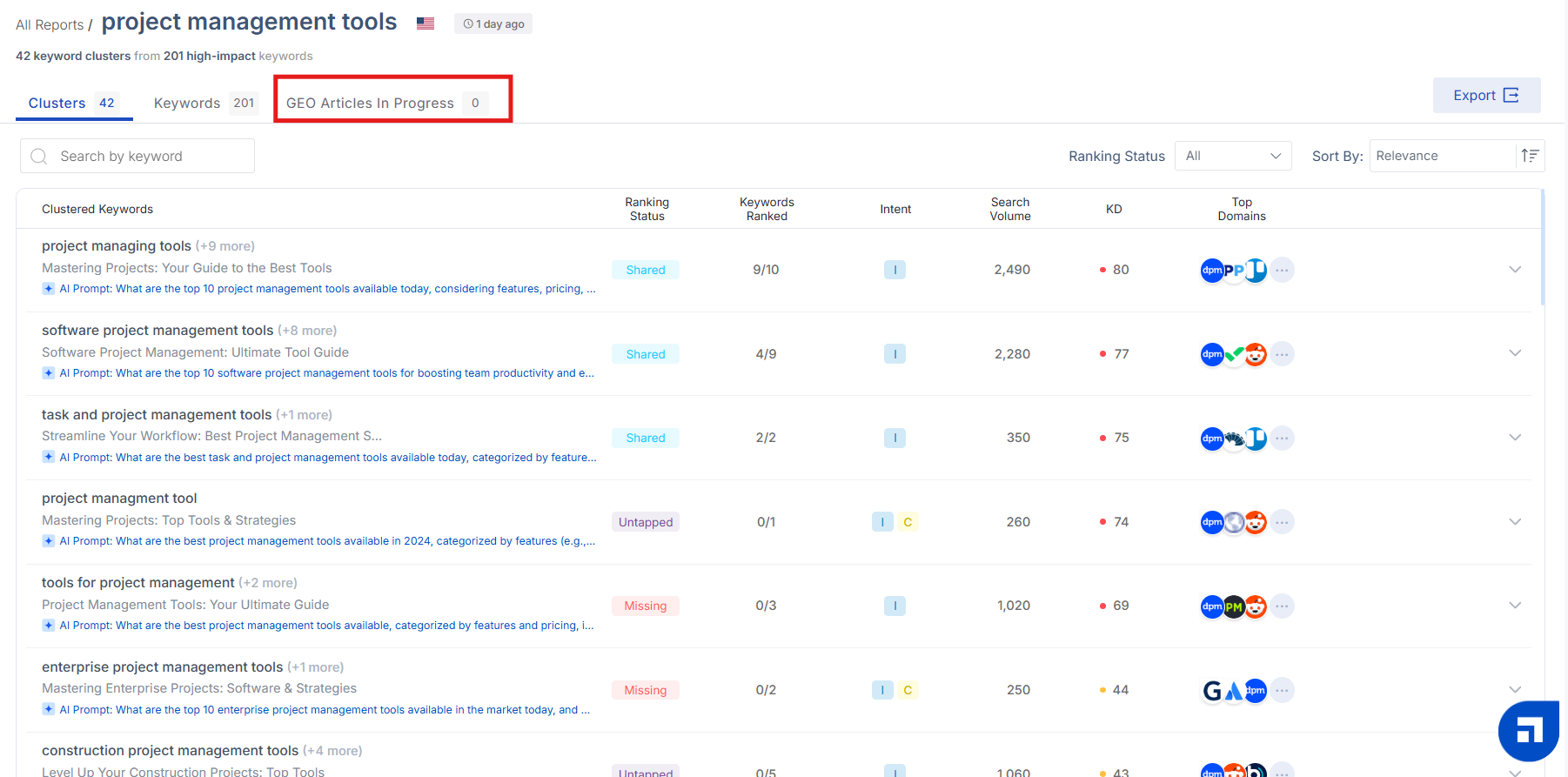
Scalenut’s AI generates regional keyword clusters tied to your domain’s and competitors’ rankings.
You’ll see metrics like:
Ranking Status – Understand which keywords you're ranking for versus your competitors in specific locations.
Shared: All domains rank for these keywords.
Unique: Only your domain ranks.
Missing: Competitors rank, but your domain does not.
Untapped: None of the domains are ranking—opportunity zone.
Keywords Ranked – Number of Keywords your domain is ranking for out-of the total keywords present in the cluster. It measures your website performance for the cluster
Intent – Understand the local user intent:
C – Commercial
N – Navigational
T – Transactional
I – Informational
Search Volume – Monthly search data for each regional keyword.
KD (Keyword Difficulty) – Indicates how competitive the keyword is in the specified location.
Color-coded dots (red to green) make it easy to identify keyword difficulty at a glance.
STEP 5
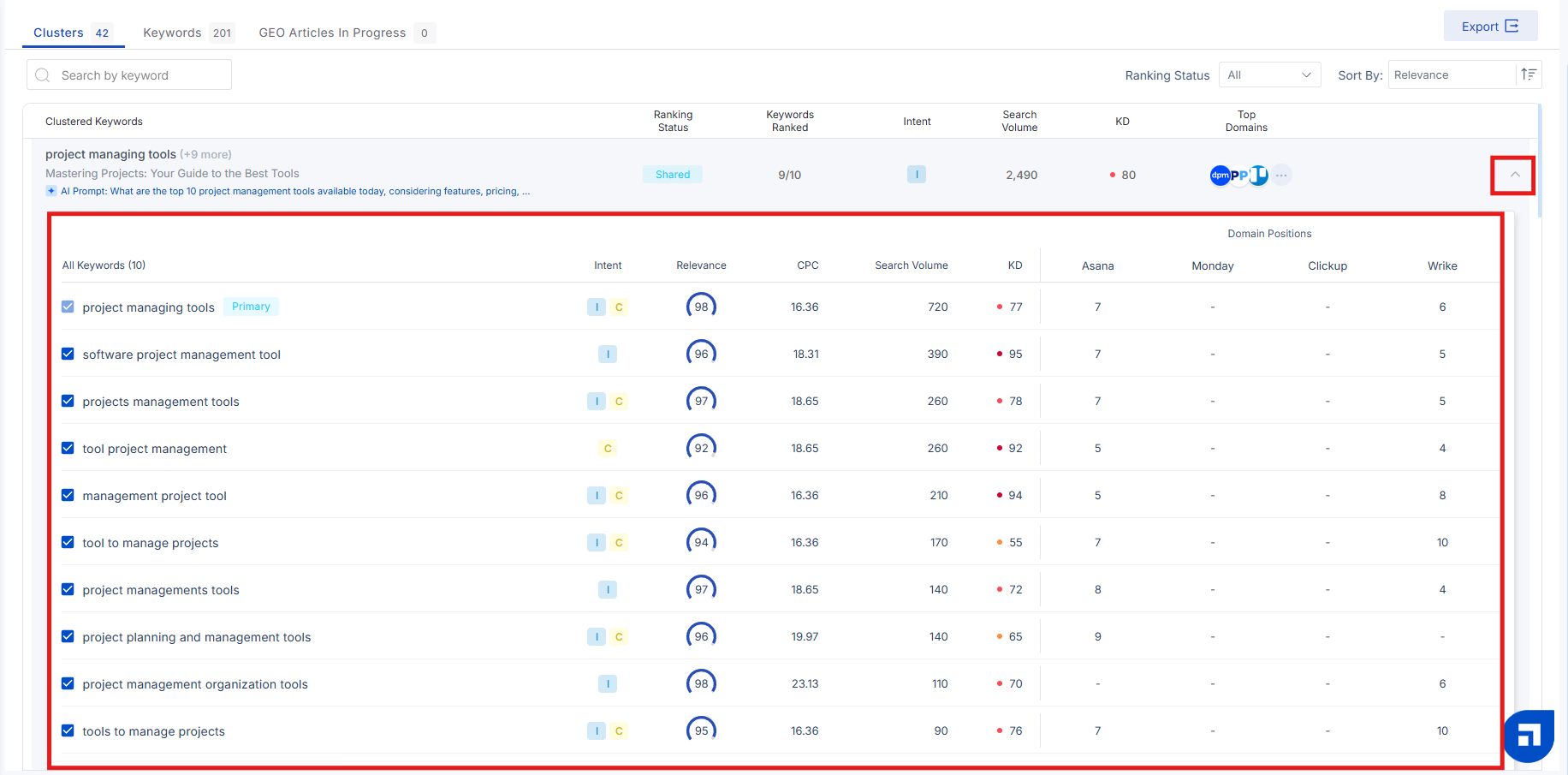
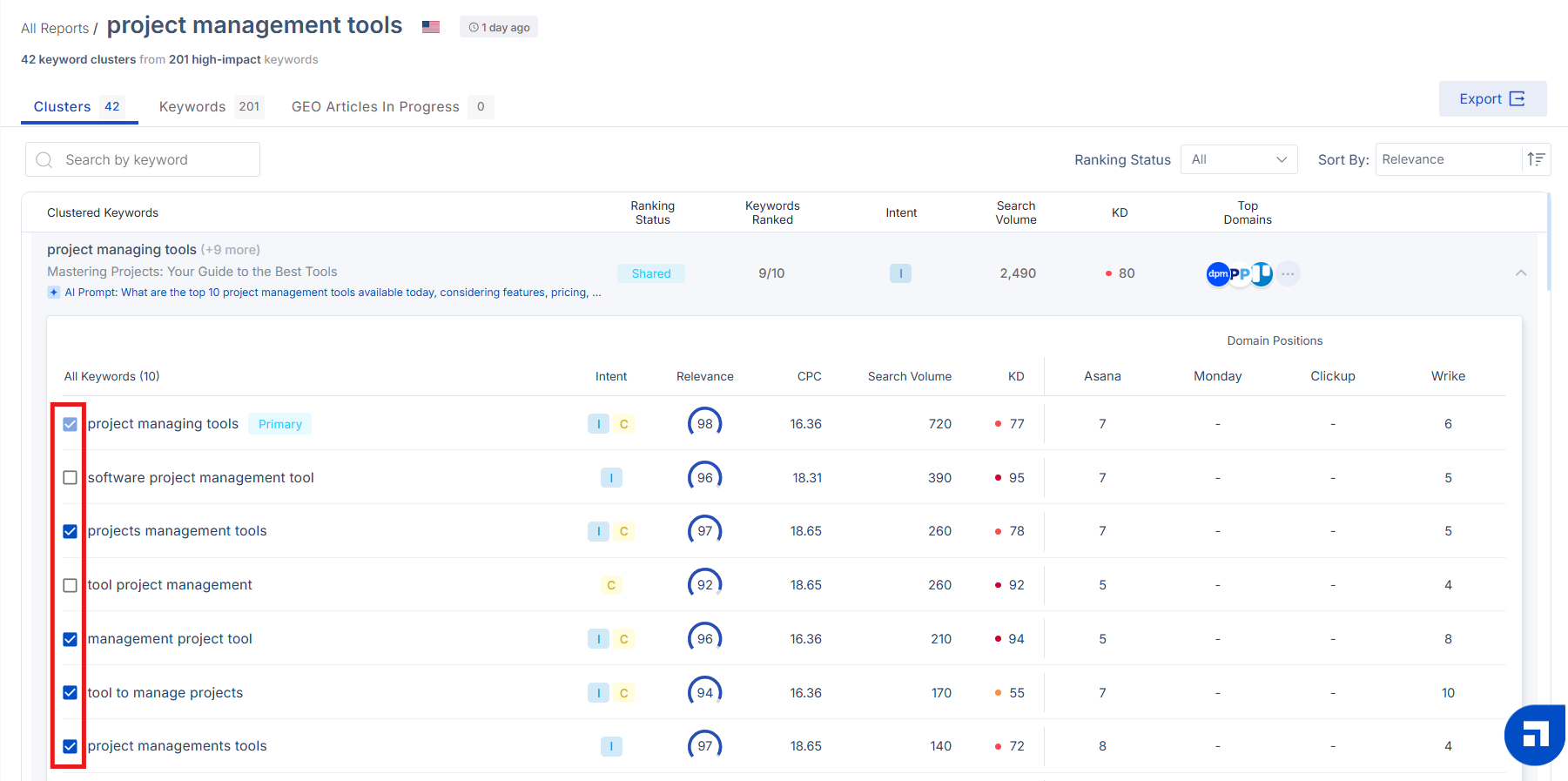
Click the ‘Expand’ icon (or anywhere in a row) to see a more detailed breakdown of the cluster.
On the left: View data like intent, relevance, CPC, search volume, and keyword difficulty.
On the right: View Domain Positions — where you and your competitors rank for those keywords in specific geographies.
STEP 6
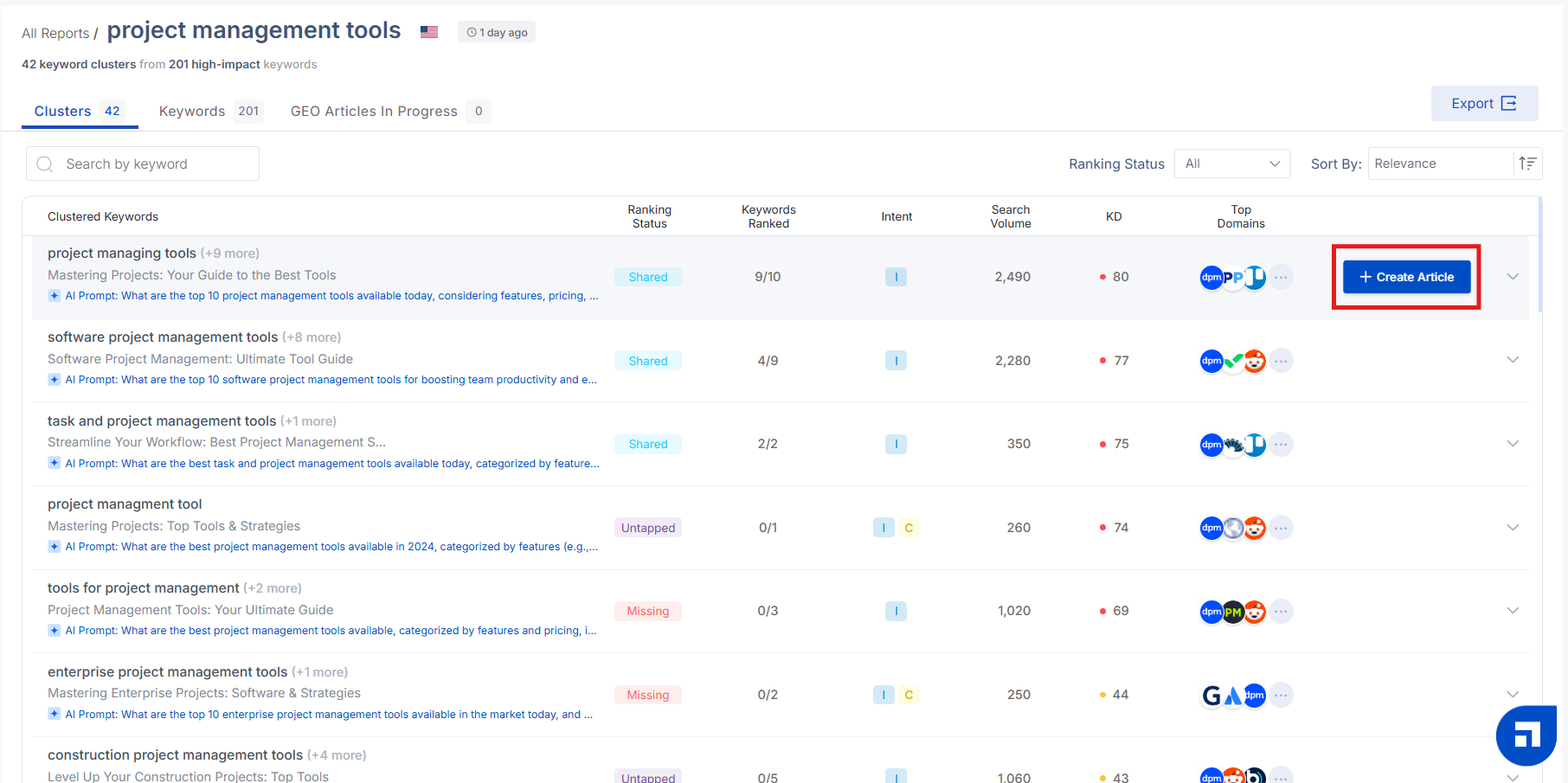
Once you find a relevant cluster:
Hover and click ‘Create Article’.
You can select or deselect keywords based on intent.
STEP 7
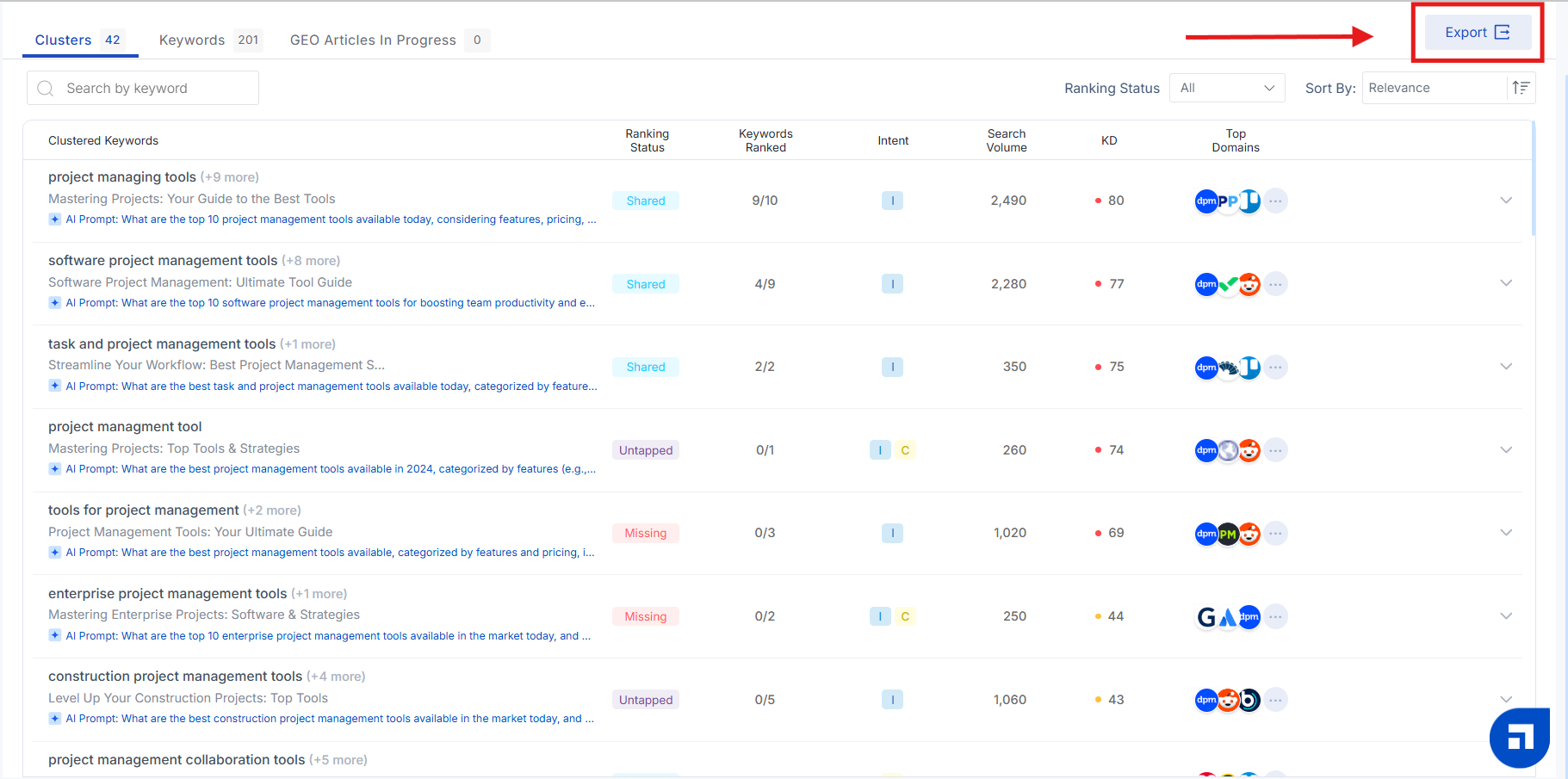
Export cluster and keyword data by clicking ‘Export’ — great for planning regional content strategies offline.
Additional Features of the GEO Keyword Planner
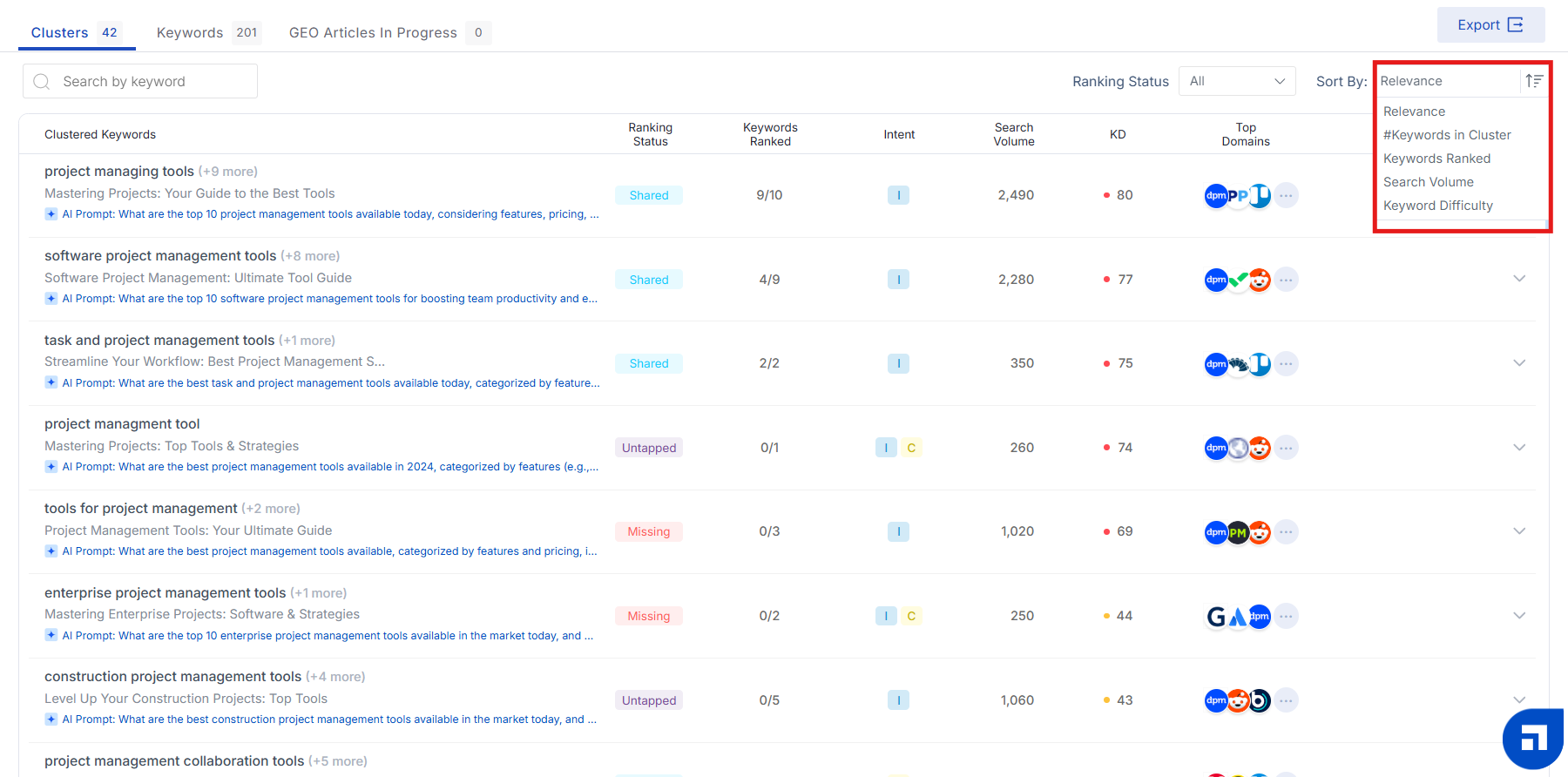
Sort By: Organize clusters by relevance, number of keywords, keywords ranked, search volume, and difficulty — especially useful for location-specific targeting.
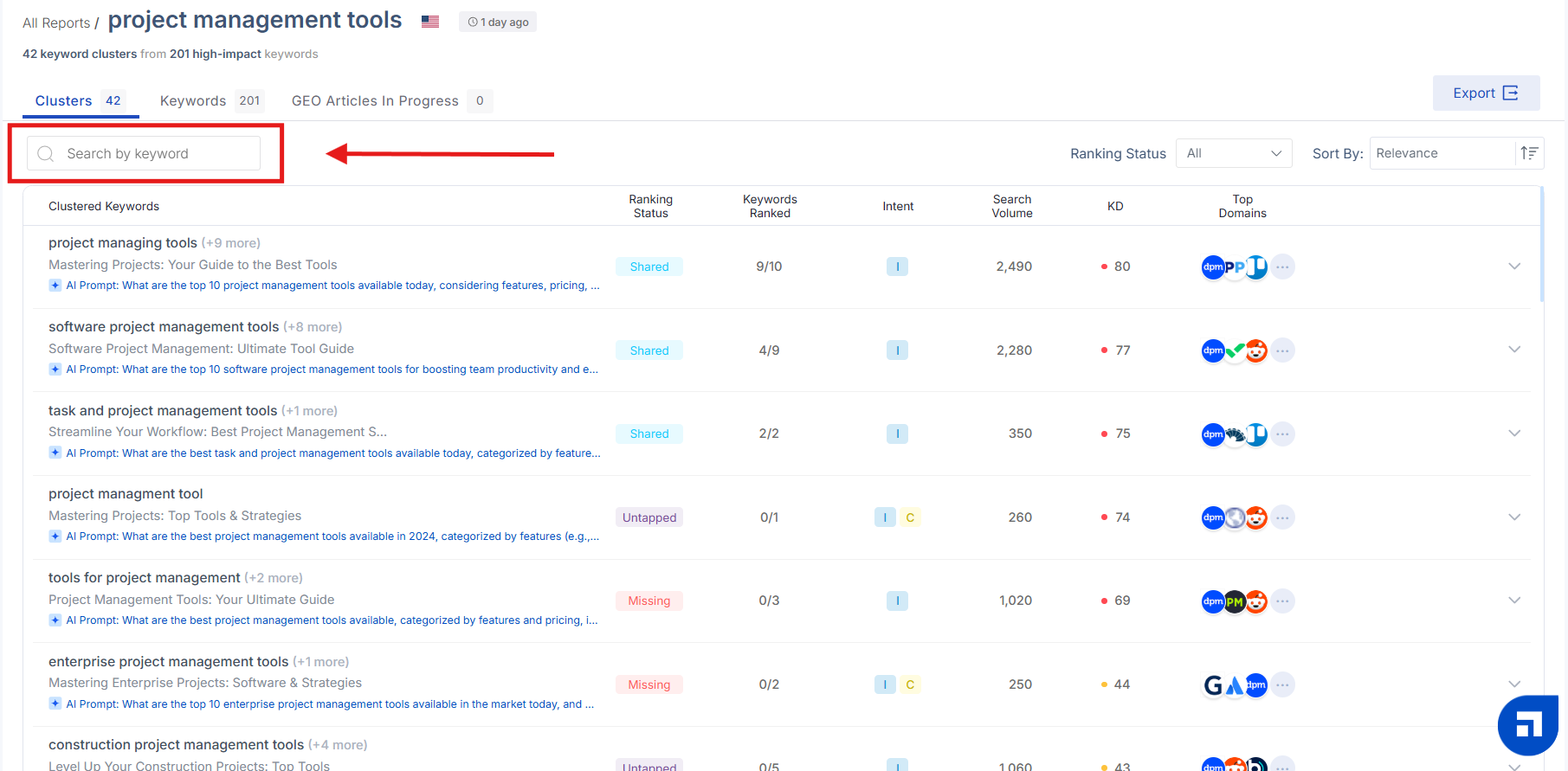
Search Keyword: Find a specific geo-keyword within your cluster.
GEO Articles in Progress: Keep track of your in-progress GEO articles from the toolbar.