Elevate your writing skills and achieve outstanding results with our comprehensive optimization strategies.
Getting your first draft down is often the hardest part of writing.
It’s where raw ideas take shape, structure starts to form, and the foundation of your content is laid. But a first draft doesn’t have to be perfect — it just needs to be clear, intentional, and set up for refinement.
Scalenut’s Cruise Mode is built to help you overcome the blank page and move smoothly from scattered thoughts to a structured draft. It guides you step-by-step so your writing stays aligned with your goals from the very beginning.
In this article, we’ll break down how to optimize your first draft — so it’s not only solid but also ready to rise through the ranks of search engines and AI systems.
STEP 1
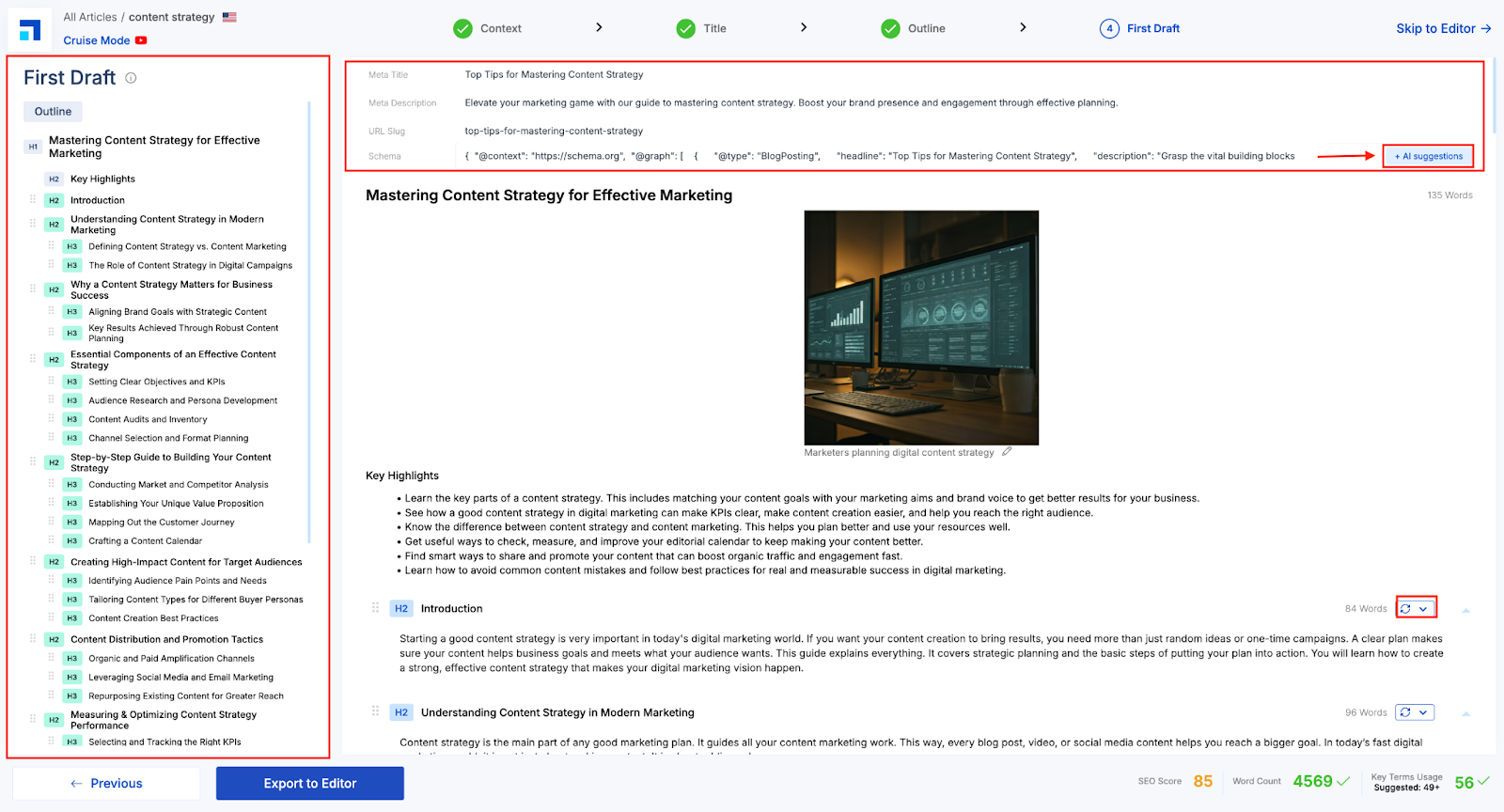
Scalenut’s AI-generated first draft naturally weaves in your prompts from the Context section, flowing like a well-written blog — not a basic Q&A. You’ll see the structure on the left and the full content on the right.
Use “AI Suggestions” for quick, optimized inputs. Or, you can click to edit any part of the content. Each section shows a word count, and you can regenerate individual sections using the icon next to the heading. Or, make manual edits to them.
STEP 2
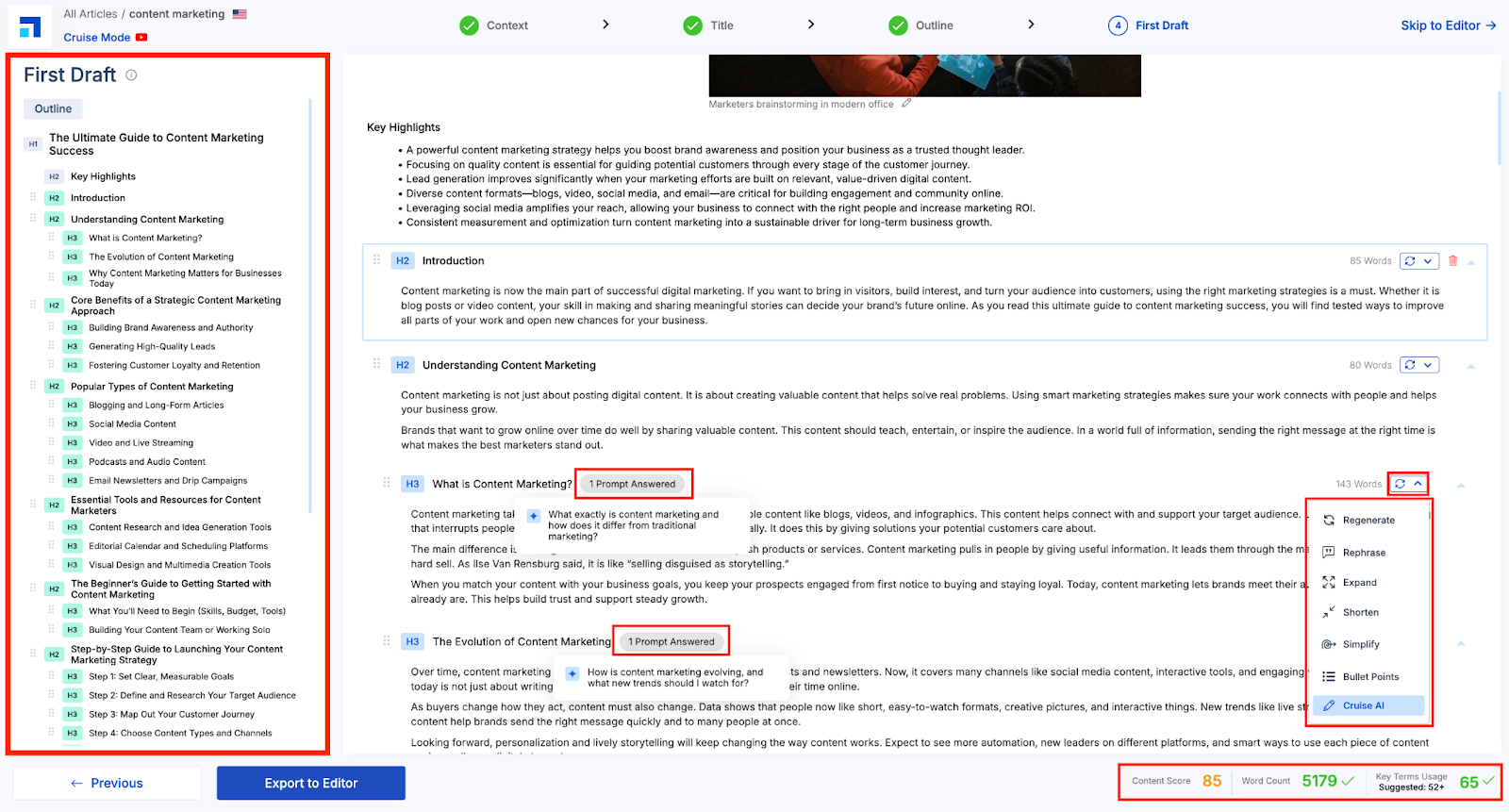
In the Cruise Mode First Draft view, each section of your blog is editable and packed with smart content tools. You’ll see a dropdown next to each section offering options like -
Regenerate – Instantly replaces the selected section with a fresh AI-generated version.
Rephrase – Refines the existing text for better clarity, tone, or engagement.
Expand – Adds more depth or detail to the section without losing context.
Shorten – Condenses content while keeping the core message intact.
Simplify – Makes complex content more digestible and reader-friendly.
Bullet Points – Converts long paragraphs into crisp, skimmable bullets.
Cruise AI – Lets you further customize or improve the section using advanced Cruise AI capabilities.
These tools help you quickly tailor each part of your blog to match your tone, style, and messaging goals—without starting from scratch.
STEP 3
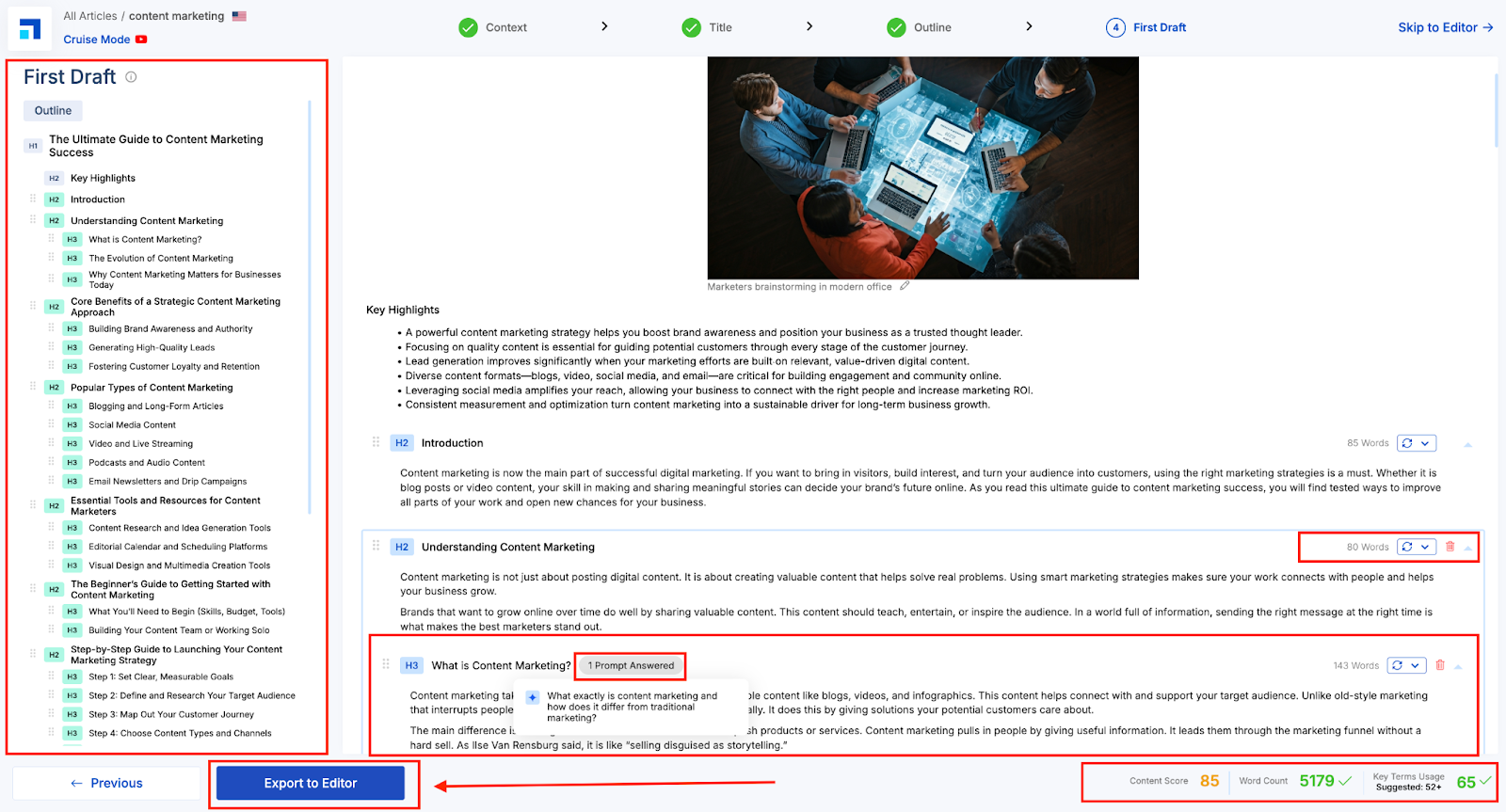
You can view Content Score and Key Terms Usage—alongside the total word count at the bottom panel. These metrics help you align your draft with the expectations of search engines and AI systems, ensuring optimal visibility and relevance. Once your draft is polished, simply click ‘Export to Editor’ to take it into Scalenut’s Editor for final refinements and publishing.
STEP 4
Clicking ‘Export to Editor’ takes your draft into the Scalenut AI Editor, where you can fine-tune content using real-time SEO feedback, add NLP terms, explore SERP-based insights, optimize structure, and make final edits before publishing.
STEP 5
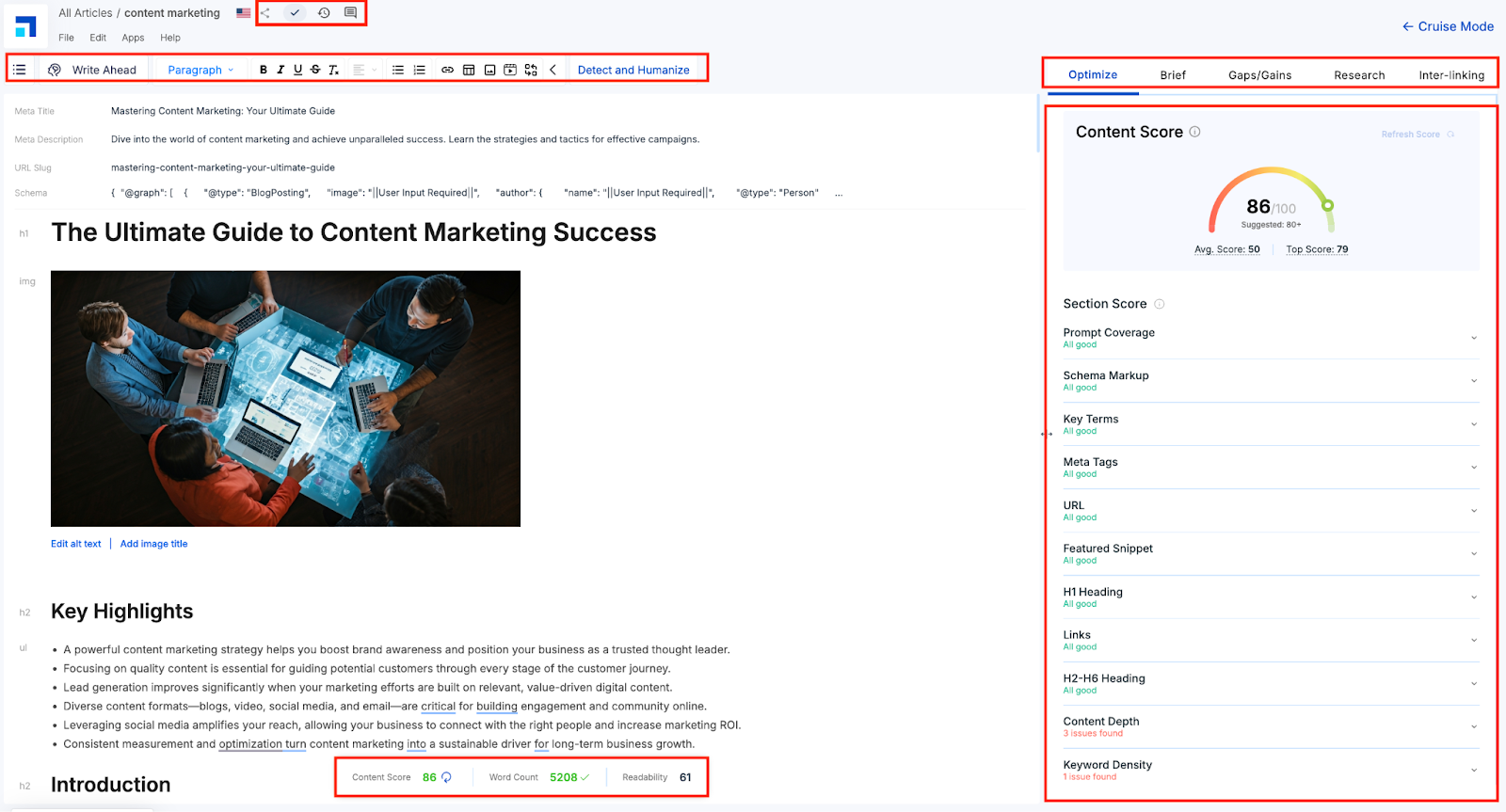
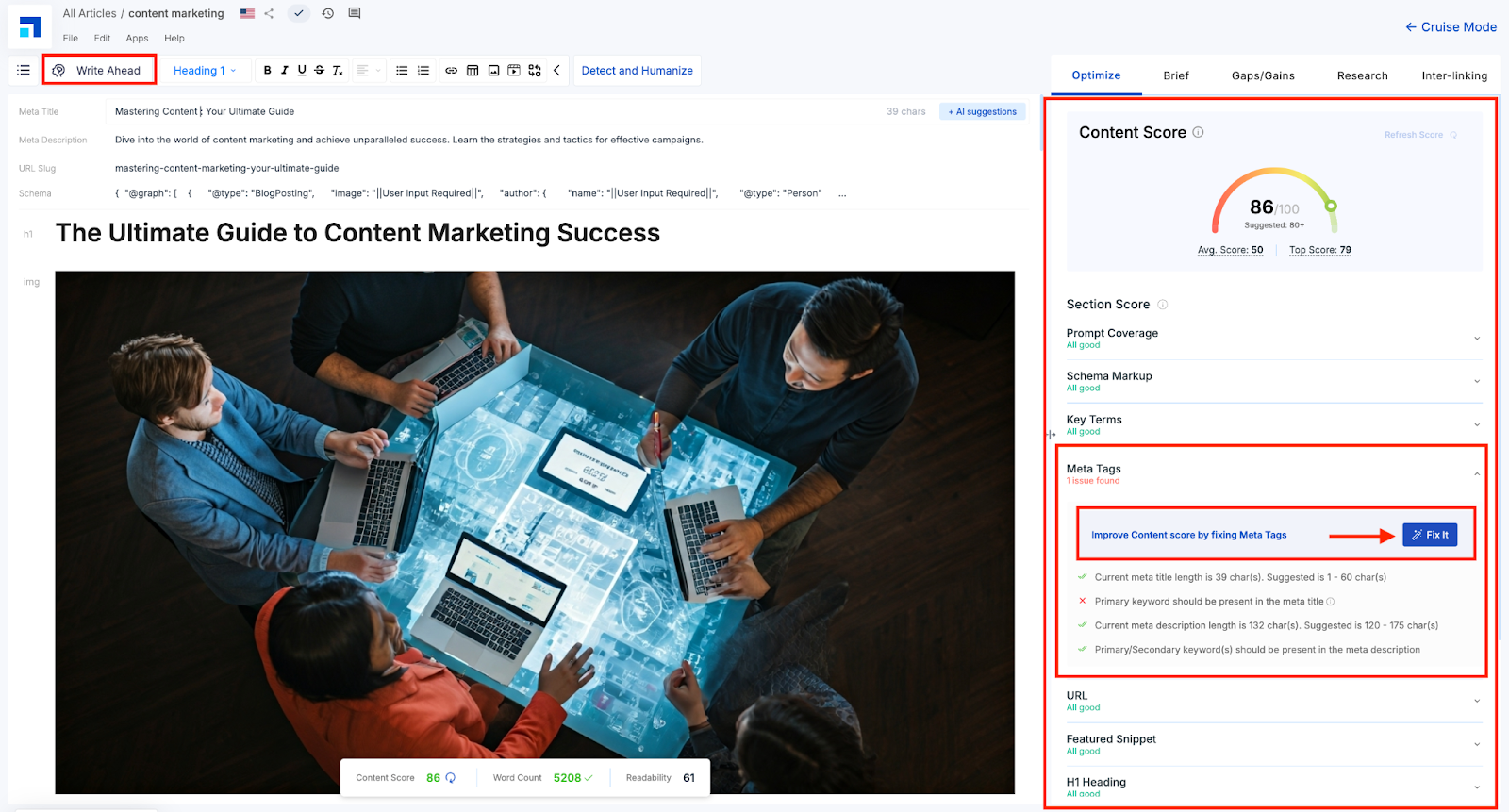
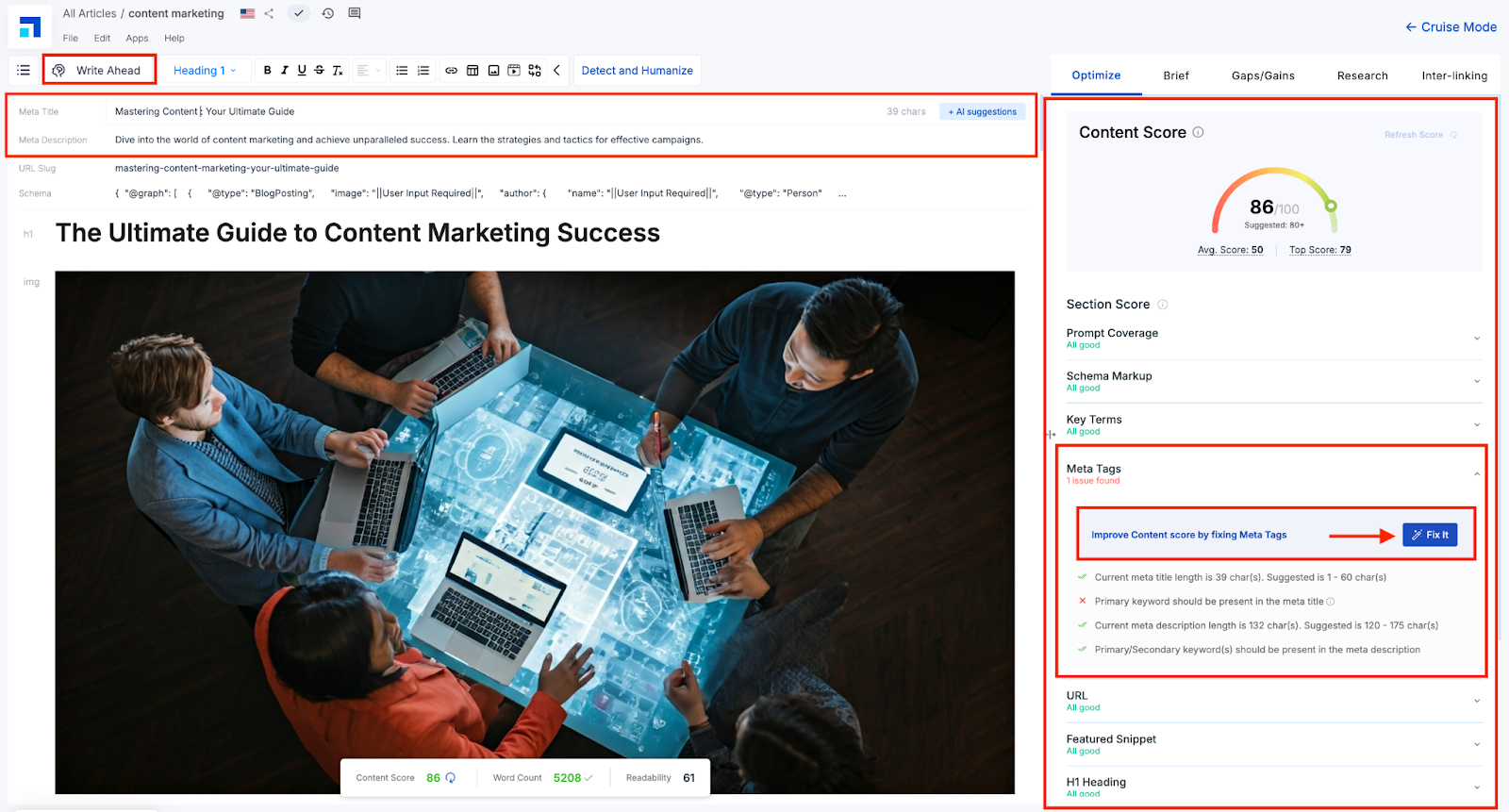
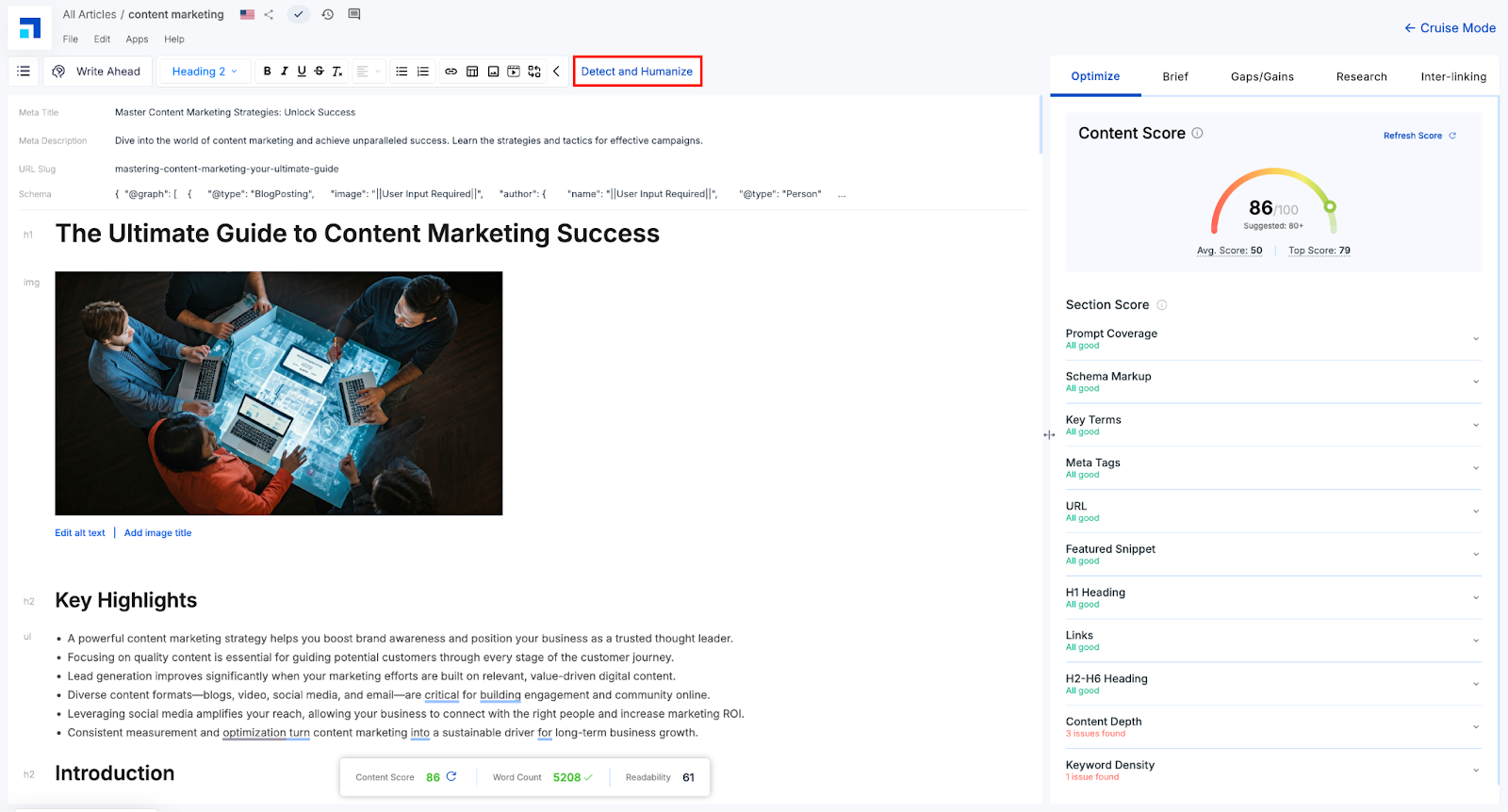
You can enhance your SEO Score and Key Terms Usage by implementing the suggestions offered in the Scalenut’s Editor.
The tool evaluates various factors including Prompt Coverage, Schema Markup, Humanized Content, Headings, Meta Tags, Links, and more — providing actionable recommendations to improve your content’s structure and relevance.
To fully optimize your content, incorporate these suggestions while maintaining a natural content flow. You can also use smart features like ‘Write Ahead’ to speed up your writing process and stay aligned with the topic.
STEP 6
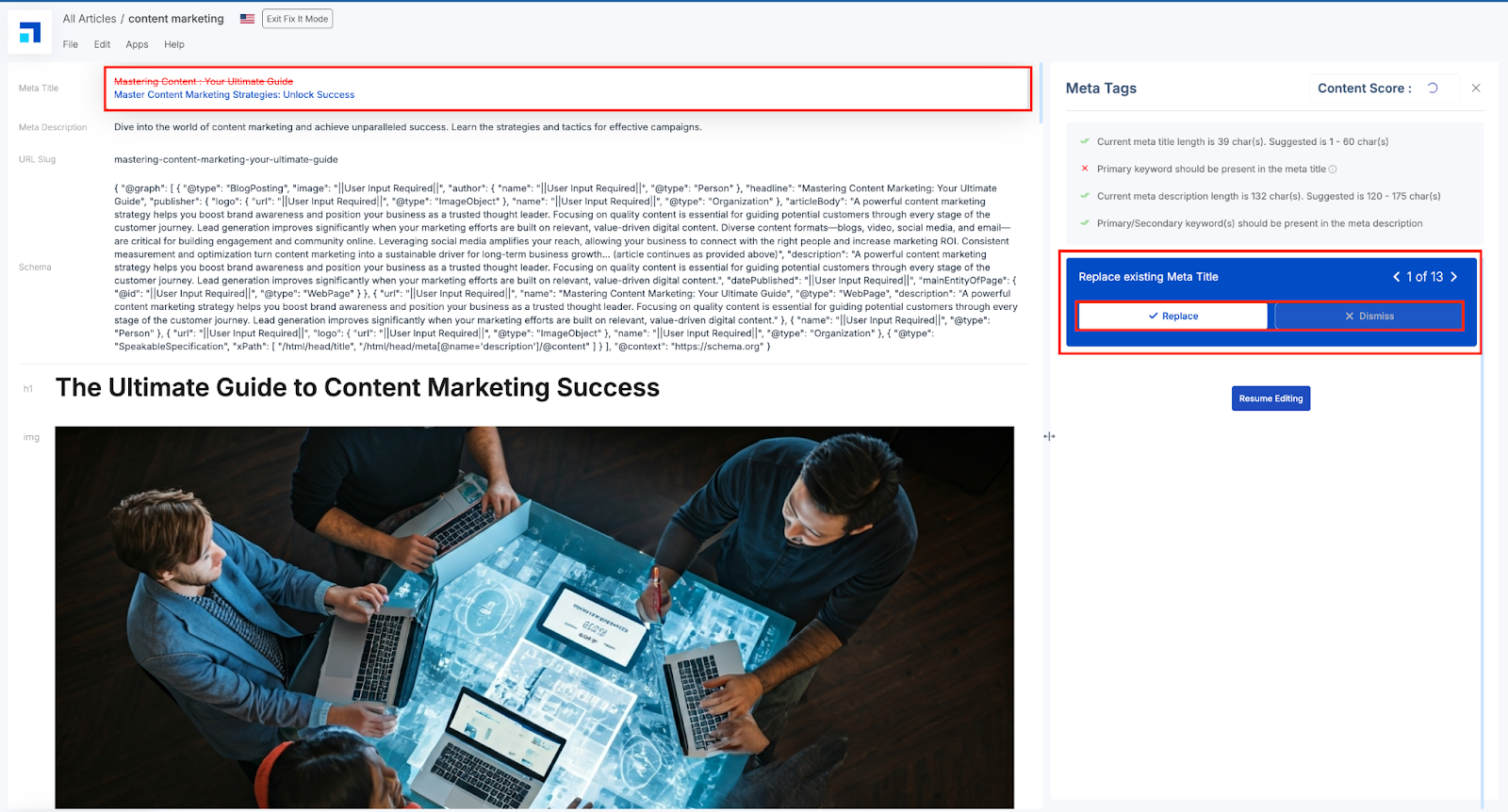
In this section of the Editor, you will also find the ‘Fix It’ module for most of the parameters. All you need to do is click on ‘Fix It’ and it will redirect you to a suggestion screen.
If you agree to the suggestion, click ‘Replace,’ and the tool will change it. But if you don’t, click ‘Dismiss’ and move on to the next suggestion.
You can also see the suggestions, and make manual changes for the ones Fix It ain’t available (like, Content depth, keyword density), or for any other parameter of your choice.
STEP 7
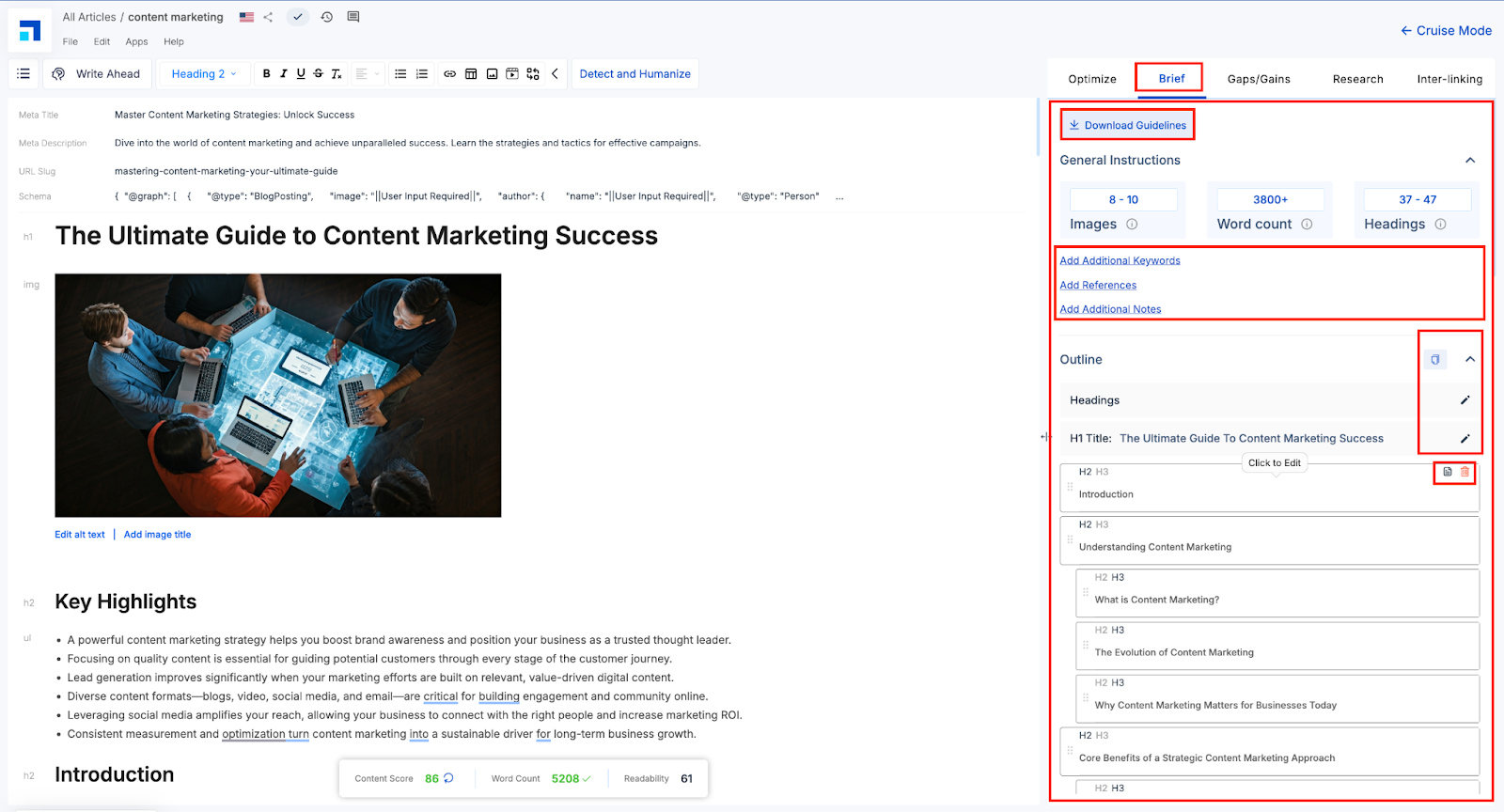
The Brief tab in Scalenut sets you up with a clear content plan before you start writing. It shows ideal word count, image use, and heading structure based on top-performing pages.
You can:
Add keywords, notes, and references
Download guidelines for collaboration
Review and edit the outline instantly
It’s your all-in-one blueprint for fast, focused, and effective content creation.
STEP 8
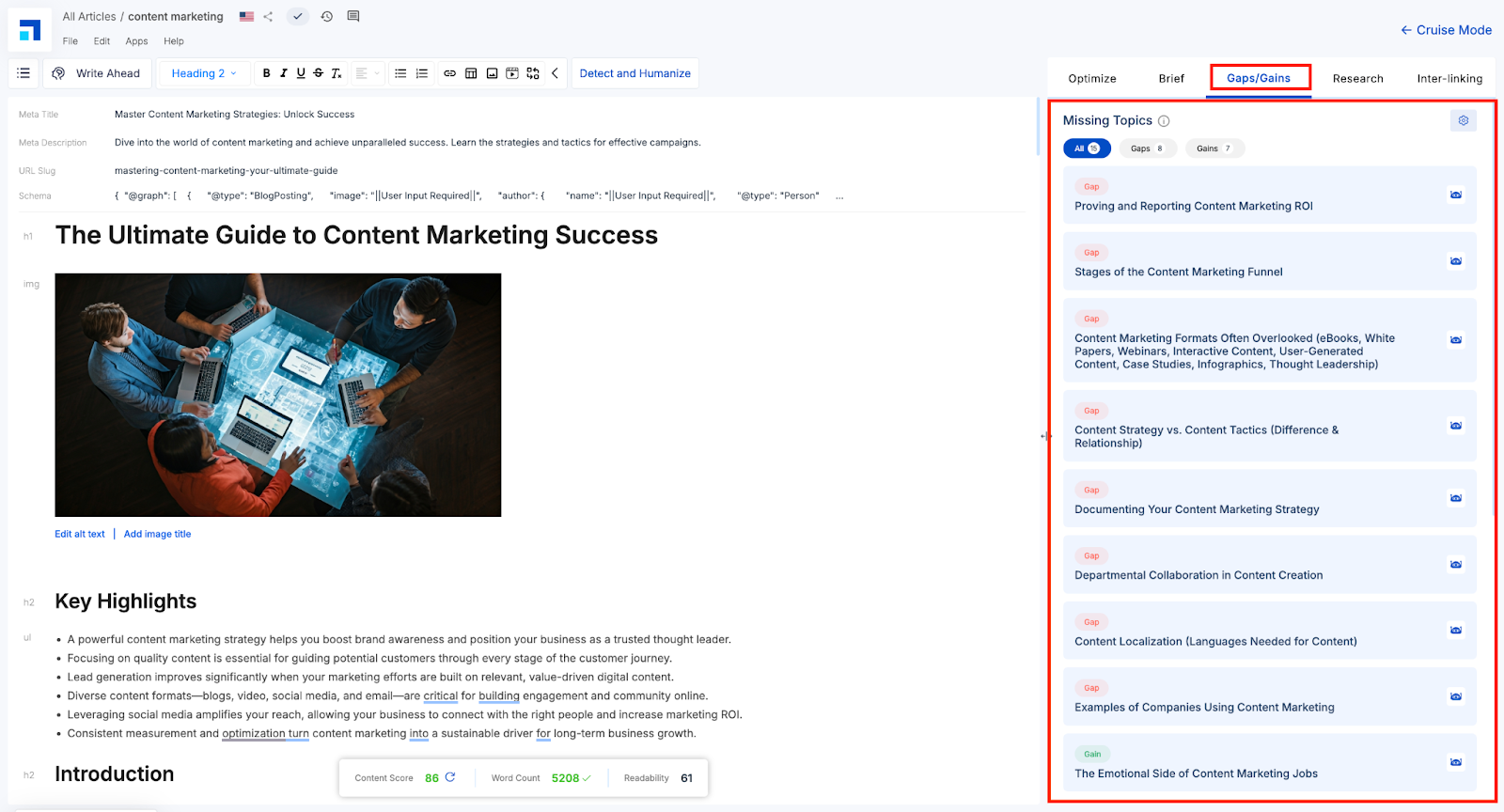
The Gaps/Gains section in Scalenut helps you enhance your content by comparing it with top-ranking competitors.
Gaps highlight important topics your competitors have covered but you’ve missed. Addressing these ensures your content is more complete and aligned with what users are searching for.
Gains showcase the unique insights or fresh perspectives your content offers that others haven't. These give you a competitive edge and make your article more distinctive.
Use this section to fine-tune, enrich, and differentiate your content for stronger SEO performance and greater reader value. Want to dive deeper? [Read more here.]
STEP 9
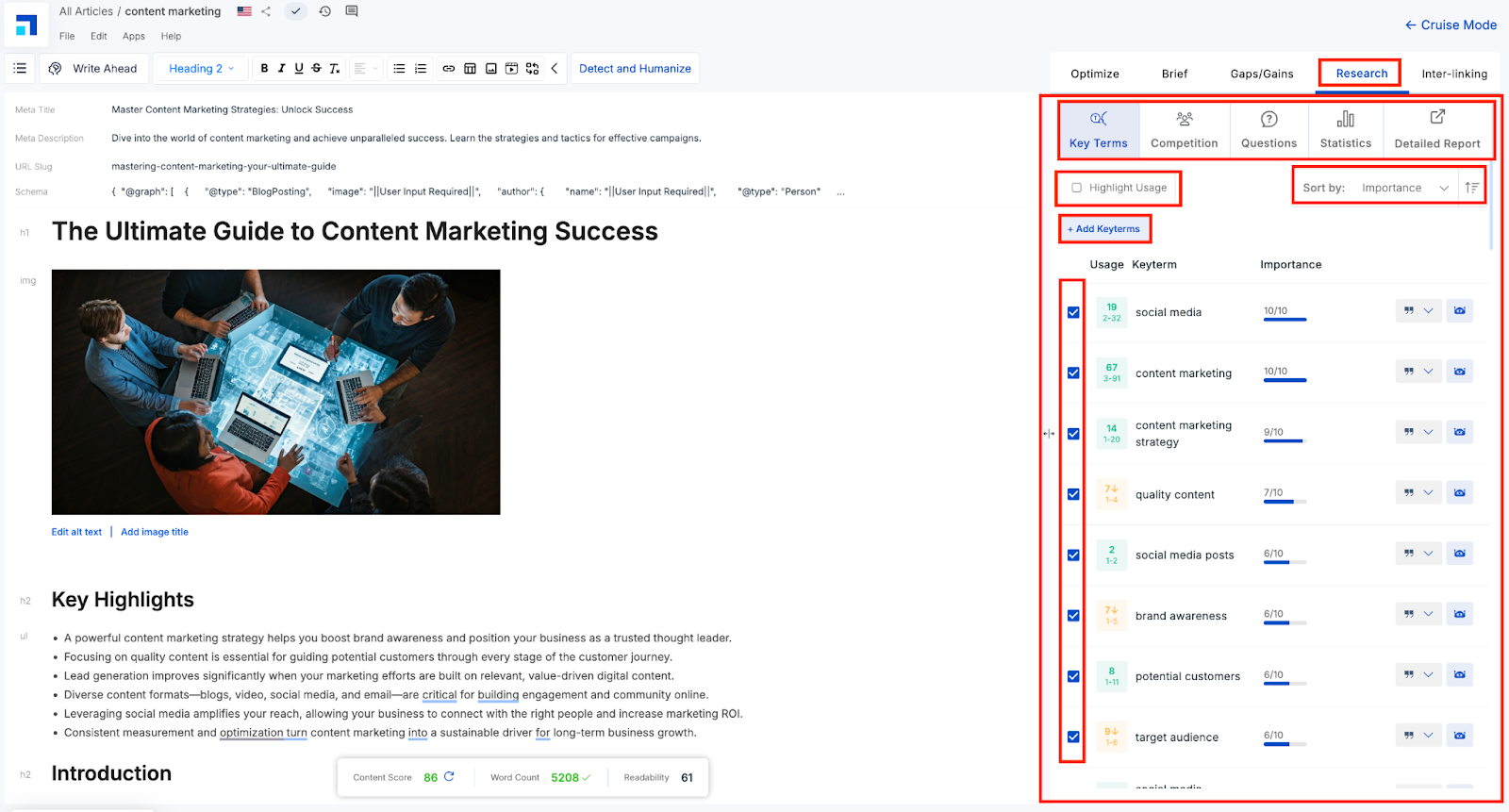
The Research tab offers powerful insights from top-ranking (10/20/30) content to boost your relevance and authority.
Key Terms: Discover important keywords, their frequency, and how you compare. Highlight, filter, or add new terms as needed.
Competition: View outlines and key metrics (word count, SEO score, SERP rank) of top pages to benchmark your content.
Questions: Find user queries from Google, Quora, and Reddit to align with search intent and boost engagement.
Statistics: Access verified data from top articles to strengthen your content with credible, searchable stats.
Detailed Report: Analyze specific performance parameters in one click.
Use these insights to deepen content, improve visibility, and stay ahead of the competition.
STEP 10
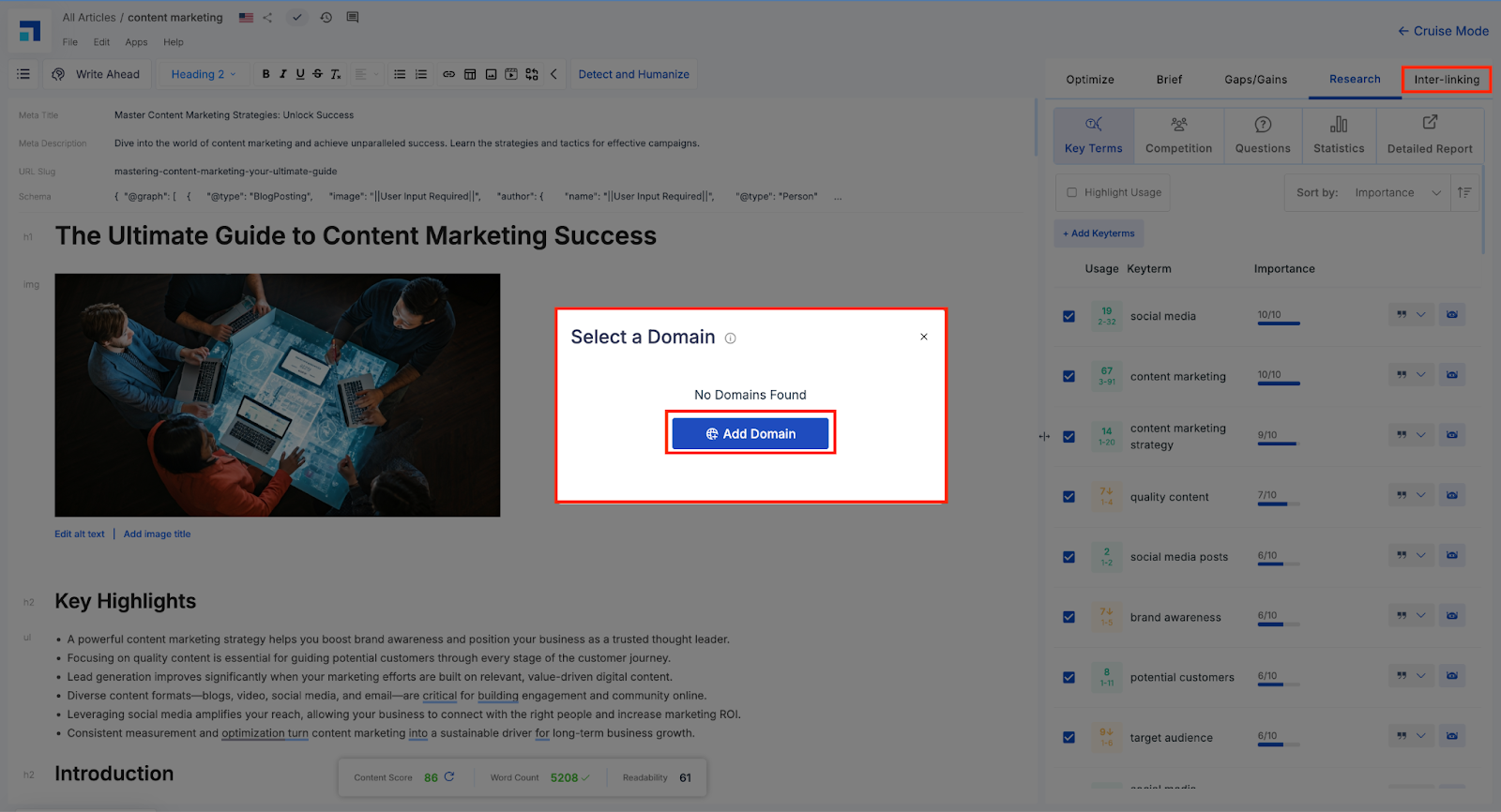
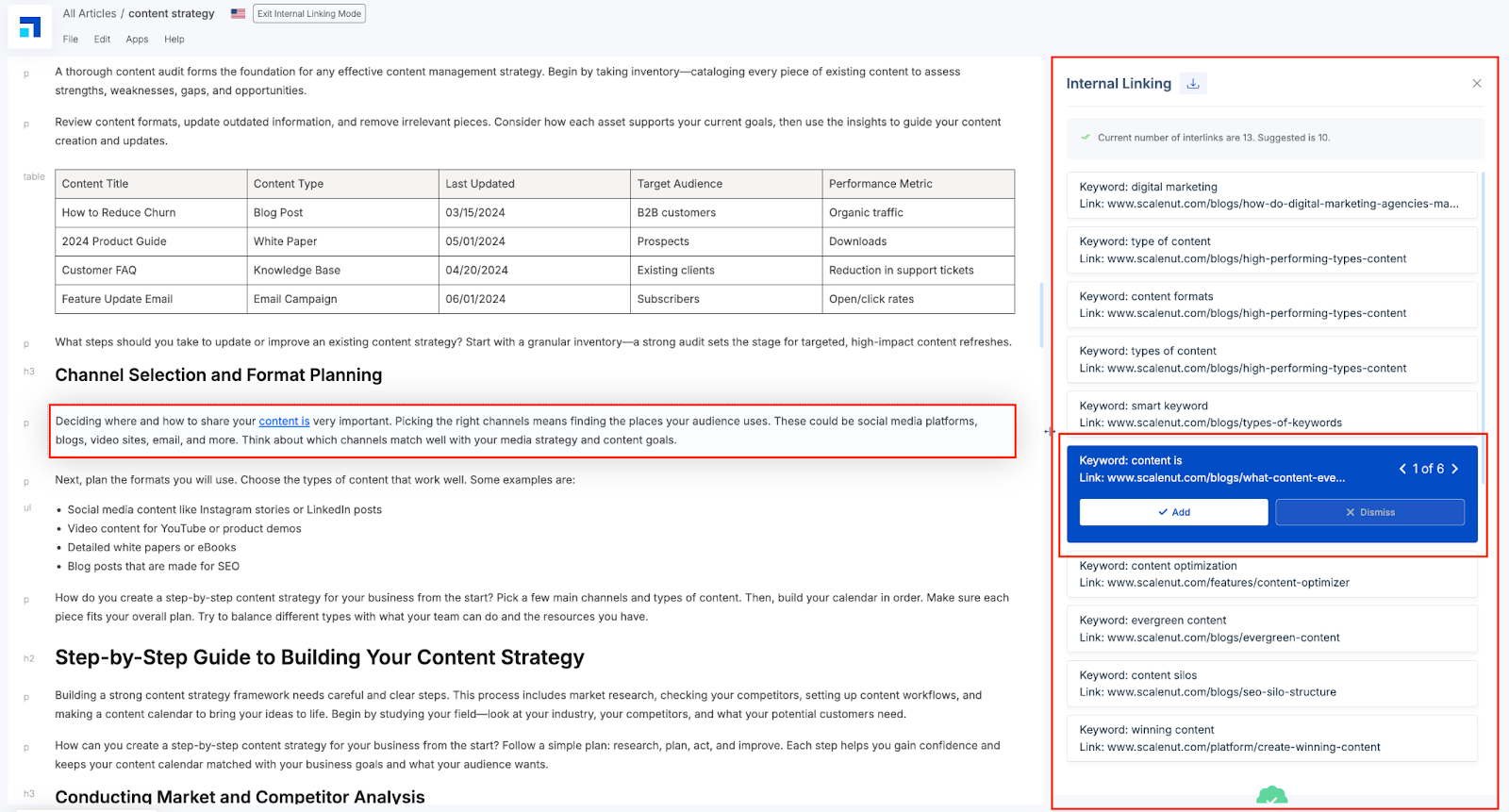
In a content-heavy world, smooth site navigation is essential. Interlinking, available exclusively for Pro and Growth Plan users, lets you add internal links between pages within your domain. These links guide readers to related content, improve site structure, enhance SEO, and increase on-site engagement.
You can review the suggestions, choose which ones to add, and instantly insert them into your content with a click. This not only enhances user experience but also strengthens your site structure—without the need to manually search for linking opportunities.
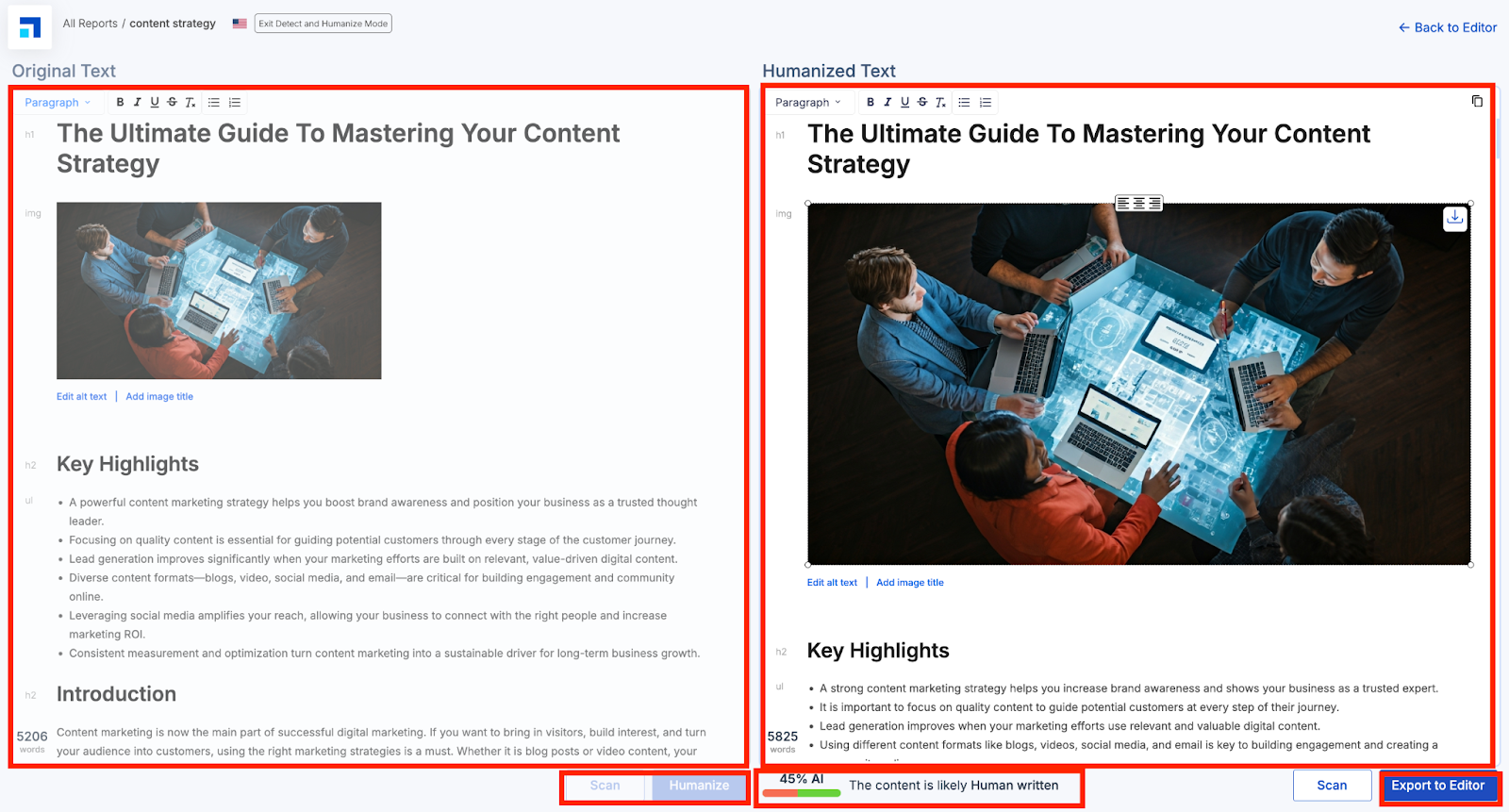
Detect and Humanize helps you rewrite AI-sounding content into a more natural, human tone — improving readability, engagement, and authenticity.
The screen is split into two panels: Original Text (left) and Humanized Text (right). Click Scan to detect robotic phrasing, then Humanize to enhance it. Once you're happy, hit Export to Editor to update your draft.
And just like that, you’ve optimized your blog in under 5 minutes. Try Scalenut’s Cruise Mode to supercharge your content workflow and build blog posts from the ground up—effortlessly!