Learn how to structure URLs strategically for better GEO discoverability, enhancing visibility across search engines and AI platforms.
In Scalenut’s transition from a traditional SEO to a GEO platform, every on-page element now plays a role in helping your content perform across both search engines and AI platforms. One of the simplest yet most overlooked elements? Your URL.
An optimized URL isn’t just about rankings anymore—it’s about improving machine readability, AI discoverability, and user trust. That’s why URL optimization directly impacts your GEO-aware Content Score inside Scalenut.
What is a URL and Why it matters for GEO?
A URL (Uniform Resource Locator) is the web address of a specific page or resource. For AI systems and search crawlers, it acts as a key signpost to understand what your page is about.
Here’s why it’s important in a GEO context:
Improves Discoverability: Clear, keyword-aligned URLs help both search engines and AI assistants understand your content topic at a glance.
Enhances User Trust: Descriptive URLs give users confidence in clicking, especially when shown in AI summaries or SERP snippets.
Boosts Shareability: Clean, concise URLs are more likely to be shared and remembered.
Strengthens Brand Signals: A well-structured URL reinforces your authority and improves user recall.
How to Optimize URLs for GEO using Scalenut?
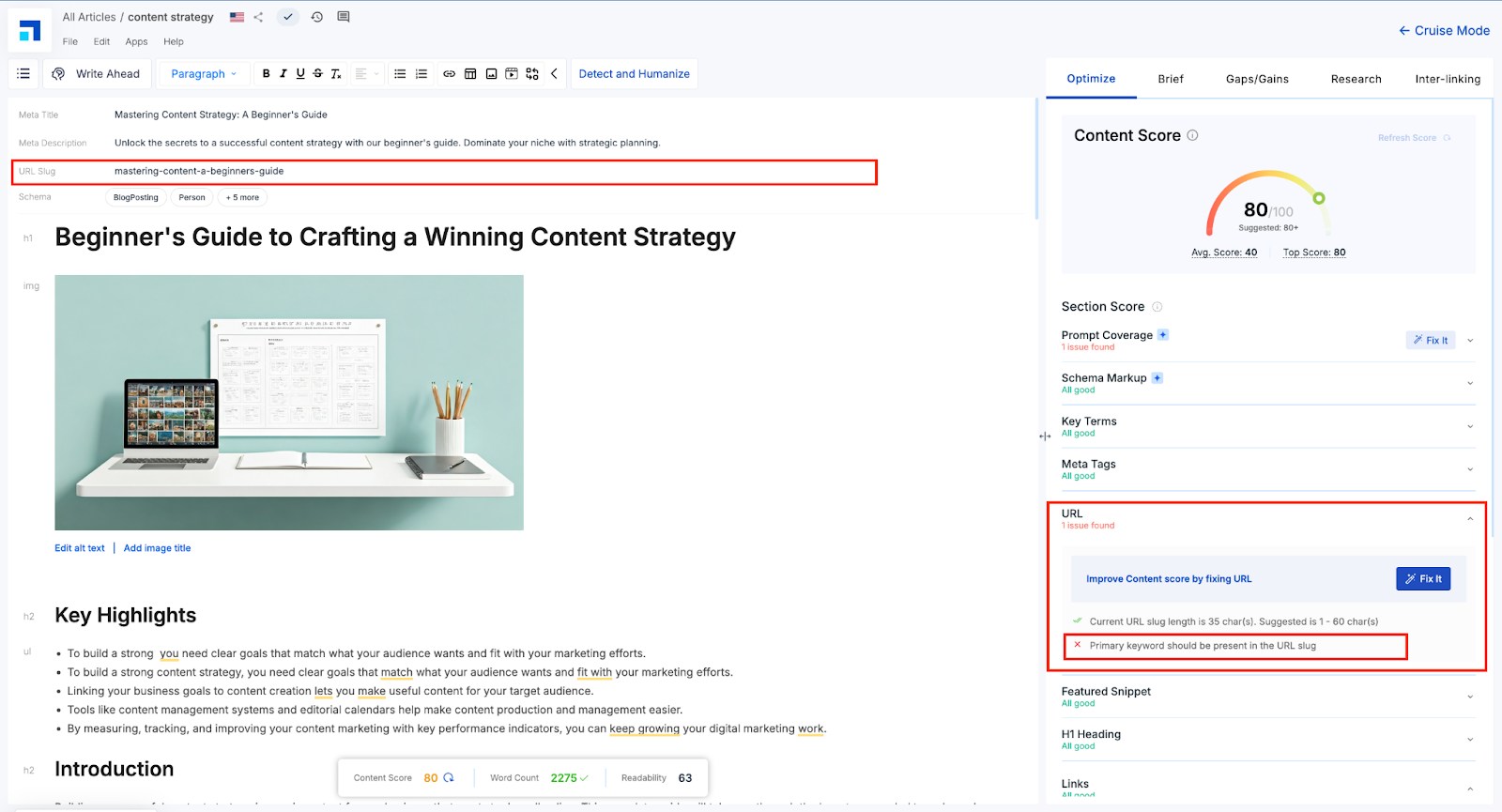
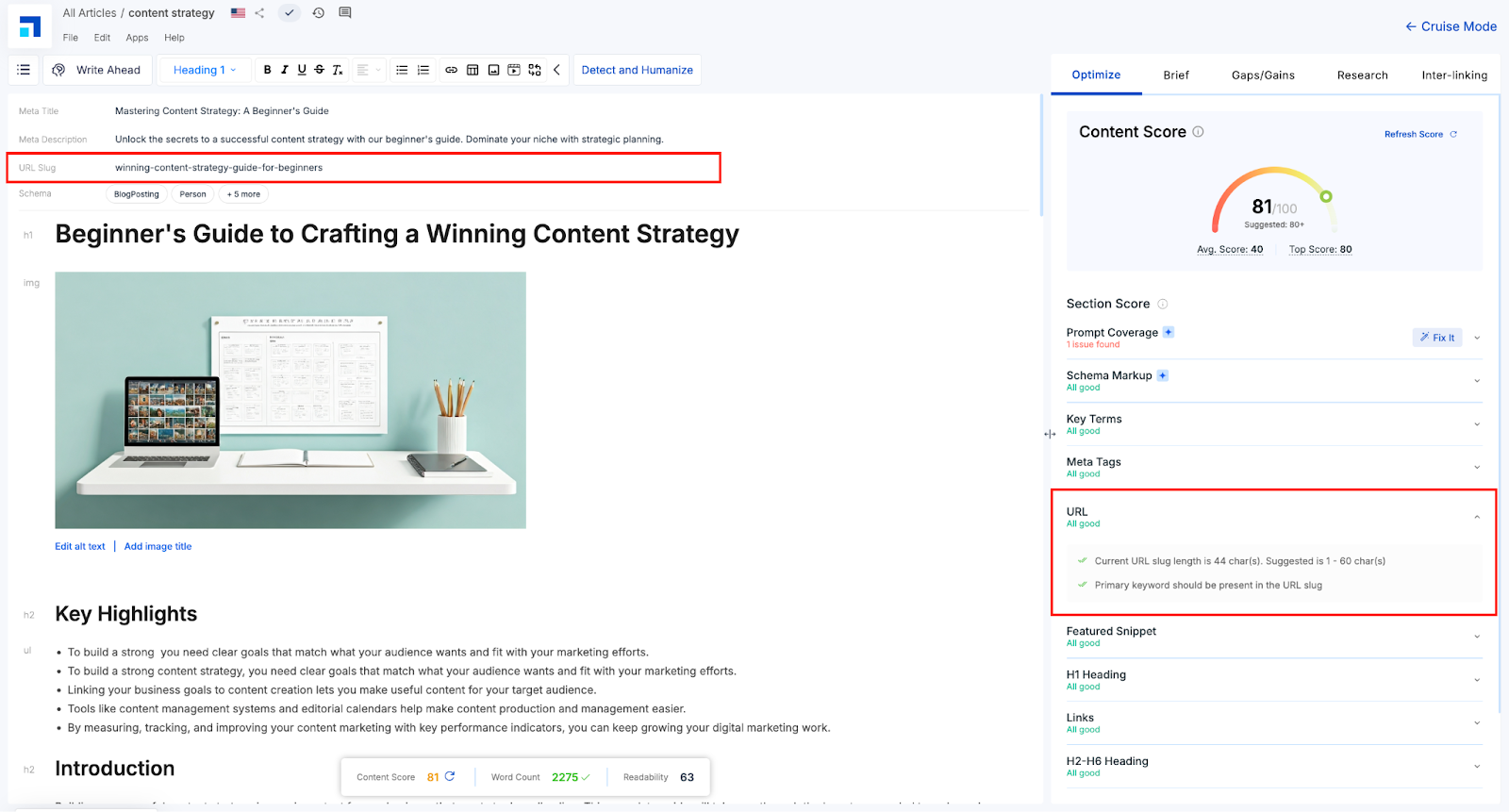
Once your content draft is ready, head to the Optimize Section in Scalenut’s GEO Editor. Here, you’ll see your Content Score, a holistic metric that includes how well your URL aligns with GEO best practices.
Scalenut checks for:
URL length (ideally between 1–60 characters)
Presence of the primary keyword in the permalink
Use of lowercase, hyphenated words (no special characters or stop words)
Using Scalenut’s ‘Fix It’ for Quick URL Improvements
If the Editor detects a problem with your URL:
STEP 1
Look for the issue flagged under the ‘URL’ section inside Optimize. In this case, the primary keyword is missing in the URL slug.
STEP 2
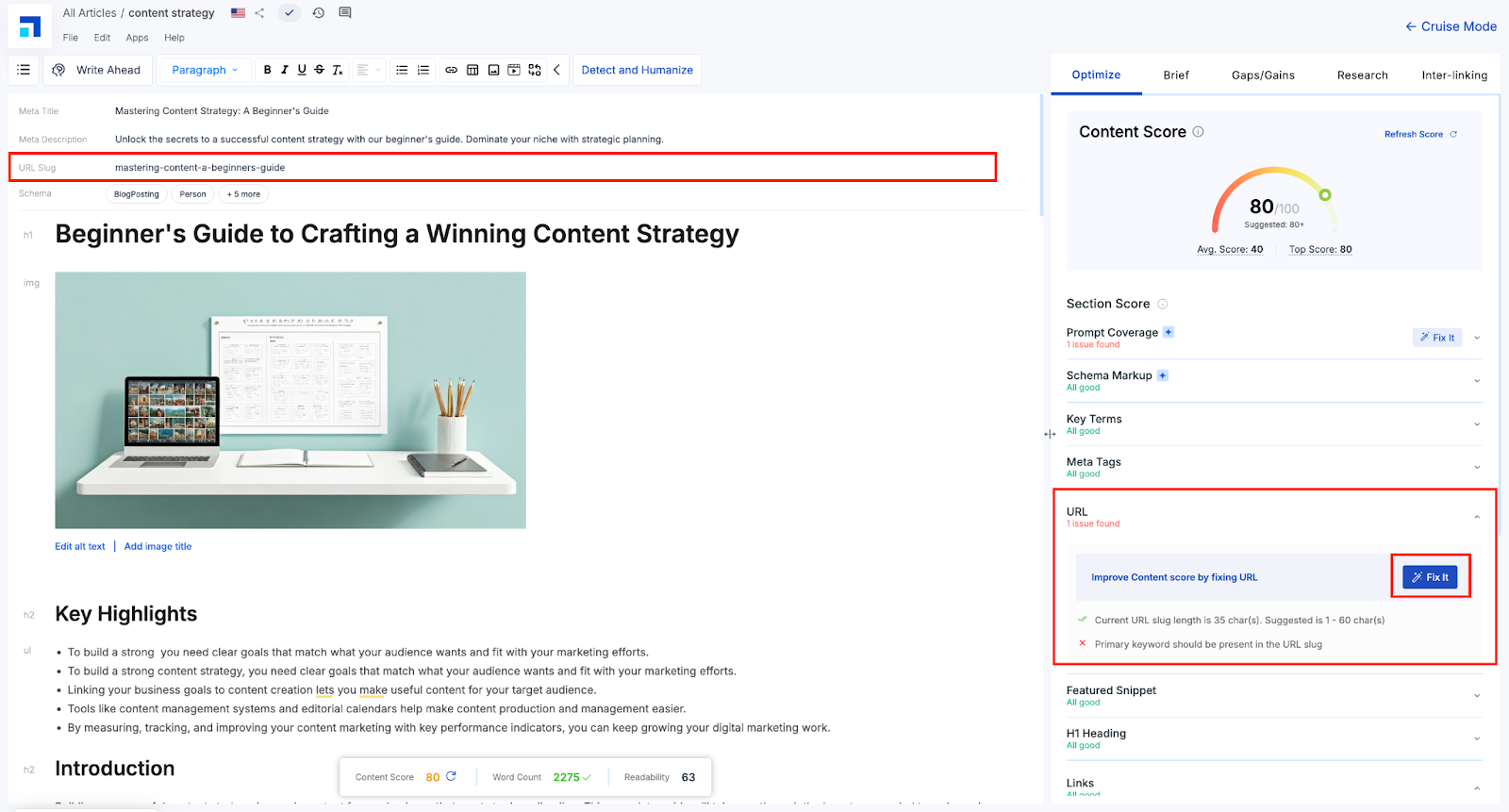
Click ‘Fix It’ to open Scalenut’s smart suggestion screen.
STEP 3
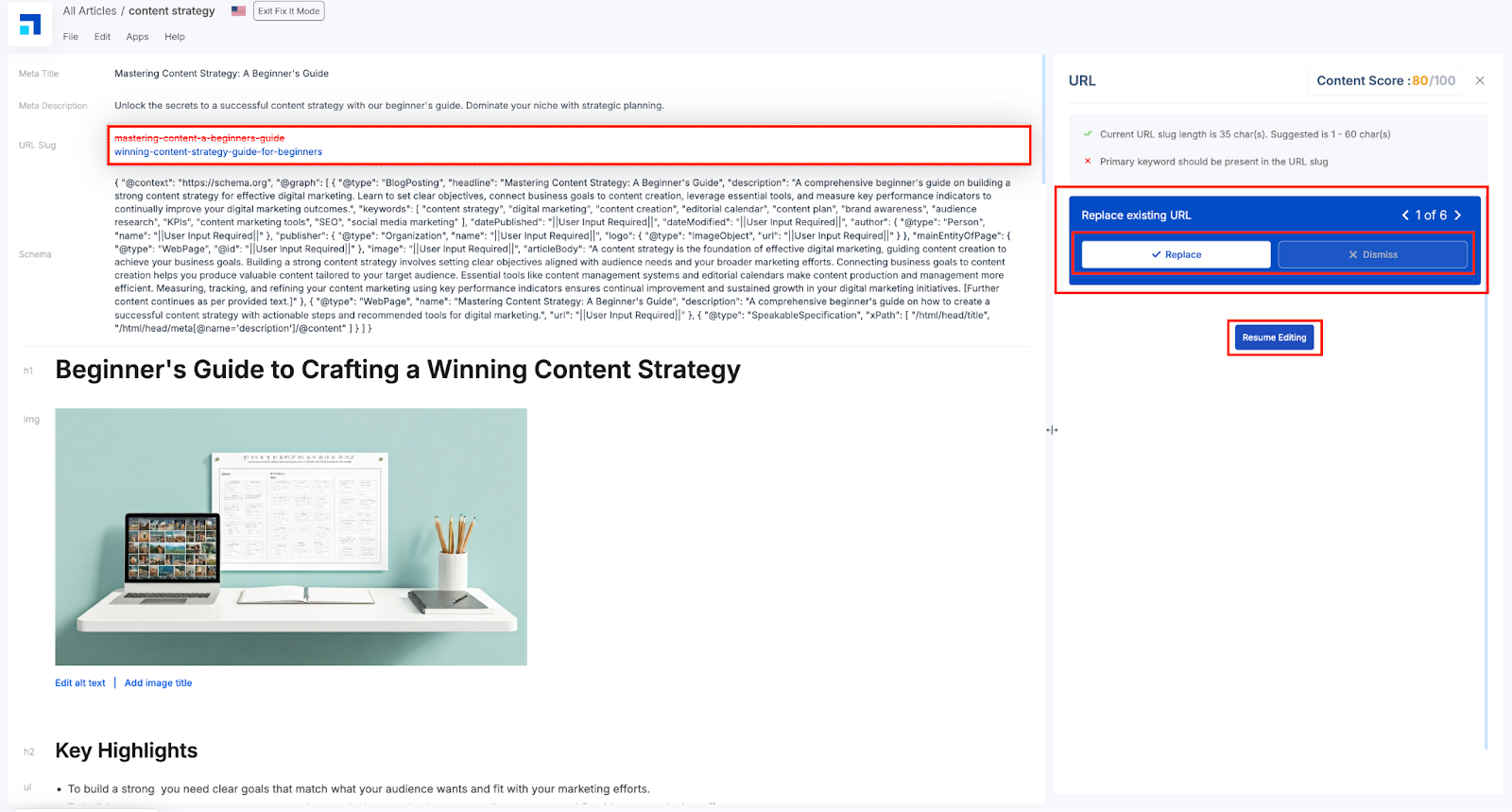
Review the suggested permalink. Click ‘Replace’ to apply it instantly, or ‘Dismiss’ if you prefer to keep your version. Or, want to make manual edits.
STEP 4
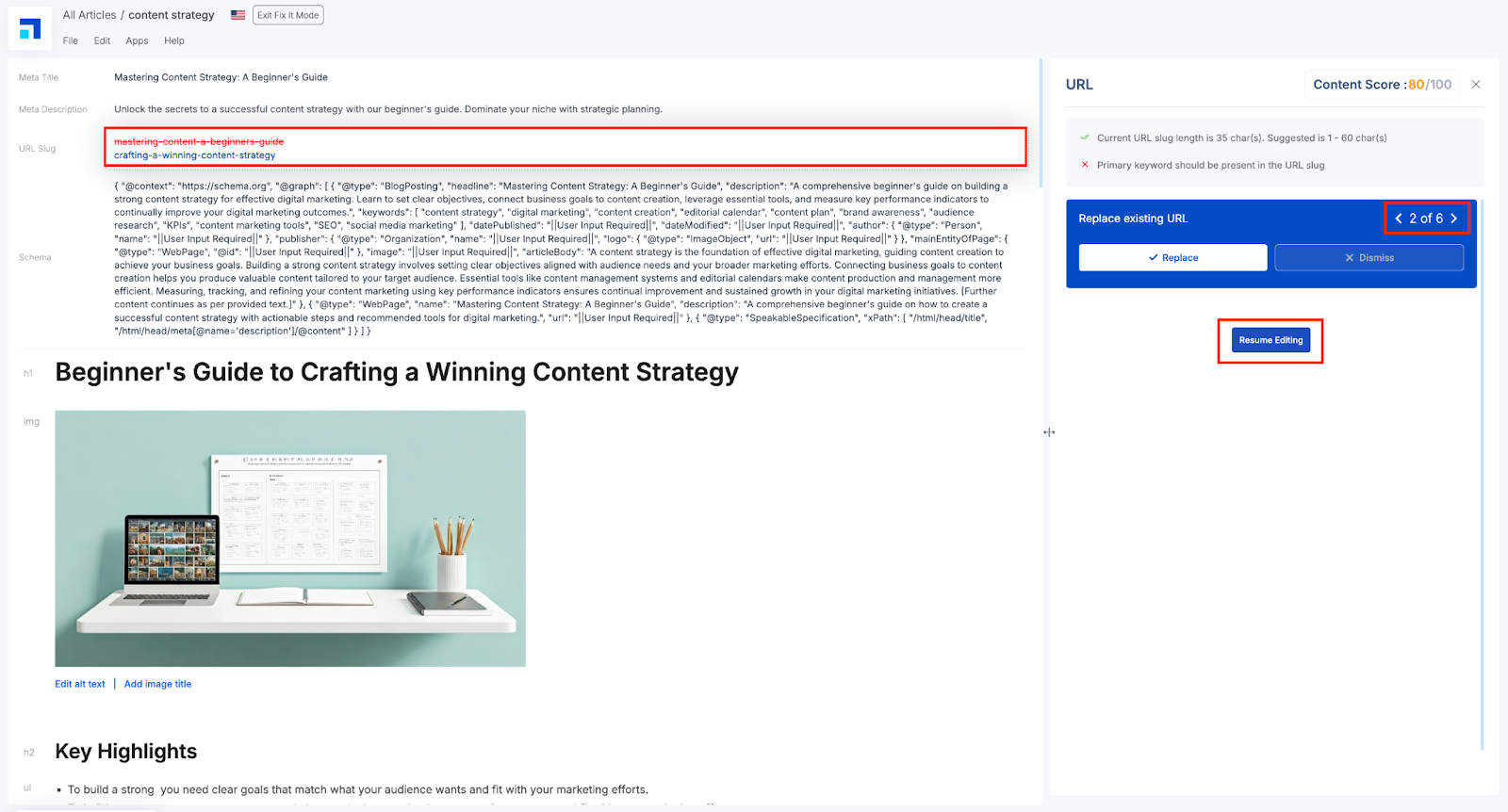
For more options, click on the arrow to view alternate URL recommendations tailored to your content’s focus.
STEP 5
You can resume editing once you’ve made your choice. The editor will automatically track the fix, and update the Content score. It’d also mark the issue as ‘all good’.
Note -
Symbols are useful for communicating the level of attention required for instruction or task.
Red cross = Major issue needing immediate attention
Orange tick = Minor issue or opportunity for improvement
Green double tick = Perfection.
A well-optimized URL might seem like a small thing—but in a GEO-driven content landscape, it’s a silent ranking signal that AI engines don’t overlook.