Social UpReach Overview: What It Is & How It Helps
What is Social UpReach?
Reddit intelligence for your brand. Social UpReach helps you track mentions, surface trends, and engage smartly — all within Reddit’s vast, high-impact ecosystem. It’s your all-in-one tool to stay informed, act fast, and make smarter decisions based on what real people are saying.
How Social UpReach Helps
Track Brand Mentions in Real Time Stay on top of Reddit conversations that mention your brand, product, or competitors.
Surface Emerging Trends Identify rising topics, recurring themes, and audience sentiment to inform your strategy.
Reply with Confidence Use built-in smart prompts and community-aware tools to respond authentically and effectively.
Measure What Matters Monitor engagement, sentiment shifts, and the impact of your participation over time.
Why Use Social UpReach?
Protect Your Reputation Spot and respond to negative mentions before they escalate.
Amplify Positive Buzz Highlight and engage with supportive posts or glowing user feedback.
Build Community Trust Join conversations in a way that’s timely, helpful, and aligned with Reddit’s culture.
Act on Insights Understand what resonates with your audience and adapt your content strategy accordingly.
Save Time & Scale Engagement Automate tracking and use smart tools to engage efficiently without losing the human touch.
Why Reddit Matters for Your Brand
Reddit has grown into one of the most active and influential platforms online, with thousands of communities and millions of users generating content daily. What people say about your brand here can have a lasting influence on how it’s perceived. Social UpReach helps you stay informed, participate authentically, and build stronger relationships with Reddit users by joining the conversations that matter most.
How to Set Up Social UpReach
Follow these simple steps to get started with Social UpReach and begin tracking your brand presence on Reddit.
Step 1: Access Social UpReach
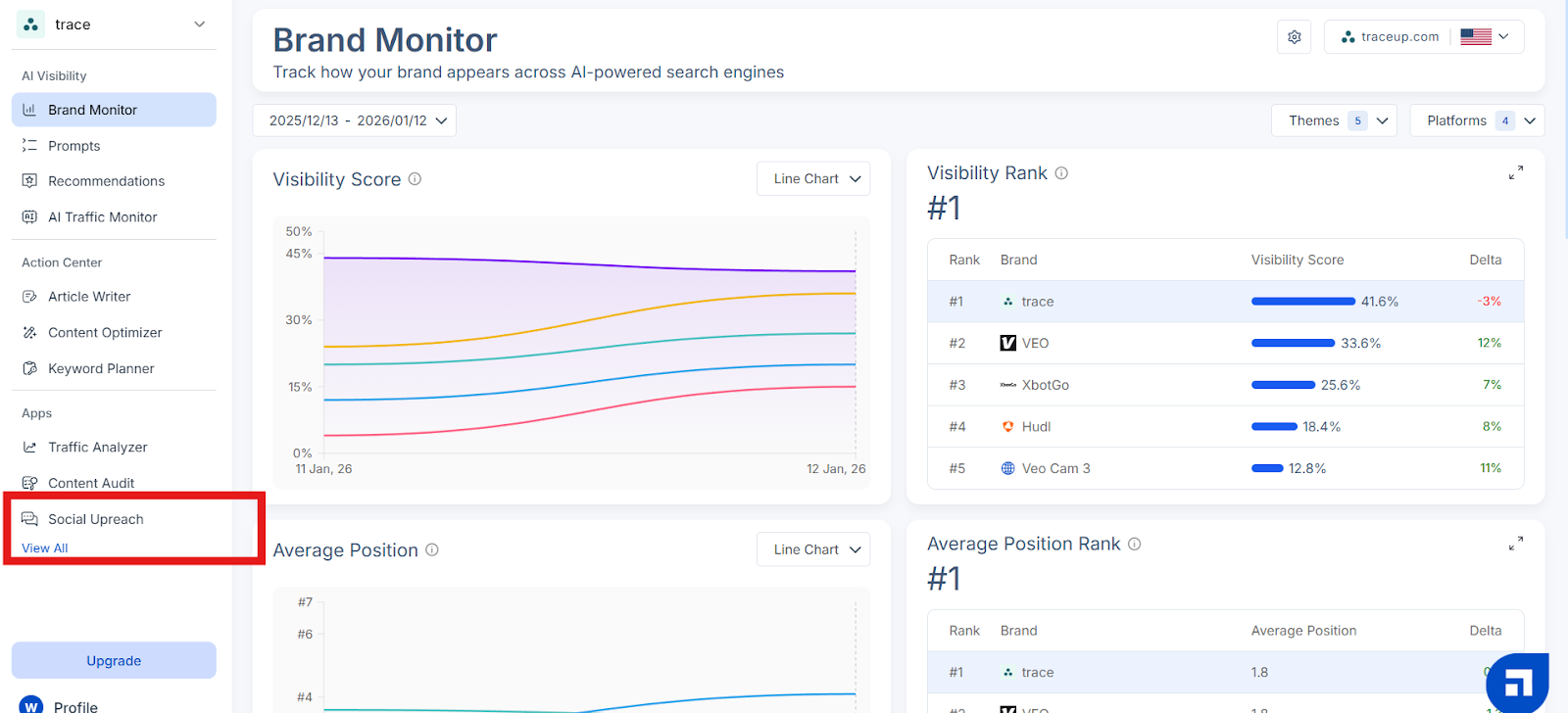
From your Scalenut dashboard, go to the left-side panel and click on Social UpReach under Apps. This opens the main interface where you can begin tracking your brand mentions across Reddit communities.
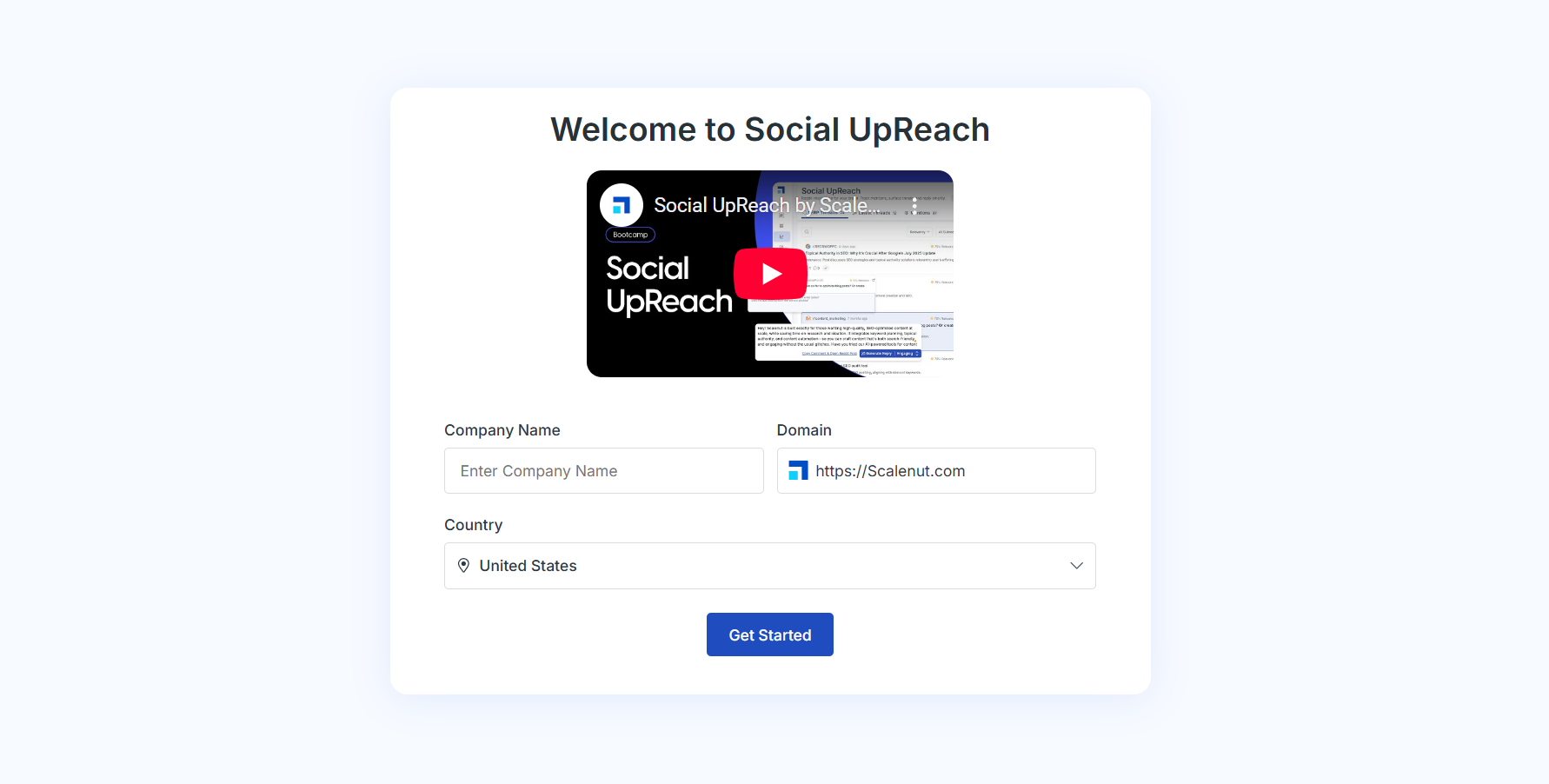
Once inside Social UpReach, you'll start by setting up the foundational details that guide how your brand is tracked across Reddit. The first step in this process is reviewing your company description.
Review & Edit Your Company Description
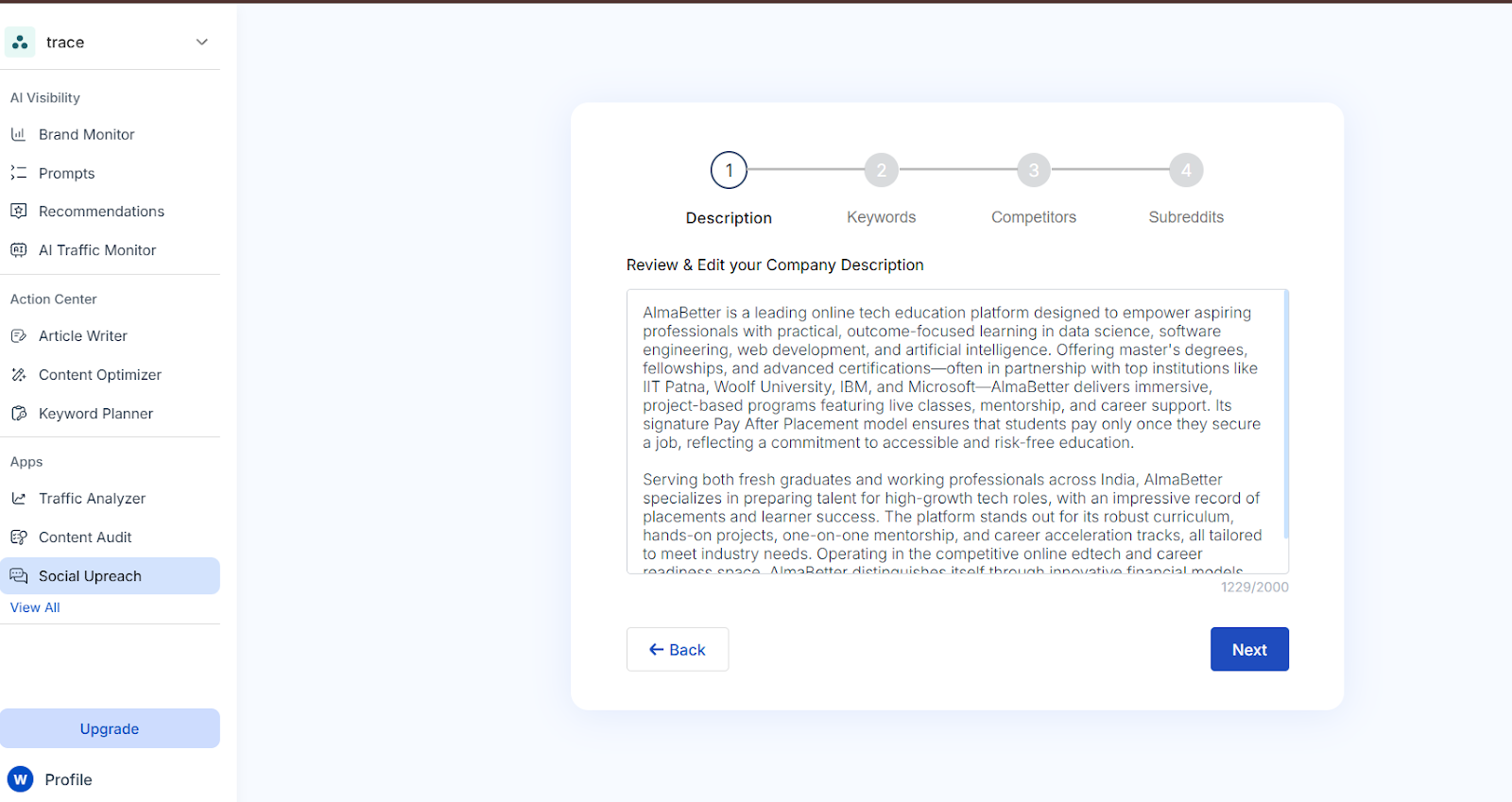
Social UpReach auto-generates a brief description of your company to help the tool better identify relevant Reddit mentions.
Review the text to make sure it accurately represents your brand’s tone, offerings, and positioning.
You can edit or rewrite the description to align more closely with your messaging strategy.
This helps the system better contextualize your mentions and provide more accurate insights.
Tip: You can enter up to 2,000 characters, but a concise description between 300 and 500 characters is usually most effective.
Once you're happy with the description, click Next to proceed to the next setup section.
Review and Edit Keywords for Reddit Tracking
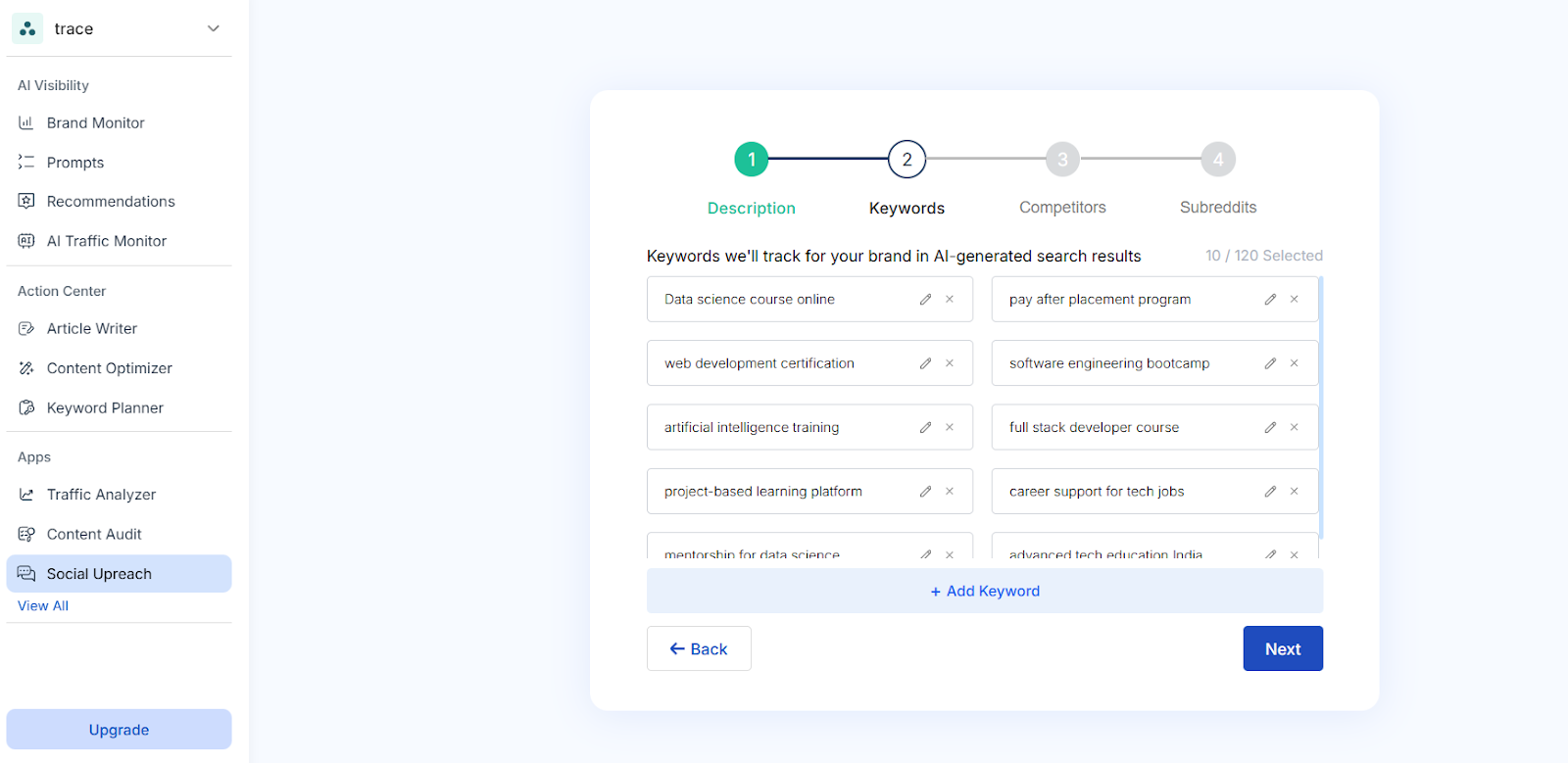
Social UpReach displays a list of pre-filled keywords that it will use to monitor conversations about your brand across Reddit. These keywords are selected based on your company’s core offerings and positioning.
These are the themes and phrases Social UpReach will track to surface relevant Reddit discussions.
Review the suggested keywords to ensure they align with how users typically refer to your brand or products.
Use the Edit option to refine any existing keywords for better accuracy.
Click + Add Keyword to include other important phrases your audience might use — such as related tools, product nicknames, or alternate industry terms.
Tip: A mix of broad and specific keywords will help you capture the most relevant mentions and discussions.
When you're done reviewing and updating your keyword list, click Next to continue.
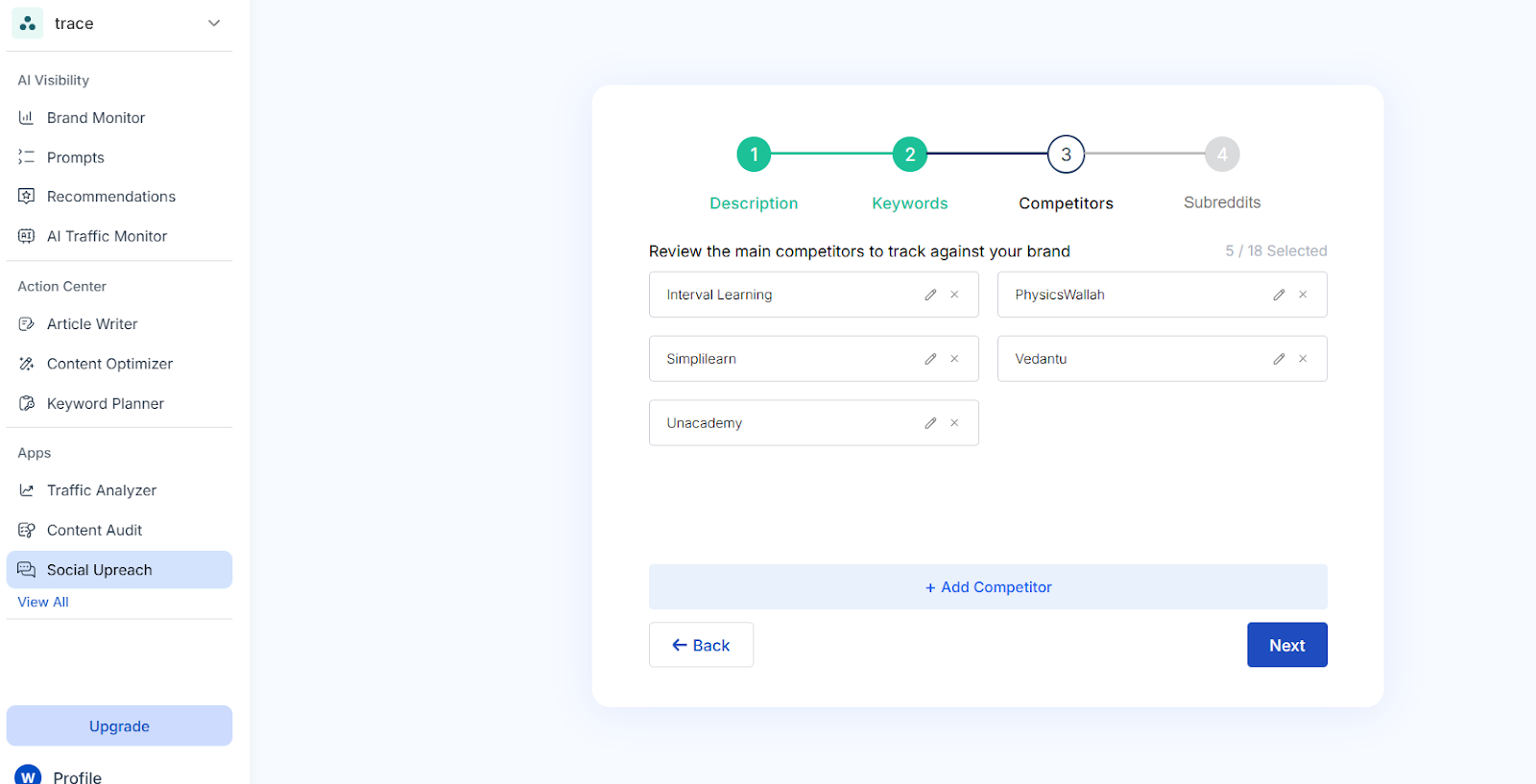
Review and Edit Competitors to Track
In this step, you’ll see a list of main competitors that Social UpReach will use to benchmark your brand's presence and performance on Reddit.
Review the suggested competitor names to ensure they are relevant to your industry and market position.
Use the Edit option to adjust any competitor names as needed.
Click + Add Competitor to include additional brands you want to monitor alongside your own.
Tracking competitors helps you understand how your brand is mentioned in comparison, which discussions are driving attention, and what users are saying about similar products or services.
Tip: For more accurate benchmarking and insights, we recommend adding at least 3 competitors.
Once you've finalized the list, click Next to proceed.
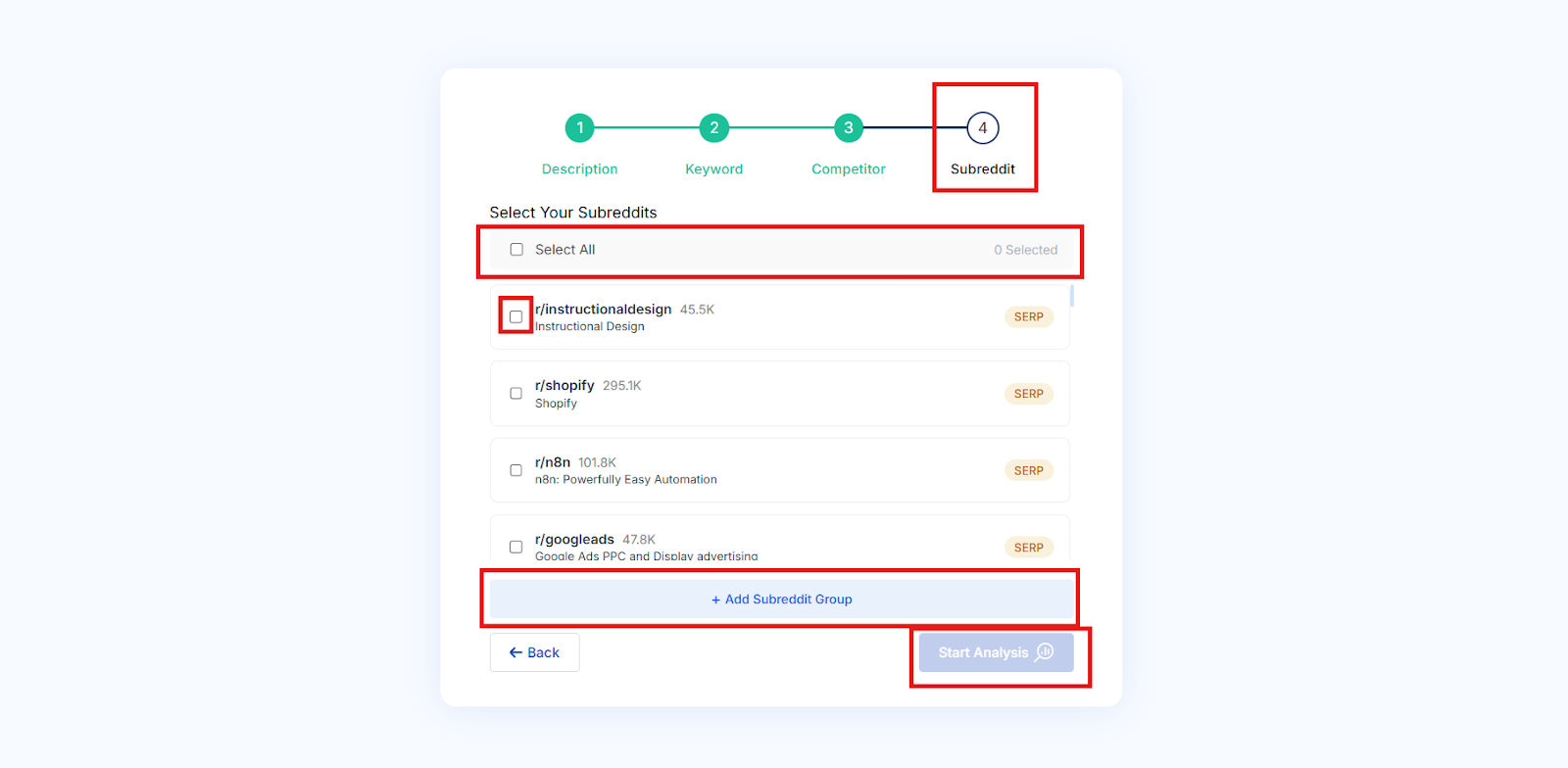
Select Your Subreddits
Now it’s time to choose the Reddit communities where Social UpReach will focus its tracking.
Browse the list of suggested subreddits relevant to your brand or industry.
You can either select all subreddits or choose specific ones that are most important to your brand monitoring.
If a subreddit you want to track isn’t listed, click + Add Subreddit Group to include it manually.
Choosing the right subreddits ensures that Social UpReach surfaces conversations from the most relevant communities, helping you engage where your audience is already active.
Once your selection is complete, click Start Analysis to begin tracking.
Social UpReach Dashboard Overview
After completing your setup and starting the analysis, you’ll be directed to the Social UpReach dashboard. This is your main control center for tracking Reddit conversations, analyzing brand mentions, and managing engagement.
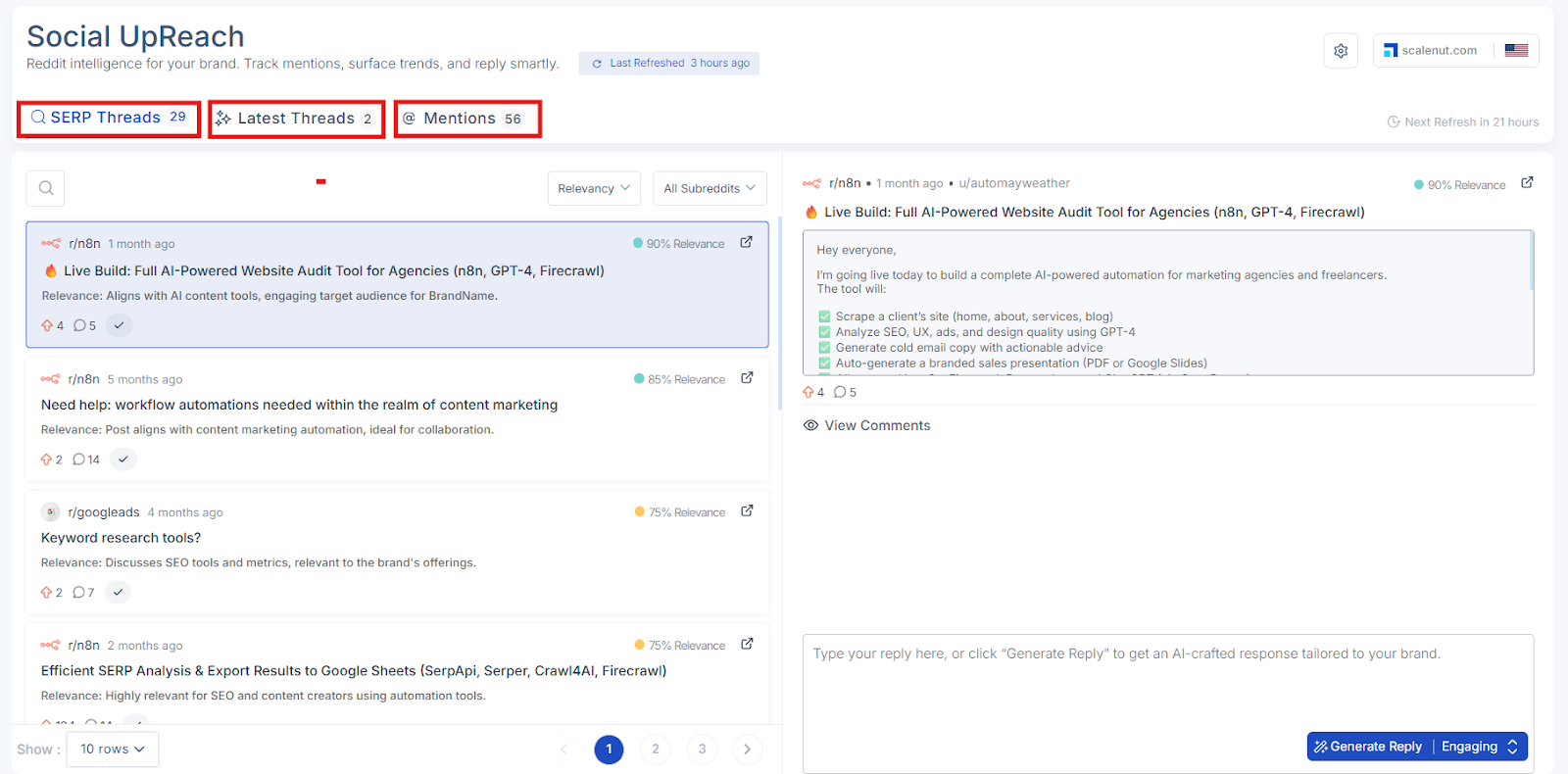
The Dashboard is Divided into Three Main Sections:
SERP Threads Discover Reddit threads that mention your niche, brand, or competitors and are currently ranking in Google search results. These high-impact discussions can significantly boost visibility and drive organic traffic by capturing search intent.
Latest Threads Stay on top of the newest Reddit conversations relevant to your tracked keywords. This feed updates in real time, helping you identify emerging topics, trends, and engagement opportunities before your competitors do.
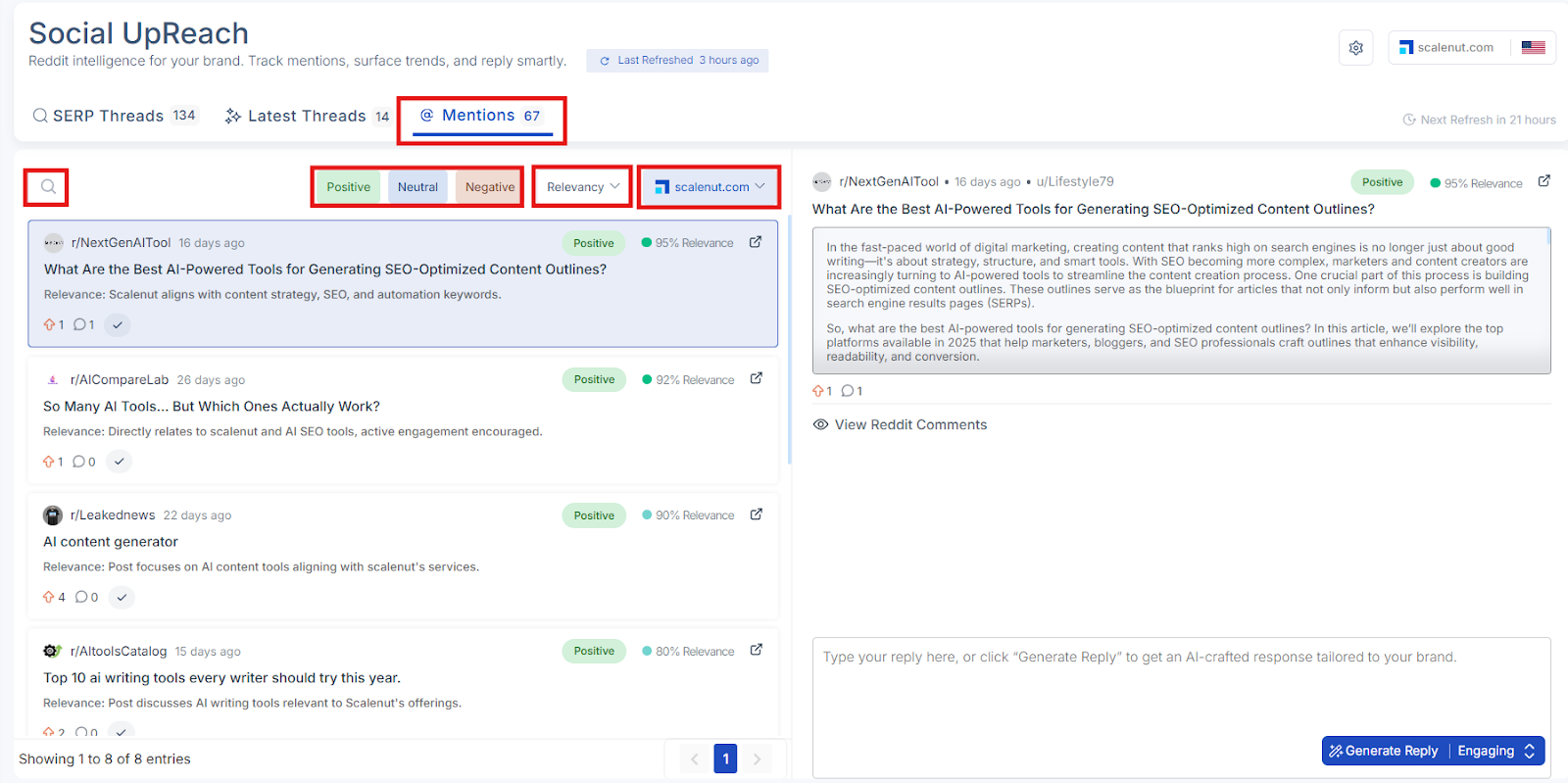
Mentions Monitor direct mentions of your brand, product, or competitors across Reddit. This section includes thread titles, comments, usernames, sentiment classification (positive, neutral, negative), and more. Easily sort, filter, and prioritize mentions for effective reputation management and market intelligence.
Domain and Geography (Top of the Dashboard)
At the top-right of the dashboard, you’ll see the Domain and Geography details:
Domain: Indicates which brand or domain you’re currently monitoring.
Geography: Shows the region or market your analysis is focused on (for example, US, UK, global).
These values help contextualize the Reddit data being pulled into your dashboard but are not part of the editable settings menu.
Settings Panel (Top Right Side of the Dashboard)
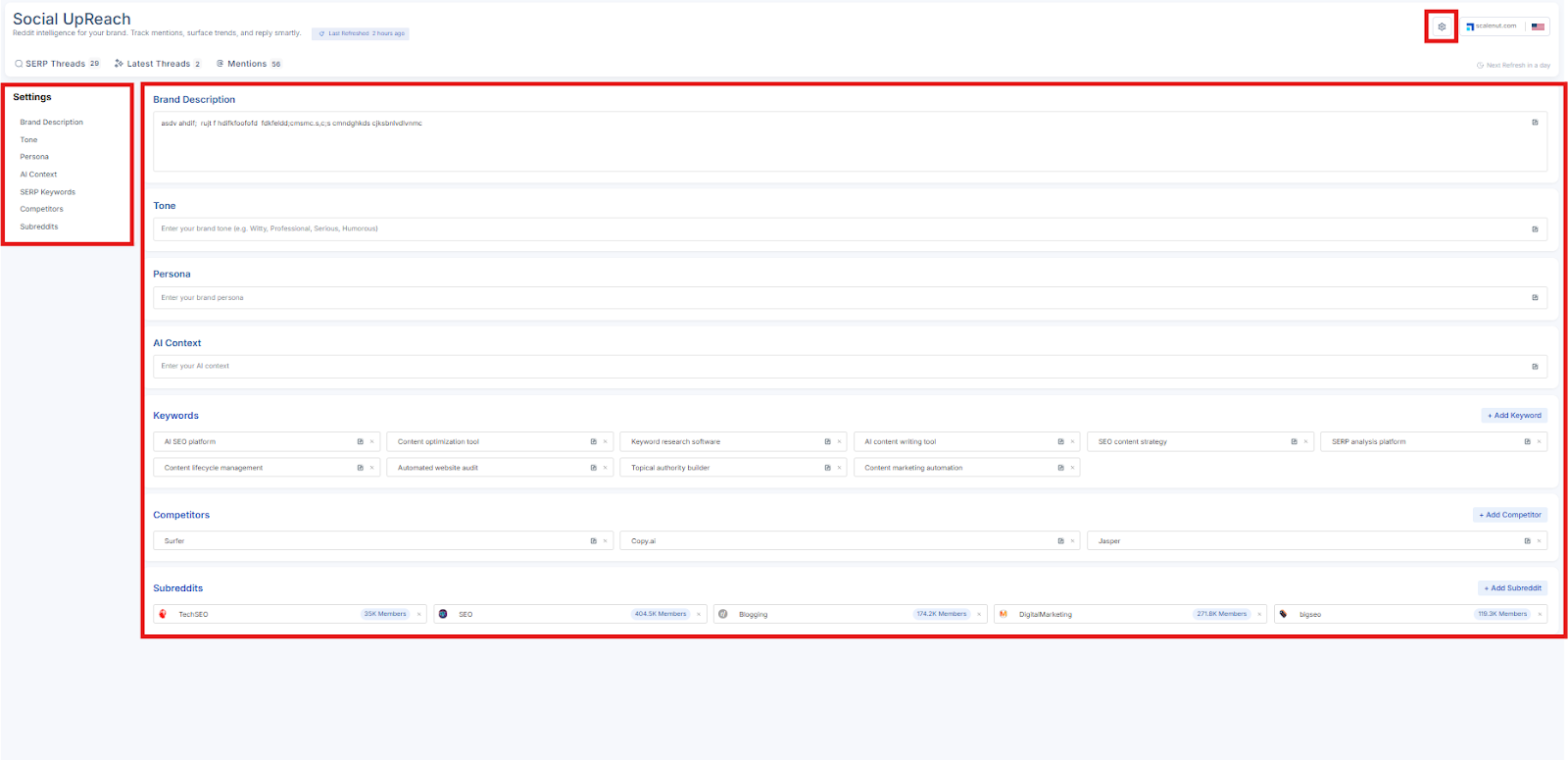
On the top-right side of the dashboard, you’ll find the Settings panel. This section allows you to customize how Social UpReach interprets and responds to Reddit mentions based on your brand’s unique identity and monitoring preferences.
The following options are available in the Settings panel:
Brand Description: Review and update your company’s description to ensure it accurately reflects your brand.
Tone: Set your brand’s preferred tone for Reddit interactions (e.g., friendly, informative, witty).
Persona: Define the brand personality that guides how the AI crafts responses.
AI Context: Provide additional context or specific instructions to improve the relevance and brand alignment of AI-generated replies.
SERP Keywords: Edit or expand the list of keywords the system tracks across Reddit.
Competitors: Add or remove competitor brands for comparison and benchmarking.
Subreddits: Manage the list of subreddit groups being monitored for relevant discussions.
With these tools and sections in place, you have a complete view of your brand’s activity on Reddit — and the ability to take informed, strategic action.
Now that you're familiar with the layout of the Social UpReach dashboard, let's explore each section in more detail to help you understand how to navigate, filter, and act on the insights effectively.
SERP Threads
The SERP Threads section shows Reddit threads that are currently ranking in Google search results for your tracked keywords. These threads often receive higher visibility and can drive meaningful traffic, making them valuable for monitoring and engagement.
When you're inside the SERP Threads tab, you’ll see a list of threads related to your brand or selected keywords. To help you find and organize the most relevant content, several options are available:
Available Options in SERP Threads:
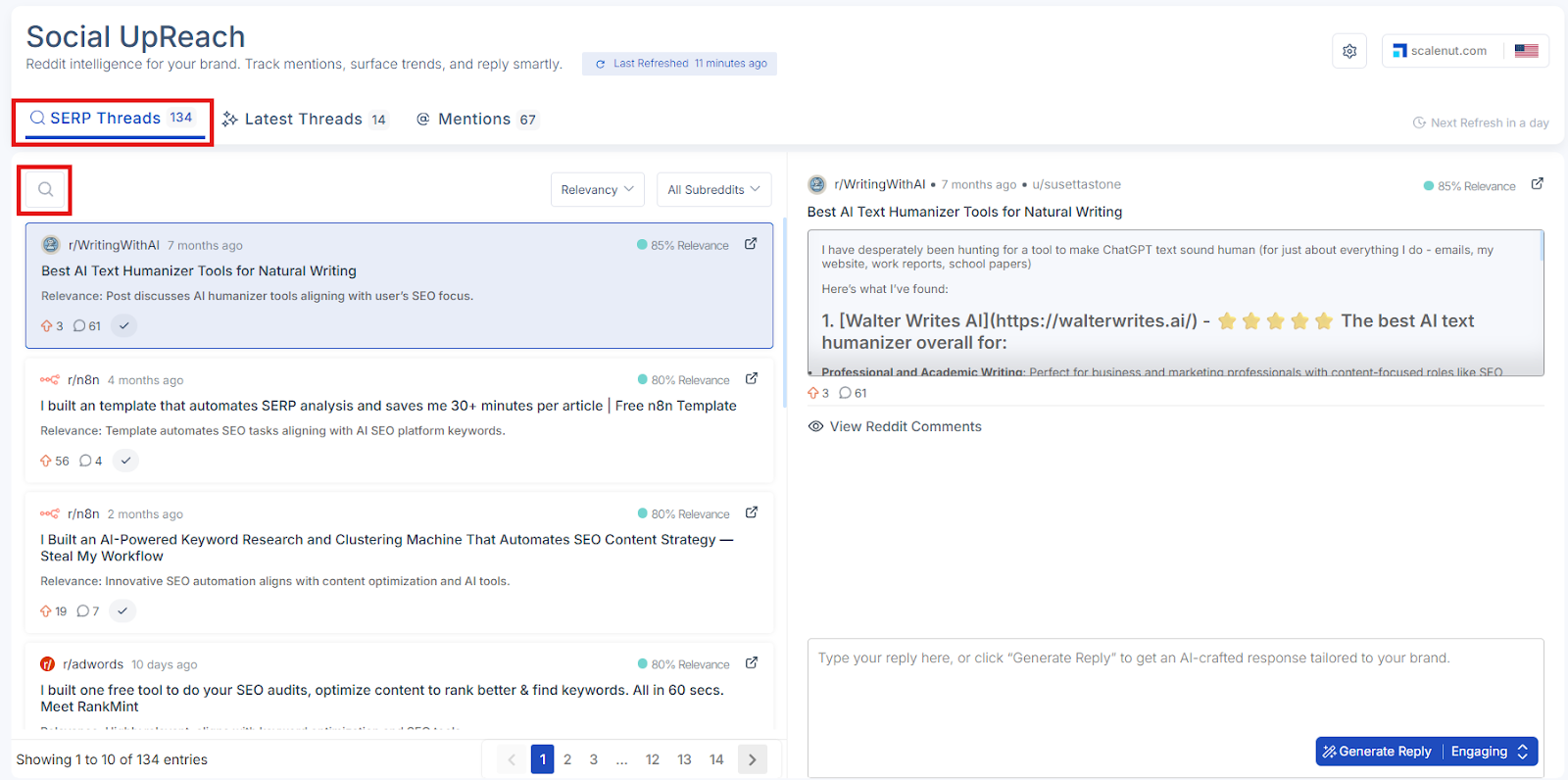
Search Bar: Use the search bar to look up a specific thread by entering relevant keywords or phrases. This helps you quickly locate discussions of interest.
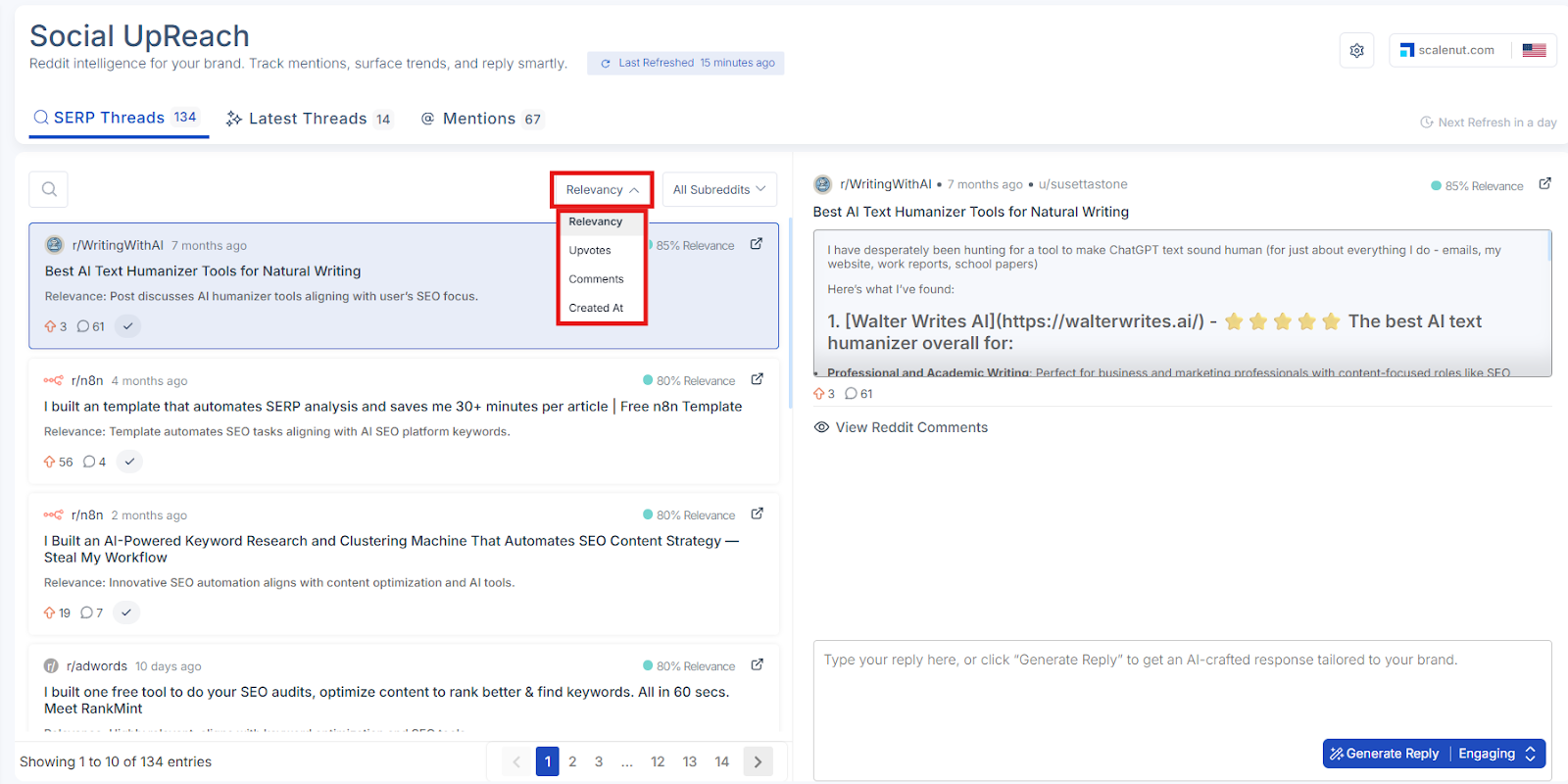
Sort By: You can sort the list of threads using the following criteria:
Relevance
Upvotes
Comments
Created At (Date)
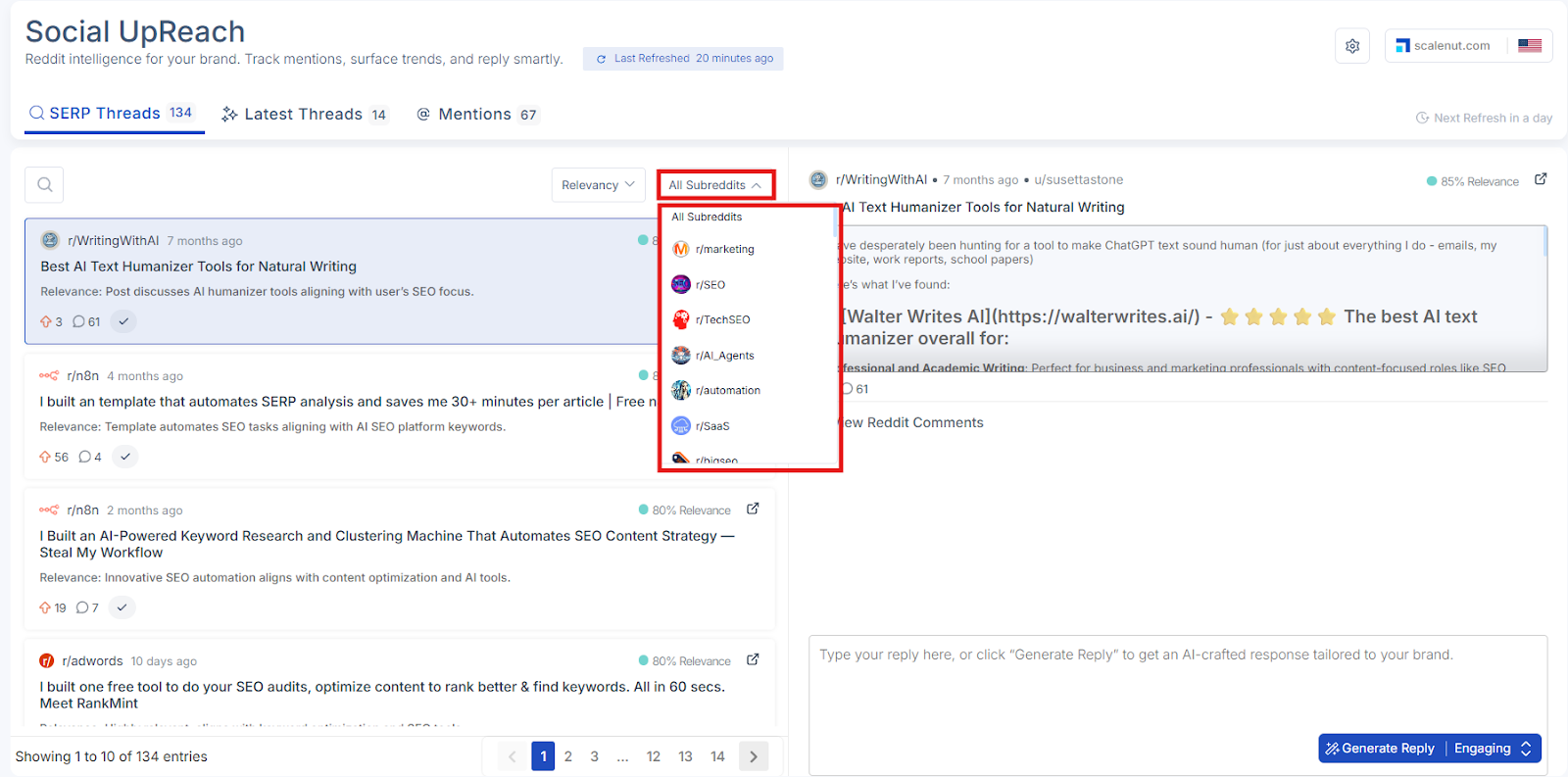
Subreddit Group Filter: View threads from all selected subreddit groups or narrow the results by choosing a specific subreddit group from the dropdown. This allows you to focus on particular communities that are most relevant to your monitoring goals.
Once you've applied your filters or searched for a keyword, you’ll see a list of Reddit threads that match your selected criteria. Each thread includes detailed information to help you evaluate its relevance and decide whether to engage or take action.
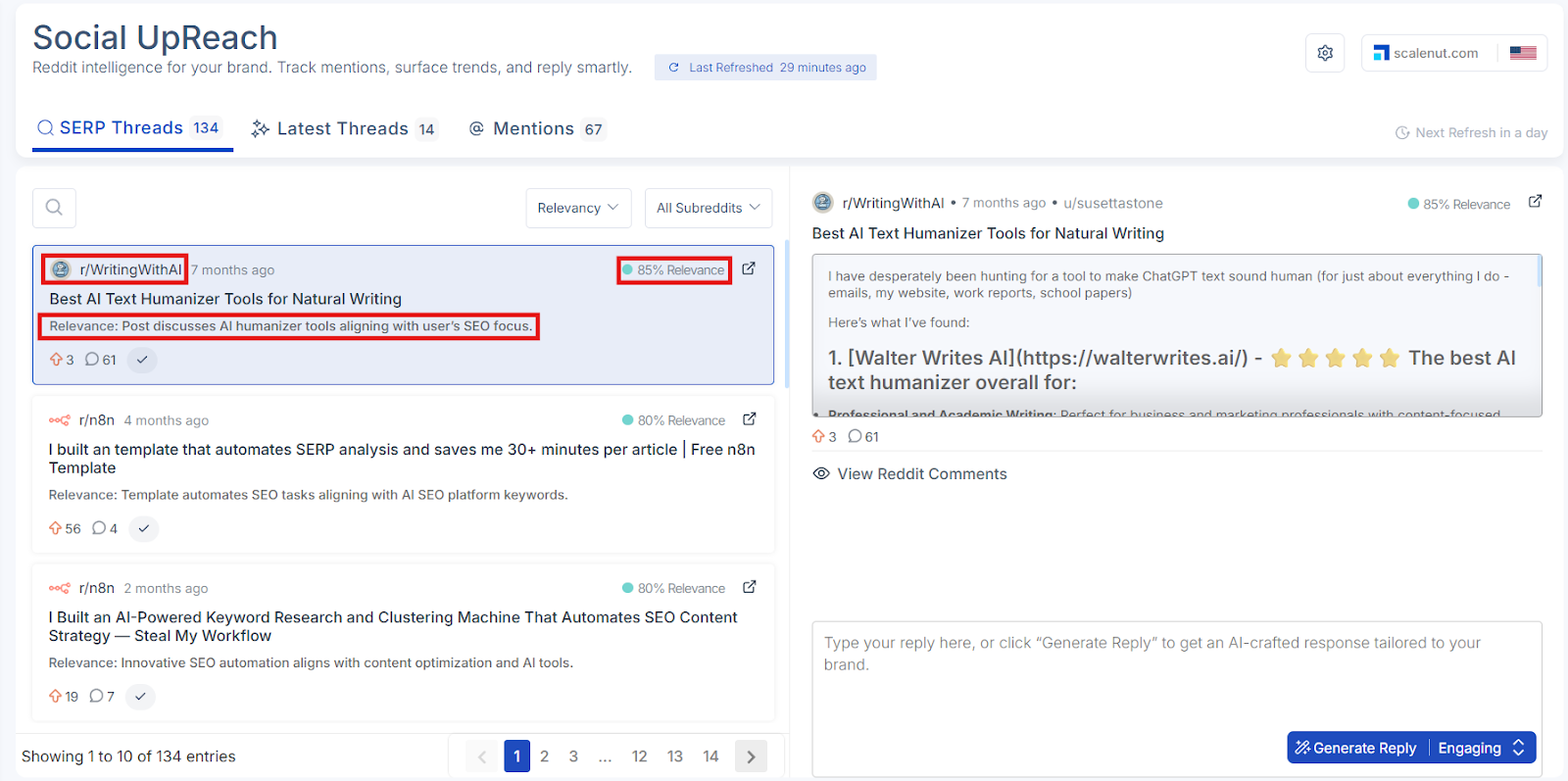
For every thread, you’ll see:
Subreddit Group Indicates which subreddit the thread belongs to, helping you quickly understand the context, audience, and relevance of the discussion..
Relevance A system-generated percentage that indicates how closely the thread aligns with your brand’s tracked keywords, topics, or competitive themes. Higher percentages reflect stronger relevance to your brand.
Recommendation A brief, AI-generated insight explaining why the thread matters to your brand. It may highlight alignment with your messaging, positioning, or industry focus.
These insights make it easier to prioritize high-impact discussions, understand where your brand fits in, and decide how best to engage.
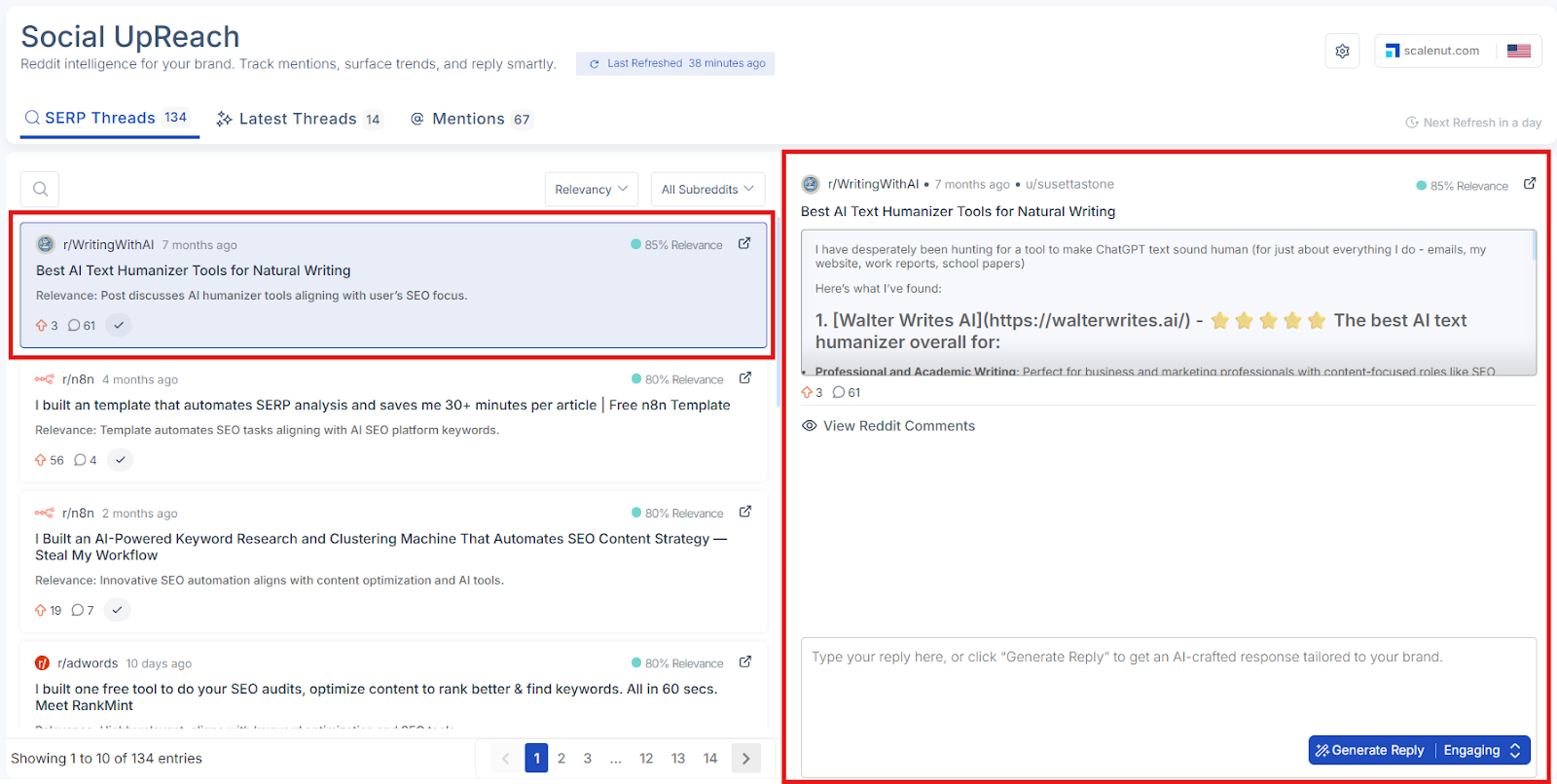
When you click on any thread in the SERP Threads list, the full content of that post will appear on the right side of the screen. This view displays the original Reddit post so you can read it in full without leaving the dashboard.
If you’d like to dive deeper into the conversation, you can choose to view reddit comments by clicking the available option. This gives you added context on how users are engaging with the thread and what sentiments are being shared.
This detailed view helps you:
Understand the tone and intent behind the original post
Decide whether the conversation is worth engaging in
See community reactions when needed by opening the comments
Prepare more relevant and context-aware responses
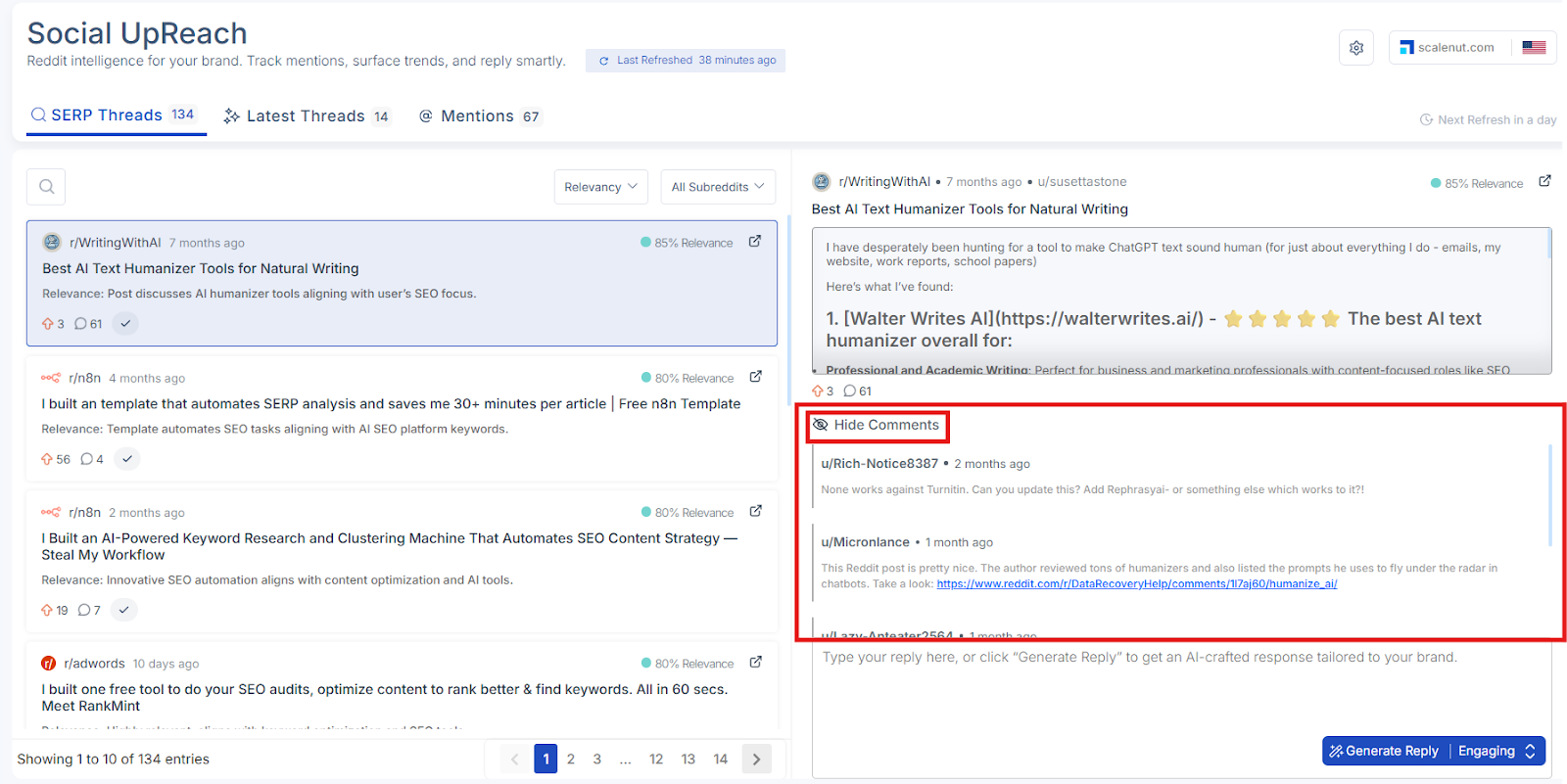
If you want to explore the discussion further, you can select the “View Reddit Comments” option. Once selected, all comments from the thread will be displayed beneath the original post — helping you understand the tone, sentiment, and direction of the conversation.
You can collapse the thread at any time by clicking “Hide Reddit Comments” to keep the view clean and focused.
At the bottom of the full post view, you’ll see the option to create a reply for the selected Reddit thread. This allows you to prepare a thoughtful response, either manually or with the help of AI.
You can choose to:
Write a reply manually using the text box provided
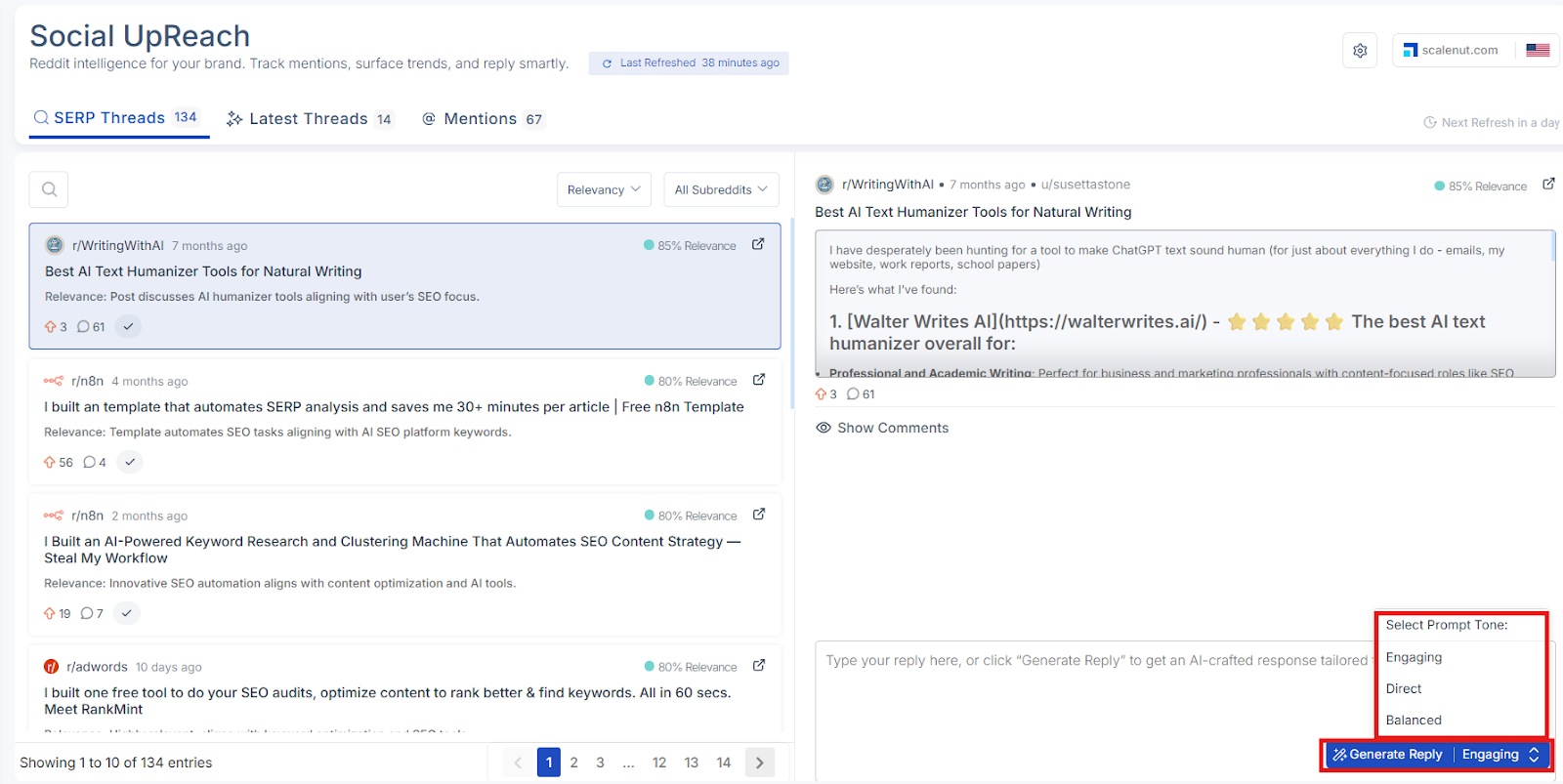
Generate a reply using AI by selecting a preferred tone:
Engaging
Direct
Balanced
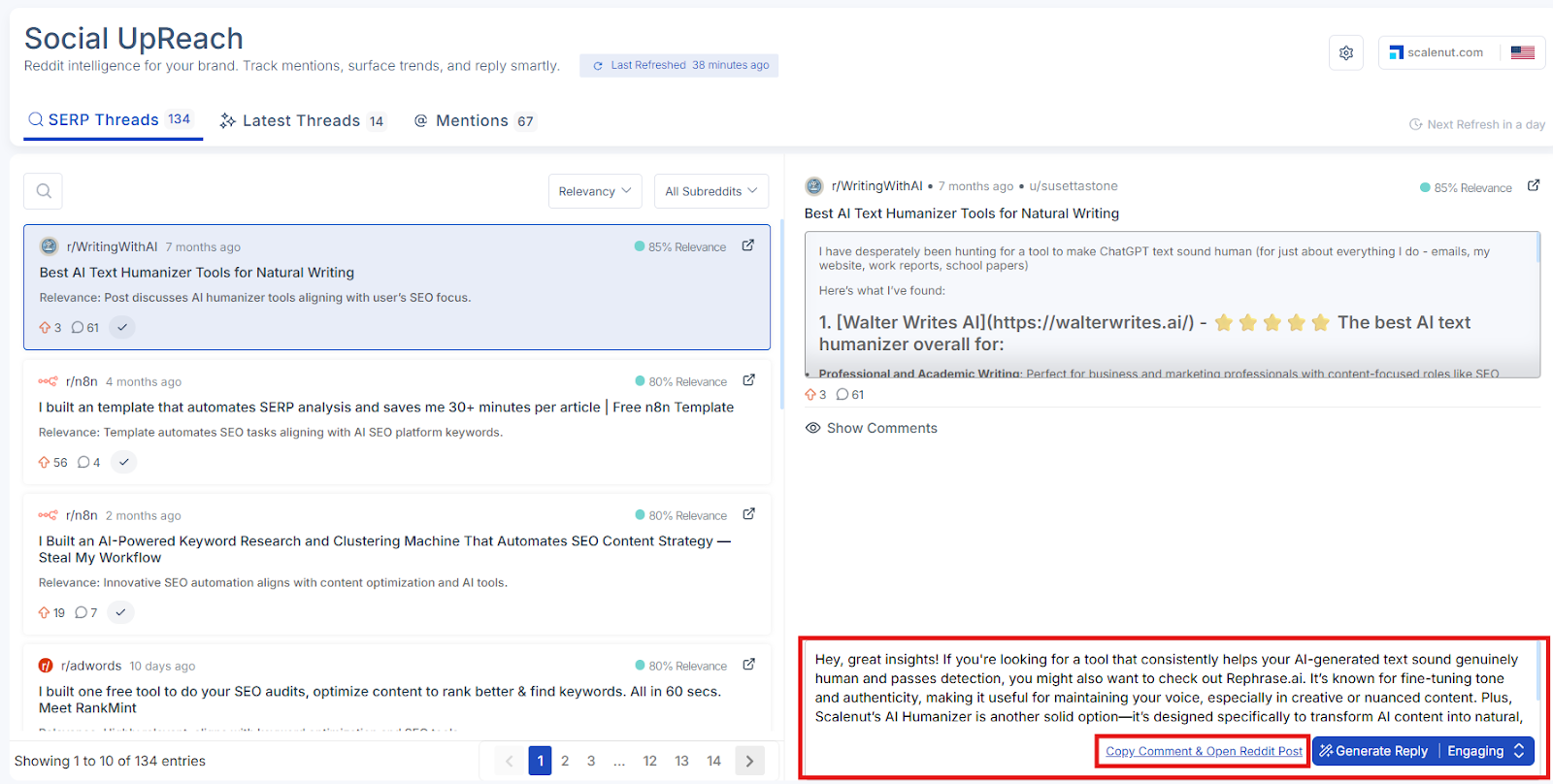
Once you have generated the reply, click on "Copy comment & Open Reddit Post"
Important: Social UpReach does not automatically post replies to Reddit. Once you’ve written or generated a reply, you will need to copy it and manually post it on Reddit using your account.
This setup ensures that all replies stay authentic and comply with Reddit’s posting guidelines and community norms.
Latest Threads
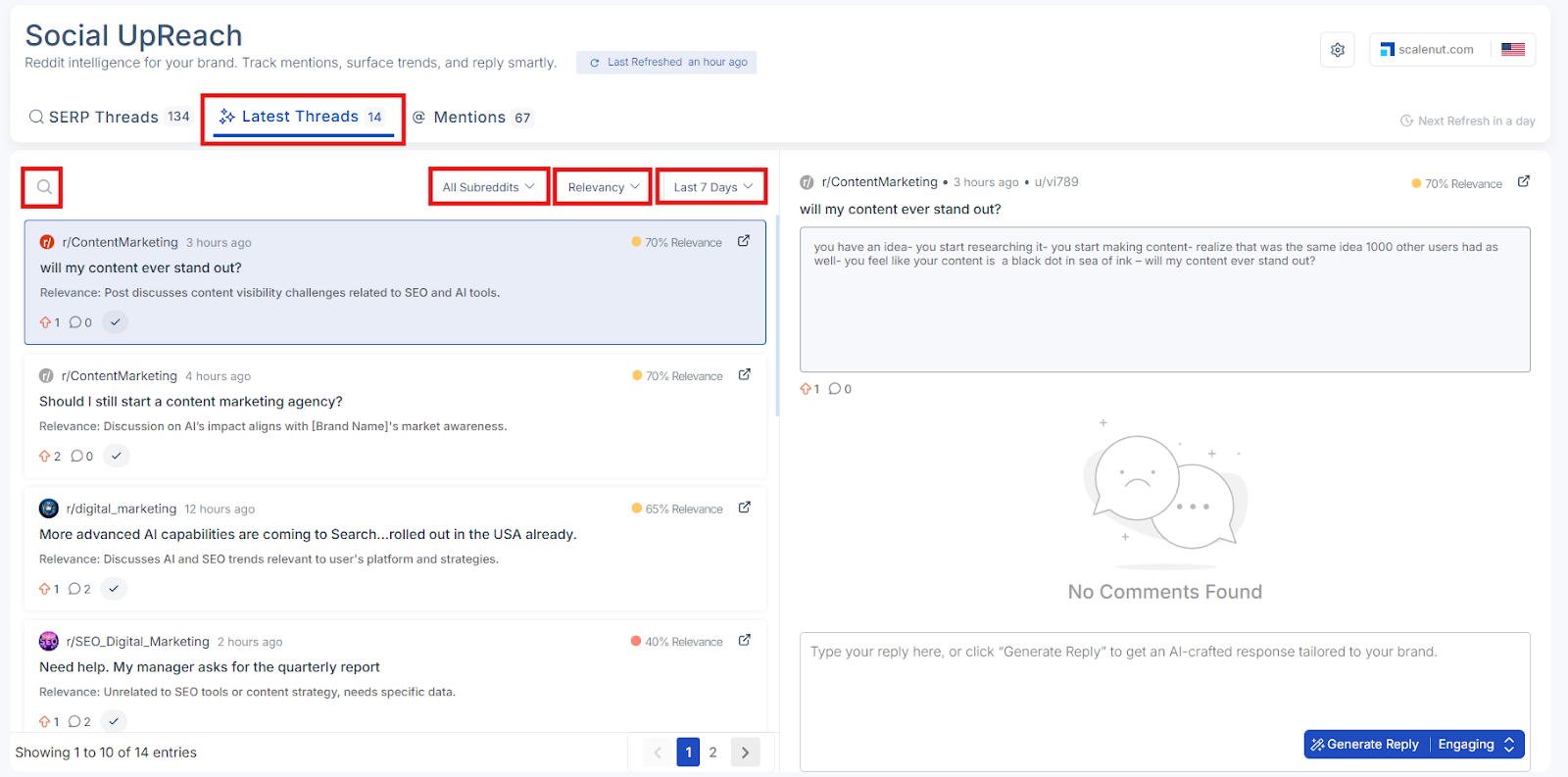
The Latest Threads section gives you a real-time feed of the newest Reddit posts and discussions that mention your brand, product, or tracked keywords. Unlike SERP Threads, which focuses on posts visible in Google search, this section captures emerging conversations happening across Reddit — regardless of their search visibility.
Use this section to stay ahead of the curve by spotting trends early, tracking developing topics, and engaging in relevant discussions before your competitors do.
Available Options in Latest Threads:
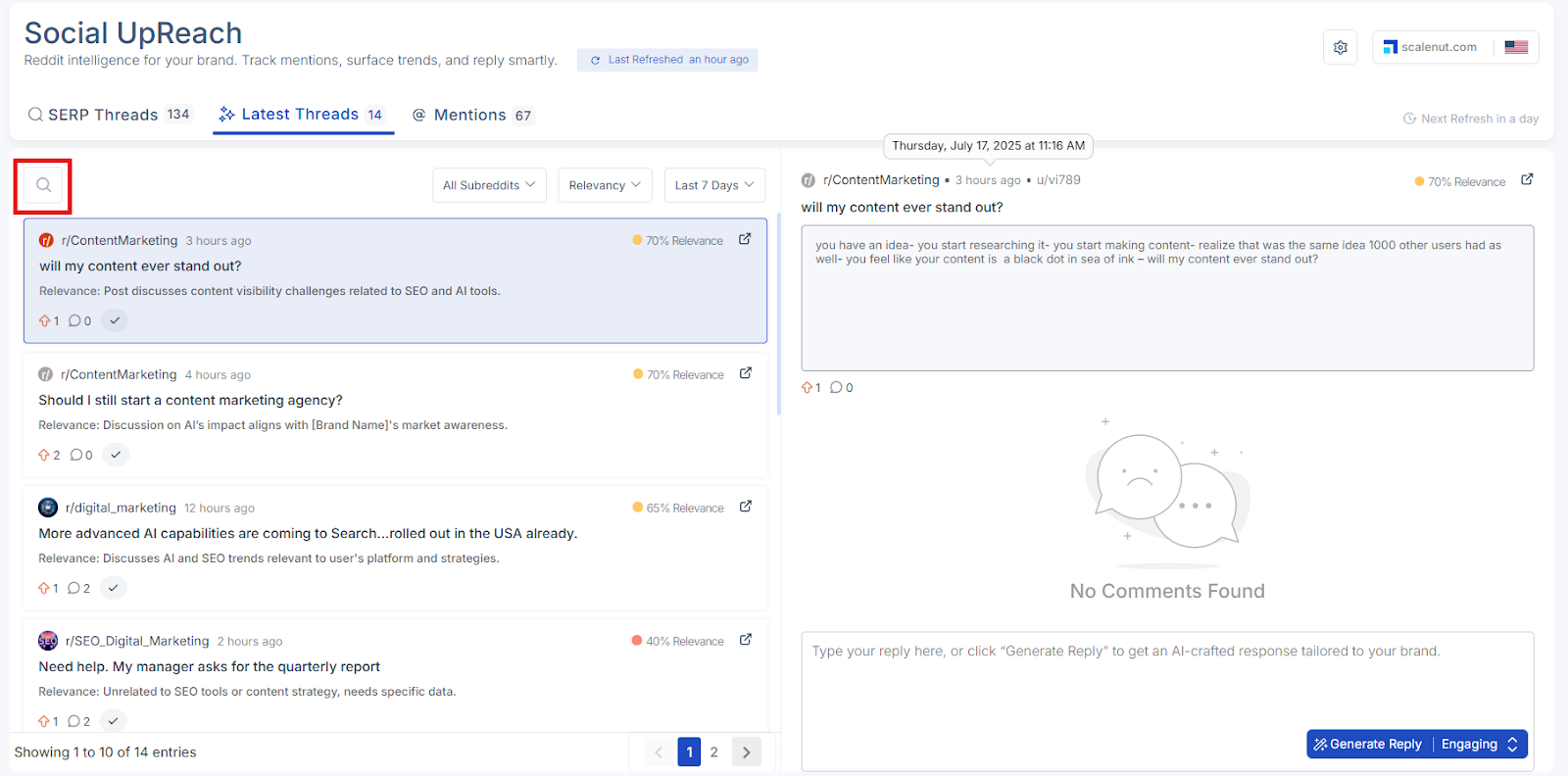
Search Bar: Use the search bar at the top to find a specific thread by keyword or phrase. This helps you quickly locate active discussions relevant to your brand or industry.
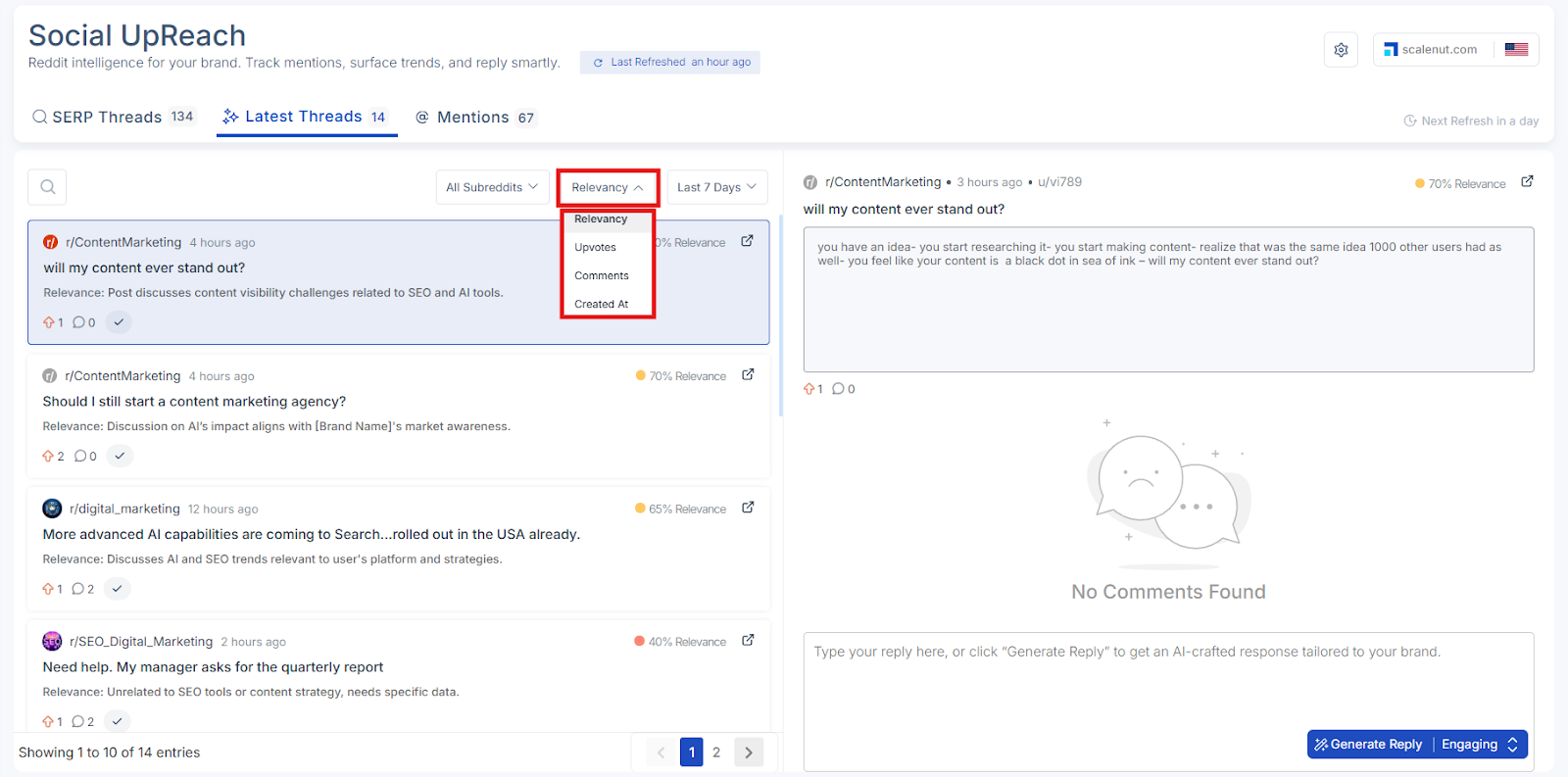
Sort By Post Metrics: You can sort the thread list using the following filters:
Relevancy
Upvotes
Comments
Created At
Sort By Time Range: In addition to standard sorting, you can also filter threads by time period to focus on recent activity:
Last 7 Days
Last 14 Days
Last 30 Days
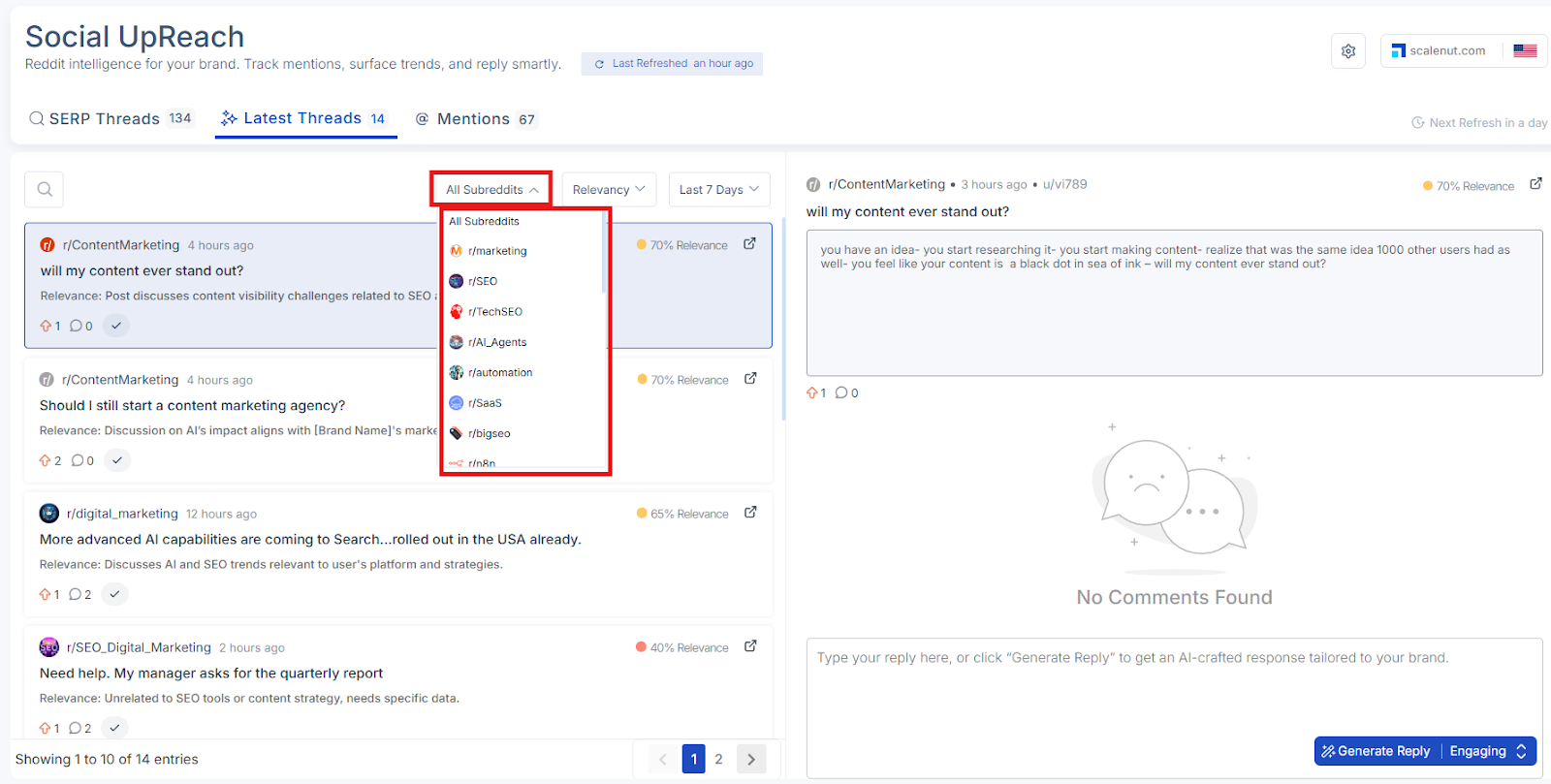
Subreddit Group Filter: View threads from all selected subreddit groups or narrow the results by choosing a specific subreddit group from the dropdown. This allows you to focus on particular communities that are most relevant to your monitoring goals.
This combination of filtering and sorting options allows you to prioritize posts that are both relevant and timely—making your monitoring more effective and targeted.
Once you've applied your filters or searched for a keyword, you’ll see a list of Reddit latest threads that match your selected criteria. Each thread includes detailed information to help you evaluate its relevance and decide whether to engage or take action.
For every thread, you’ll see:
Subreddit Group: Indicates which subreddit group the thread belongs to, so you can immediately understand the context and audience.
Relevance: A system-generated percentage that indicates how closely the thread aligns with your brand’s tracked keywords, topics, or competitive themes. Higher percentages reflect stronger relevance to your brand
Recommendation: A brief, AI-generated insight that explains why the thread is relevant to your brand. It may highlight how the content aligns with your product positioning, messaging, or industry focus.
These insights make it easier to prioritize high-impact discussions, understand where your brand fits in, and decide how best to engage.
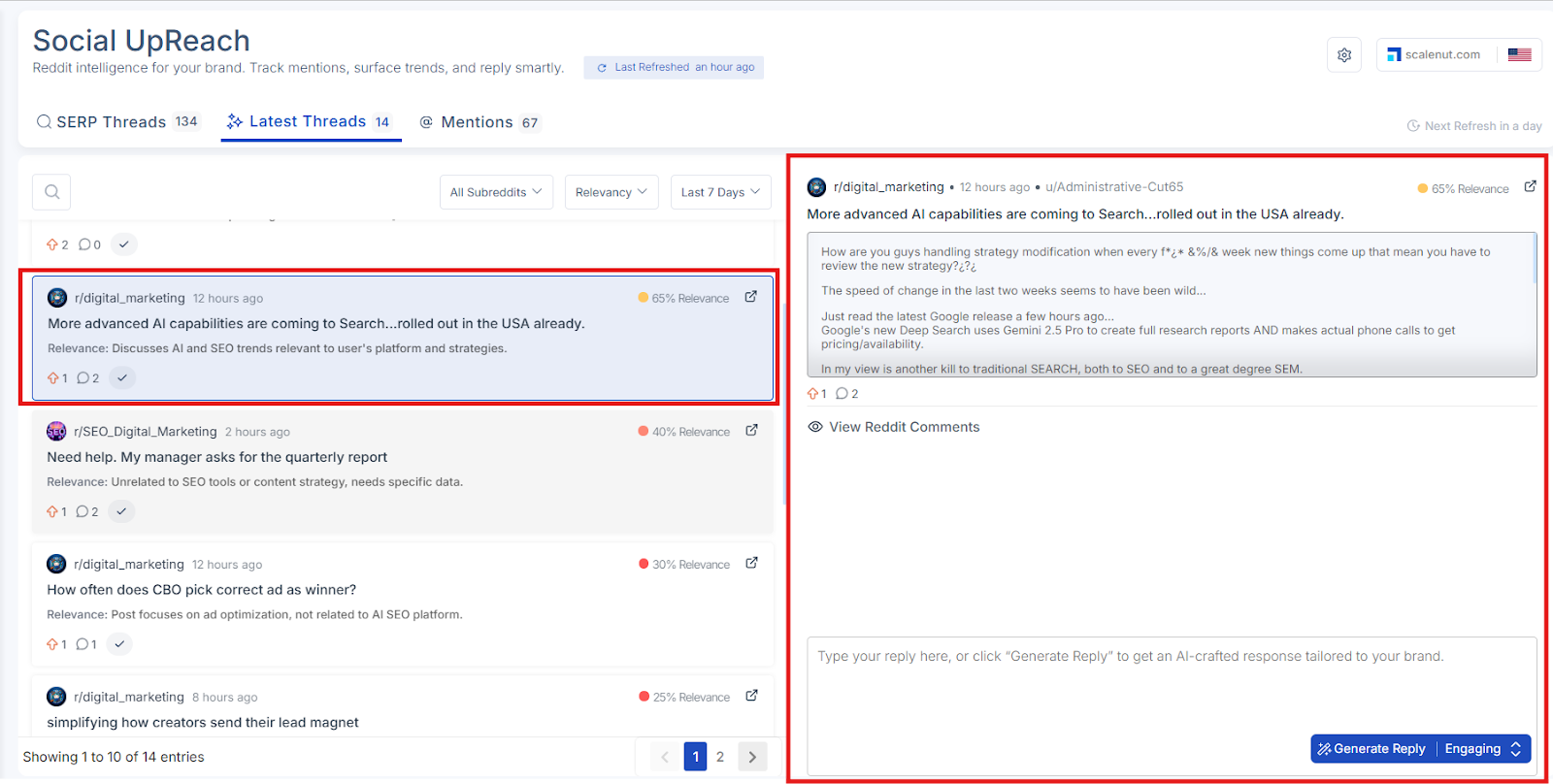
When you click on any thread in the Latest Threads list, the full content of that Reddit post will appear on the right side of the screen. This lets you read the entire post directly within the dashboard — without needing to leave the tool.
In addition to the post content, you’ll also see a sentiment tag indicating whether the post is positive, neutral, or negative. This helps you quickly gauge the tone of the conversation and assess its potential impact on your brand.
This detailed view helps you:
Understand the tone and intent behind the original post
Quickly assess overall sentiment (positive, neutral, or negative)
Decide whether the conversation is worth engaging in
See how the Reddit community is responding
Craft more relevant and context-aware replies
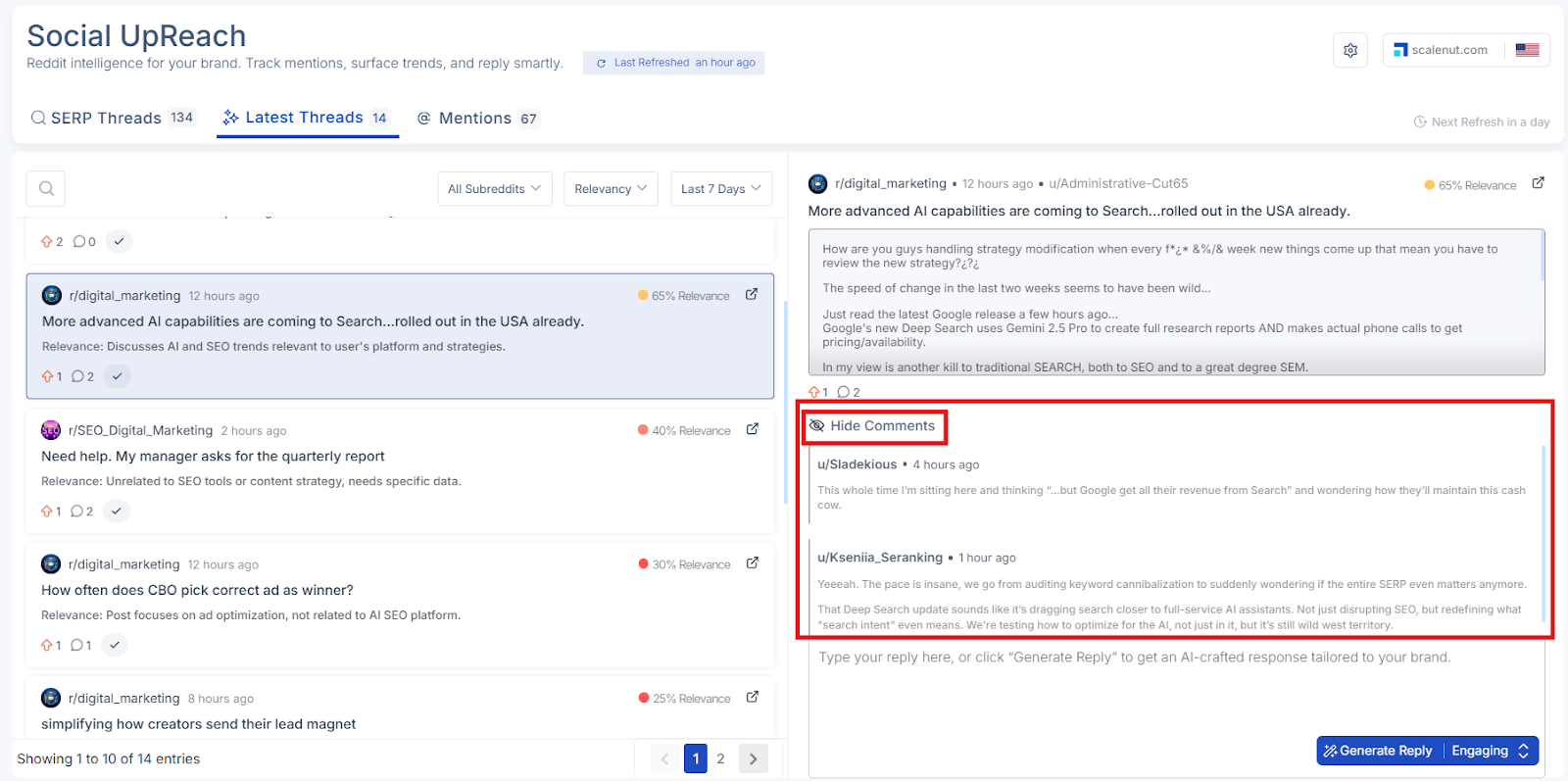
If you want to explore further, click the “Show Comments” option to view all replies in the thread. This gives you added insight into how the community is reacting and what direction the discussion is taking. You can toggle this view off anytime using the “Hide Comments” option.
To see the entire comment thread, including replies not displayed in the tool, click “View all comments on Reddit.” This will open the original post directly on Reddit in a new tab.
At the bottom of the full post view, you’ll see the option to create a reply for the selected Reddit thread. This allows you to prepare a thoughtful response, either manually or with the help of AI.
You can choose to:
Write a reply manually using the text box provided
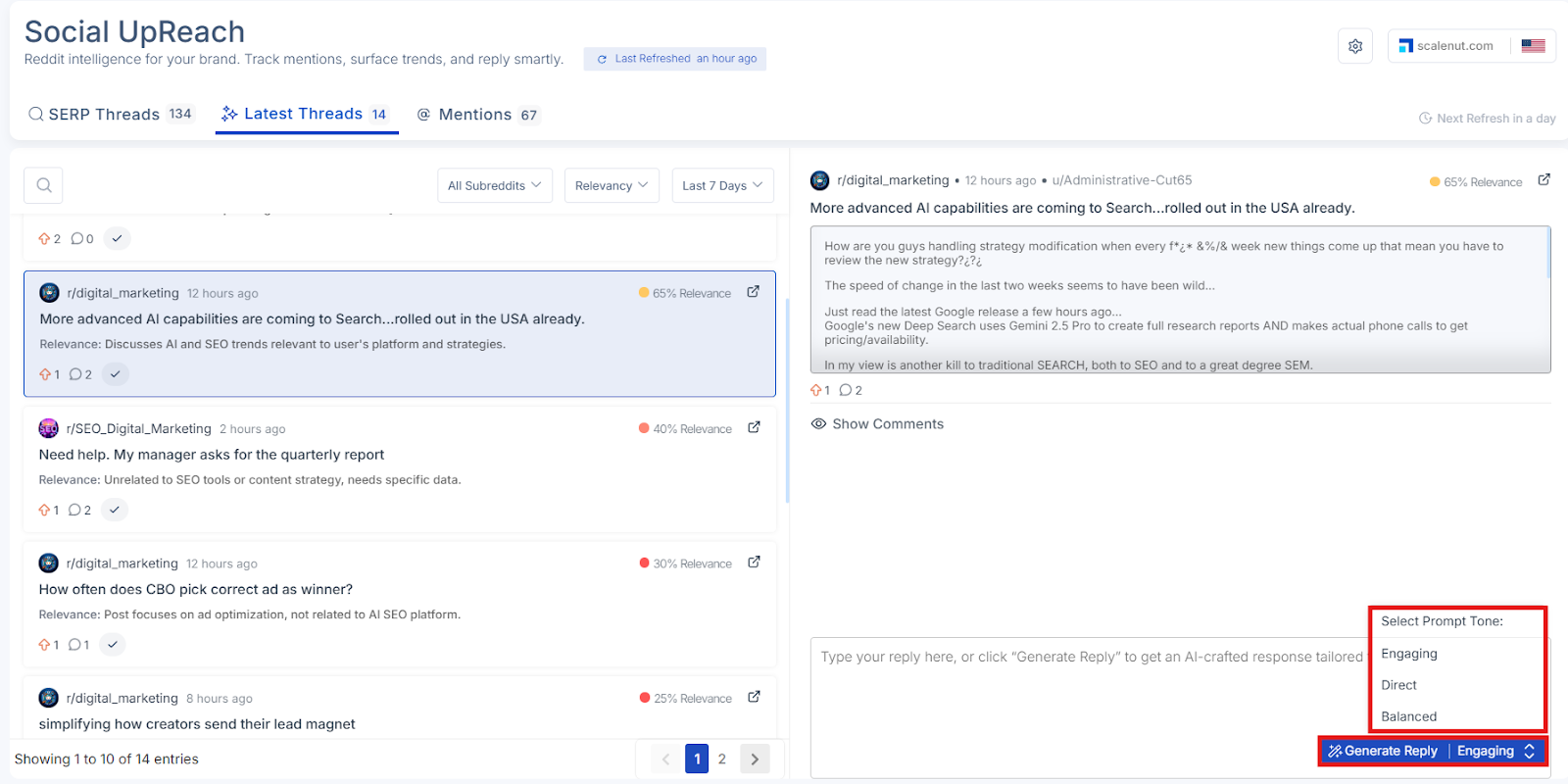
Generate a reply using AI by selecting a preferred tone:
Engaging
Direct
Balanced
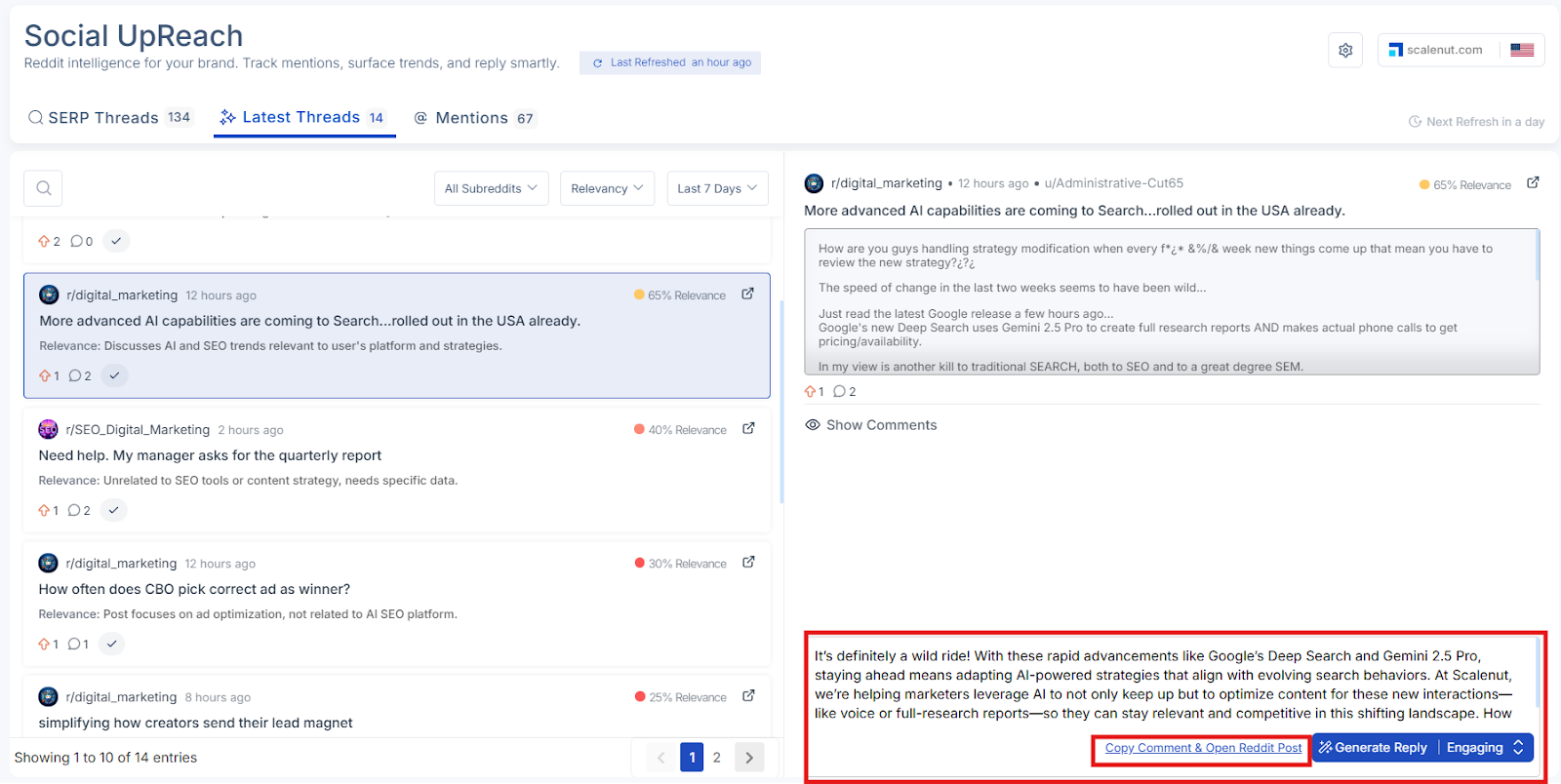
Once you have generated the reply, click on "Copy comment & Open Reddit Post"
Important: Social UpReach does not automatically post replies to Reddit. Once you’ve written or generated a reply, you will need to copy it and manually post it on Reddit using your account.
This setup ensures that all replies stay authentic and comply with Reddit’s posting guidelines and community norms.
Mentions
The Mentions section surfaces direct references to your brand, product, or competitors across Reddit. Posts and comments are pulled based on your tracked keywords, giving you full visibility into how your brand is being discussed in real time.
This section is ideal for reputation management, market intelligence, and timely engagement — enabling your team to respond quickly, address concerns, and capitalize on positive conversations that matter most.
Available Options in Mentions:
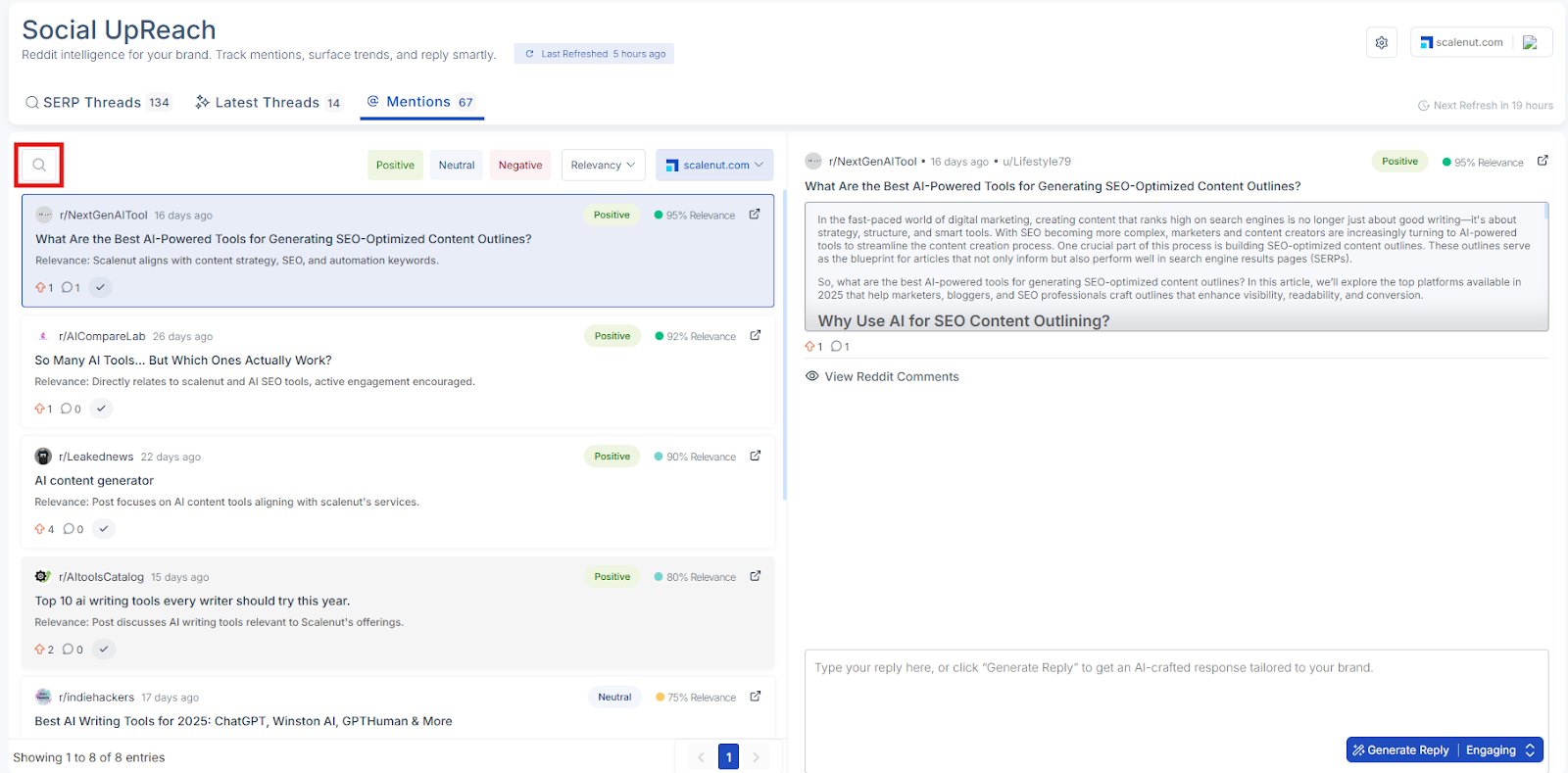
Search Bar: Use the search bar at the top to find posts where your brand or target topic might be relevant. Enter keywords or product-related phrases to quickly filter the list.
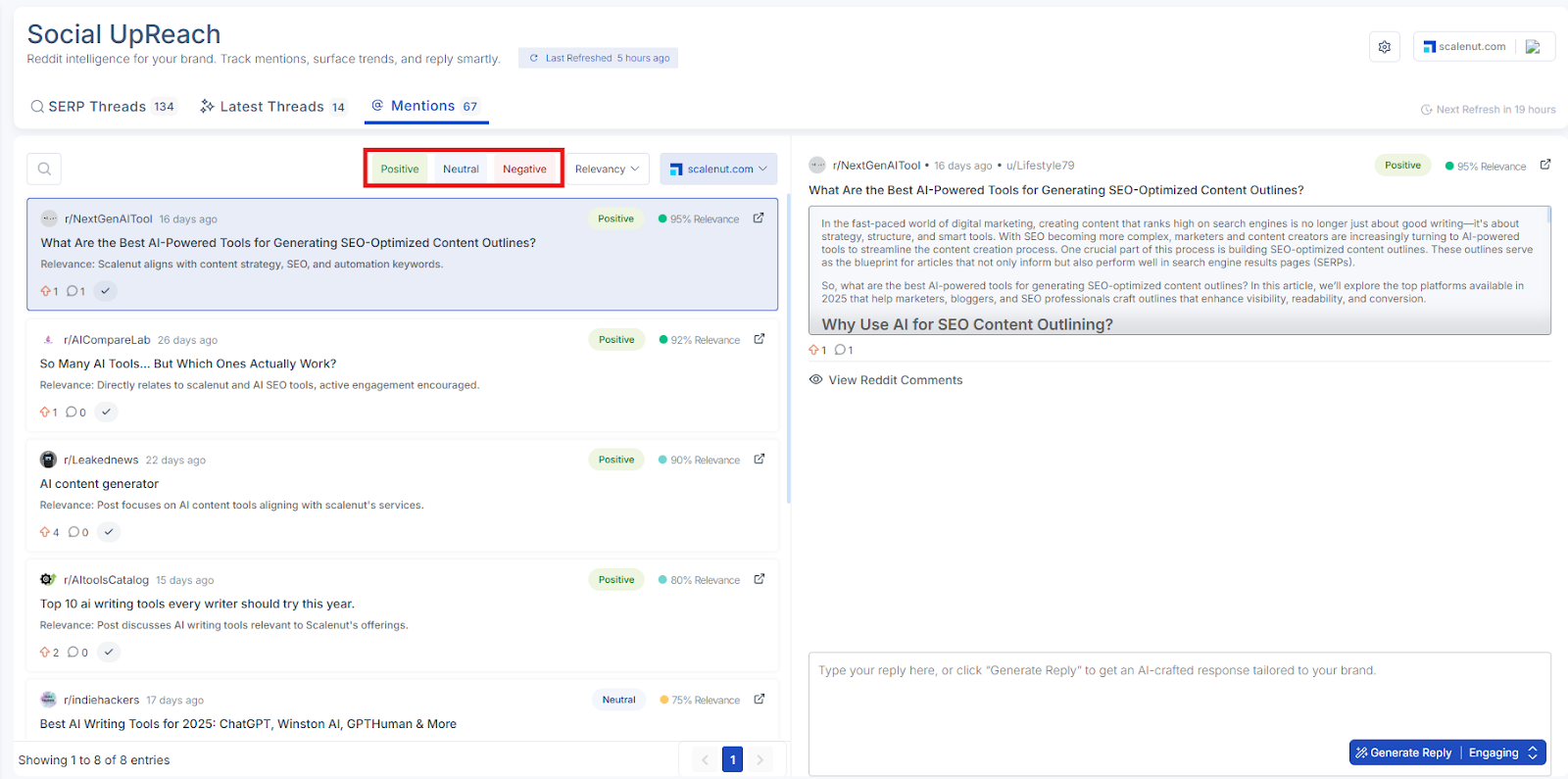
Filter by Sentiment: Refine the list based on the tone of the conversation:
Positive
Neutral
Negative
This helps you prioritize where to engage — whether it’s joining a positive trend or addressing concerns shared in a negative or neutral thread.
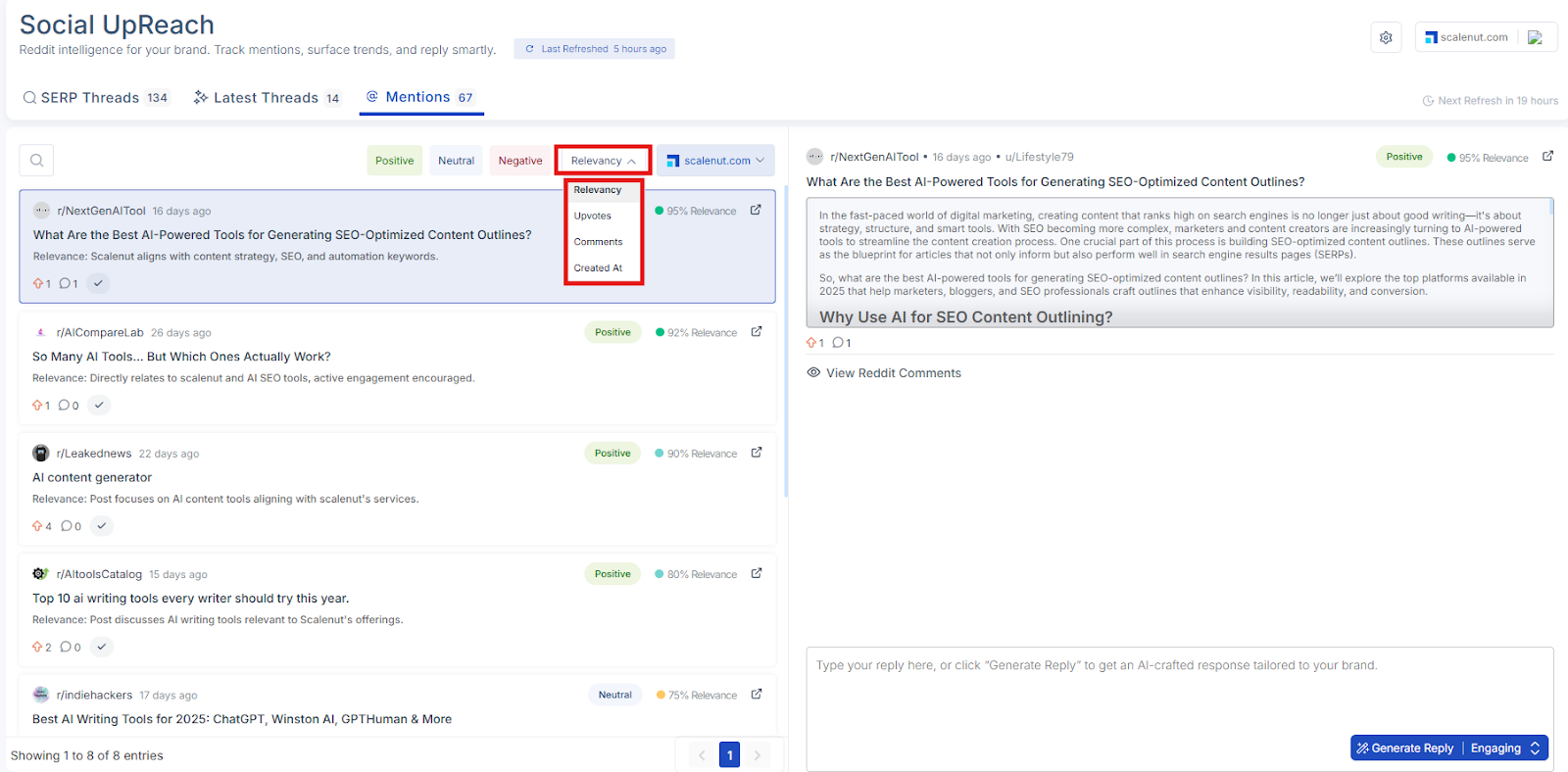
Sort By Post Metrics: You can organize the list using any of the following options:
Relevancy
Upvotes
Comments
Created At
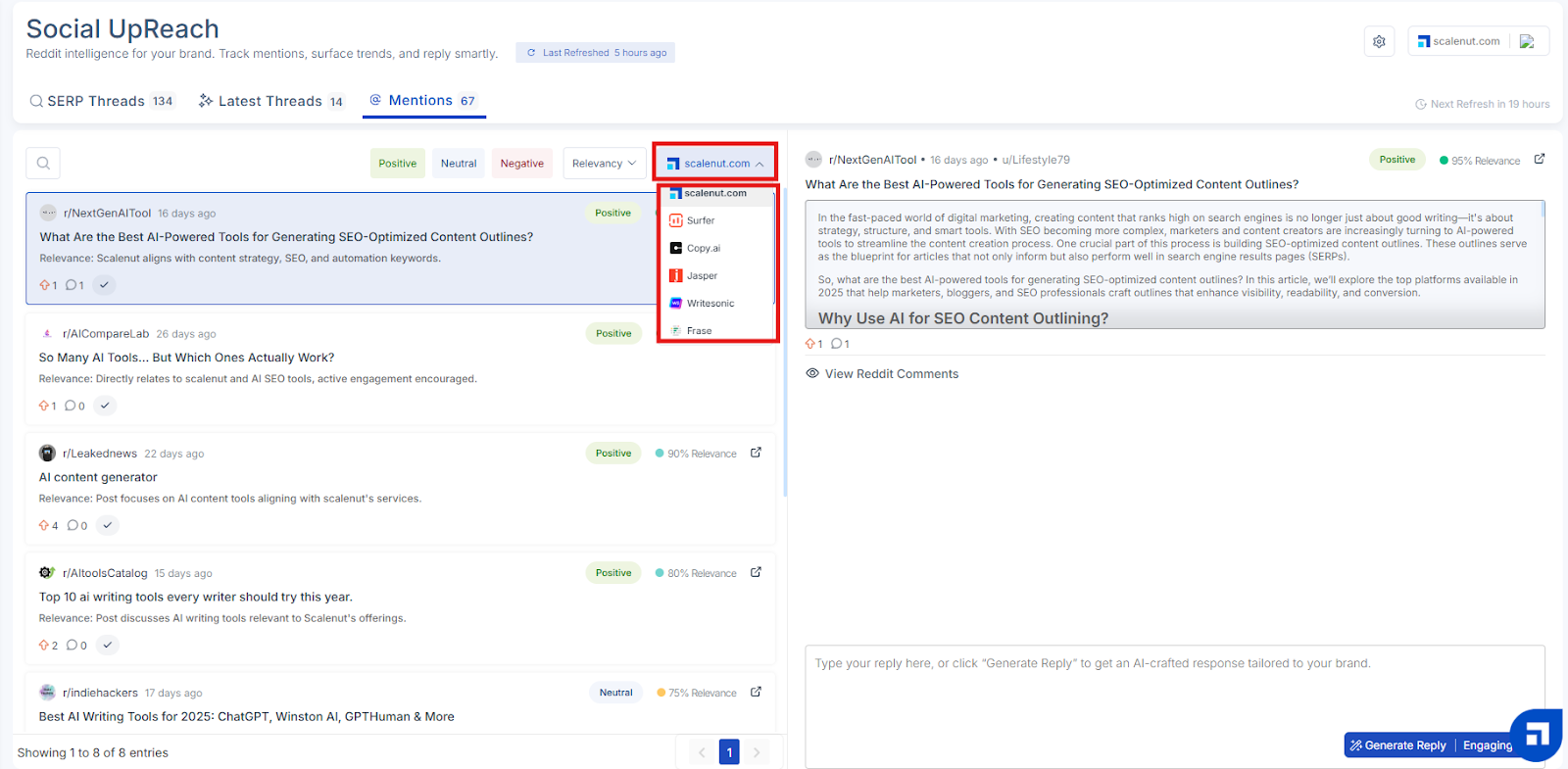
Filter by Brand Mentions (Yours & Competitors): Explore posts that reference either your own brand or selected competitors. This helps you monitor how your brand is being discussed and uncover opportunities to engage in conversations where competitors are mentioned—ideal for positioning your offering as a strong alternative or reinforcing your value.
This section empowers your team to spot high-value engagement opportunities across Reddit and insert your brand into relevant conversations with authenticity and purpose.
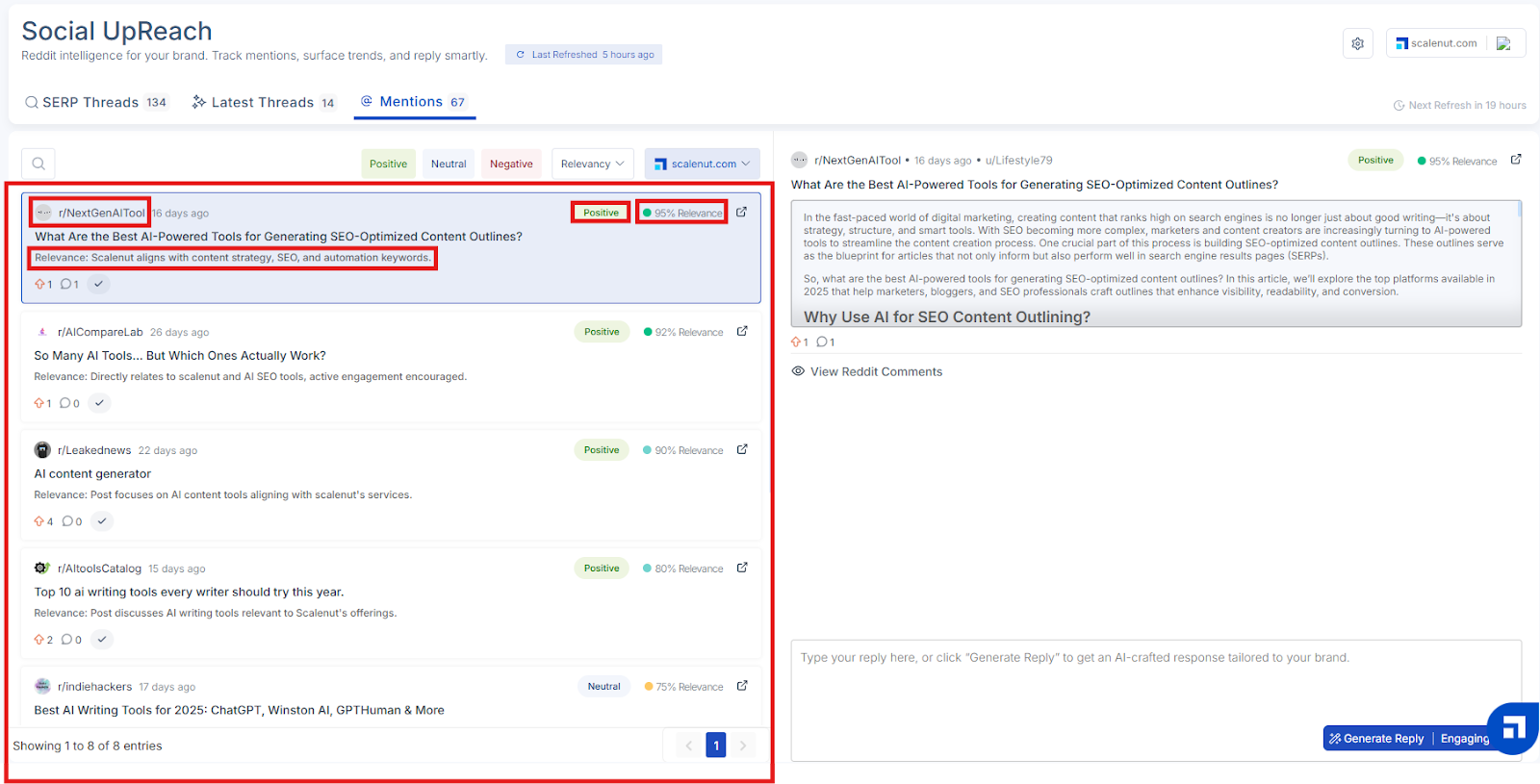
Once you've applied your filters or searched for a keyword, you’ll see a list of Reddit threads that match your selected criteria. Each thread includes detailed information to help you evaluate its relevance and decide whether to engage or take action.
For every thread, you’ll see:
Relevance: A system-generated percentage that indicates how closely the thread aligns with your brand’s tracked keywords, topics, or competitive themes. Higher percentages reflect stronger relevance to your brand
Subreddit Group: Indicates which subreddit group the thread belongs to, so you can immediately understand the context and audience.
Recommendation: A brief, AI-generated insight that explains why the thread is relevant to your brand. It may highlight how the content aligns with your product positioning, messaging, or industry focus.
Sentiment: Each thread is labeled with a sentiment classification — positive, neutral, or negative — so you can prioritize engagement based on tone and potential impact
These insights make it easier to prioritize high-impact discussions, understand where your brand fits in, and decide how best to engage.
When you click on any thread in the Threads list, the full content of that Reddit post will appear on the right side of the screen. This lets you read the entire post directly within the dashboard — without needing to leave the tool..
This detailed view helps you:
Understand the tone and intent behind the original post
Decide whether the conversation is worth engaging in
See how the Reddit community is responding
Craft more relevant and context-aware replies
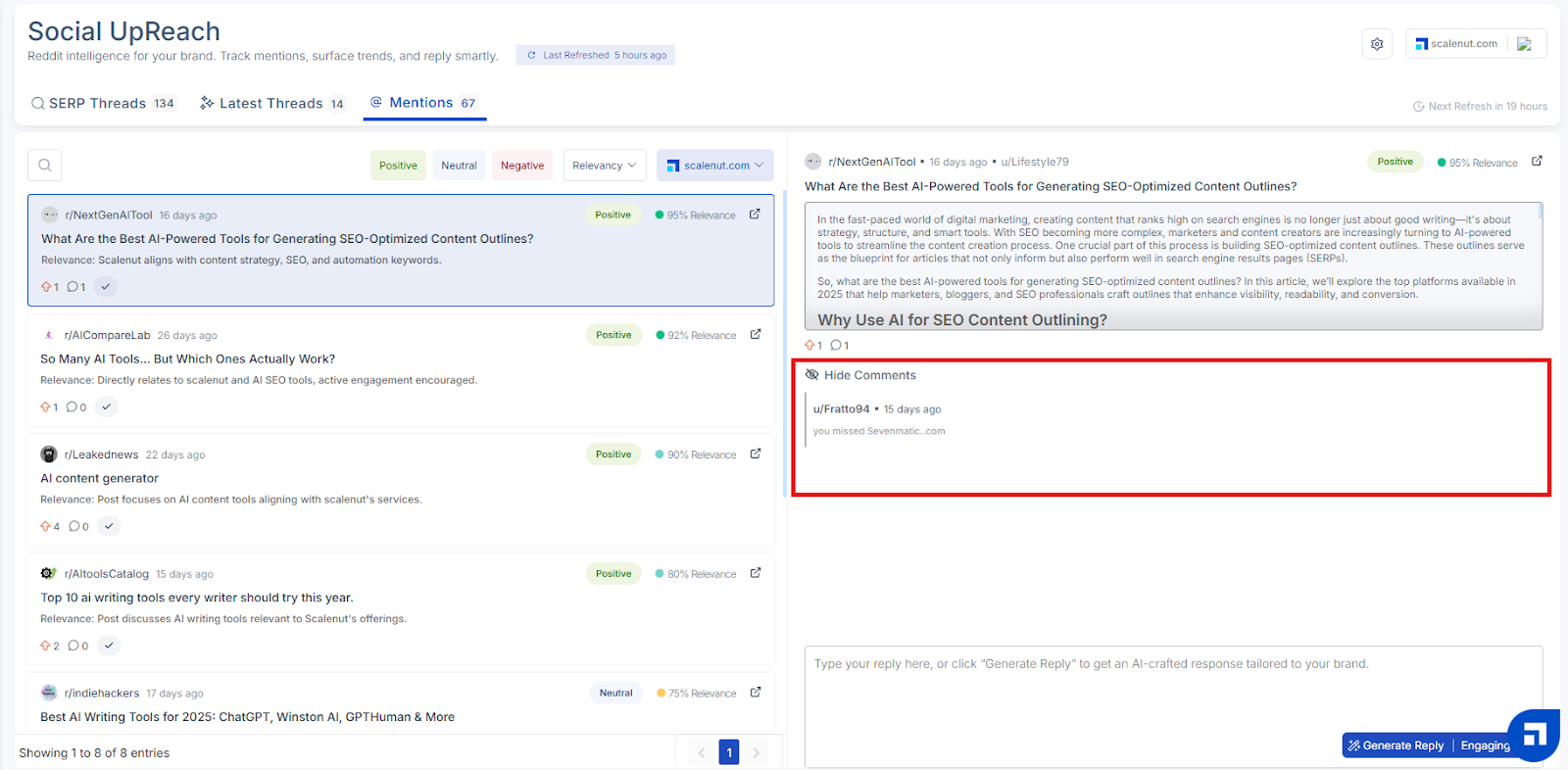
If you want to explore further, click the “View Reddit Comments” option to view all replies in the thread. This gives you added insight into how the community is reacting and what direction the discussion is taking. You can toggle this view off anytime using the “Hide Comments” option.
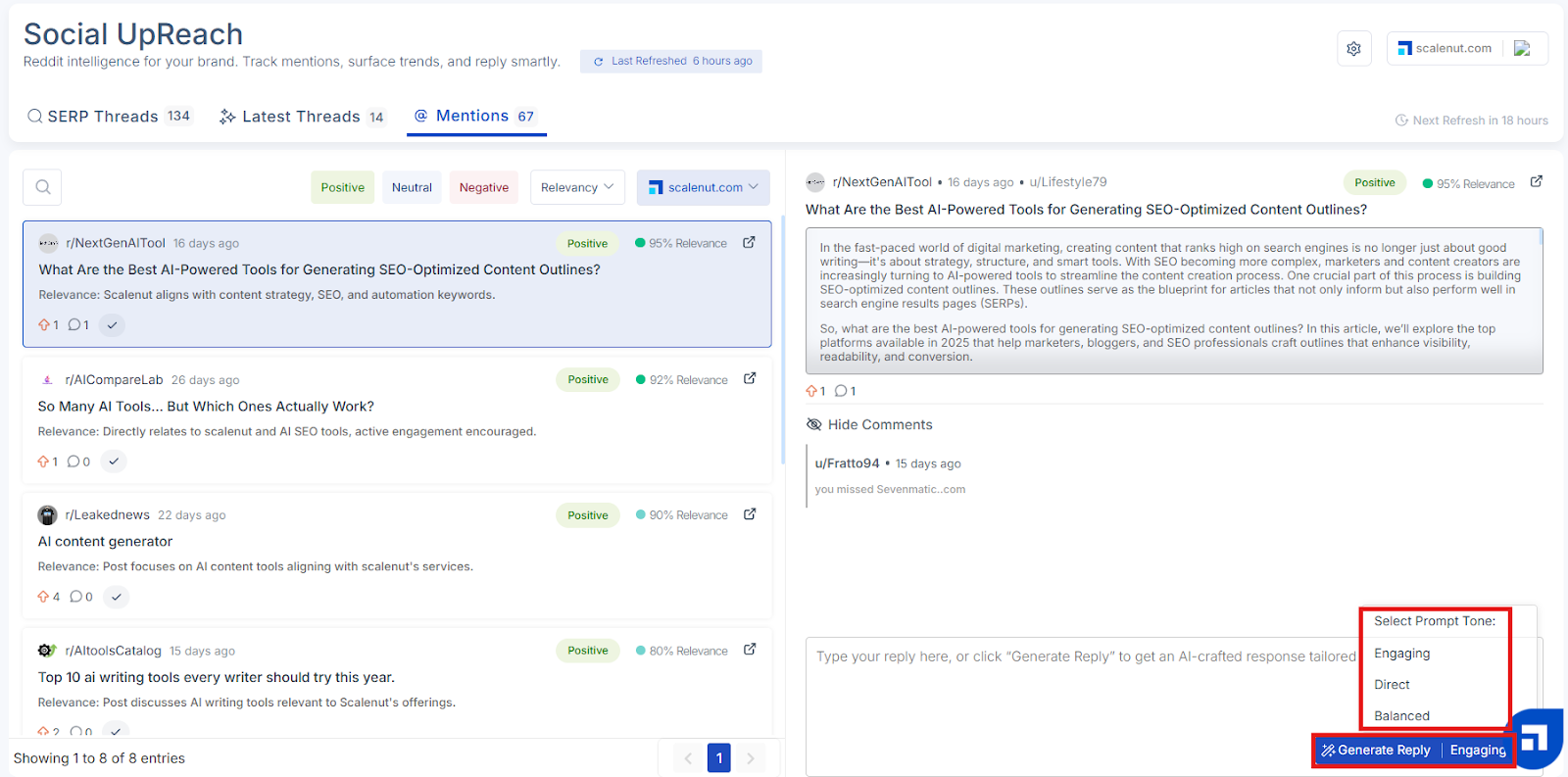
At the bottom of the full post view, you’ll see the option to create a reply for the selected Reddit thread. This allows you to prepare a thoughtful response, either manually or with the help of AI.
You can choose to:
Write a reply manually using the text box provided
Generate a reply using AI by selecting a preferred tone:
Engaging
Direct
Balanced
Once you have generated the reply, click on "Copy comment & Open Reddit Post"
Important: Social UpReach does not automatically post replies to Reddit. Once you’ve written or generated a reply, you will need to copy it and manually post it on Reddit using your account.
This setup ensures that all replies stay authentic and comply with Reddit’s posting guidelines and community norms.