
.jpg)
How to Develop a Content Refresh Strategy That Works?

Key Highlights
- A content refresh strategy involves updating existing content to improve its relevance and SEO performance.
- Identifying outdated content is the first step, often signaled by declining traffic or slipping rankings.
- Key signs your content needs a refresh include falling traffic, lower rankings, and a drop in click-through rates.
- To refresh content effectively, audit your existing assets, prioritize pages, review search intent, and analyze competitors.
- Updating your content can boost its freshness factor, leading to better search results and an improved user experience.
- Regularly refreshing content ensures it aligns with current search intent and maintains its value over time.
In the ever-evolving world of content marketing, you don't always need to create something from scratch to see results. Sometimes, the key to boosting organic traffic and staying relevant lies within the content you already have. Breathing new life into your existing articles can be a powerful way to improve your site's performance. By conducting a content audit and strategically updating your assets, you can enhance user experience and climb the search rankings. This guide will walk you through building a content refresh strategy that works.
What Is A Content Refresh Strategy And Why Is It Important For SEO?
A content refresh strategy is the process of updating and improving existing content on your website to make it more relevant and valuable. This can involve anything from updating text and images, adding new keywords, fixing broken links, or optimizing headlines and meta descriptions. Think of it as giving your older web pages a fresh coat of paint to keep them engaging for your audience and appealing to search engines.
This process is a vital part of any successful digital marketing plan because it directly impacts your SEO performance. Search engines like Google prioritize fresh, up-to-date, and relevant content. By regularly updating your pages, you signal to search engines that your site is current and authoritative, which can push your content higher in the search results. This leads to increased visibility, more organic traffic, and a better overall user experience for your visitors.
How Can I Identify Which Pieces Of My Website Content Need A Refresh?
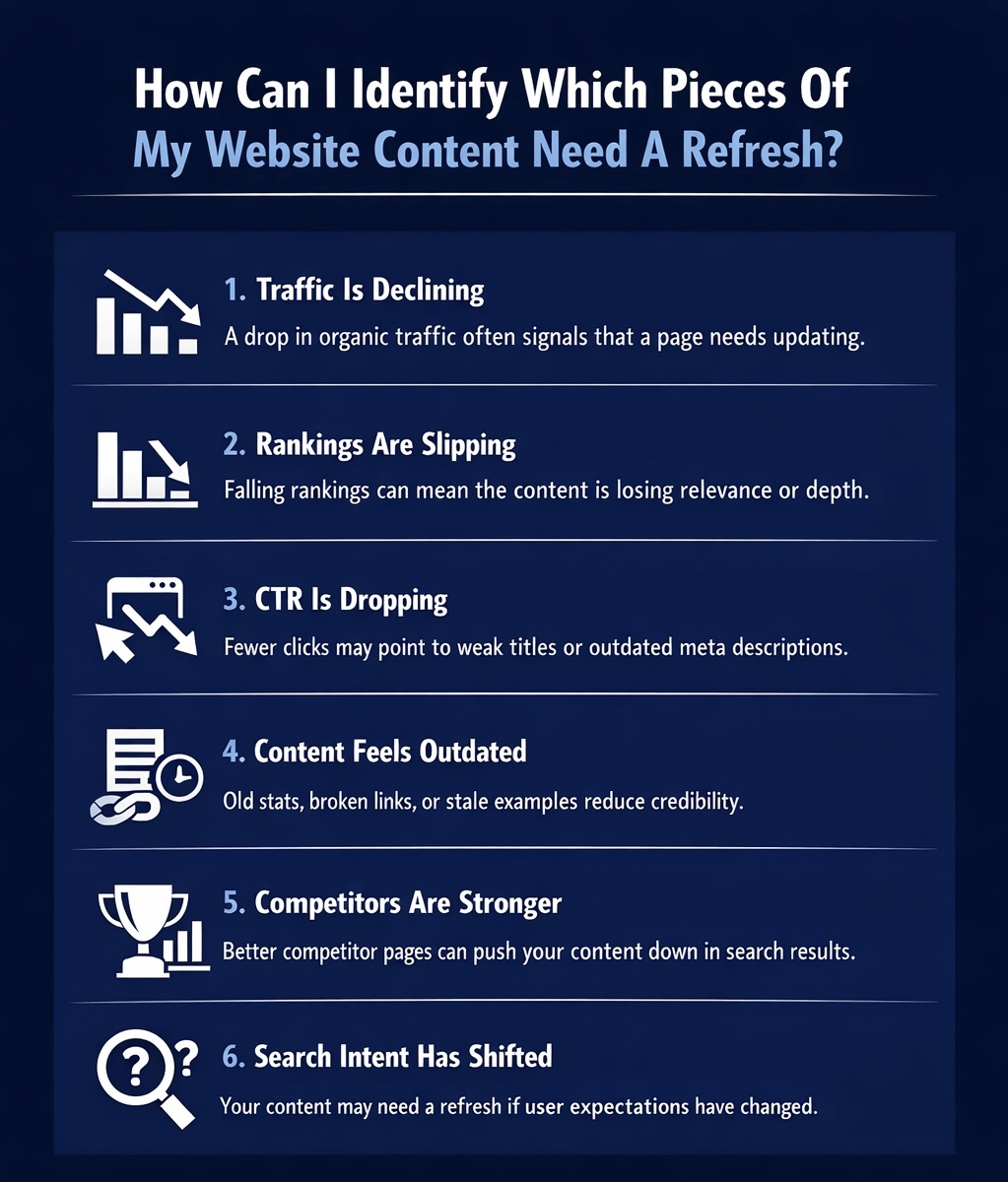
To decide which content to update, start with a content audit. Look for signs of content decay, declining performance caused by changing search algorithms, new competitors, or shifts in user interest. Use tools like Google Search Console and Google Analytics to monitor metrics. Focus on pages with decreasing traffic, lower keyword rankings, or reduced click-through rates. These are strong indicators that your posts are outdated and need refreshing.
Let's look at some of these signs in more detail.
1. Traffic Is Declining
One of the most common signs that your content needs an update is a noticeable drop in organic traffic. If a blog post that used to bring in a steady stream of visitors is now seeing fewer and fewer clicks, it’s a red flag. This decline often means the content is no longer as relevant or competitive as it once was.
You can easily track this using Google Analytics. Look at your top-performing pages over different time periods. If you see a downward trend for a specific piece of content, it's time to investigate. This is a crucial part of any content marketing strategy because it helps you protect your most valuable assets.
Some key indicators of declining traffic include:
- A steady drop in page views over several months.
- A decrease in the number of users finding the page through organic search.
- Losing its position as one of your top-traffic pages.
2. Rankings Are Slipping
Another clear signal is when your search rankings start to slip. You might have a post that once ranked on the first page of Google for a target keyword, but now it has fallen to the second or third page. This drop directly impacts your visibility and, consequently, your traffic.
Monitoring your keyword rankings is essential for maintaining strong SEO performance. When competitors publish newer, more comprehensive content, or when search engine algorithms change, your rankings can suffer. A slip in rankings means your content is losing its competitive edge and needs attention.
Watch out for these signs of slipping rankings:
- Your page no longer appears in the top 10 results for its primary keyword.
- You notice a gradual decline in average position in Google Search Console.
- Competitors are now outranking you for keywords you used to dominate.
3. CTR Is Dropping
A declining click-through rate (CTR) is a subtle but important warning sign. Your content might still be ranking well, but if fewer people are clicking on it from the search engine results page, something is wrong. Your CTR indicates how compelling your page looks to users in the search results.
Often, a low CTR is due to a weak or outdated title tag or meta description. What was once an attractive headline might now seem stale or less relevant compared to your competitors' snippets. The search engine results page is a competitive space, and your entry needs to stand out.
Factors that point to a dropping CTR include:
- A lower percentage of clicks despite high impressions in Google Search Console.
- Your title tag no longer seems as engaging as those of competing pages.
- The meta description doesn't accurately reflect the current value of the content.
4. Content Feels Outdated
Sometimes, the need for a refresh is obvious just by reading the content. Information can become outdated quickly, especially in fast-moving industries. If your blog posts contain old statistics, broken links, or refer to trends that are no longer relevant, it damages your credibility.
The publication date can also be a dead giveaway. If a user sees a post from several years ago, they might assume the information is no longer accurate and look for a more recent source. Keeping your content current shows your audience that you are committed to providing timely and accurate information.
Here are some signs your content is outdated:
- The article includes statistics or data from several years ago.
- It references old technologies or screenshots of outdated interfaces.
- The advice or strategies mentioned are no longer considered best practices.
5. Competitors Are Stronger
The digital landscape is always changing, and your competitors are constantly creating new content to get ahead. If you're not keeping an eye on them, you can easily fall behind. A competitive analysis might reveal that other sites targeting the same keywords have published more in-depth, better-structured, or more visually appealing content.
When competitors' pages start to outperform yours in the search results, it's a clear sign that your content needs an upgrade. You need to meet and exceed the quality and value they are offering to regain your top spot.
Look for these competitive red flags:
- Top-ranking pages for your target keyword are longer and more comprehensive than yours.
- Competitors are using different formats, like videos or infographics, that you aren't.
- Their content better addresses the searcher's pain points and questions.
6. Search Intent Has Shifted
Search intent, the "why" behind a user's search query, can change over time. What your target audience was looking for a year ago might be different today. For example, a search for "best remote work tools" might have shifted from simple communication apps to more comprehensive project management platforms.
If your content no longer aligns with the current search intent, user engagement will suffer. Visitors will quickly leave your page if it doesn't provide the answers they are looking for, leading to high bounce rates and signaling to Google that your content is not a good match for that query.
Signs that search intent has shifted include:
- A high bounce rate on a page that used to have strong engagement.
- The top-ranking pages for your keyword now have a different angle or format.
- User-generated content like comments or forum discussions show new questions are being asked.
How Do You Build A Content Refresh SEO Strategy? (Step-by-Step)
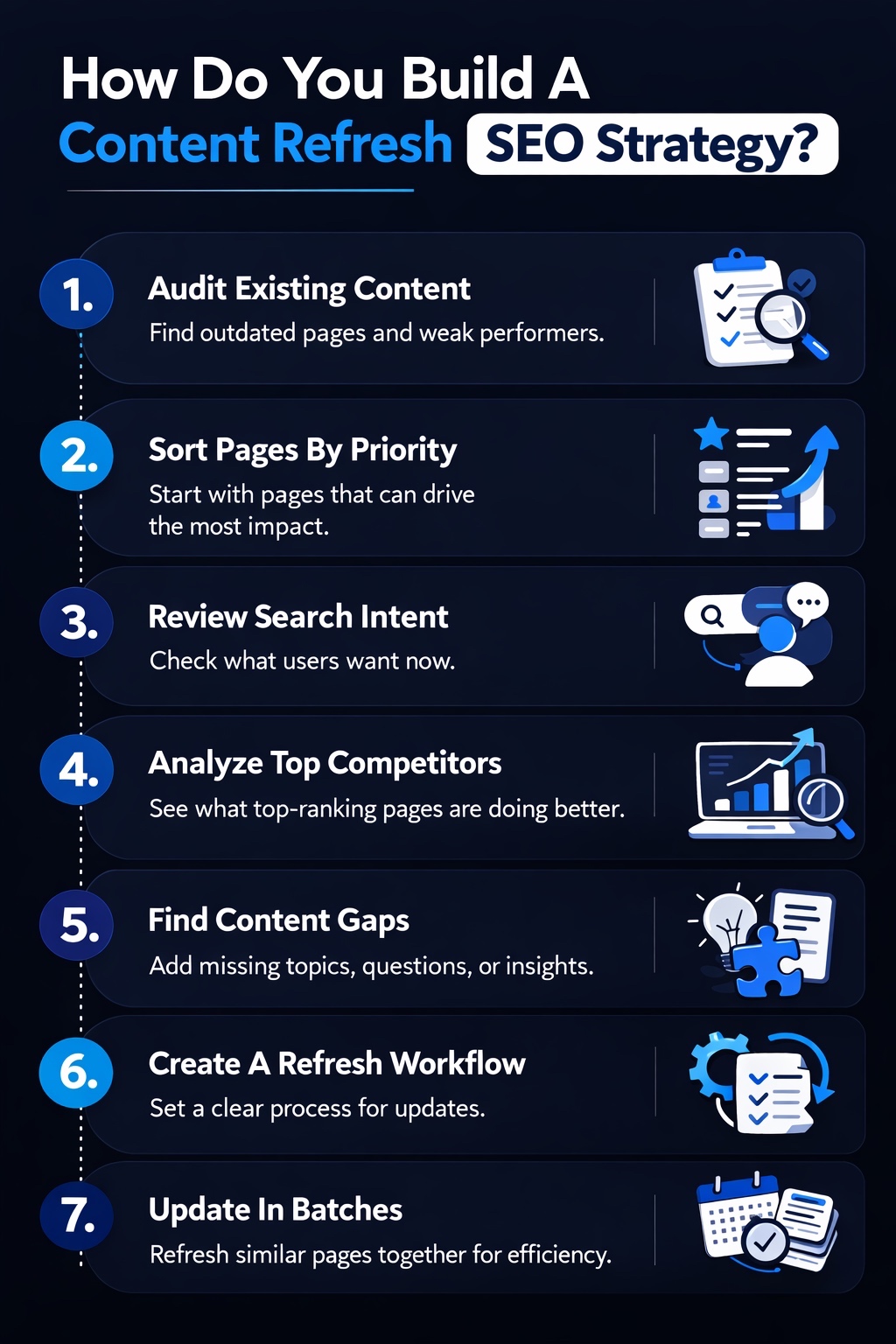
An effective content refresh strategy follows a structured process, not random updates. A systematic approach targets pages with the greatest impact and helps marketing teams integrate refreshes into their content calendar. Start with a comprehensive content audit to identify SEO content needing attention, then prioritize pages, analyze rankings, and establish an efficient workflow for updates.
Let's explore each of these steps.
1. Audit Existing Content
A content audit is the foundation of your refresh strategy. It involves systematically reviewing your existing content to assess its performance and identify outdated content. This process helps you understand what's working, what's not, and where your opportunities for improvement lie. Using tools like Google Search Console and Google Analytics, you can gather data on traffic, rankings, and engagement for each page.
During the audit, you should evaluate the content quality of each piece. Is the information still accurate? Is the writing clear and engaging? Are there opportunities to add more value? This analysis will help you decide whether a piece of content needs a simple update, a major overhaul, or should be removed altogether.
2. Sort Pages By Priority
Once your audit is complete, you can't refresh everything at once. The next step is to prioritize your list to focus on the pages that will give you the biggest return on your effort. Start with the content that has the most potential to drive significant results, such as improving organic traffic or conversions.
High-priority candidates for a refresh are typically high-value pages. These include ranking posts that have started to slip from the first page, important landing pages with conversion goals, and SEO content that targets high-volume keywords. By focusing on these first, you can make the greatest impact in the least amount of time.
Organize your content into priority tiers. For example, "Tier 1" could be pages that used to rank in positions 1-10 but have dropped. "Tier 2" might be posts with high impressions but low click-through rates. This structured approach helps you tackle the most critical tasks first and makes the entire process more manageable.
3. Review Search Intent
Before you start rewriting, you need to understand the current search intent for your target keyword. As we discussed, what users are looking for can change. Your old content might be perfectly written, but if it doesn't match what searchers want now, it won't perform well.
To review search intent, perform a Google search for your target keyword and analyze the top-ranking results. What kind of content is ranking? Are they "how-to" guides, listicles, product comparisons, or landing pages? Pay close attention to the titles, headings, and formats being used. This will give you a clear picture of what Google considers relevant content for that query.
By understanding the current search intent, you can reshape your old content to better meet the needs of today's audience. This might mean changing the format, adding new sections, or shifting the angle of your article to ensure it provides the answers users are actively seeking.
4. Analyze Top Competitors
A crucial part of any content refresh is re-analyzing what your top competitors are doing. The search results for your target keywords are constantly changing as others publish new and improved content. To get back to the top, you need to know what you're up against.
Look closely at the top-ranking pages. Analyze their content depth, word count, and structure. Do they use headers, subheaders, and bullet points effectively? What kind of media are they including, such as videos, infographics, or interactive features? This competitive analysis will reveal the new standard for quality on that topic.
Your goal is not just to match your competitors but to exceed them. Look for content gaps in their articles—what questions are they not answering? Can you add unique research, more recent data, or a fresh perspective? This is how you can make your refreshed content stand out from the competition, whether it's a standard blog post or one of your pillar pages.
5. Find Content Gaps
After analyzing your competitors, you can identify content gaps—topics or subtopics that they haven't covered comprehensively. This is your opportunity to add unique value and make your content the most thorough resource available. Answering questions that others have missed can make your page more helpful to users and more attractive to search engines.
Look for relevant keywords and questions related to your main topic that aren't being addressed in the top-ranking articles. You can use tools to find related queries or look at the "People Also Ask" section on Google. These insights can help you build out new sections in your article.
When you fill these gaps, you're not just adding more words; you're adding more value. You could add a new section with practical tips, include a case study, or create a helpful checklist. While AI content tools can help brainstorm ideas, make sure you add original insights and real-life examples to demonstrate genuine expertise.
6. Create A Refresh Workflow
To make content refreshing a sustainable part of your content marketing strategy, you need a clear workflow. A documented process ensures that everyone on your team knows their role and that updates are handled consistently and efficiently. This avoids confusion and makes it easier to track progress.
Your workflow should outline each step of the process, from identifying a page for a refresh to publishing the updated version. Assign responsibilities to different members of your marketing teams, such as who does the research, who writes the updates, who handles the SEO optimizations, and who promotes the refreshed content.
Incorporate these strategic updates into your editorial calendar. By scheduling refreshes just like you would new content, you ensure they get done regularly. A well-defined workflow turns content refreshing from a one-off project into a systematic process that continuously improves your website's performance.
7. Update In Batches
Trying to refresh all your old content at once can be overwhelming. A more manageable and efficient approach is to update in batches. Group similar articles together and tackle them as a single project. This is often less time-consuming than switching between different topics and tasks.
For example, you could batch all your blog posts related to a specific product feature or a particular marketing topic. This allows you to stay focused on one subject area, making the research and writing process smoother. It's a more streamlined method compared to the context-switching required for new content creation on diverse topics.
Batch updates also help you maintain consistency across related content. As you work through a batch, you can ensure that all the articles are interlinked correctly and present a unified message. This approach makes handling a large volume of old content much more systematic and less daunting.
How Often Should I Refresh My Website Content For Optimal Results?
There's no single rule for how often you should refresh your content, as it depends on your industry, niche, and the nature of the content itself. However, a good starting point is to review and refresh your most important content at least once a year. This helps prevent content decay and ensures your posts remain accurate and relevant. For content in fast-changing fields or articles that target high search volume keywords, you may need to perform updates more frequently, perhaps every six months.
The best approach is to make content refreshing a regular part of your editorial calendar. If you notice a piece of outdated content is starting to see a drop in traffic or rankings, don't wait for its scheduled review. Be proactive and update it as needed. Regularly monitoring your content's performance will help you determine the right frequency for your specific needs and keep your website performing at its best.
When Should You Refresh Vs Rewrite Content?
Deciding whether to refresh or completely rewrite a piece of old content depends on its current state and performance. A focused refresh is usually the best option when the core message of the article is still sound, but some of the information is outdated. This could involve updating statistics, adding new examples, or optimizing for new keywords. If the content is experiencing a gradual decline but still has a solid foundation, a refresh can breathe new life into it.
On the other hand, a complete rewrite is necessary when the content is fundamentally flawed or no longer aligns with current search intent. If the structure is poor, the information is largely inaccurate, or the topic needs a completely new angle, it's better to start from scratch. In these cases, creating entirely new content is more effective than trying to patch up a broken foundation.
What Are The Best Practices For A Content Refresh Strategy?
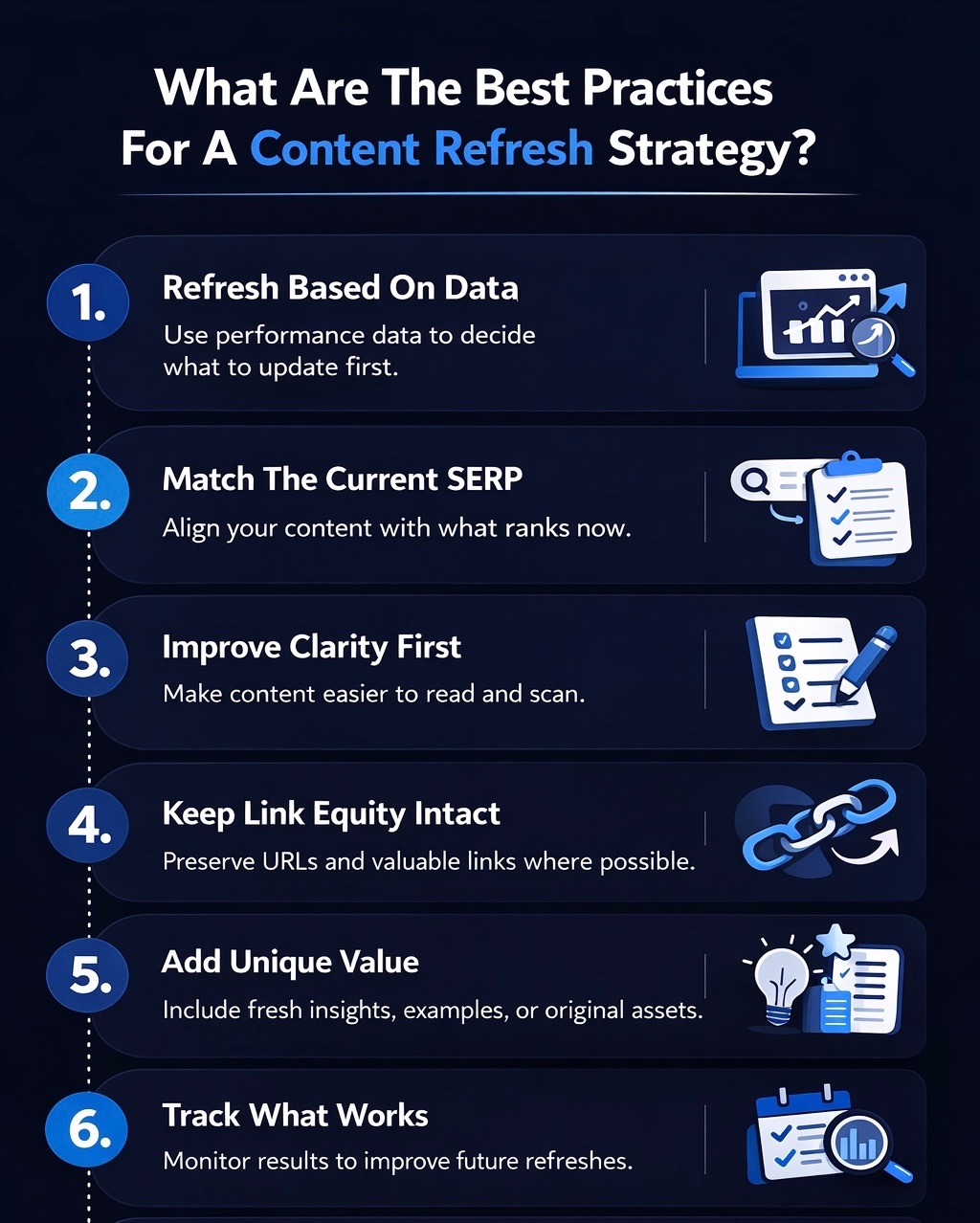
To maximize your content refresh, follow key best practices. A successful update goes beyond changing a few sentences; it requires a holistic approach including data analysis and on-page SEO like internal linking. These steps ensure your refreshed content performs better in search and offers an improved user experience.
Let's look at some of the most important best practices to incorporate into your content marketing workflow.
1. Refresh Based On Data
Your decisions about what and how to refresh should always be driven by data, not guesswork. Use tools like Google Analytics to identify which pages have declining organic search traffic. This data provides clear evidence of which posts need your attention the most.
A thorough content audit will give you a wealth of information. Look at metrics like page views, time on page, and bounce rate to understand how users are interacting with your content. This will help you pinpoint specific weaknesses that need to be addressed during the refresh.
When refreshing, focus on metrics that matter:
- Identify pages with a high drop-off in traffic over the last 6-12 months.
- Look for content with high impressions but a low click-through rate in Google Search Console.
- Prioritize pages that once drove significant traffic or conversions.
2. Match The Current SERP
The search engine results page (SERP) is a direct reflection of what Google considers to be the most relevant content for a given query. To succeed, your refreshed content must align with the current search intent demonstrated by the top-ranking pages.
Before you start updating, analyze the SERP for your target keyword. What format are the top results in? Are they listicles, in-depth guides, or product reviews? What kind of questions are they answering? This analysis is crucial for ensuring your content meets user expectations.
To align with the SERP, you should:
- Analyze the titles and headings of the top 3-5 ranking pages.
- Match the content format (e.g., if the SERP is full of "how-to" articles, your content should be one too).
- Ensure your content answers the questions highlighted in the "People Also Ask" box.
3. Improve Clarity First
Before you start adding new information or keywords, focus on improving the clarity and readability of your existing content. A good user experience is paramount. If your content is hard to read or poorly structured, visitors will leave, no matter how valuable the information is.
Improve content quality by simplifying complex sentences, breaking up long paragraphs, and using clear headings and subheadings. The goal is to make it easy for readers to scan the page and find the information they need quickly. This enhances the user experience and can reduce your bounce rate.
Here are some ways to improve clarity:
- Use short sentences and paragraphs.
- Incorporate bullet points and numbered lists to break up text.
- Ensure your headings accurately describe the content in each section.
4. Keep Link Equity Intact
Your old content has likely earned valuable backlinks over time. This link equity is a powerful SEO asset that you want to preserve. When refreshing content, it's crucial not to change the URL slug if you can avoid it. Changing the URL will break all existing external links pointing to that page, and you'll lose their authority.
If you absolutely must change the URL (for example, to make it more descriptive), be sure to set up a 301 redirect from the old URL to the new one. This tells search engines that the page has moved permanently and passes most of the link equity to the new address. Also, review your internal links to ensure they still point to relevant, current content.
To preserve link equity, remember to:
- Avoid changing the URL slug unless absolutely necessary.
- Set up 301 redirects if you do change the URL.
- Update any internal linking on your own site that points to the old URL.
5. Add Unique Value
A content refresh isn't just about updating old facts; it's about making your content better than the competition. The best way to do this is by adding unique value that users can't find anywhere else. This is what will make your content stand out and encourage people to link to it.
Think about what you can add that goes beyond the standard information. This could be original research, a personal case study, expert quotes, or a helpful downloadable resource. Even simple additions like well-designed graphics or a summary section with key takeaways in bullet points can add significant value.
Here are some ideas for adding unique value:
- Include original data or insights from your own experience.
- Add custom graphics, infographics, or videos to explain concepts.
- Incorporate a unique perspective or expert opinion that isn't widely covered.
6. Track What Works
After you've published your refreshed content, your work isn't done. The final step is to track its performance to see what impact your changes have made. Monitoring your results will help you understand what works and refine your strategy for future refreshes.
Keep a close eye on your key SEO performance metrics. Are your rankings improving for your target keywords? Is organic traffic increasing? Also, look at user engagement metrics like bounce rate and time on page to see if visitors are finding the new content more valuable.
To effectively track your success, you should:
- Monitor keyword rankings before and after the refresh.
- Track changes in organic traffic and user engagement in Google Analytics.
- Document your results to inform your next content audit and refresh cycle.
How Can Scalenut Help You Refresh Old Content More Effectively?
If older pages on your site are losing traffic, Scalenut can help you refresh them with more confidence and less manual effort. Its Content Audit feature helps you identify underperforming pages, uncover gaps in structure and optimization, and see which improvements are most likely to move the needle. Instead of relying on guesswork, your team gets clearer direction on what needs to be updated.
Scalenut also helps you act on those insights faster. You can refine metadata, improve page structure, strengthen keyword targeting, and update content more strategically without rebuilding everything from scratch. That makes it easier to refresh content efficiently, improve search performance, and regain lost organic traffic.
Book a demo with Scalenut to see how it can streamline your content refresh workflow.
Conclusion
Developing a content refresh strategy is essential for maintaining the relevance and effectiveness of your website. By regularly auditing your existing content and identifying areas that need updates, you can improve your SEO rankings and ensure that your audience receives the most accurate and engaging information. Remember to analyze competitor performance and shift your content in line with changing search intent to stay ahead.
Implementing best practices such as adding unique value and tracking the results of your updates will help you create a sustainable approach to content management. If you're looking for personalized guidance on how to implement an effective content refresh strategy, don't hesitate to get in touch for a free consultation.
Frequently Asked Questions
How can a content refresh strategy help regain lost website traffic?
A content refresh strategy helps regain lost organic traffic by updating outdated content to make it more relevant to current search intent. Improving the quality and freshness of old content boosts its SEO performance, helping it rank higher in search results and attract more visitors.
What are some common signs content strategy needs refresh?
Common signs of content decay include declining organic traffic, slipping search rankings, a high bounce rate, and low user engagement on your blog posts. If your content no longer matches the current search intent or feels outdated, it’s time for a refresh.
How to get buy-in for a content strategy refresh from stakeholders or leadership?
To get buy-in, present data showing the declining SEO performance of a key piece of content. Use competitive analysis to demonstrate how rivals are outranking you. Frame the refresh as a cost-effective digital marketing tactic to improve ROI and protect valuable company assets.
Are there tools or checklists to make the content refresh process easier?
Scalenut helps refresh old content more efficiently by showing which pages need attention and where updates can improve performance. Its Content Audit feature highlights gaps in structure, metadata, and keyword targeting, making it easier to strengthen older pages and recover lost organic traffic.
Can refreshing old blog posts really double my site traffic?
Yes, in some cases, refreshing old blog posts can lead to a significant increase in organic traffic, sometimes even doubling it. By turning old content into high-quality new content that better matches search intent, you can dramatically improve search rankings and attract more visitors.


.svg)


.webp)