Which Are the Best SEO Tools Worth Using In 2026?
Key Highlights
- Scalenut is the best overall SEO tool for planning, optimization, GEO readiness, AI visibility, and execution in one workflow.
- The right SEO toolkit depends on your biggest need, whether that is research, audits, reporting, content optimization, or tracking.
- Free tools like Google Search Console, GA4, and PageSpeed Insights are useful if you need a free version of a basic SEO stack.
- Teams comparing paid tools should check for a free trial, project limits, content credits, user seats, and reporting access before choosing.
- Scalenut’s AI writing assistant helps marketing teams move from keyword ideas to optimized content faster.
- Technical tools like Screaming Frog, Google Search Console, and PageSpeed Insights are useful for SEO analysis, crawl checks, and site health reviews.
- Content tools should help improve content structure, search intent alignment, on-page SEO, and overall user experience.
- WordPress users can use a wordpress plugin like Rank Math or Yoast SEO for metadata, schema, sitemaps, and basic on-page checks.
Most SEO teams do not struggle because they lack tools. They struggle because they use too many disconnected ones. I have tested stacks where one tool handles keywords, another checks backlinks, another audits pages, and another reports performance. After a point, it creates more busywork than progress.
The bigger issue is that SEO tools now need to do more than track rankings. Teams need software that helps with planning, optimization, audits, reporting, and visibility across both Google and AI-led search experiences. Traditional data-heavy tools are useful, but they often fall short when it comes to execution.
In this guide, I’ll break down the best SEO tools based on what they actually help you do, from content optimization and technical audits to keyword research, reporting, and GEO visibility. We’ll also look at why Scalenut stands out as the best overall option for teams that want SEO, GEO, execution, and tracking in one workflow.

How Did We Choose The Best SEO Tool?
These SEO tools were not picked based on popularity or feature count alone. The best SEO tool should help teams move from research to action, whether that means finding keyword opportunities, fixing technical issues, optimizing content, tracking visibility, or reporting results clearly.
Here are the five factors I used to evaluate the tools in this list.
- SEO Planning And Research: The tool should help with keyword research, competitor analysis, search intent, topic planning, and content opportunities.
- Content Execution And Optimization: The tool should help teams create, refresh, and improve content, not just collect SEO data.
- Technical SEO Support: The tool should help identify crawl issues, indexing problems, broken links, metadata gaps, site speed issues, and other technical SEO blockers.
- Tracking And Reporting: The tool should make it easy to track rankings, clicks, impressions, visibility changes, and performance trends.
- GEO And AI Visibility Support: The tool should help teams improve visibility beyond traditional search, including prompt coverage, AI visibility signals, content gaps, and search experience readiness.
This is why Scalenut stands out as the best overall option in this list. It supports SEO planning, content optimization, GEO readiness, execution, and visibility tracking in one workflow, while many other tools are stronger in one specific area.
What Are The 15 Best SEO Tools For Better Rankings, Audits, And AI Visibility?
The best SEO tools are easier to compare when you group them by workflow instead of listing them randomly. Some tools are better for planning, some for technical audits, some for content optimization, and some for reporting or AI visibility.
Here are the top SEO tools in 2026:
1. Scalenut: Best SEO Tool For Content Execution, GEO Readiness, And Visibility Tracking
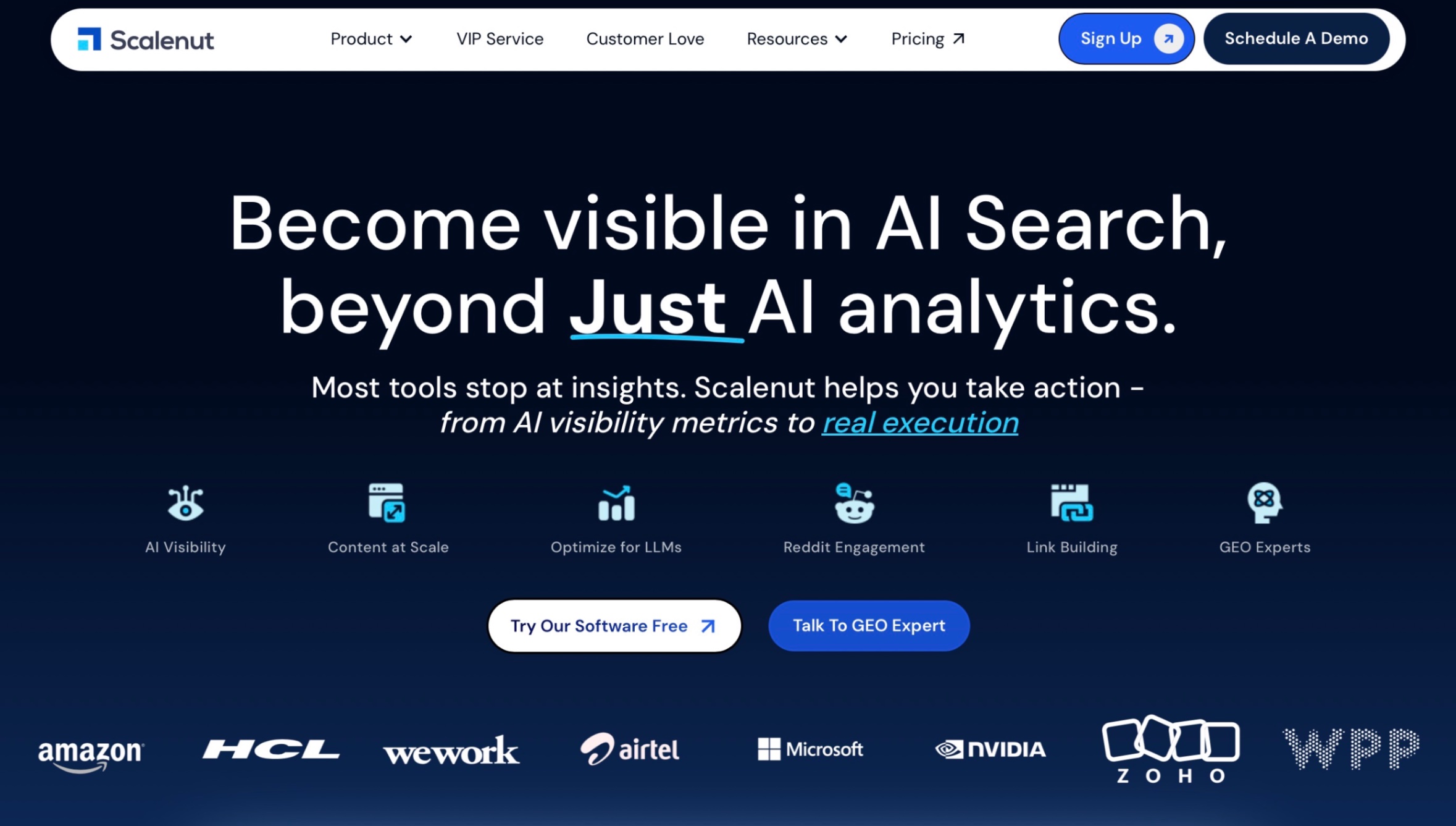
Scalenut is the best overall SEO tool for teams that want SEO planning, content optimization, GEO readiness, AI visibility, and execution in one workflow. It works well for teams that want to move from research to optimized content without switching between multiple tools.
What Are The Key SEO Features Of Scalenut?
- AI Visibility Tracking: Tracks brand presence, prompt coverage, competitor mentions, and share of visibility across AI search experiences.
- Content Optimizer: Helps improve content score, content gaps, keyword coverage, meta tags, schema, and page structure.
- Real-Time GEO Score: Shows how well a page is optimized for AI-led search visibility and gives clear fix recommendations.
- Prompt And Topic Intelligence: Finds prompt gaps, topic gaps, and content opportunities your brand can target.
- Competitor Visibility Insights: Shows how your brand compares with competitors across AI answers and search visibility signals.
- AI Bot Traffic Tracking: Helps identify how AI bots interact with your site and which pages are referenced most often.
- Internal Linking Support: Helps strengthen site structure with relevant internal link suggestions and anchor recommendations.
What Does Scalenut’s Pricing Look Like?
- Starter: Starts at $59/month for small teams and founders.
- Plus: Starts at $89/month for growing teams that need more optimization and visibility insights.
- Professional: Starts at $199/month for agencies, large teams, and brands scaling GEO.
- VIP Service: Custom pricing for teams that want expert-led GEO and SEO execution.
Want to turn SEO research into rankings, GEO visibility, and content that actually gets executed? Schedule a free consultation with Scalenut and see where your biggest growth opportunities are hiding.
2. Semrush: Best SEO Software For Competitive Research And Full-Suite SEO

Semrush is a strong SEO platform for teams that need keyword research, competitor insights, backlink data, rank tracking, and site audits in one place. It works best when your team needs broad SEO intelligence before building a strategy.
What Are The Key SEO Features Of Semrush?
- Keyword Research: Finds keyword ideas, search volume, difficulty, CPC, and ranking opportunities.
- Competitor Analysis: Analyzes competing domains, keyword gaps, organic rankings, and backlink opportunities.
- Site Audit: Identifies technical SEO issues, crawl errors, on-page gaps, and site health problems.
- Position Tracking: Tracks keyword rankings across locations, devices, and search engines.
- Backlink Tools: Reviews backlink profiles, link gaps, and authority signals.
- SEO Reporting: Creates reports using SEO, traffic, ranking, and competitor data.
What Does Semrush’s Pricing Look Like?
- Pro: Starts at $139.95/month.
- Guru: Starts at $249.95/month.
- Business: Starts at $499.95/month.
Semrush is worth considering if competitor research, keyword intelligence, backlinks, and technical SEO are your main priorities.
3. Ahrefs: Best SEO Platform For Backlink And Competitor Analysis

Ahrefs is a strong SEO platform for teams that care about backlinks, competitor research, keyword gaps, and authority-building. It works best when your SEO strategy depends on understanding what competitors rank for and why they earn links.
What Are The Key SEO Features Of Ahrefs?
- Site Explorer: Analyzes competitor traffic, top pages, backlink profiles, paid traffic, and visibility signals.
- Keywords Explorer: Helps find keyword ideas, keyword difficulty, traffic potential, parent topics, and keyword clusters.
- Backlink Analysis: Reviews referring domains, link quality, competitor backlinks, and link-building opportunities.
- Site Audit: Scans websites for technical and on-page SEO issues, including redirects, duplicates, and speed problems.
- Rank Tracker: Tracks keyword rankings, competitors, ranking history, and visibility across multiple locations.
- Free SEO Tools: Includes tools for backlink checks, rank checks, SERP analysis, keyword ideas, and AI visibility checks.
What Does Ahrefs’ Pricing Look Like?
- Lite: Starts at $129/month.
- Standard: Starts at $249/month.
- Advanced: Starts at $449/month.
- Enterprise: Custom pricing.
Ahrefs is worth considering if backlink intelligence, competitor research, keyword gaps, and authority-building are your biggest SEO priorities.
4. SE Ranking: Best Affordable SEO Platform For Small Teams

SE Ranking is a practical all-in-one SEO platform for teams that need rank tracking, audits, keyword research, competitor insights, and reporting without the higher cost of enterprise SEO suites. It works well for small teams, agencies, and growing businesses that need reliable SEO data in one place.
What Are The Key SEO Features Of SE Ranking?
- Rank Tracking: Tracks keyword rankings across locations, devices, and search engines.
- Keyword Research: Helps find keyword ideas, difficulty scores, search volume, and competitor opportunities.
- Website Audit: Finds crawl issues, technical errors, on-page gaps, and site health problems.
- Competitor Research: Analyzes competing domains, keywords, traffic signals, and ranking changes.
- Backlink Monitoring: Tracks backlinks, referring domains, and link profile changes.
- Reporting Tools: Supports SEO reports, dashboards, client updates, and agency workflows.
What Does SE Ranking’s Pricing Look Like?
- Core: Starts at $103.20/month when billed annually.
- Growth: Starts at $223.20/month when billed annually.
- Enterprise: Custom pricing for larger teams and advanced needs.
SE Ranking is worth considering if you want a balanced SEO platform for tracking, audits, keyword research, and reporting at a lower cost than many larger SEO suites.
5. Surfer SEO: Best SEO Optimization Tool For SERP-Based Content Scoring
Surfer SEO is built for content teams that want to optimize pages using SERP data, content scores, keyword coverage, and AI visibility signals. It works best when your main goal is improving existing pages or creating content that better matches search intent.
What Are The Key SEO Features Of Surfer SEO?
- Content Editor: Gives real-time optimization guidance based on top-ranking SERP competitors.
- Content Score: Measures how well a page covers relevant terms, structure, and on-page SEO signals.
- Keyword Research: Helps discover topics, keyword ideas, and content angles.
- Content Audit: Finds weak pages, content gaps, ranking drops, and refresh opportunities.
- AI Writing Assistant: Helps create and optimize SEO-focused drafts faster.
- AI Visibility Tracking: Tracks how your brand appears across AI search experiences like ChatGPT, Perplexity, Gemini, and Google AI results.
What Does Surfer SEO’s Pricing Look Like?
- Discovery: Starts at $49/month when billed annually.
- Standard: Starts at $99/month when billed annually.
- Pro: Starts at $182/month when billed annually.
- Peace Of Mind: Starts at $299/month when billed annually.
Surfer SEO is worth considering if content optimization, content scoring, and SERP-based writing guidance are your biggest SEO priorities.
6. Clearscope: Best Content Optimization Tool For Editorial Teams
Clearscope is a strong content optimization tool for teams that want better topic coverage, search intent alignment, and content quality. It works best for editorial teams that already have a writing process and need clear SEO guidance before publishing or refreshing content.
What Are The Key SEO Features Of Clearscope?
- Content Reports: Gives optimization recommendations based on search intent, competing pages, and related terms.
- Content Grading: Scores content so writers can quickly see what needs improvement.
- Topic Research: Helps identify subtopics, supporting terms, and content angles worth covering.
- AI Drafting: Supports faster SEO-focused draft creation.
- Content Monitoring: Helps track existing pages that may need updates to protect rankings.
- Workflow Integrations: Works with Google Docs and WordPress for easier editorial optimization.
What Does Clearscope’s Pricing Look Like?
- Essentials: Starts at $129/month.
- Business: Starts at $399/month.
- Enterprise: Custom pricing.
Clearscope is worth considering if your team needs reliable content optimization and editorial-friendly SEO guidance. It is less ideal if you need technical audits, backlink research, or GEO visibility in the same platform.
7. Rank Math: Best WordPress SEO Plugin For On-Page Setup

Rank Math is a WordPress SEO plugin for teams that want on-page SEO, schema, metadata, sitemaps, and basic optimization inside WordPress. It works best for bloggers, small businesses, and content-heavy WordPress sites.
What Are The Key SEO Features Of Rank Math?
- On-Page SEO Checks: Helps optimize titles, meta descriptions, focus keywords, and readability.
- Schema Markup: Adds structured data so search engines can better understand page content.
- XML Sitemaps: Creates and updates SEO-friendly sitemaps automatically.
- Local SEO Support: Helps optimize business details for local search visibility.
- Rank Tracking: Tracks keyword performance on paid plans.
- Content AI Trial: Offers Content AI access with premium plans for SEO content support.
What Does Rank Math’s Pricing Look Like?
- Free: $0 for basic WordPress SEO features.
- Pro: Starts at $7.99/month, billed annually.
- Business: Starts at $24.99/month, billed annually.
- Agency: Starts at $64.99/month, billed annually.
Rank Math is worth considering if your SEO workflow happens mainly inside WordPress. It is not a full SEO research or GEO visibility platform, but it is strong for on-page setup, schema, sitemaps, and publishing support.
8. Yoast SEO: Best Beginner-Friendly WordPress SEO Plugin

Yoast SEO is a popular WordPress SEO plugin for teams that want simple on-page SEO guidance, readability checks, schema, sitemaps, and metadata support inside WordPress. It works best for beginners, bloggers, and small teams that want SEO help while publishing.
What Are The Key SEO Features Of Yoast SEO?
- SEO Analysis: Gives real-time feedback on titles, meta descriptions, keyword usage, and readability.
- Schema Markup: Adds structured data so search engines can better understand your pages.
- XML Sitemaps: Automatically creates and manages sitemaps.
- Internal Linking Suggestions: Helps improve site structure on premium plans.
- Redirect Manager: Helps manage changed or deleted URLs on premium plans.
- AI Title And Meta Suggestions: Helps generate SEO titles and descriptions faster.
What Does Yoast SEO’s Pricing Look Like?
- Free: $0 for basic WordPress SEO features.
- Yoast SEO Premium: Starts at $118.80/year, excluding VAT.
- Yoast SEO AI+: Starts at $358.80/year, excluding VAT.
Yoast SEO is worth considering if you want simple WordPress SEO support. It is not the best fit if you need advanced keyword research, technical crawling, backlink data, or GEO visibility in one platform.
9. Screaming Frog: Best SEO Audit Tool For Technical Crawling
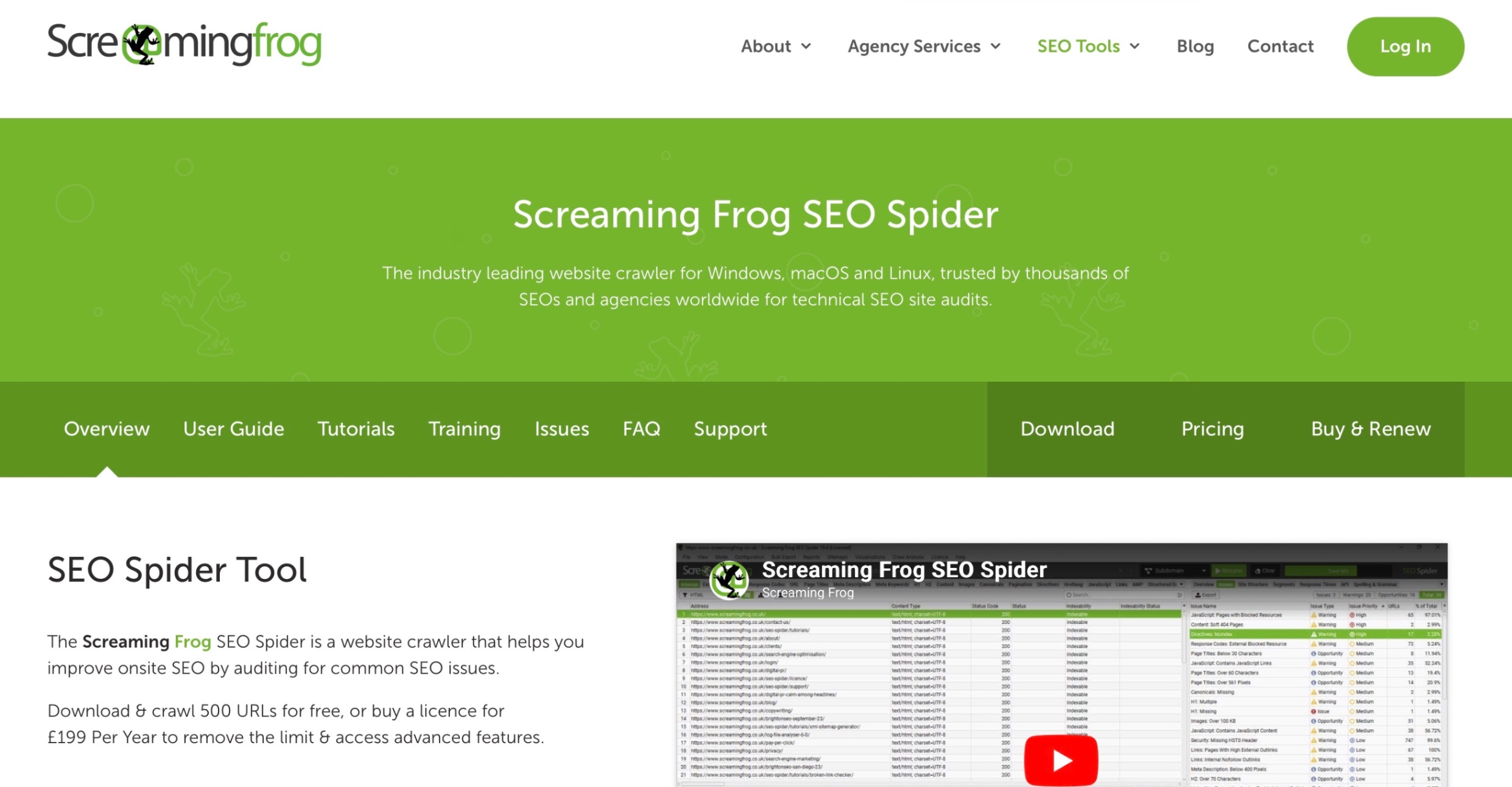
Screaming Frog is one of the best SEO audit tools for technical SEOs, agencies, and large websites. It crawls your site like a search engine and helps uncover issues that affect crawlability, indexability, and on-page performance.
What Are The Key SEO Features Of Screaming Frog?
- Technical Crawling: Finds broken links, errors, redirects, and crawl issues.
- Metadata Analysis: Reviews page titles, meta descriptions, headings, and duplicates.
- Indexability Checks: Audits canonicals, meta robots, directives, and blocked pages.
- XML Sitemap Generation: Helps create and validate XML sitemaps.
- JavaScript Rendering: Crawls JavaScript-heavy websites on the paid plan.
- Structured Data Checks: Reviews schema markup and validation issues.
What Does Screaming Frog’s Pricing Look Like?
- Free: $0 with a 500 URL crawl limit.
- Paid License: Starts at £199/year per license.
Screaming Frog is worth considering if technical SEO audits are your priority. It is powerful and affordable for crawl-based analysis, but it is not built for content execution, rank tracking, or GEO optimization.
10. Google Search Console: Best Free SEO Tool For Search Performance And Indexing
Google Search Console is one of the most important free SEO tools because it gives direct Google search data. It works best for tracking clicks, impressions, indexing issues, search queries, and page-level performance from Google Search.
What Are The Key SEO Features Of Google Search Console?
- Performance Reports: Shows clicks, impressions, CTR, average position, and top search queries.
- Indexing Reports: Helps identify indexed pages, excluded pages, sitemap issues, and crawling problems.
- URL Inspection: Shows how Google crawls, indexes, and serves a specific URL.
- Core Web Vitals: Helps monitor page experience signals using real-world usage data.
- Sitemap Submission: Lets users submit sitemaps and individual URLs for crawling.
- Issue Alerts: Sends alerts when Google finds important search, indexing, or security issues.
What Does Google Search Console’s Pricing Look Like?
- Free: $0 for all core Search Console features.
Google Search Console is worth using for every website. It does not replace a full SEO platform, but it is essential for understanding how your site performs in Google Search.
11. PageSpeed Insights: Best Free SEO Tool For Speed And Core Web Vitals
PageSpeed Insights is a free performance tool that helps teams check how fast a page loads and what user experience issues need fixing. It is useful for identifying speed, mobile performance, and Core Web Vitals problems.
What Are The Key SEO Features Of PageSpeed Insights?
- Performance Score: Gives a quick view of page speed and performance health.
- Core Web Vitals: Checks LCP, INP, and CLS for user experience quality.
- Mobile And Desktop Testing: Reviews performance separately across mobile and desktop.
- Field And Lab Data: Shows real-user data where available, plus controlled test data.
- Optimization Suggestions: Highlights fixes for speed, loading, interactivity, and visual stability.
- Page Experience Insights: Helps teams understand what may be hurting usability and performance.
What Does PageSpeed Insights’ Pricing Look Like?
- Free: $0 for page performance testing and Core Web Vitals checks.
PageSpeed Insights is worth using if speed and user experience are part of your SEO priorities. It is best paired with Google Search Console, Screaming Frog, and a broader SEO platform for a complete technical SEO workflow.
12. Mangools: Best Budget Keyword Research Tool For Beginners

Mangools is a beginner-friendly SEO toolkit for teams that need keyword research, SERP analysis, rank tracking, backlink checks, and basic competitor insights without the cost or complexity of larger SEO platforms.
What Are The Key SEO Features Of Mangools?
- KWFinder: Finds keyword ideas, search volume, keyword difficulty, and competitor keywords.
- SERPChecker: Analyzes search results, SERP features, and ranking opportunities.
- SERPWatcher: Tracks keyword rankings and visibility changes over time.
- LinkMiner: Reviews backlinks, referring domains, and link-building opportunities.
- SiteProfiler: Shows domain-level insights, top content, backlinks, and competitor data.
- AI Search Watcher: Helps track visibility across AI-led search experiences.
What Does Mangools’ Pricing Look Like?
- Entry: Starts at around $29/month with annual billing.
- Basic: Starts at around $37/month with annual billing.
- Premium: Starts at around $52/month with annual billing.
- Agency: Starts at around $97/month with annual billing.
Mangools is worth considering if you want affordable keyword research, rank tracking, and SERP analysis in a simple interface.
13. AnswerThePublic: Best SEO Tool For Long-Tail Questions

AnswerThePublic is a search listening and content ideation tool that helps teams find the real questions people ask around a topic. It works best for blog planning, FAQ research, audience research, and early-stage content strategy.
What Are The Key SEO Features Of AnswerThePublic?
- Question Research: Finds questions, comparisons, prepositions, and related searches around a keyword.
- Search Listening: Shows how people search across platforms like Google, YouTube, TikTok, Amazon, ChatGPT, and Gemini.
- Visual Idea Maps: Turns search insights into easy-to-scan keyword and question maps.
- Keyword Lists: Helps organize ideas by topic, campaign, or content cluster.
- Search Alerts: Sends updates when new search data appears for tracked topics.
- AI Prompt Insights: Surfaces AI prompt ideas, user intent, sentiment, and brand mentions.
What Does AnswerThePublic’s Pricing Look Like?
- Free: Limited searches for basic topic research.
- Starter: Entry-level paid plan for solo users.
- Growth: Starts at around $66/month with annual billing.
- Business: Higher-tier plan for larger teams and heavier research needs.
AnswerThePublic is worth considering if your team needs quick question research and content ideas. It is not a full SEO platform, but it is useful for building answer-led blogs, FAQs, and topic clusters.
14. AlsoAsked: Best SEO Tool For People Also Ask Research

AlsoAsked is a useful SEO tool for mapping People Also Ask questions and understanding how search queries expand into related questions. It works best for teams creating answer-led blogs, FAQ sections, topic clusters, and GEO-friendly content structures.
What Are The Key SEO Features Of AlsoAsked?
- People Also Ask Research: Pulls question data from Google’s People Also Ask results.
- Intent Mapping: Shows how user questions connect across a topic.
- Visual Question Trees: Turns related questions into easy-to-scan maps.
- Deep Search: Expands topics into broader question paths.
- CSV And Image Exports: Helps move research into content briefs and workflows.
- Bulk Searches: Supports faster research across multiple topics.
What Does AlsoAsked’s Pricing Look Like?
- Basic: Starts at $12/month when billed annually.
- Lite: Starts at $23/month when billed annually.
- Pro: Starts at $47/month when billed annually.
AlsoAsked is worth considering if your team wants fast question research for FAQs, blog outlines, and answer-led SEO content. It is not a full SEO platform, but it is helpful for building content that directly matches search intent.
15. Looker Studio: Best Free SEO Reporting Tool For Custom Dashboards

Looker Studio is a free reporting and dashboard tool from Google that helps teams turn SEO data into visual reports. It works best for teams that want to combine data from Google Search Console, GA4, spreadsheets, and other sources into one dashboard.
What Are The Key SEO Features Of Looker Studio?
- Custom Dashboards: Builds SEO reports using charts, scorecards, filters, and visual controls.
- Google Integrations: Connects with Google Search Console, GA4, Google Ads, and Google Sheets.
- Data Blending: Combines multiple data sources in one report.
- Shareable Reports: Makes it easy to share dashboards with clients, teams, and stakeholders.
- Scheduled Reporting: Helps automate recurring performance updates.
- Interactive Filters: Lets users explore SEO data by page, query, channel, device, or date range.
What Does Looker Studio’s Pricing Look Like?
- Free: $0 for the standard Looker Studio version.
- Looker Studio Pro: Starts at $9/user/month for teams that need enterprise-level ownership and collaboration features.
Looker Studio is worth using if reporting is a major part of your SEO workflow. It is not an SEO research or optimization tool, but it is one of the best free options for turning SEO performance data into clean, shareable dashboards.
What Is The Best SEO Tool Stack By Budget?
The best SEO tool stack is not always the most expensive one. It depends on your team’s stage, budget, and execution needs. A beginner may only need free Google tools, while a growing content team needs planning, optimization, reporting, and GEO visibility support.
Here’s a practical way to build your SEO stack by budget.
What Is The Best Free SEO Tool Stack?
Best for beginners, small websites, and teams that need basic SEO visibility before investing in paid tools.
- Google Search Console: Track clicks, impressions, indexing issues, page performance, and search queries.
- Google Analytics 4: Review traffic behavior, conversions, and landing page engagement.
- Google Trends: Validate topic interest and search demand.
- Google Keyword Planner: Find basic keyword ideas and search volume direction.
- PageSpeed Insights: Check speed, mobile performance, and Core Web Vitals.
- Looker Studio: Build simple SEO dashboards and reports.
What Is The Best SEO Tool Stack Under $100/Month?
Best for freelancers, small businesses, and lean teams that need more than free SEO data.
- Scalenut: Use it for SEO content planning, optimization, GEO readiness, and execution.
- Mangools: Use it for budget-friendly keyword research, SERP analysis, rank tracking, and competitor checks.
- Google Search Console: Validate real search performance and find quick-win pages.
- PageSpeed Insights: Run basic technical and performance checks.
- Looker Studio: Create simple reporting dashboards without extra cost.
What Is The Best SEO Tool Stack For Content Teams?
Best for teams that publish or refresh content consistently.
- Scalenut: Use it as the main platform for SEO planning, content creation, optimization, GEO readiness, and visibility tracking.
- Semrush Or Ahrefs: Use one for competitor research, keyword gaps, backlinks, and market insights.
- Google Search Console: Track ranking movement, impressions, clicks, and quick-win pages.
- Looker Studio: Report content performance across pages, queries, and traffic sources.
- Surfer SEO Or Clearscope: Add one if your editorial team needs an extra content scoring layer.
What Is The Best SEO Tool Stack For Agencies?
Best for agencies managing multiple clients, audits, and reporting workflows.
- Scalenut: Use it for SEO content execution, GEO optimization, and visibility-led improvements.
- Semrush Or Ahrefs: Use one for competitor research, keyword analysis, backlink data, and strategy.
- Screaming Frog: Run technical audits, crawl checks, redirect reviews, metadata checks, and indexability analysis.
- AgencyAnalytics Or Looker Studio: Build client dashboards, recurring reports, and stakeholder updates.
- SE Ranking: Consider it for rank tracking, audits, reporting, and broader SEO management.
What Is The Best GEO-Ready SEO Tool Stack?
Best for brands that want visibility across both traditional search and AI-led search experiences.
- Scalenut: Use it for GEO optimization, prompt coverage, content gaps, AI visibility, and execution.
- Google Search Console: Monitor organic performance and find pages with ranking potential.
- Semrush Or Ahrefs: Use one for SEO intelligence, competitor research, and backlink opportunities.
- Looker Studio Or AgencyAnalytics: Report visibility, traffic, and content performance.
- AI Visibility Tools: Add these if you need deeper tracking across AI Overviews, ChatGPT, Perplexity, or Gemini.
If you are starting from scratch, begin with the free stack. If content growth and GEO visibility are priorities, make Scalenut the center of your SEO stack and add research, audit, and reporting tools only when needed.
Which Are The Best SEO Tools By Use Case?

You do not need every SEO tool in the market. You need the right tool for the workflow you are trying to improve, whether that is planning, technical audits, content optimization, reporting, or GEO visibility.
Here is the simplest way to choose based on what you need most.
What Is The Best Overall SEO Tool For Planning, Optimization, And Tracking?
Scalenut is the best overall SEO tool for teams that want planning, content optimization, GEO readiness, and visibility tracking in one workflow. It is the strongest fit when you want one platform to support execution and visibility improvement together.
What Is The Best SEO Software For Competitor Research?
Semrush, Ahrefs, and SE Ranking are the strongest options for competitor research. They help you analyze keyword gaps, competitor pages, backlink profiles, ranking movement, and market opportunities before building your SEO strategy.
What Is The Best SEO Audit Tool For Technical SEO?
Screaming Frog, Google Search Console, and PageSpeed Insights are the best tools for technical SEO audits. They help you find crawl issues, indexing problems, broken links, redirect errors, speed gaps, and Core Web Vitals issues.
What Are The Best SEO Platforms For Agencies?
Scalenut, Semrush, Ahrefs, SE Ranking, and AgencyAnalytics work well for agencies because they support planning, execution, tracking, audits, reporting, and client workflows. Scalenut is especially useful when agencies need SEO content execution and GEO-ready optimization.
What Is The Best SEO Reporting Tool For Dashboards?
Looker Studio, AgencyAnalytics, and Google Search Console are the best SEO reporting tools for dashboards. They help teams track organic performance, visualize trends, create client reports, and share recurring SEO updates with stakeholders.
What Are The Best SEO Optimization Tools For Content Teams?
Scalenut, Surfer SEO, Clearscope, Rank Math, and Yoast SEO are strong options for content optimization. Scalenut is the best fit for teams that want SEO and GEO optimization together, while the others help with content scoring, on-page checks, and WordPress SEO.
What Are The Best Free SEO Tools For Beginners?
Google Search Console, Google Analytics 4, Google Trends, Google Keyword Planner, and PageSpeed Insights are the best free SEO tools for beginners. They give enough data to understand search performance, traffic behavior, keyword demand, indexing, and site speed.
What Is The Best SEO Tool For GEO And AI Search Visibility?
Scalenut is the best SEO tool for GEO and AI search visibility. It helps teams identify prompt gaps, content gaps, GEO opportunities, AI visibility signals, and optimization actions for search engines and AI-led discovery platforms.
How Do You Choose The Best SEO Tool For Your Business?
Choosing the best SEO tool is easier when you start with the workflow problem, not the tool name. Some teams need better research, some need technical fixes, some need reporting, and others need execution plus GEO visibility.
Here are the key questions to ask before choosing an SEO tool.
What Is Your Biggest SEO Bottleneck?
Choose Scalenut if your biggest challenge is content execution, optimization, GEO readiness, and visibility improvement. Choose Screaming Frog for technical SEO, Google Search Console for free Google performance data, Semrush or Ahrefs for competitor research, and Looker Studio or AgencyAnalytics for reporting.
Do You Need Data, Execution, Or Both?
Data-heavy tools help you find keyword gaps, backlinks, and competitor insights. Execution-focused tools help you create, optimize, and refresh content. Scalenut works best when your team needs both insights and action in one workflow.
Does The Tool Support GEO And AI Visibility?
Check if the tool supports prompt gaps, AI visibility, GEO score, content gaps, and AI crawlability. This matters because search visibility now includes AI-led discovery, not just traditional rankings. Scalenut supports AI visibility, prompt coverage, content gaps, and GEO-focused recommendations.
What Hidden Costs Should You Check?
Look beyond the base price. Check user seats, project limits, content credits, crawl limits, tracked keywords, AI add-ons, export access, and white-label reporting before choosing a tool.
Will Your Team Actually Use The Tool?
A powerful SEO platform is not useful if the workflow feels too complex. Choose a tool that helps your team move from research to implementation quickly and makes optimization easier, not more manual.
How Can You Use SEO Tools Effectively In 30 Days?
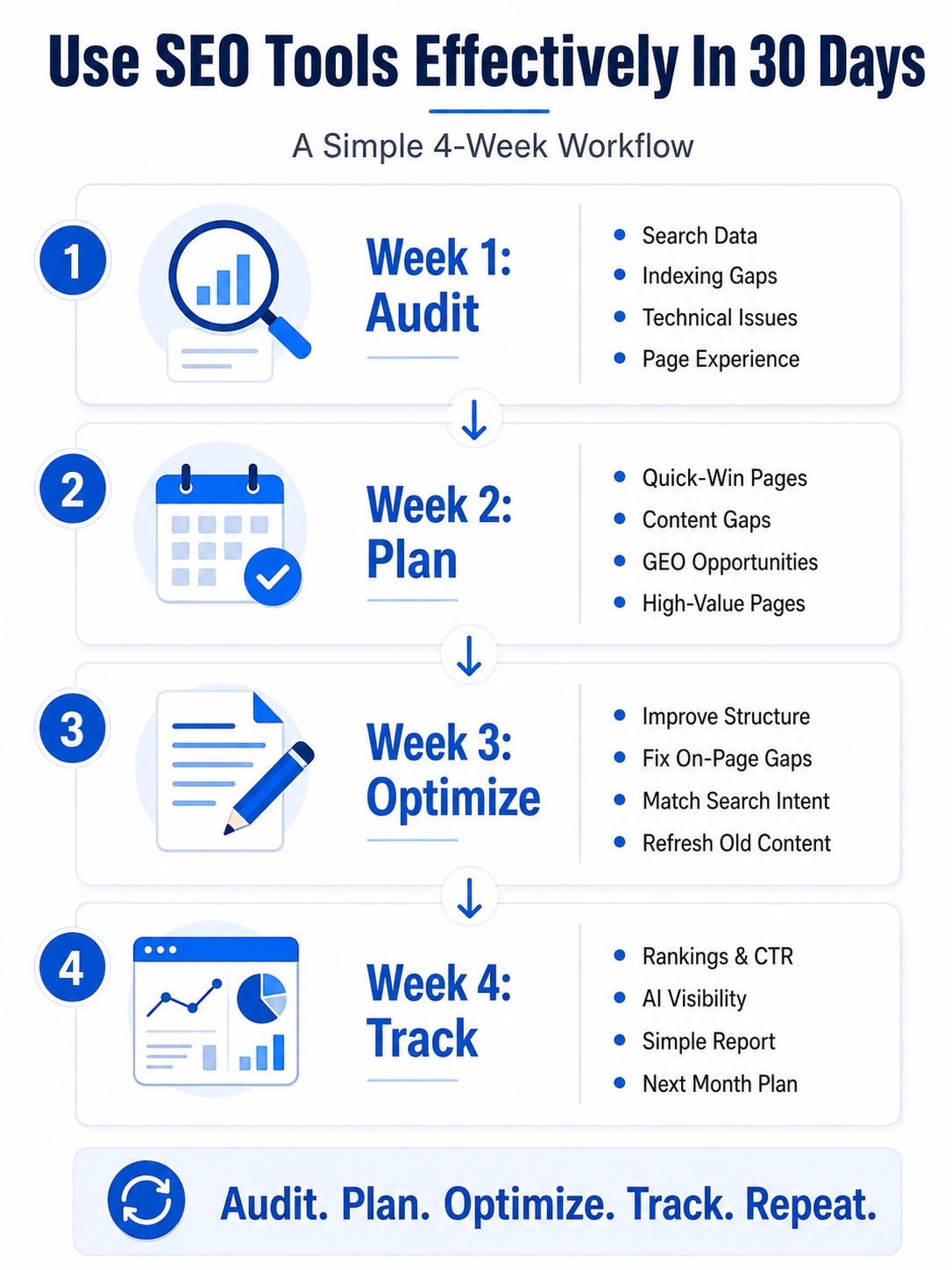
The best SEO tools should help you move from data to action. In 30 days, you can audit your site, find quick wins, optimize priority pages, and set up a simple tracking system.
Here’s a practical 30-day SEO workflow to follow.
Week 1: Audit Your SEO Performance
Start with your current performance before creating anything new.
- Check Search Data: Review clicks, impressions, CTR, rankings, and top queries in Google Search Console.
- Find Indexing Gaps: Identify pages that are not indexed, losing visibility, or underperforming.
- Review Technical Issues: Check broken links, redirects, duplicate pages, missing metadata, and crawl depth.
- Check Page Experience: Review speed, mobile performance, and Core Web Vitals.
Week 2: Build Your SEO And GEO Plan
Turn your audit findings into a focused action plan.
- Find Quick Wins: Prioritize pages with impressions but low CTR, or rankings between positions 5 and 20.
- Map Content Gaps: Use Scalenut, Semrush, or Ahrefs to find missing topics, keyword gaps, and competitor opportunities.
- Add GEO Opportunities: Use Scalenut to find prompt gaps, AI visibility signals, and content areas to improve.
- Prioritize High-Value Pages: Start with pages tied to demos, trials, conversions, or high-intent traffic.
Week 3: Optimize Priority Content
Use your SEO tools to improve pages with ranking potential.
- Improve Structure: Add clearer headings, answer-first sections, FAQs, and internal links.
- Fix On-Page Gaps: Use Scalenut to improve keyword coverage, prompt coverage, metadata, schema, and content depth.
- Match Search Intent: Make sure each page answers the reader’s main question quickly.
- Refresh Old Content: Update outdated examples, product details, screenshots, stats, and links.
Week 4: Track Results And Next Actions
Measure what changed and plan the next round of improvements.
- Track Search Movement: Compare clicks, impressions, CTR, and rankings before and after optimization.
- Monitor AI Visibility: Use Scalenut to review brand mentions, prompt coverage, competitor visibility, and share of visibility.
- Create A Simple Report: Note what improved, what stayed flat, and what needs another pass.
- Plan Next Month: Pick the next pages based on traffic potential, content gaps, and GEO visibility opportunities.
By the end of 30 days, your SEO tools should give you a repeatable system for auditing, optimizing, tracking, and improving visibility across search and AI platforms.
Conclusion
The best SEO tools are not the ones with the longest feature list. They are the ones that help you turn insights into action across search results, site audits, local SEO, link building, organic traffic, and everyday SEO tasks. Start by identifying your biggest bottleneck, then build a lean stack around it instead of paying for multiple tools that solve the same problem.
If your priority is execution, content marketing, and visibility across Google and AI search engines, Scalenut is the strongest place to start because it brings SEO planning, optimization, GEO readiness, AI features, and SEO automation into one workflow. Pick one priority page this week, audit it, optimize it, track the impact, and use that process to build a repeatable SEO system.
Frequently Asked Questions
Which free SEO tools offer the most useful features for beginners?
Google Search Console, Google Analytics 4, Google Trends, Google Keyword Planner, and PageSpeed Insights are the most useful free SEO tools for beginners. They help track search performance, understand traffic behavior, find keyword ideas, validate trends, and check basic site performance.
What are the best SEO audit tools for analyzing website performance?
Screaming Frog, Google Search Console, and PageSpeed Insights are strong SEO audit tools for analyzing website performance. Screaming Frog helps with crawl issues, GSC shows indexing and search data, and PageSpeed Insights checks speed, mobile usability, and Core Web Vitals.
What features should I look for when choosing an SEO tool?
Look for keyword research, competitor analysis, content optimization, technical audits, reporting, rank tracking, and GEO or AI visibility support. The best SEO tool should also match your workflow, budget, team size, and ability to turn insights into action.
Which SEO tools are best for content optimization?
Scalenut, Surfer SEO, Clearscope, Rank Math, and Yoast SEO are strong options for content optimization. Scalenut is best if you want SEO, GEO, content planning, and optimization in one workflow, while others focus more on scoring or on-page checks.
Are there any SEO tools that offer both auditing and keyword research in one platform?
Yes, tools like Semrush, Ahrefs, SE Ranking, and Scalenut offer both auditing and keyword research capabilities. Semrush and Ahrefs are stronger for research and competitive data, while Scalenut is better for connecting keyword insights with content execution and optimization.
What SEO tools are actually worth paying for long-term?
The tools worth paying for long-term are the ones your team uses consistently. Scalenut is worth considering for content execution and GEO visibility, Semrush or Ahrefs for deeper research, Screaming Frog for technical audits, and AgencyAnalytics for client reporting.


.svg)


.webp)