
.jpg)
Quick summary
- Yes, Perplexity can humanize text by improving tone, clarity, and flow.
- Paste your draft and specify your audience, preferred tone, and details to preserve.
- Ask it to simplify sentences, remove repetition, and match your writing style.
- Preserve essential facts, citations, keywords, and search intent during rewrites.
- Add your own insights and review the output for accuracy before publishing.
- Natural-sounding text does not guarantee a pass from AI detectors.
- Scalenut’s free AI Content Detector and Humanizer can help you assess and refine drafts.
Your draft has the right information, but every paragraph sounds like it came from the same template. Perplexity can humanize text by reducing repetition, adjusting tone, and making sentences easier to follow. Give it a clear audience, a sample of your voice, and instructions about what must stay unchanged.
The 15 prompts below target specific problems, from stiff introductions to SEO copy that reads awkwardly. Pick the one that matches your draft, then check the rewrite for accuracy and add the details only you can provide.
Can Perplexity AI Humanize Text?
Yes, Perplexity can help humanize text when it is given clear, specific instructions. If you want Perplexity humanize AI output effectively, the quality of the result will depend on the prompt itself, the quality of the original draft, the audience you are writing for, and how much editing you do afterward.
That said, it works best as a rewriting and refinement tool, not a one-click solution. Perplexity can improve tone, flow, and readability, but the strongest results usually come when you guide it well and give the final version a human review.
What Are the Best Prompts to Humanize Text in Perplexity?
These prompts can help you turn stiff, overly polished writing into copy that feels more natural and reader-friendly. The key is choosing the right prompt for the kind of issue you want to fix.
Here are some of the best types of prompts to use in Perplexity when you want more human-sounding output.
1. Conversational Rewrite Prompt
Prompt Template
Use this when you want Perplexity to make stiff or overly formal writing sound more natural and reader-friendly.
Prompt:
Rewrite this text in a more conversational and natural way. Keep the original meaning intact, remove any robotic phrasing, and make it sound like a real person wrote it. Use clear, smooth, engaging language without making it too casual: [paste text]
When This Prompt Works Best
This prompt works best when your draft sounds too polished, overly formal, or unnatural. It is especially useful for blog intros, website copy, email drafts, and article sections that need a more approachable tone.
Prompt Variations
- Rewrite this to sound more human and conversational while keeping the meaning the same.
- Make this text feel more natural, warm, and easy to read.
- Rewrite this in a friendly, engaging tone without changing the core message.
Tips For Better Results
Tell Perplexity who the content is for, such as beginners, marketers, or business owners. You can also mention the tone you want, like friendly, confident, or helpful, to get a more accurate rewrite.
2. Natural Tone Prompt
Prompt Template
Use this prompt when the writing is technically correct but still feels flat, rigid, or unnatural.
Prompt:
Rewrite this text in a natural tone that feels authentic and easy to read. Keep it clear, smooth, and human sounding. Avoid awkward phrasing, repetitive wording, and anything that feels too AI-generated: [paste text]
When This Prompt Works Best
This prompt is a good fit when your content reads clearly but lacks personality or flow. It works well for blog paragraphs, landing page copy, newsletters, and social captions that need a more organic tone.
Prompt Variations
- Make this sound more natural and less robotic.
- Rewrite this so it flows like human writing.
- Improve the tone of this text so it feels more authentic and readable.
Tips For Better Results
Add context about where the copy will appear. A natural tone for a blog post may be different from a natural tone for a product page or LinkedIn post. Giving that context helps Perplexity shape the rewrite more effectively.
3. Simplify And Humanize Prompt
Prompt Template
This prompt is helpful when the writing feels too dense, wordy, or difficult to follow.
Prompt:
Simplify and humanize this text. Use plain, natural language, shorten any overly complex sentences, and improve readability while keeping the main ideas accurate and complete: [paste text]
When This Prompt Works Best
Use this prompt when your content feels heavy or hard to read. It works especially well for technical drafts, long-form articles, educational content, and SEO copy that needs to be clearer for a broader audience.
Prompt Variations
- Rewrite this in simpler, more human language.
- Make this easier to understand while keeping it natural and engaging.
- Simplify this text and make it sound like it was written for real people, not search engines.
Tips For Better Results
Mention the reading level you want, such as middle school, beginner-friendly, or professional but simple. That helps Perplexity balance clarity with the right level of detail.
4. Brand Voice Rewrite Prompt
Prompt Template
Use this prompt when you want Perplexity to humanize the text without losing your brand’s tone or personality.
Prompt:
Rewrite this text so it sounds more human and natural while matching this brand voice: [describe brand voice]. Keep the message clear and engaging, remove stiff or robotic wording, and make sure the final version still feels on-brand: [paste text]
When This Prompt Works Best
This works best when you already have a defined brand voice and want your AI-assisted writing to stay consistent. It is useful for homepage copy, product descriptions, email campaigns, blog content, and social media posts.
Prompt Variations
- Humanize this text while keeping the tone aligned with our brand voice.
- Rewrite this to sound more natural, but still match our brand personality.
- Make this copy feel more human and engaging without losing our voice.
Tips For Better Results
Be specific about your brand voice. Words like bold, playful, expert, polished, or approachable give Perplexity much better direction than vague instructions like make it sound better.
5. Remove Robotic Phrasing Prompt
Prompt Template
This prompt is useful when the content sounds obviously AI-written because of repetitive structures or unnatural wording.
Prompt:
Rewrite this text to remove robotic phrasing and make it sound more natural and human. Replace repetitive patterns, awkward transitions, and generic wording with smoother, more realistic language while preserving the original meaning: [paste text]
When This Prompt Works Best
Use this prompt when the text feels formulaic, repetitive, or too polished in a way that does not sound natural. It is especially helpful for AI-generated blog sections, outreach emails, ad copy, and rewritten SEO content.
Prompt Variations
- Make this text sound less robotic and more human.
- Remove any AI-like phrasing from this and rewrite it naturally.
- Rewrite this so it feels original, smooth, and written by a real person.
Tips For Better Results
If certain phrases feel especially unnatural, point them out in the prompt. You can also ask Perplexity to vary sentence length and improve transitions, which often makes the output feel more human.
6. Add Empathy And Warmth Prompt
Prompt Template
Use this prompt when the writing feels cold, flat, or too impersonal and needs a more relatable tone.
Prompt:
Rewrite this text to add more empathy and warmth while keeping the meaning accurate. Make it sound supportive, thoughtful, and human without becoming overly emotional or informal: [paste text]
When This Prompt Works Best
This prompt works best for customer-facing content that needs to feel more personal and considerate. It is especially useful for email copy, support content, welcome messages, thought leadership pieces, and blog sections that speak directly to reader pain points.
Prompt Variations
- Rewrite this with a warmer, more empathetic tone.
- Make this sound more thoughtful, human, and reader-friendly.
- Humanize this text by adding warmth and emotional clarity without changing the message.
Tips For Better Results
Tell Perplexity who the reader is and what they may be feeling. That context helps it use language that feels more supportive and relevant instead of sounding generic.
7. Improve Flow And Transitions Prompt
Prompt Template
Use this prompt when the ideas are useful, but the writing feels choppy or disconnected.
Prompt:
Rewrite this text to improve flow and transitions. Make each sentence connect more naturally to the next, smooth out any abrupt shifts, and create a more cohesive and human reading experience without changing the core meaning: [paste text]
When This Prompt Works Best
This prompt works best when your draft feels uneven or hard to follow from one sentence or paragraph to the next. It is especially useful for long-form articles, blog sections, website copy, and any content that feels stitched together from multiple drafts.
Prompt Variations
- Improve the flow of this text and add smoother transitions.
- Rewrite this so the ideas connect more naturally and read more smoothly.
- Make this text feel more cohesive, polished, and easy to follow.
Tips For Better Results
If the draft has a specific audience or format, mention that in the prompt. You can also ask Perplexity to preserve short paragraphs or maintain a conversational rhythm while improving structure.
8. Humanize SEO Content Prompt
Prompt Template
Use this prompt when you want to make SEO content sound more natural without losing important keywords or search intent.
Prompt:
Rewrite this SEO content to sound more human, natural, and engaging while preserving the primary keyword, search intent, and important information. Remove robotic phrasing, improve readability, and make sure it still feels optimized without sounding written for search engines only: [paste text]
When This Prompt Works Best
This prompt works best for blog posts, landing pages, product copy, and other search-focused content that sounds stiff or over-optimized. It is a strong option when you want to improve readability and user experience without weakening your SEO goals.
Prompt Variations
- Humanize this SEO content without removing the important keywords.
- Rewrite this to sound more natural while keeping the search intent intact.
- Make this article more engaging and human without losing its SEO value.
Tips For Better Results
Include the primary keyword, target audience, and desired tone in the prompt. If there are terms that must stay untouched, call them out clearly so Perplexity does not replace or dilute them.
9. Humanize Without Changing Meaning Prompt
Prompt Template
Use this prompt when the original message needs to stay exactly the same, but the wording needs to feel more natural.
Prompt:
Humanize this text without changing its meaning. Keep all facts, intent, and key points intact, but rewrite it so it sounds smoother, more natural, and more like something a real person would write: [paste text]
When This Prompt Works Best
This prompt works best when accuracy matters and you do not want Perplexity to introduce new ideas or alter the message. It is useful for technical writing, policy content, business communication, educational material, and any draft where clarity matters more than creativity.
Prompt Variations
- Rewrite this to sound more human while keeping the meaning exactly the same.
- Make this text more natural without changing any of the core ideas.
- Improve the wording of this text, but do not alter the message or facts.
Tips For Better Results
Be explicit that nothing important should be added, removed, or reinterpreted. If certain terms, claims, or phrases must remain unchanged, mention them directly in the prompt.
10. Make It Sound Like An Expert Wrote It Prompt
Prompt Template
Use this prompt when you want the writing to feel more credible, polished, and authoritative while still sounding natural.
Prompt:
Rewrite this text so it sounds like it was written by a knowledgeable expert. Keep the tone clear, confident, and natural. Improve the wording, remove any robotic phrasing, and make the final version feel credible and professional without sounding stiff or overly academic: [paste text]
When This Prompt Works Best
This prompt works best for B2B content, educational articles, service pages, opinion pieces, and SEO blogs that need more authority. It is especially helpful when a draft feels generic and you want it to sound more informed and trustworthy.
Prompt Variations
- Rewrite this in a more expert, authoritative tone that still feels human.
- Make this sound more credible and professionally written.
- Humanize this text while giving it the tone of an experienced subject matter expert.
Tips For Better Results
Tell Perplexity what kind of expert voice you want, such as strategist, consultant, marketer, editor, or technical specialist. That extra direction helps the output feel more specific and believable.
11. Add Personality Without Overdoing It Prompt
Prompt Template
Use this prompt when the writing feels too plain or generic, but you still want it to sound professional and balanced.
Prompt:
Rewrite this text to add a bit more personality and human tone without overdoing it. Keep it clear, natural, and engaging. Avoid sounding overly casual, exaggerated, or too opinionated. Make it feel polished but still like it was written by a real person: [paste text]
When This Prompt Works Best
This prompt works best when your draft feels dull or lifeless, but you do not want to make it too playful or informal. It is especially useful for blog posts, newsletters, website copy, brand messaging, and social content that needs a little more character.
Prompt Variations
- Add some personality to this text while keeping it polished and professional.
- Make this sound more human and engaging without making it too casual.
- Rewrite this with more personality, but keep the tone balanced and natural.
Tips For Better Results
Tell Perplexity how much personality you want. Words like subtle, light, polished, or confident can help shape the tone so the result feels more intentional and less exaggerated.
12. Humanize For A Specific Audience Prompt
Prompt Template
Use this prompt when you want the writing to feel more natural for a clearly defined group of readers.
Prompt:
Rewrite this text so it sounds more human and natural for this specific audience: [describe audience]. Adjust the tone, wording, and clarity to match their needs and expectations while keeping the original message accurate: [paste text]
When This Prompt Works Best
This prompt works best when your content is meant for a niche audience and needs to reflect how that group actually reads and communicates. It works well for industry blogs, customer education, landing pages, product copy, and email campaigns.
Prompt Variations
- Humanize this text for an audience of [audience].
- Rewrite this so it feels more natural and relevant for [audience].
- Make this text more engaging and human for readers who are [audience description].
Tips For Better Results
Be specific about the audience instead of using broad labels. For example, say first-time SaaS founders or small business marketers instead of just professionals. The clearer the audience, the stronger the Perplexity rewrite.
13. Rewrite For Better Readability Prompt
Prompt Template
Use this prompt when the writing is correct but feels heavy, cluttered, or harder to read than it should be.
Prompt:
Rewrite this text for better readability. Use clearer sentence structure, improve word choice, break up dense phrasing, and make the writing feel smoother and more human while keeping the original meaning intact: [paste text]
When This Prompt Works Best
This prompt works best for drafts that feel too long-winded, packed with information, or visually tiring to read. It is especially useful for blog posts, educational content, landing pages, product descriptions, and long paragraphs that need a cleaner flow.
Prompt Variations
- Rewrite this to improve readability and make it sound more natural.
- Make this easier to read while keeping the meaning the same.
- Improve the clarity and flow of this text so it feels more human and accessible.
Tips For Better Results
You can ask Perplexity to use shorter sentences, simpler wording, or a clearer reading level. If the content is meant for beginners, say so directly to help guide the rewrite.
14. Make AI Text Less Repetitive Prompt
Prompt Template
Use this prompt when the writing keeps repeating the same sentence patterns, words, or ideas in a way that feels obviously AI-generated.
Prompt:
Rewrite this text to make it less repetitive and more natural. Vary the sentence structure, reduce repeated wording, and improve the overall rhythm so it sounds more like human writing while keeping the meaning clear and accurate: [paste text]
When This Prompt Works Best
This prompt works best when a draft feels monotonous or overly patterned. It is especially useful for AI-generated blog content, email drafts, website copy, and SEO articles where repetition makes the writing feel mechanical.
Prompt Variations
- Make this text less repetitive and more human sounding.
- Rewrite this to reduce repeated phrasing and improve flow.
- Vary the wording and sentence structure in this text so it feels more natural.
Tips For Better Results
If there are words or phrases being repeated too often, point them out directly. You can also ask Perplexity to vary sentence length and opening structure to make the rhythm feel more natural.
15. Final Human Edit Prompt
Prompt Template
Use this prompt when you already have a decent draft and want Perplexity to give it a final polish so it feels more natural, refined, and ready for readers.
Prompt:
Give this text a final human edit. Make it sound natural, polished, and engaging. Improve flow, clarity, tone, and phrasing where needed, remove any robotic or awkward language, and keep the original meaning intact: [paste text]
When This Prompt Works Best
This prompt works best at the end of the writing process when your draft is mostly complete but still needs refinement. It is a strong option for blog posts, web copy, email drafts, and SEO content that needs one last quality check before publishing.
Prompt Variations
- Give this a final rewrite so it sounds polished and human.
- Edit this text to improve tone, flow, and naturalness without changing the meaning.
- Refine this draft so it feels smooth, human, and publication-ready.
Tips For Better Results
Tell Perplexity exactly what to focus on in the final pass, such as tone, flow, clarity, or reducing awkward phrasing. That keeps the edit targeted instead of overly broad.
How Can You Write Better Perplexity Prompts To Humanize Text?
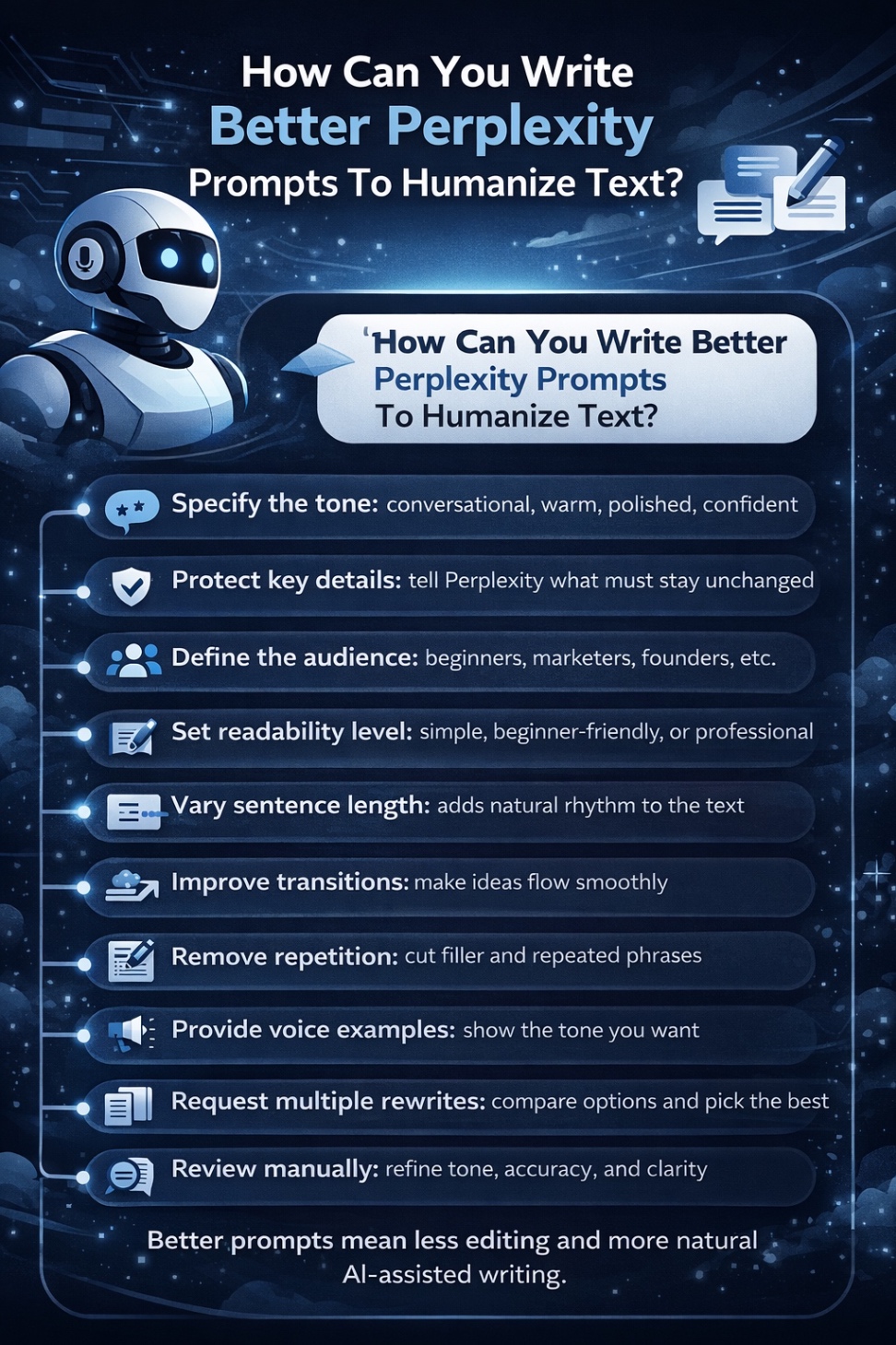
The quality of your output depends heavily on the quality of your prompt. If you want Perplexity to make text sound more natural, your instructions need to be clear enough to guide tone, structure, and intent.
These tips can help you humanize AI Perplexity outputs more effectively and get cleaner rewrites with less back-and-forth.
- Be specific about the tone you want: Instead of saying make it sound better, describe the tone clearly with words like conversational, warm, polished, confident, or approachable.
- Tell Perplexity what to preserve: If certain facts, keywords, ideas, or brand terms must stay unchanged, say that upfront so the rewrite does not drift.
- Define the target audience: A prompt written for first-time readers will sound different from one meant for marketers, founders, or technical professionals.
- Mention the readability level: If you want simpler language, beginner-friendly wording, or a more professional but clear style, include that in the prompt.
- Ask it to vary sentence lengths: Human writing usually has more rhythm than AI writing, so this helps the output feel less flat and repetitive.
- Request smoother transitions: If the draft feels choppy, ask Perplexity to improve how ideas connect from one sentence or paragraph to the next.
- Remove repetition and generic filler: AI-written text often leans on repeated wording and vague phrases, so tell Perplexity to cut those out.
- Add examples of the desired voice: Sharing a sample paragraph or describing the style you want can make the rewrite much more accurate.
- Ask for multiple rewrites: Requesting two or three versions gives you more flexibility and makes it easier to choose the most natural option.
- Always do a final manual review: Even a strong prompt cannot replace human judgment, so review the draft for tone, accuracy, and overall flow before publishing.
The better your prompt, the less cleanup you will need later, and the easier it becomes to turn AI-assisted writing into something that feels genuinely human.
When Perplexity May Not Be Enough
Perplexity can help improve flow and make text sound more natural, but it is not always enough on its own. It can struggle with highly technical writing, strong brand voice requirements, thought leadership, sensitive topics, and content that depends on first-hand expertise or original examples. In those cases, you often need more than a quick rewrite to make the draft feel polished, accurate, and genuinely human.
That is where Scalenut fits in more naturally. If your content still feels a little too AI-generated after editing in Perplexity, Scalenut’s Free AI Content Detector and AI Content Humanizer can help you identify what feels off and refine the draft into smoother, more reader-ready writing. And if you want to go beyond one-off fixes, Scalenut helps bring your writing, optimization, and SEO workflow together in one place.
Want a better way to refine AI-assisted content and scale your SEO workflow? Book a demo with Scalenut today.
Conclusion
So, can Perplexity humanize text? Yes, it can. With the right prompts, it can help reshape stiff drafts into writing that feels clearer, smoother, and more natural. But like most language models and other LLMs, it works best when you treat it as a refinement tool rather than a final editor. The strongest results still come from combining AI speed with a real human touch.
For content creators, that means using Perplexity to improve flow, tone, and readability, then stepping in with judgment that human writers bring to the table. An AI humanizer can help polish wording, and an AI checker can help spot patterns that still feel machine-generated, but neither replaces originality, context, or experience. Whether you are working with a chatbot draft or a long-form article, the goal is not just to sound human. It is to create content with clarity, originality, and real value for the reader.
Frequently Asked Questions
Can you humanize Perplexity content?
Yes. Perplexity can help rewrite stiff or repetitive text when you specify the audience, tone, and details to preserve. Provide a sample of your preferred writing style, then review the result for accuracy, natural phrasing, and consistency with your voice.
What is the best AI humanizer for Perplexity content?
Scalenut’s free AI Content Humanizer is a practical option for revising Perplexity drafts. Use it to rework awkward phrasing and improve readability, then check the result against your original. The best choice depends on your tone, workflow, and editing needs.
Can you humanize AI text 100%?
There is no universal “100% humanized” standard. To make a draft feel more natural, replace vague phrasing, adjust sentence rhythm, and add your own examples. Check every claim and edit the text to match your voice and intended audience.
How do you humanize Perplexity content for SEO?
Preserve search intent, important terminology, factual details, and useful internal links while improving clarity. Add original insight and check citations after rewriting. Google prioritizes helpful, reliable content; making AI-assisted writing sound human does not automatically improve rankings.
Can you humanize Perplexity content for free?
Yes. You can use Perplexity’s free plan for basic prompt-based rewriting. Scalenut also offers a free AI Content Humanizer for revising Perplexity drafts. Check current input limits, then review the output for meaning, accuracy, and tone before publishing.
Can humanized Perplexity text bypass AI detectors?
No rewrite can guarantee a pass from Turnitin or other AI detectors. Turnitin acknowledges that its system can misclassify human-written and AI-generated text. A detector score should inform further review; it does not establish authorship, originality, or writing quality.
Will humanizing Perplexity content preserve facts and citations?
Do not assume every fact or citation will remain intact. Ask the tool to preserve names, numbers, qualifications, and source links. Compare the rewrite with the original, then open each cited source to confirm it still supports the revised claim.
Does humanizing Perplexity text make it plagiarism-free?
No. Changing wording does not remove the need to credit borrowed ideas, research, or quotations. Cite the original sources, use quotation marks for exact wording, and contribute your own analysis. Passing an AI detection check does not prove originality.
How effective is Perplexity in humanizing text compared to other tools?
Perplexity can improve tone and flow with detailed prompts. Scalenut’s Free AI Content Humanizer offers a dedicated rewriting workflow with AI detection available alongside it. Compare results using the same draft, checking readability, factual accuracy, and consistency with your voice.
Can Perplexity help AI-written articles pass as human-written for plagiarism checkers?
Plagiarism checkers look for matching text; AI detectors assess likely AI authorship. Perplexity and Scalenut’s AI Content Humanizer can refine wording, but neither guarantees a detector pass or proves originality. Cite borrowed ideas and review sources before publishing.


.svg)


.webp)