What AI Tools For Marketing Agencies Actually Work In 2026?

Key Highlights
- The best AI tools for marketing agencies are the ones that solve real workflow bottlenecks, not just the ones with the longest feature list.
- Scalenut is the strongest fit for agencies focused on SEO, GEO, content optimization, AI visibility, and organic growth.
- ChatGPT, Jasper, and Canva help teams move faster across strategy, copy, briefs, creative production, and campaign assets.
- Semrush, Ahrefs Brand Radar, and Surfer are useful for deeper SEO research, competitor tracking, content optimization, and AI visibility monitoring.
- Make, Zapier, HubSpot Breeze, and AgencyAnalytics help agencies automate handoffs, manage campaigns, and simplify reporting.
- Agencies should compare tools by client fit, pricing model, integrations, team usage, and measurable impact before buying.
- The smartest AI stack is not the biggest one. It is the one your team can use consistently to improve client delivery.
Now, let’s take a closer look!
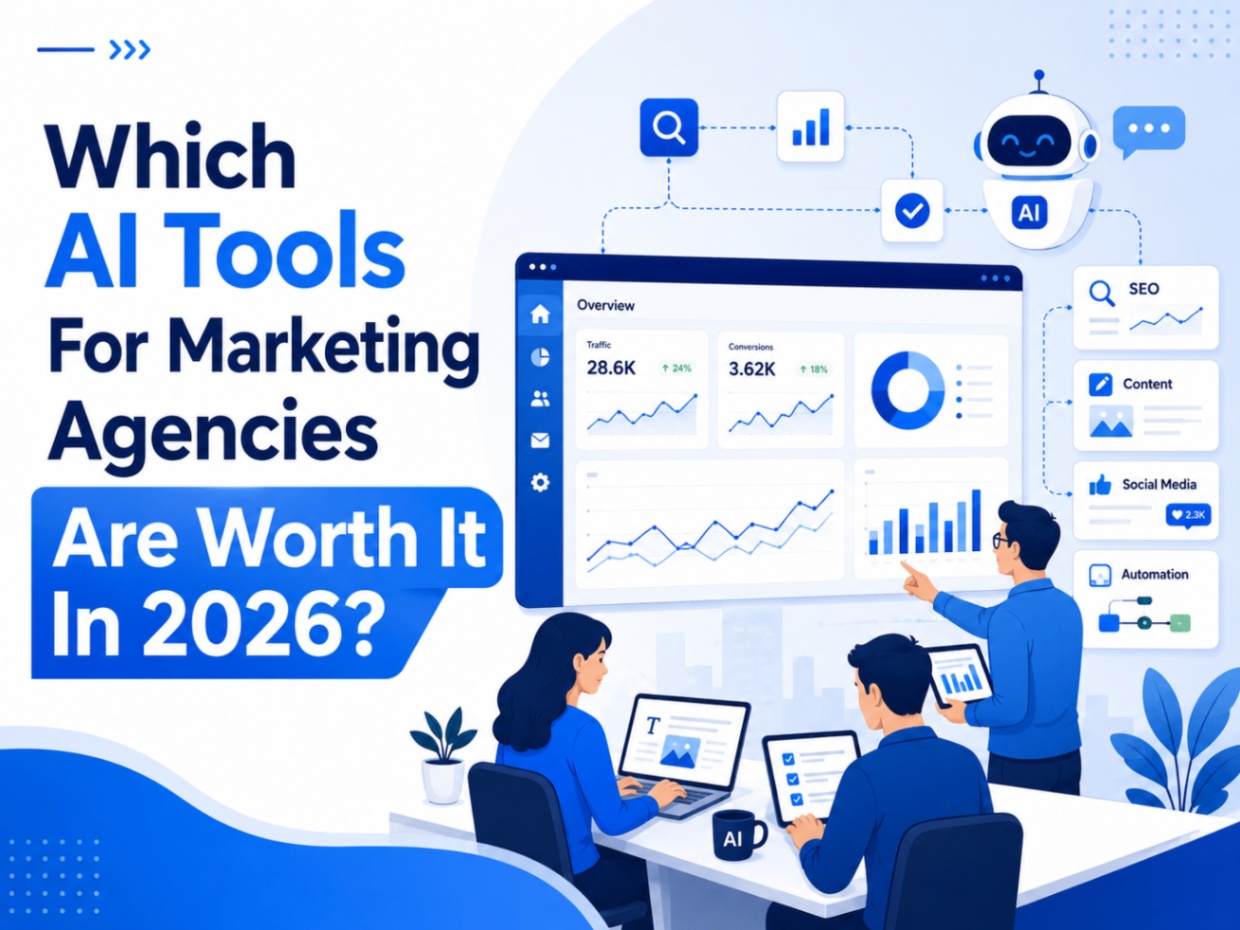
Most marketing agencies do not need another AI subscription. They need a stack that removes real bottlenecks: faster briefs, cleaner reporting, better content, stronger SEO and GEO visibility, smoother handoffs, and fewer manual tasks.
The real question is not whether AI can help. It is which tools actually save time, improve client delivery, and fit the way your agency already works.
This guide breaks down the AI SEO tools for marketing agencies that are actually useful in 2026, based on where they fit in an agency workflow, what they help teams execute, and when they may not be worth the cost.
How We Chose The Best AI Tools For Marketing Agencies?
I evaluated these tools based on how well they support repeatable agency workflows, not just whether they have AI features. For agencies, a tool is only useful if it helps the team deliver better client work, save time, and scale without adding more chaos to the process.
Here are the factors used to shortlist the best AI tools for marketing agencies.
1. Multi-Client Workflow Fit
Agencies rarely work on one brand at a time, so the tool had to support multi-client work in some practical way. That could mean workspaces, brand kits, saved instructions, reporting dashboards, client-specific projects, approval flows, or clean team access.
2. Real Agency Use Cases
Each tool had to solve a real agency problem, not just offer interesting AI features. I looked for tools that help with content planning, SEO, GEO, creative production, reporting, automation, client calls, project management, or campaign execution.
3. Pricing And Scalability
A tool that looks affordable for one user can become expensive once you add clients, seats, credits, reports, channels, or workspaces. So pricing was judged by how realistic it is for agencies that need to scale usage over time.
4. Reporting, Automation, Or Visibility Value
The strongest tools were the ones that helped agencies prove value or reduce manual work. That includes AI visibility tracking, SEO reporting, client dashboards, workflow automation, content optimization, and performance insights.
5. Ease Of Adoption
Even the most powerful tool is not worth much if the team avoids using it. I prioritized tools that are practical to onboard, easy to explain to clients, and simple enough to fit into an existing agency workflow without rebuilding the whole process.
Want to track how your brand appears in Google AI results? Explore the best tools for monitoring AI Overviews in 2026.
Quick Verdict: Which AI Tools Actually Work Best For Agencies?
After testing different AI tools across agency-style workflows, one thing is clear: the best tools are not always the most feature-heavy. They are the ones that solve real bottlenecks, fit into daily work, and help teams deliver better client outcomes without adding more chaos.
Here is our quick verdict of the top AI SEO tools for marketing agencies.
1. For SEO, GEO, And AI Visibility: Scalenut
Scalenut stands out for agencies that want to manage SEO, GEO, content optimization, AI visibility, and execution in one place. It is useful when you want to track where a client appears in AI search, find prompt and citation gaps, monitor competitors, and turn those insights into content actions.
Best for: SEO, GEO, and content-led agencies.
Avoid it if: you only need a passive visibility dashboard.
2. For Strategy, Research, And Briefs: ChatGPT
ChatGPT is one of the most useful everyday tools for agency teams. It helps with campaign ideas, content briefs, client research, meeting summaries, reporting notes, and first-draft strategy work. It is especially helpful when you need to turn scattered inputs into a clear direction quickly.
Best for: ideation, research, briefs, and internal strategy work.
Avoid it if: you need final facts without human review.
3. For Brand-Safe Marketing Copy: Jasper
Jasper works well when the goal is consistent branded copy across emails, ads, landing pages, blogs, and social posts. Its brand voice and workflow features are useful for agencies managing multiple client tones.
Best for: branded marketing copy at scale.
Avoid it if: you need deep SEO, GEO, or competitor analysis.
4. For AI Design And Creative Production: Canva
Canva is one of the easiest tools to adopt for fast creative production. It helps with social graphics, ad creatives, reports, decks, infographics, and campaign visuals without depending on a designer for every small request.
Best for: quick, polished creative assets.
Avoid it if: you need advanced design control or original art direction.
5. For SEO And Competitor Research: Semrush
Semrush is useful when you need deeper SEO research, keyword data, competitor analysis, site audits, backlinks, and rank tracking. It is better suited for agencies that need strong search data and detailed competitive insights.
Best for: SEO research and competitor tracking.
Avoid it if: you only need basic content optimization.
6. For Client Reporting: AgencyAnalytics
AgencyAnalytics is practical for agencies that spend too much time building client reports manually. Its dashboards, white-label reports, and AI-assisted summaries make performance updates easier to package and explain.
Best for: client dashboards and reporting.
Avoid it if: you need SEO or GEO execution from the same tool.
7. For Multi-Step Workflow Automation: Make
Make is useful when you want to connect tools and automate repeated handoffs across forms, CRMs, spreadsheets, project boards, reporting tools, and AI apps. It gives more flexibility for complex workflows.
Best for: visual, multi-step automations.
Avoid it if: your team will not document workflows clearly.
8. For Simple App Automation: Zapier
Zapier works best for quick automations between everyday tools. It is useful for lead routing, alerts, task creation, form follow-ups, and simple app-to-app workflows.
Best for: simple automation setup.
Avoid it if: your workflows need deep visual mapping or complex conditions.
9. For Meeting Notes And Client Calls: Fireflies.ai
Fireflies.ai is helpful for recording client calls, creating summaries, extracting action items, and making past conversations searchable. It saves time after meetings and keeps teams aligned.
Best for: call notes, summaries, and follow-ups.
Avoid it if: you plan to send AI notes to clients without reviewing them.
10. For Agency Documentation: Notion AI
Notion AI works well when your agency already uses Notion for SOPs, client notes, campaign plans, meeting takeaways, and internal knowledge. It helps teams search, summarize, and organize information faster.
Best for: documentation and internal knowledge.
Avoid it if: your workspace is already messy and poorly maintained.
The biggest takeaway from testing these tools is simple: a good AI stack should make agency work easier, not heavier. Start with the workflow that slows your team down the most, choose the tool that solves that problem best, and only add more tools when there is a clear use case.
Still building your search stack? Check out the best AI tools for SEO and AEO that are actually worth using in 2026.

What Are The Top AI Tools That Marketing Agencies Should Use In 2026?
The best AI stack for an agency depends on the work you do most often. A content-led agency will need a very different setup from a paid media, social media, SEO, or full-service agency.
Below, we’ll break down the top AI tools for marketing agencies by use case, including what each tool is best for, the key features that matter, pricing, and the pros and cons to know before choosing.
1. Scalenut: Best For SEO, GEO And AI Visibility
What Is Scalenut Best For?
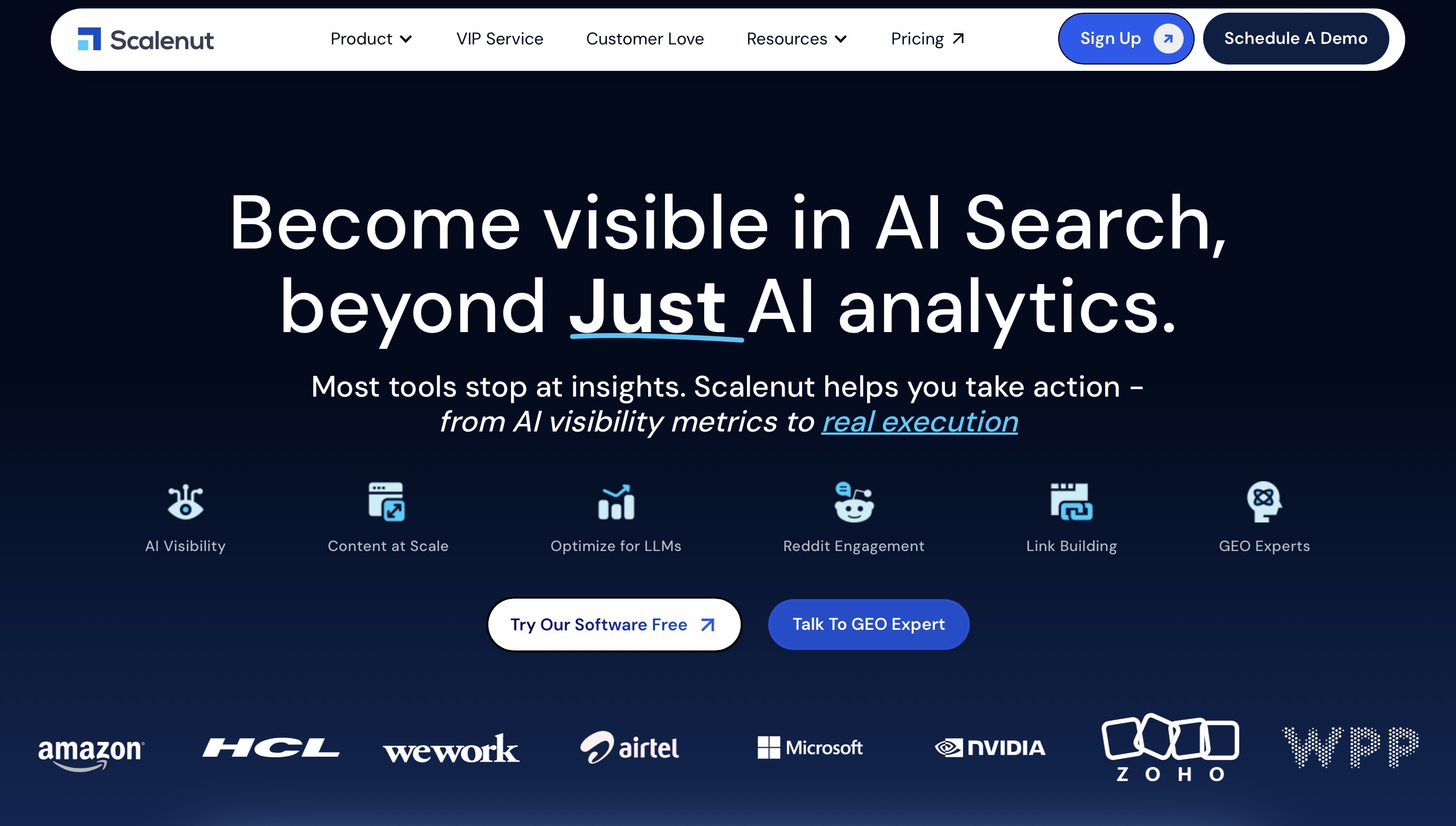
Scalenut is best for agencies that want to manage SEO content, GEO, AI visibility tracking, content optimization, internal linking, backlink support, and AI traffic insights from one platform instead of stitching together multiple tools.
Which Scalenut Features Matter Most For Marketing Agencies?
For agencies, Scalenut’s value comes from how its SEO, GEO, content, authority, and AI visibility features work together.
- AI Visibility Tracking: Tracks brand mentions, competitor visibility, prompt coverage, and citations across AI search platforms.
- GEO Action Center: Turns prompt gaps, citation gaps, and competitor insights into clear content and optimization actions.
- SEO Content Execution: Supports keyword planning, article creation, content optimization, and audits for scalable SEO workflows.
- Authority Building: Helps with internal linking, backlink workflows, and social listening to strengthen priority pages and brand authority.
- AI Traffic Insights: Shows AI bot visits, AI referral trends, frequently referenced pages, and generative engine activity.
How Much Does Scalenut Cost?
- Starter: $59 per month.
- Plus: $89 per month.
- Professional: $199 per month.
- VIP Service: Custom pricing for teams that want expert-managed GEO support, including strategy, content, backlinks, technical audits, reports, and weekly updates.
- Free Trial: Scalenut currently offers a 7-day free trial.
For most agencies, the Plus or Professional plan will be more practical than Starter because agency work usually needs higher usage limits, stronger reporting, team access, and more execution features.
What Are The Pros And Cons Of Scalenut?
Pros:
- Strong fit for agencies offering SEO, GEO, content marketing, or AI visibility services.
- Combines AI visibility tracking with hands-on content execution.
- Helps agencies track brand visibility across AI answers, not just traditional rankings.
- Turns prompt gaps, citation gaps, and competitor visibility into clear content actions.
- Includes SEO planning, content optimization, internal linking, backlink support, and AI traffic insights in one platform.
- VIP Service is useful for teams that want expert-managed GEO support.
Cons:
- Agencies with specific reporting workflows may still need separate analytics or client reporting tools.
- Teams new to GEO may need time to turn AI visibility data into repeatable client actions.
Scalenut is a strong choice for agencies that want to build SEO and GEO services around action, not just reporting. It works best when your team wants to track AI visibility, understand where clients are missing, and quickly turn those gaps into content and optimization work.
Help clients get discovered across Google and AI search with a stronger SEO and GEO strategy. Book a free strategy call with Scalenut.
2. ChatGPT: Best For Strategy, Ideation And Content Briefs

What Is ChatGPT Best For?
ChatGPT is best for agencies that need one flexible AI workspace for campaign ideas, briefs, client notes, research summaries, reporting insights, and quick first drafts.
Which ChatGPT Features Matter Most For Marketing Agencies?
- Projects: Keeps client context, files, notes, and instructions in one place.
- Deep Research: Helps with market research, competitor scans, and source-backed summaries.
- Data Analysis: Turns campaign exports, reports, and spreadsheets into clearer insights.
- Custom GPTs: Lets teams create repeatable assistants for specific clients or workflows.
- Apps And Connectors: Pulls context from tools like Google Drive, Slack, SharePoint, and GitHub.
How Much Does ChatGPT Cost?
- Free: $0 per month
- Go: $8 per month
- Plus: $20 per month
- Pro: Starts at $100 per month
- Business: $25/user/month monthly or $20/user/month annually, with a 2-user minimum
What Are The Pros And Cons Of ChatGPT?
Pros:
- Very flexible across strategy, research, content, reporting, and internal workflows.
- Strong for turning messy ideas or raw data into usable drafts and next steps.
Cons:
- Still needs human review for facts, strategy, and client-facing work.
- Does not replace dedicated SEO, GEO, CRM, or reporting tools.
ChatGPT is the most flexible AI workspace for agencies, but it works best as a strategy, research, and productivity layer, not as a replacement for specialist SEO, GEO, CRM, or reporting tools.
3. Jasper: Best For Brand-Safe Marketing Copy

What Is Jasper Best For?
Jasper is best for agencies that produce a lot of branded copy across campaigns, websites, emails, ads, and social posts for multiple clients.
Which Jasper Features Matter Most For Marketing Agencies?
- Jasper IQ: Stores brand, product, audience, and business context.
- Brand Voice: Keeps copy closer to each client’s tone and messaging.
- Style Guide: Helps teams follow brand rules more consistently.
- Marketing Agents: Supports marketer-specific workflows for research, creation, and content optimization.
- Content Pipelines: Helps standardize repeatable campaign and content workflows.
How Much Does Jasper Cost?
- Pro Monthly: $69 per month.
- Business: Custom pricing.
- Free Trial: Available for teams that want to test the platform.
What Are The Pros And Cons Of Jasper?
Pros:
- Strong for agencies that need consistent brand voice across many assets.
- Built more specifically for marketing teams than general AI tools.
Cons:
- Less flexible than ChatGPT for broad research, content analysis, and non-marketing tasks.
- Best value comes only when brand voice, knowledge, and workflows are properly set up.
Jasper is a strong choice for agencies that need consistent branded copy at scale, especially when client voice, campaign messaging, and marketing workflows matter more than deep SEO analysis.
4. Canva: Best For AI Design And Creative Production

What Is Canva Best For?
Canva is best for agencies that need to create social graphics, ad creatives, pitch decks, reports, infographics, and quick campaign visuals without a long design turnaround.
Which Canva Features Matter Most For Marketing Agencies?
- Brand Kits: Keeps client logos, fonts, colors, and assets organized.
- Canva AI: Helps create designs, copy, layouts, and visual elements faster.
- Magic Resize: Repurposes one design into multiple formats for social, ads, and decks.
- Templates: Speeds up recurring work like reports, carousels, thumbnails, and presentations.
- Canva Business: Adds stronger brand management, team workspace features, analytics, and higher AI access.
How Much Does Canva Cost?
- Free: $0.
- Pro: Paid individual plan.
- Canva Business: $20 per person per month, with no seat minimum.
- Enterprise: Custom pricing.
What Are The Pros And Cons Of Canva?
Pros:
- Great for fast, good-looking creative work without needing every task to go through a designer.
- Brand Kits help reduce common agency mistakes like wrong logos, fonts, or colors.
Cons:
- Not a replacement for advanced design tools when you need deeper creative control.
- Designs can look templated if the team does not customize them well.
Canva is one of the easiest creative tools for agencies to adopt, especially for fast social graphics, decks, reports, and campaign assets, but it should not replace deeper design work when original creative direction matters.
5. Semrush: Best For SEO And Competitor Research
What Is Semrush Best For?
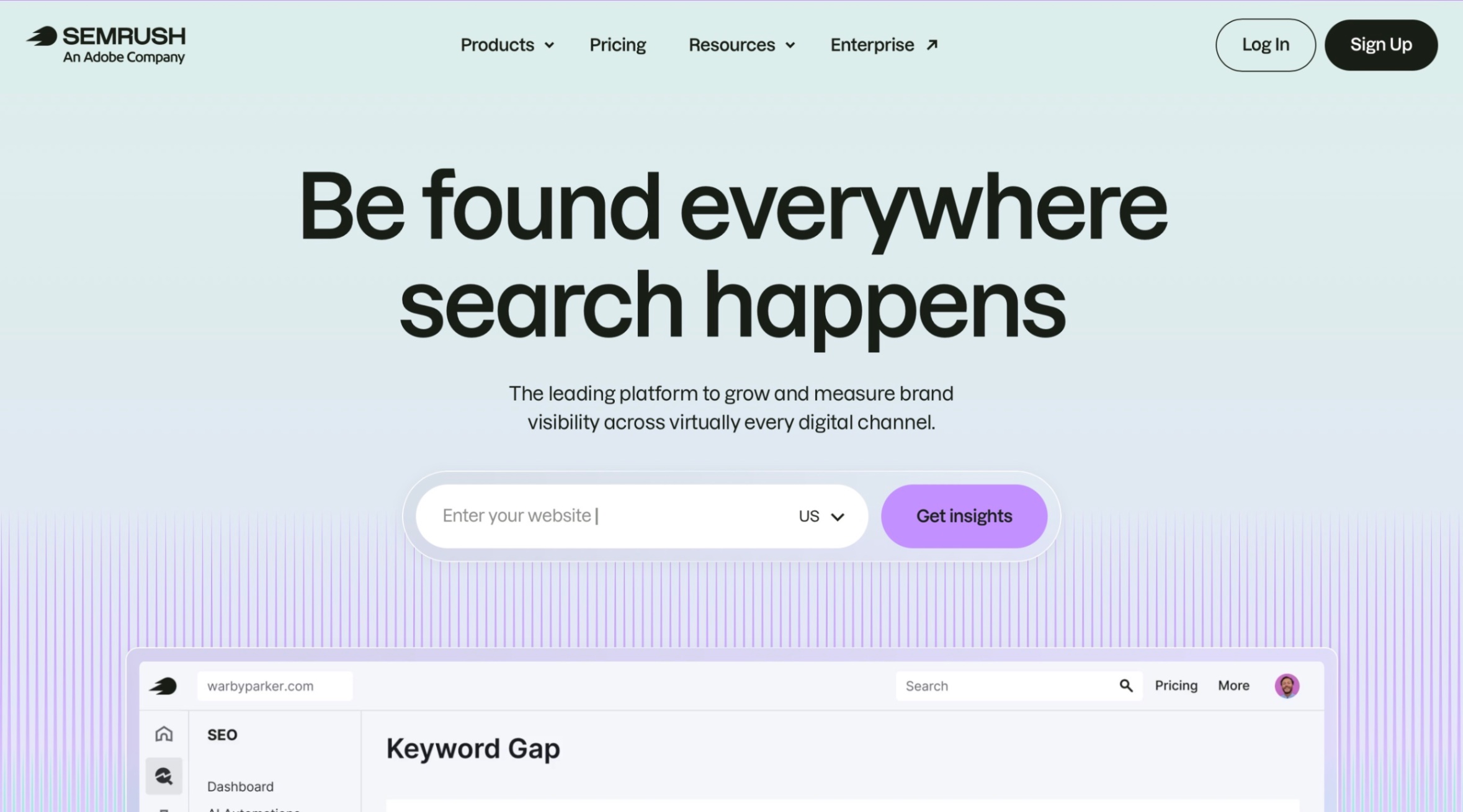
Semrush is best for agencies that need serious SEO data, keyword research, competitor analysis, site audits, backlink insights, rank tracking, and AI visibility tracking.
Which Semrush Features Matter Most For Marketing Agencies?
- Keyword Research: Helps find keyword ideas, intent, volume, difficulty, CPC, and trends.
- Site Audit: Flags technical SEO issues that can affect performance.
- Position Tracking: Tracks keyword rankings across clients, devices, and locations.
- Backlink Analytics: Shows backlink profiles, authority signals, and competitor link gaps.
- AI Visibility Toolkit: Tracks AI mentions, citations, sentiment, share of voice, and prompt visibility.
How Much Does Semrush Cost?
- SEO Toolkit: Starts at $139.95 per month.
- AI Visibility Toolkit: Starts at $99 per month.
- Semrush One: Starts at $199 per month.
- Content Toolkit: Starts at $60 per month.
What Are The Pros And Cons Of Semrush?
Pros:
- Strong fit for agencies that need deep SEO and competitor analysis.
- Useful if clients want both classic ranking reports and AI visibility insights.
Cons:
- Costs can climb quickly when you add toolkits, users, projects, or AI visibility features.
- It may feel too heavy if the agency only needs simple content optimization.
Semrush is best for agencies that need deeper SEO research, competitor analysis, audits, backlinks, rankings, and AI visibility data, but it may be heavier than needed for simple content optimization.
6. Ahrefs Brand Radar: Best For AI Visibility And Brand Monitoring

What Is Ahrefs Brand Radar Best For?
Ahrefs Brand Radar is best for agencies that want to track how clients show up across AI answers, branded prompts, competitor mentions, citations, and search-backed AI visibility data.
Which Ahrefs Brand Radar Features Matter Most For Marketing Agencies?
- AI Visibility Index: Tracks brand mentions across a large set of search-backed prompts.
- Custom Prompts: Lets agencies monitor specific sales, product, or category questions.
- Citation Tracking: Shows which sources AI tools use when mentioning a brand.
- Competitor Visibility: Helps compare client visibility against competing brands.
- Search Demand And Web Visibility: Adds broader context beyond AI mentions.
How Much Does Ahrefs Brand Radar Cost?
- Select Platforms: $398 per month.
- All Platforms: $699 per month.
- Custom Prompts: Starts at $50 per month.
What Are The Pros And Cons Of Ahrefs Brand Radar?
Pros:
- Strong for agencies adding AI visibility reporting to SEO retainers.
- Good for comparing brand presence across AI platforms and competitors.
Cons:
- More of a visibility and research layer than an execution tool.
- Pricing may be high for smaller agencies or early-stage GEO testing.
Ahrefs Brand Radar is useful for agencies that want to monitor brand visibility across AI answers and competitor prompts, but it works more as a visibility intelligence layer than an execution tool.
7. HubSpot Breeze: Best For CRM And Lifecycle Marketing

What Is HubSpot Breeze Best For?
HubSpot Breeze is best for agencies that manage lead generation, email marketing, CRM workflows, sales handoffs, customer data, and lifecycle campaigns inside HubSpot.
Which HubSpot Breeze Features Matter Most For Marketing Agencies?
- Breeze Assistant: Gives AI guidance using CRM data, knowledge base content, and HubSpot context.
- Breeze Agents: Handles repetitive work across marketing, sales, and service.
- Content Tools: Helps create blogs, emails, landing pages, and repurposed assets.
- Data Agent: Answers questions using CRM data, conversations, documents, and web context.
- AEO Beta: Tracks where a brand appears in AI results and gives visibility recommendations.
How Much Does HubSpot Breeze Cost?
- HubSpot Free Tools: $0.
- Marketing Hub Starter: Starts at $50 per month.
- Marketing Hub Professional: Starts at $890 per month.
- Marketing Hub Enterprise: Starts at $3,600 per month.
What Are The Pros And Cons Of HubSpot Breeze?
Pros:
- Very useful if the agency already runs client marketing inside HubSpot.
- Connects AI with CRM data, campaigns, content, sales, and support workflows.
Cons:
- Less useful if your clients are not using HubSpot as their main CRM.
- Costs can rise quickly with higher tiers, contacts, seats, and onboarding needs.
HubSpot Breeze works best for agencies already managing client CRM, lifecycle marketing, sales, and service workflows inside HubSpot, but it is less useful when HubSpot is not the client’s central system.
8. Make: Best For Workflow Automation

What Is Make Best For?
Make is best for agencies that want to automate repetitive workflows across marketing, sales, reporting, CRM, project management, and AI tools without building everything from scratch.
Which Make Features Matter Most For Marketing Agencies?
- Visual Workflow Builder: Helps teams build automations without heavy technical setup.
- 3,000+ App Connections: Connects tools across CRM, email, spreadsheets, ads, forms, and project management.
- Routers And Filters: Lets agencies create more specific workflows for different clients or conditions.
- Make AI Agents: Supports AI-powered workflows that can take action across connected apps.
- MCP Server: Helps connect AI tools to real business workflows more securely.
How Much Does Make Cost?
- Free: $0 per month with up to 1,000 credits.
- Make Plan: Starts at $10.59 per month for 5,000 credits.
- Company: Custom pricing for larger teams and critical business workflows.
What Are The Pros And Cons Of Make?
Pros:
- Great for agencies that want to reduce manual handoffs between tools.
- More visual and flexible than simple one-step automation tools.
Cons:
- Workflows can become messy if the team does not document them well.
- Credit usage can increase quickly with high-volume client automations.
Make is a strong fit for agencies that need flexible, visual, multi-step automations across tools, but it only stays useful when workflows are documented and maintained properly.
9. AgencyAnalytics: Best For Client Reporting

What Is AgencyAnalytics Best For?
AgencyAnalytics is best for agencies that want cleaner client dashboards, automated reports, AI summaries, and multi-channel reporting without spending hours pulling data manually.
Which AgencyAnalytics Features Matter Most For Marketing Agencies?
- Automated Reports: Sends client-ready reports on a set schedule.
- White Label Dashboards: Lets agencies create branded client portals and reports.
- 85+ Integrations: Connects SEO, PPC, social, email, call tracking, and analytics data.
- Ask AI: Helps surface trends, opportunities, and next steps from client data.
- AI Summary: Turns dashboard and report data into clearer client-friendly summaries.
How Much Does AgencyAnalytics Cost?
- AI Reporting Tools: Available on select plans starting at $179 per month.
- Free Trial: 14-day free trial with no credit card required.
- Rank Tracker Add-On: Starts at $41.67 per month when billed annually.
- Custom Options: Available for database connectors, concierge implementation, and larger agencies.
What Are The Pros And Cons Of AgencyAnalytics?
Pros:
- Strong fit for agencies that need polished client reporting without building dashboards manually.
- AI summaries can help turn raw metrics into clearer client updates.
Cons:
- Pricing may feel high for small agencies with only a few clients.
- It is built for reporting, not for deep SEO and GEO strategy.
AgencyAnalytics is best for agencies that want cleaner client dashboards, white-label reports, and AI-assisted summaries, but it is a reporting tool, not a full SEO, GEO, or content execution platform.
10. Buffer: Best For Social Media Scheduling

What Is Buffer Best For?
Buffer is best for agencies that need a simple way to plan, schedule, repurpose, and review social content across client channels without using a heavy social media suite.
Which Buffer Features Matter Most For Marketing Agencies?
- Publish: Schedules posts across major social platforms.
- AI Assistant: Helps draft and repurpose posts faster.
- Analyze: Shows what content is actually working.
- Community Inbox: Helps manage comments and conversations.
- Team Workflows: Adds approvals and collaboration on the Team plan.
How Much Does Buffer Cost?
- Free: $0, up to 3 channels.
- Essentials: Starts at $6 per channel monthly.
- Team: Starts at $12 per channel monthly.
- Free Trial: 14 days for paid plans.
What Are The Pros And Cons Of Buffer?
Pros:
- Simple enough for lean agency teams.
- Easy to scale by channel as clients grow.
Cons:
- Not as deep as enterprise social tools.
- Costs increase as you add more client channels.
Buffer is a practical choice for lean agency teams that need simple social scheduling, content repurposing, and AI-assisted post creation without moving into a heavy social media suite.
11. Fireflies.ai: Best For Meeting Notes And Client Calls

What Is Fireflies.ai Best For?
Fireflies.ai is best for agencies that want client calls, sales calls, interviews, and internal meetings turned into transcripts, summaries, and action items automatically.
Which Fireflies.ai Features Matter Most For Marketing Agencies?
- Meeting Transcription: Records and transcribes calls across major meeting platforms.
- AI Summaries: Pulls out notes, decisions, and action items.
- AskFred: Lets teams search and ask questions across past meetings.
- AI Skills: Extracts follow-ups, tasks, and customer insights.
- Integrations: Connects with tools like HubSpot, Salesforce, Slack, Asana, and Trello.
How Much Does Fireflies.ai Cost?
- Free: $0 with limited AI summaries and 800 minutes of storage per seat.
- Pro: $18 per seat monthly
- Business: $29 per seat monthly
- Enterprise: $39 per seat monthly, billed yearly.
What Are The Pros And Cons Of Fireflies.ai?
Pros:
- Saves a lot of time after client calls.
- Useful when multiple team members need the same meeting context.
Cons:
- Summaries still need review before sending to clients.
- Advanced features need paid plans.
Fireflies.ai is useful for agencies that want client calls, sales calls, and internal meetings turned into searchable transcripts, summaries, and action items, but every client-facing note still needs review.
12. Surfer: Best For Content Optimization And AI Search Visibility
What Is Surfer Best For?
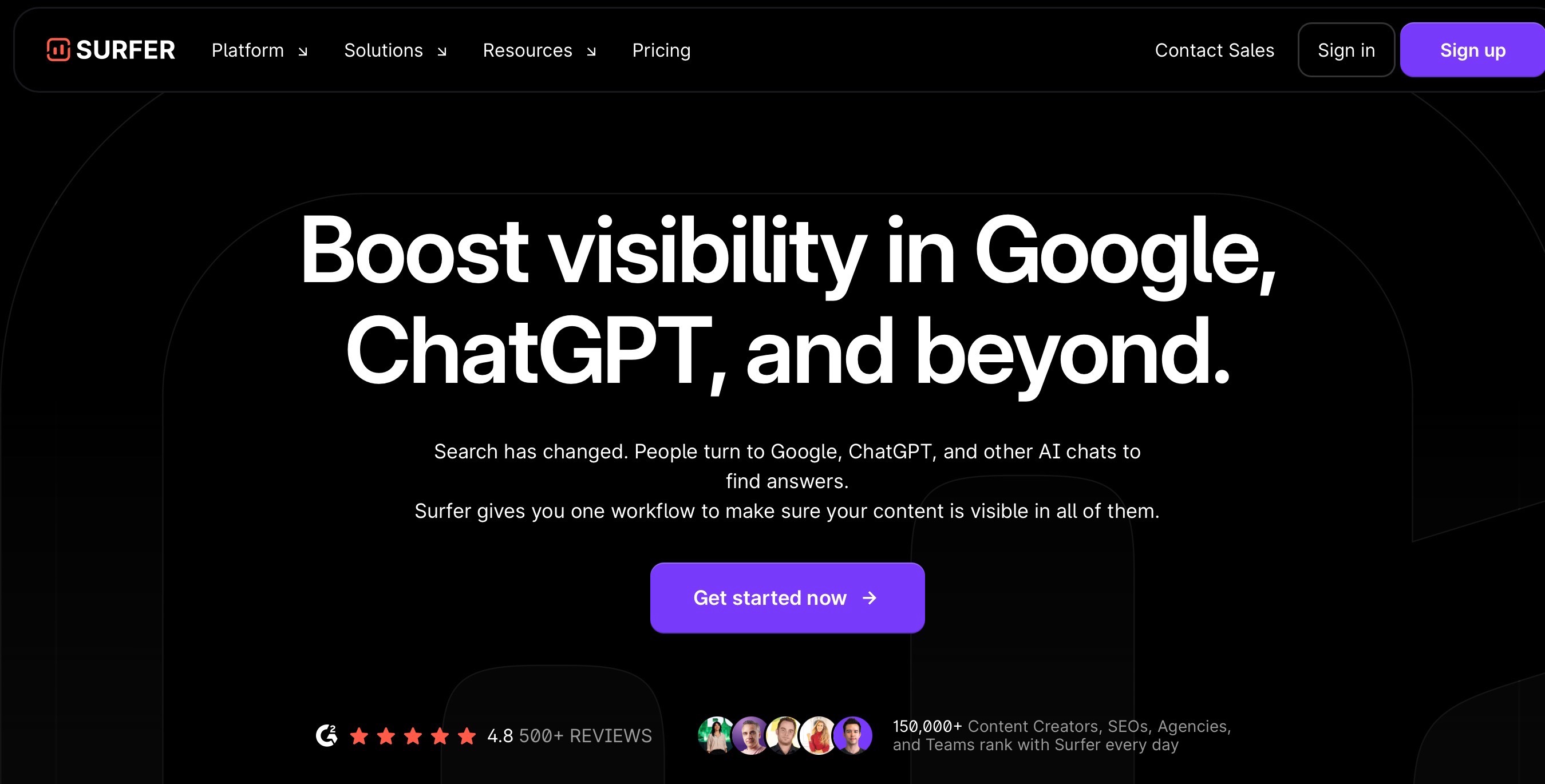
Surfer is best for agencies that want to optimize content for Google and AI search without manually checking every SERP, topic gap, internal link, and content score.
Which Surfer Features Matter Most For Marketing Agencies?
- Content Editor: Helps writers optimize content using live SERP and topic data.
- Auto-Optimize: Speeds up on-page improvements when content needs a fast refresh.
- Content Score: Gives teams a quick quality benchmark before publishing.
- AI Visibility Tracking: Tracks how brands appear across AI search platforms.
- Internal Linking: Helps improve site structure without fully manual link mapping.
How Much Does Surfer Cost?
- Discovery: $49 per month, billed yearly.
- Standard: $99 per month, billed yearly.
- Pro: $182 per month, billed yearly.
- Enterprise: Starts at $999 per month with tailored packages.
What Are The Pros And Cons Of Surfer?
Pros:
- Great for agencies that produce or refresh SEO content at scale.
- Useful when writers need clear optimization guidance, not vague SEO advice.
Cons:
- It is more focused on optimization than full SEO strategy.
- AI visibility tracking and stronger workflow features sit on higher plans.
Surfer is a strong content optimization tool for agencies refreshing or scaling SEO content, especially when teams need clear on-page guidance for Google and AI search visibility.
13. Notion AI: Best For Project Management And Agency Documentation

What Is Notion AI Best For?
Notion AI is best for agencies that want client notes, project docs, meeting takeaways, SOPs, campaign plans, and internal knowledge in one searchable workspace.
Which Notion AI Features Matter Most For Marketing Agencies?
- Notion Agent: Helps complete tasks using workspace and connected app context.
- AI Meeting Notes: Turns meetings into notes, summaries, and follow-ups.
- Enterprise Search: Helps teams find answers across Notion and connected tools.
- Research Mode: Creates deeper reports using workspace, connected app, and web context.
- AI Blocks: Helps draft, rewrite, and clean up content inside Notion pages.
How Much Does Notion AI Cost?
- Free: $0 per member per month with trial AI access.
- Plus: $10 per member per month.
- Business: $20 per member per month and includes core Notion AI features.
- Enterprise: Custom pricing.
- Custom Agents: $10 per 1,000 monthly Notion credits.
What Are The Pros And Cons Of Notion AI?
Pros:
- Strong for keeping agency knowledge, tasks, docs, and meeting notes organized.
- Useful when teams need one place to find client context fast.
Cons:
- Not built for SEO, GEO, ads, or reporting execution.
- It works best only when the team keeps the workspace clean and updated.
Notion AI works well for agencies that already use Notion for SOPs, client notes, projects, and internal knowledge, but it only adds value when the workspace is clean and consistently updated.
14. Zapier: Best For App Automation
What Is Zapier Best For?
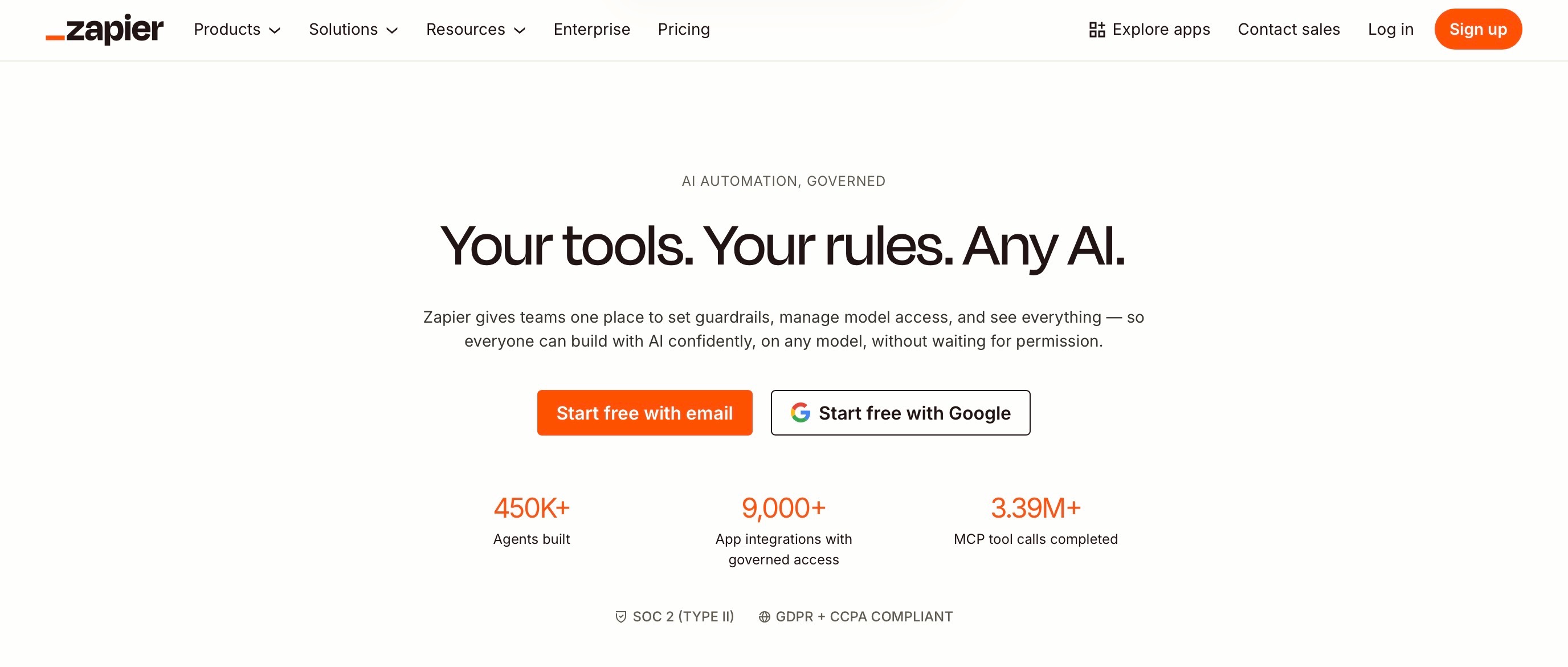
Zapier is best for agencies that want to connect everyday tools and automate simple but repetitive work, like lead routing, form follow-ups, CRM updates, report handoffs, and content workflow alerts.
Which Zapier Features Matter Most For Marketing Agencies?
- Zaps: Automates workflows across apps.
- 8,000+ App Integrations: Connects tools like HubSpot, Slack, Google Sheets, Gmail, and project management apps.
- Tables And Forms: Helps collect and store workflow data without adding another tool.
- Zapier Copilot: Helps build and troubleshoot automations faster.
- Zapier MCP: Connects AI tools to business apps and actions.
How Much Does Zapier Cost?
- Free: $0 per month with 100 tasks.
- Professional: Starts at $19.99 per month, billed annually.
- Team: Starts at $69 per month, billed annually.
- Enterprise: Custom pricing.
What Are The Pros And Cons Of Zapier?
Pros:
- Easy way to automate common agency handoffs without code.
- Huge app library, so it usually fits into whatever stack the client already uses.
Cons:
- Task usage can climb quickly if workflows run often.
- Complex automations may still be cleaner in Make or a custom setup.
Zapier is best for quick, reliable automations across everyday agency tools, but complex workflows may need stronger planning or a more visual automation setup.
15. Databox: Best For Performance Dashboards
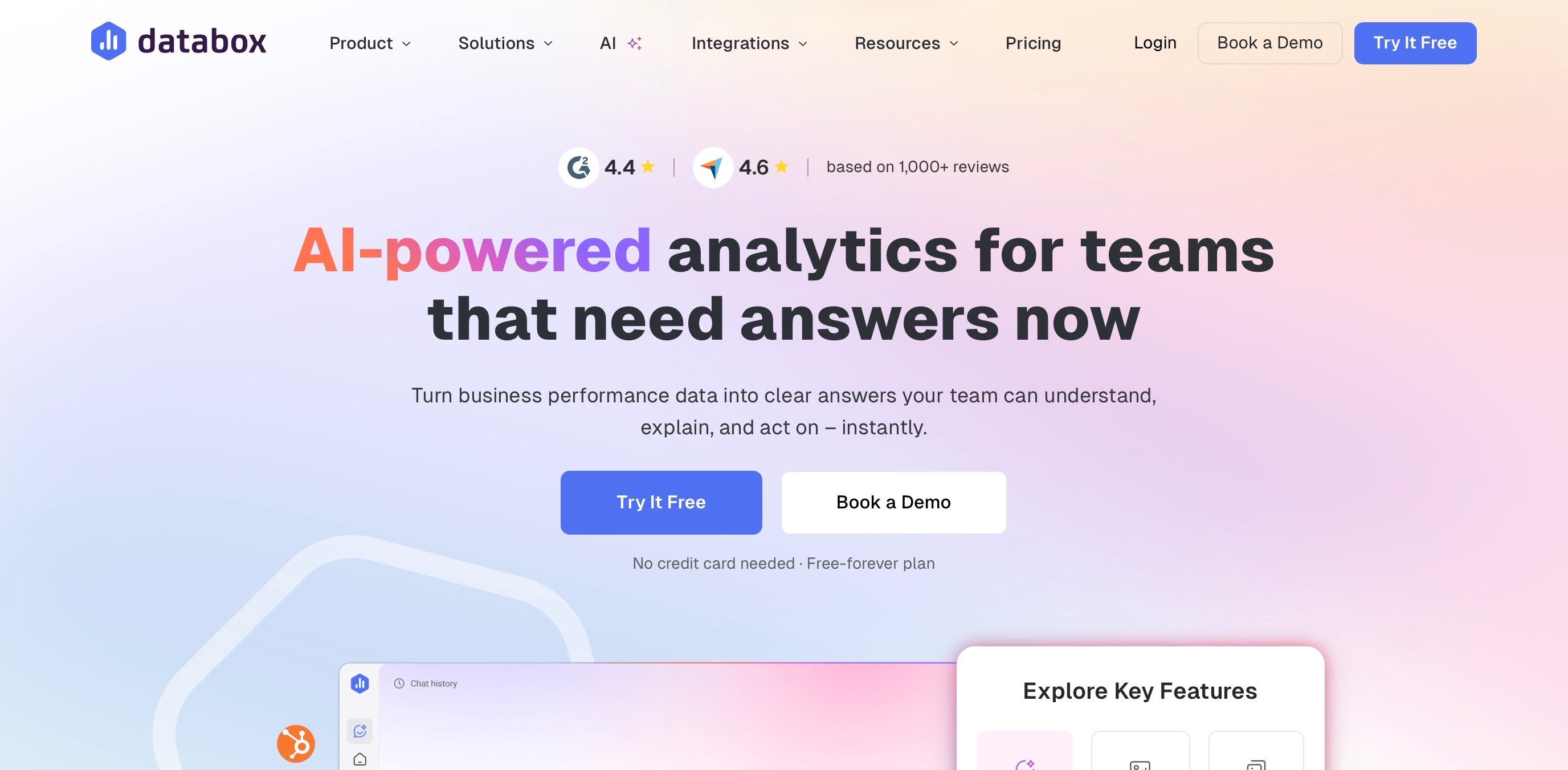
What Is Databox Best For?
Databox is best for agencies that want client dashboards, automated reports, KPI tracking, and AI-powered performance insights across tools without building everything manually.
Which Databox Features Matter Most For Marketing Agencies?
- Dashboards: Builds custom performance views for clients and teams.
- 130+ Integrations: Connects data from marketing, sales, finance, and analytics tools.
- Reports: Creates and automates client-ready performance reports.
- Genie AI Analyst: Answers performance questions in plain language.
- White Labeling: Helps agencies present reports with their own branding.
How Much Does Databox Cost?
- Free: $0 with limited usage.
- Pro: $159 per month, billed annually.
- Growth: $399 per month, billed annually.
- Premium: Custom pricing.
- Free Trial: 14 days.
What Are The Pros And Cons Of Databox?
Pros:
- Strong for turning scattered client data into clean dashboards and reports.
- Genie is useful when teams need quick explanations, not just charts.
Cons:
- Pricing depends on data sources, so agency costs can grow with client accounts.
- It is a reporting and analytics tool, not an SEO, GEO, or content execution platform.
Databox is useful for agencies that want KPI dashboards, AI explanations, and performance insights in one place, but it is better for analytics and decision support than SEO or GEO execution.
Want better brand visibility across ChatGPT, Perplexity, Gemini, and other AI engines? Explore the best LLM optimization tools for AI visibility.
Which AI Tool Stack Is Best For Different Types Of Marketing Agencies?
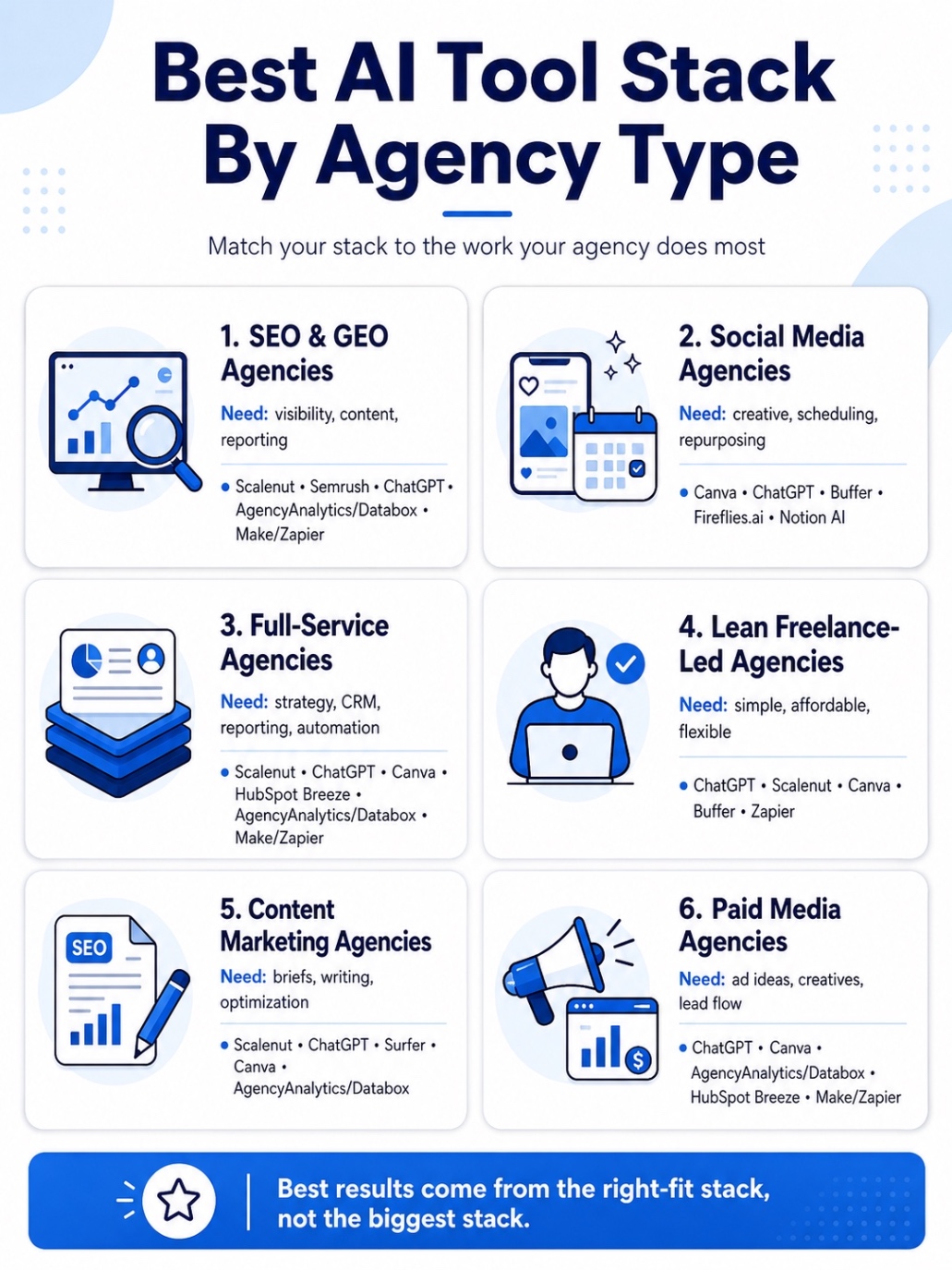
The right AI stack depends on what your agency does most often. An SEO agency will not need the same setup as a paid media, social media, or full-service agency.
Here are the best AI tool stacks by agency type.
1. SEO And GEO Agencies
SEO and GEO agencies need tools for visibility tracking, content optimization, competitor research, and reporting.
A practical stack would include:
- Scalenut: For SEO, GEO, AI visibility tracking, content optimization, and prompt or citation gap analysis.
- Semrush: For keyword research, competitor analysis, audits, and backlink insights.
- ChatGPT: For briefs, content angles, reporting notes, and strategy support.
- AgencyAnalytics or Databox: For client dashboards and performance reporting.
- Make or Zapier: For automating content, reporting, and project handoffs.
This stack works best when your agency wants to improve how clients show up across Google and AI search.
2. Social Media Agencies
Social media agencies need tools for content planning, creative production, scheduling, repurposing, and reporting.
A practical stack would include:
- Canva: For social graphics, carousels, ad creatives, and campaign visuals.
- ChatGPT: For caption ideas, content calendars, campaign concepts, and repurposing.
- Buffer: For scheduling, publishing, and social performance tracking.
- Fireflies.ai: For client call notes, campaign feedback, and action items.
- Notion AI: For content calendars, approvals, brand notes, and internal planning.
This stack works best when your team needs to produce consistent creative output without slowing down the workflow.
3. Full-Service Agencies
Full-service agencies need tools that support strategy, content, creative, CRM, reporting, and automation.
A practical stack would include:
- Scalenut: For SEO, GEO, content optimization, and AI visibility.
- ChatGPT: For strategy, research, briefs, ideation, and internal productivity.
- Canva: For campaign assets, decks, reports, and social creatives.
- HubSpot Breeze: For CRM, lifecycle marketing, sales handoffs, and customer data workflows.
- AgencyAnalytics or Databox: For multi-channel reporting.
- Make or Zapier: For automating repetitive handoffs across tools.
This stack works best when your agency manages multiple parts of the client journey.
4. Lean Freelance-Led Agencies
Lean agencies need a simple, affordable stack that is easy to manage.
A practical stack would include:
- ChatGPT: For strategy, research, briefs, copy, and client communication.
- Scalenut: For SEO, GEO, content planning, and optimization.
- Canva: For visuals, proposals, decks, and social creatives.
- Buffer: For lightweight social scheduling.
- Zapier: For simple automations like lead routing, task creation, and follow-up alerts.
This stack works best when you need speed, lower costs, and fewer tools to manage.
5. Content Marketing Agencies
Content agencies need tools for research, briefs, writing, optimization, content refreshes, visuals, and reporting.
A practical stack would include:
- Scalenut: For keyword planning, SEO content creation, optimization, audits, and GEO workflows.
- ChatGPT: For outlines, angles, briefs, summaries, and first-draft support.
- Surfer: For on-page optimization and content scoring.
- Canva: For blog visuals, infographics, and repurposed content assets.
- AgencyAnalytics or Databox: For content performance reporting.
This stack works best when your agency needs to create and improve content consistently.
6. Paid Media Agencies
Paid media agencies need tools for ad ideas, creative testing, landing page copy, lead management, reporting, and automation.
A practical stack would include:
- ChatGPT: For ad angles, campaign ideas, landing page copy, and performance summaries.
- Canva: For ad creatives, display assets, and quick creative variations.
- AgencyAnalytics or Databox: For PPC dashboards, KPI tracking, and client reporting.
- HubSpot Breeze: For lead management, CRM workflows, and lifecycle follow-ups.
- Make or Zapier: For lead routing, alerts, report updates, and campaign handoffs.
This stack works best when your agency needs to move quickly from campaign insight to creative testing and reporting.
The best AI stack is the one that fits your agency model, removes repeated manual work, and helps your team deliver better client outcomes without adding more complexity.
Want to know how AI engines describe your brand? Compare the best GEO tools for sentiment analysis in 2026.
How Should Marketing Agencies Choose The Right AI Tools?
AI tools can get expensive fast when every team picks a different app for the same problem. The smarter move is to choose tools based on the work that slows your agency down, the clients you serve, and the workflows you can repeat without adding more chaos.
Here are the practical checks for marketing agency using AI tools.
1. Start With The Bottleneck, Not The Tool
Do not start with “Which AI tool is trending?” Start with “Where are we losing the most time?”
For some agencies, the bottleneck is content briefs. For others, it is client reporting, SEO optimization, sales follow-ups, social scheduling, meeting notes, or creative production. Once you know the bottleneck, the right tool becomes easier to spot.
If your biggest issue is SEO and AI visibility, look at a tool like Scalenut. If it is client reporting, look at AgencyAnalytics or Databox. If it is repeated handoffs between tools, Make or Zapier may solve more than another content tool.
2. Avoid Buying Three Tools That Do The Same Job
A bloated AI stack usually creates more work, not less. If you already have ChatGPT for general strategy, Jasper for branded copy, and Scalenut for SEO content, be careful before adding another AI writer.
Before buying, ask:
- Does this replace an existing tool?
- Does it solve a new problem?
- Will the team actually use it every week?
- Does it connect with the tools we already use?
If the answer is unclear, skip it for now.
3. Check Pricing By Client, Seat, Usage, And Workspace
AI tool pricing can look affordable at first, but agency usage adds up quickly. Check whether the tool charges by user, client workspace, project, usage credit, channel, contact, or report.
This matters because a tool that looks cheap for one client may become expensive once you add 10 clients, 5 team members, and higher usage limits. For agencies, the real question is not just “What is the starting price?” It is “What will this cost when we actually use it at client scale?”
4. Test One Workflow Before Rolling It Out Across The Agency
Do not roll out a new AI tool across the whole team on day one. Pick one client, one workflow, and one clear goal.
For example, test whether the tool helps you:
- Create briefs faster
- Reduce reporting time
- Improve content updates
- Shorten client call follow-ups
- Speed up social content production
- Find AI visibility gaps
After a few weeks, compare the time saved, output quality, team adoption, and client impact. If it works in one workflow, then build it into your process.
The best AI tool stack is not the biggest one. It is the one that removes real bottlenecks, fits your client work, and makes your team faster without making the process harder to manage.
Trying to grow local visibility and leads? Check out our blog on the best local SEO company for real growth.
What Is The Best AI Tool For Marketing Agencies Overall?
If your agency is focused on SEO, GEO, content optimization, and AI visibility, Scalenut is the strongest overall fit. It helps teams track AI visibility, find prompt and citation gaps, optimize content, monitor AI bot traffic, and turn insights into action instead of stopping at reports. Scalenut’s current product pages position it around AI brand presence, prompt gaps, competitor visibility, AI bot traffic, and GEO execution.
For the rest of your stack, use ChatGPT for strategy and briefs, Canva for creative production, Semrush for deeper SEO research, and Make or Zapier for automation.
If AI search visibility is becoming a client priority, Scalenut should sit closest to the center of your agency stack.
Want to help clients show up in Google and AI search? Schedule a free strategy call with Scalenut and build a sharper SEO and GEO workflow.
Looking for budget-friendly GEO tools? Here are the best GEO tools under $100/month to improve AI search visibility in 2026.
Conclusion
The best AI marketing tools are not the ones that promise to do everything. They are the ones that help your agency solve real bottlenecks, deliver faster, prove results clearly, and improve visibility across both Google and AI search. Start with the workflow that creates the most friction, choose one tool that solves it well, and only expand your stack when your team can use it consistently.
Frequently Asked Questions
Which are the best AI tools for marketing agencies in 2026?
The best AI tools for marketing agencies in 2026 are Scalenut for SEO and GEO, ChatGPT for strategy and briefs, Jasper for branded copy, Canva for creative production, Semrush for SEO research, AgencyAnalytics for reporting, Make for workflow automation, and HubSpot Breeze for CRM-driven marketing.
Are there any affordable AI brand monitoring tools for marketing agencies?
Affordable AI brand monitoring tools include Scalenut, Semrush AI Visibility Toolkit, Peec AI, and Brand24, depending on budget and depth. For small teams and small businesses, a free plan or starter plan is useful before committing to deeper tracking.
What are the best AI analytics tools for marketing agencies?
Good AI analytics tools for agencies include Databox, AgencyAnalytics, HubSpot, Semrush, and Google Analytics with AI-assisted reporting. The right choice should help teams spot trends in real time, explain performance clearly, and connect campaign activity to measurable results.
How can AI tools help marketing agencies improve client campaign results?
AI tools help agencies improve marketing campaigns by speeding up research, briefs, testing, reporting, marketing automation, and optimization. They also make it easier to adjust the marketing strategy based on audience behavior, search visibility, competitor movement, and performance data.
What are the best AI tools for agencies looking to boost their visibility online?
Agencies looking to boost online visibility should consider Scalenut for SEO and GEO, Semrush for search research, Ahrefs for brand monitoring, and Canva for creative reach. The goal is to improve visibility across search engines, Google search, AI search engines, and other discovery channels.
How can marketing agencies use AI?
Marketing agencies can use AI for content planning, client research, ad variations, reporting, meeting summaries, social scheduling, and campaign management. It works best when it supports the content strategy and gives people more time for judgment, positioning, and client decisions.
How do AI tools integrate with existing workflows in a marketing agency?
AI tools integrate best when they connect with the systems agencies already use, like CRMs, analytics tools, calendars, project boards, and content platforms. This keeps team collaboration smoother and prevents marketing operations from becoming scattered across too many disconnected apps.
What AI-powered features should agencies look for when selecting marketing tools?
Agencies should look for key features like workflow automation, brand voice controls, reporting summaries, AI visibility tracking, integrations, approval flows, and content optimization. Ease of use matters too, because a powerful platform is not helpful if the team avoids it.
How do marketing agencies choose between different AI marketing platforms?
To choose between artificial intelligence platforms, compare the target audience, workflow fit, integrations, pricing, content creation quality, and reporting depth. The best generative AI platform should support agency best practices, not force the team to rebuild its process around the tool.


.svg)


.webp)